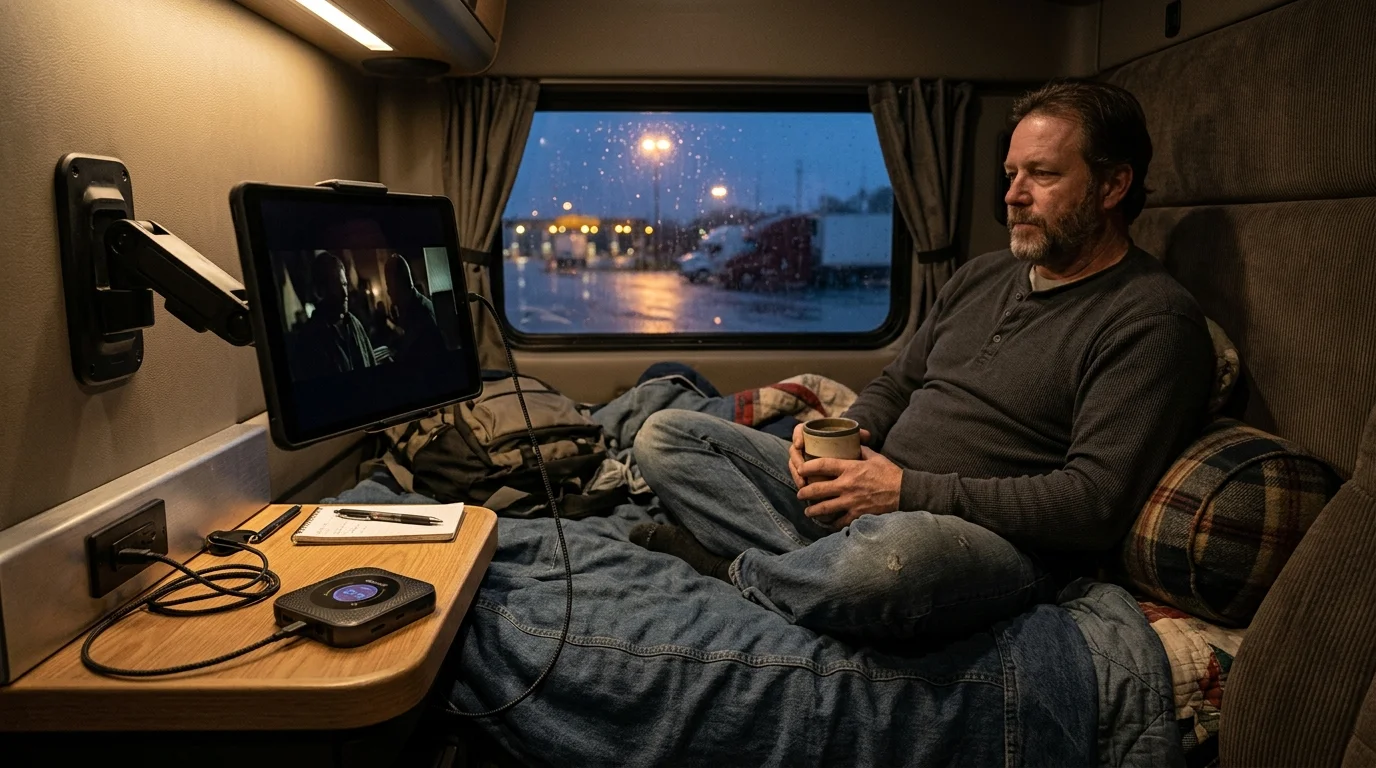
You can stream your favorite shows from your sleeper berth every night without burning through your monthly 50GB cellular allowance. Streaming—watching video content over the internet instead of cable or satellite—frequently traps long-haul drivers in geographic lockout loops across state lines.
Most advice tells you to buy expensive unlimited mobile plans or abandon your subscriptions entirely. This guide outlines the exact 30-day check-in protocols and specific video settings that cap hourly data below 700MB, letting you bypass strict home location locks indefinitely.
By mastering these network rules, solo commercial drivers can run stable entertainment on the road without triggering account suspensions.
Understanding Hulu and Disney+ Geolocation Restrictions
Long-haul trucking presents unique challenges for cord-cutting—canceling traditional cable or satellite TV in favor of streaming services. When you haul freight across multiple states, your mobile hotspot continuously connects to different cellular towers.
Commercial drivers tempted to mask their cell location should keep in mind that using a VPN with streaming services frequently triggers immediate anti-proxy blacklists on both platforms.
Much like beating live TV geolocation lockouts on Starlink, mobile cellular networks frequently scramble geographic coordinates and trip security filters.
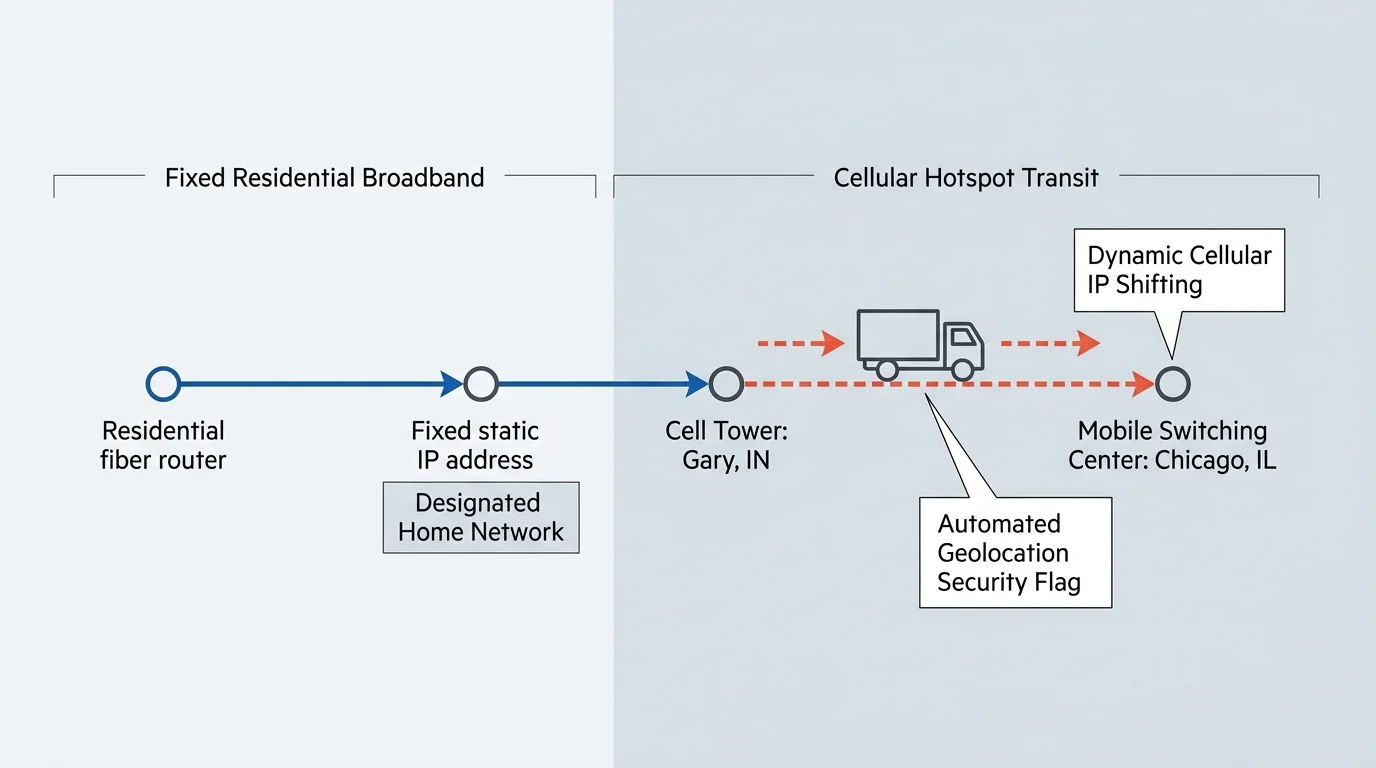
Cellular providers assign dynamic IP addresses based on the nearest mobile switching center. If you park at a truck stop in Gary, Indiana, your hotspot might register an IP address originating from Chicago, Illinois.
On-demand entertainment—content you watch whenever you want, rather than on a broadcast schedule—relies on stable location data to enforce licensing contracts. Automated security filters flag accounts that jump across geographic regions within short periods.
Hulu and Disney+ treat cellular hotspot connections differently than fixed residential broadband lines. Hotspot IP pools rotate frequently, making algorithms assume you are sharing account credentials with users outside your residence.
These sudden location shifts trigger automated lockouts and verification screens. Understanding how each platform tracks your hardware prevents disruptions during your mandatory ten-hour rest breaks.
The Mechanics of Hulu’s 30-Day Check-In and Living Room Lockouts
Hulu + Live TV enforces the strictest geolocation security in the streaming industry. Hulu requires every live television subscriber to designate a single, residential broadband network as their primary “Home network.”
Hulu explicitly blocks mobile hotspots, shared commercial Wi-Fi, and cellular internet connections from serving as your designated Home network. You must establish this Home anchor on a fixed residential internet connection, such as fiber or cable.
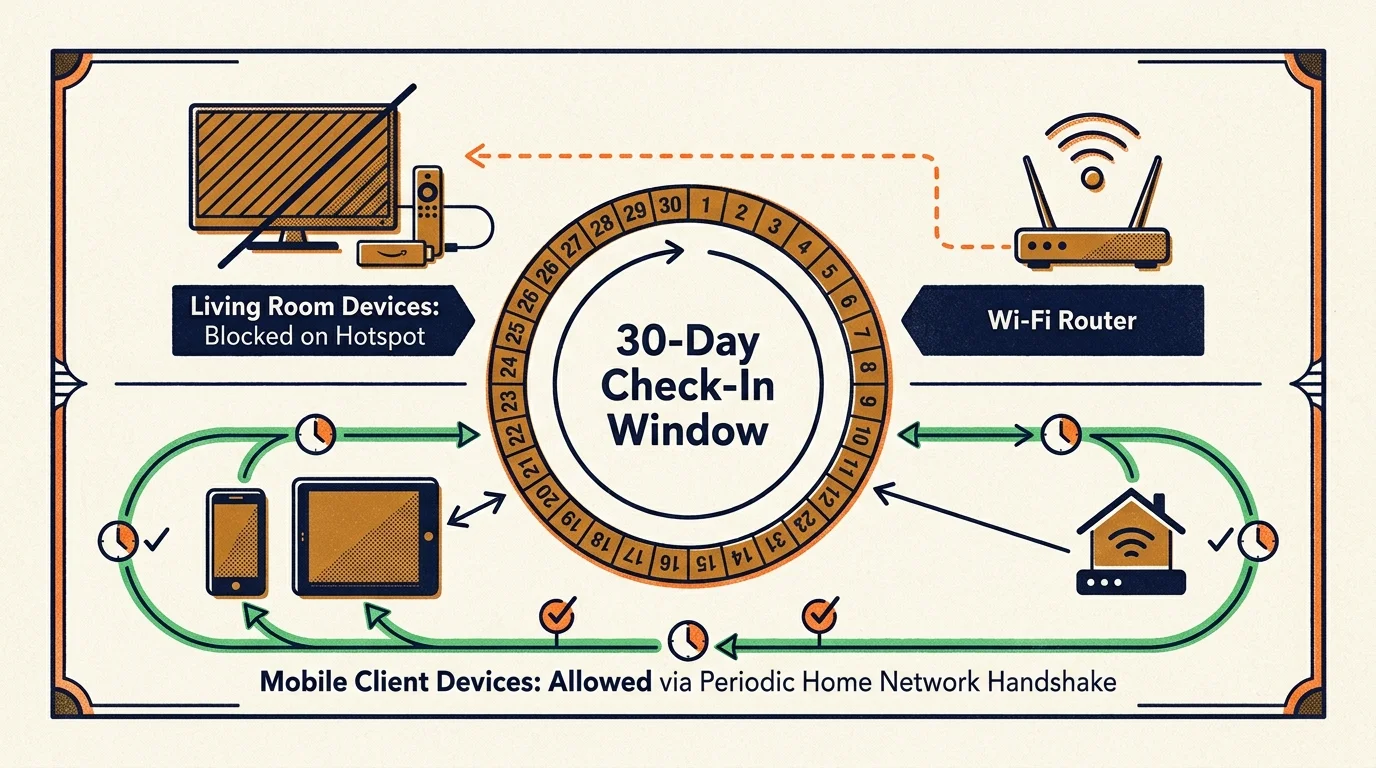
Hulu categorizes client hardware into two distinct groups: living room devices and mobile devices. Living room devices include smart TVs—televisions with built-in internet connections and apps—along with dedicated media boxes and game consoles.
If you connect a smart TV or streaming stick to your truck’s mobile hotspot, Hulu flags it as a living room device outside your Home network. The app immediately locks you out of live channels and premium add-ons.
“Living room devices connected to cellular hotspots outside your residential network trigger an immediate lockout error on live streaming tiers.”
Hulu permits subscribers to change their designated Home network a maximum of four times per 12-month period. Using these four resets while traveling over the road permanently exhausts your changes, resulting in account lockouts.
Portable devices operate under a different standard. Mobile phones, tablets, and laptops can access Hulu outside your primary residence, provided you comply with Hulu’s mandatory 30-day mobile check-in rule.
To maintain active mobile service over a cellular hotspot, your portable device must connect to your primary residential Wi-Fi network at least once every 30 days. The Hulu mobile app logs the residential IP handshake and resets the 30-day timer.
If you do not subscribe to live television and use only Hulu’s standard on-demand library, these residential restrictions relax. The basic on-demand catalog does not impose the four-change annual limit on living room hardware.
Navigating Disney+ Household Tracking and Verification Prompts
Disney+ enforces household restrictions based on network activity, hardware signatures, and viewing behavior. The platform links your account to a primary “Household” established around your main television setup at home.
Drivers looking to reduce subscription expenses across multiple apps can try stacking credit card streaming perks to offset their monthly out-of-pocket costs.
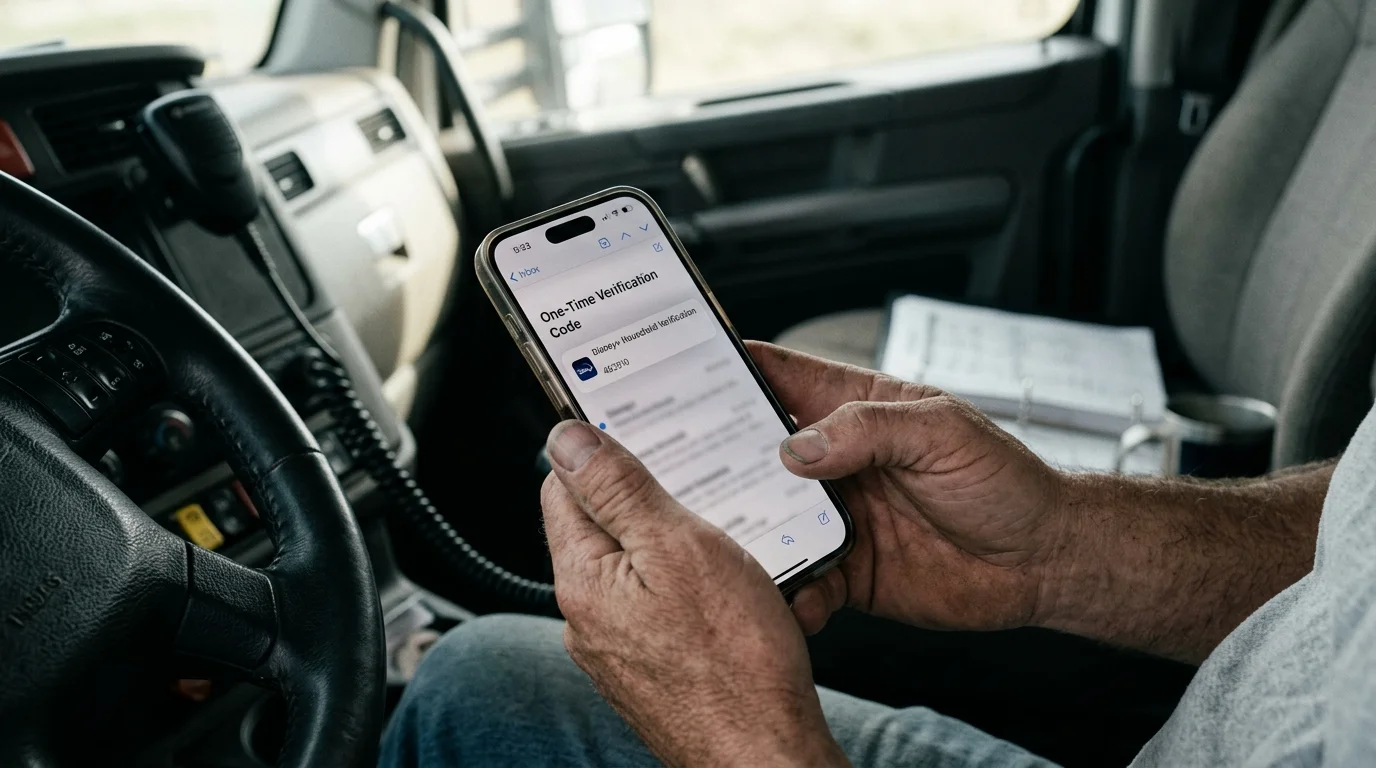
When a TV device accesses Disney+ from an unfamiliar mobile hotspot in a sleeper berth, the service identifies an out-of-home location. The screen displays an access verification prompt requiring a temporary one-time passcode.
Disney+ delivers this six-digit verification passcode directly to the primary account holder’s email address. Solo drivers must enter this code within fifteen minutes to restore temporary television access.
Disney offers a paid Extra Member add-on for accounts shared outside the primary residence. Adding an Extra Member costs $6.99 per month for the ad-supported tier or $9.99 per month for ad-free streaming.
Solo commercial drivers do not need to purchase an Extra Member add-on. Disney+ explicitly allows account holders to stream while traveling, provided they utilize mobile workflows rather than setting up permanent external households.
Mobile phones, tablets, and laptops running Disney+ rarely trigger verification prompts over mobile hotspots. The service recognizes mobile operating systems as portable devices designed for transit and travel.
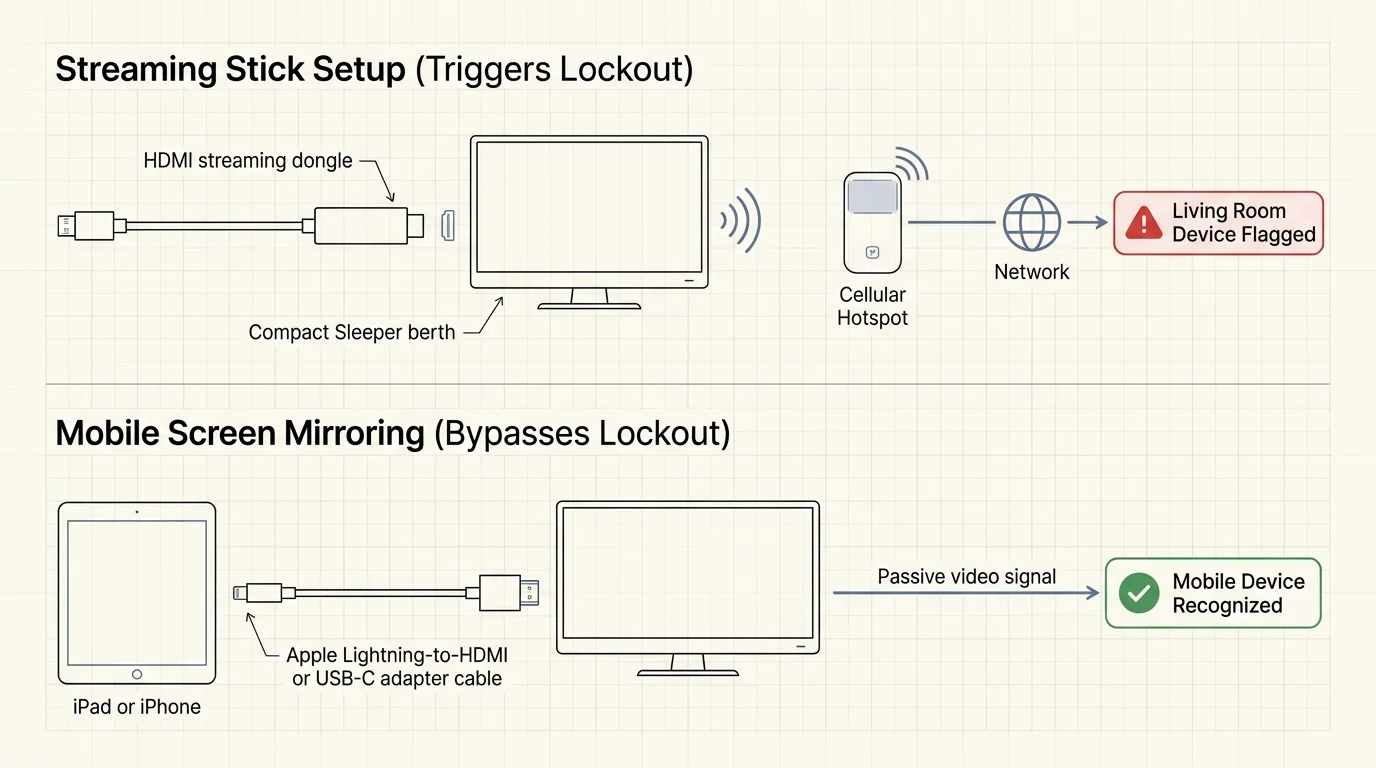
Sleeper Berth Hardware: Streaming Sticks vs. Mobile Screen Mirroring
Your hardware selection inside the cab dictates whether you trigger location security algorithms. A streaming device—a small box or stick like a Roku or Fire TV that adds streaming capabilities to any television—creates specific compliance hurdles.
If you want to protect your truck batteries during downtime, powering your cord-cutter setup on 12V avoids the continuous parasitic draw of running an inverter.
According to Consumer Reports’ streaming media devices guide, compact players like Roku and Apple TV provide dedicated home interfaces. However, Hulu identifies these exact players as living room equipment.
Plugging a Roku Express or Fire TV Stick into your sleeper berth TV and pairing it to your 50GB hotspot triggers Hulu’s “not at home” error. The platform demands a residential IP address that cellular data cannot supply.
To eliminate this location barrier, replace the streaming stick with an iPad, Android tablet, or laptop connected directly to your television. Use a wired connection: a USB-C to HDMI adapter or a Lightning to HDMI digital AV cable.
Connect your mobile device to your 50GB hotspot, open the Hulu or Disney+ mobile app, and plug the HDMI cable into your berth TV. The platform streams through its mobile protocol, which permits out-of-home cellular playback.
The television functions purely as an external computer monitor, bypassing the living room device lockout entirely. You retain full control over video settings directly from your mobile touchscreen.
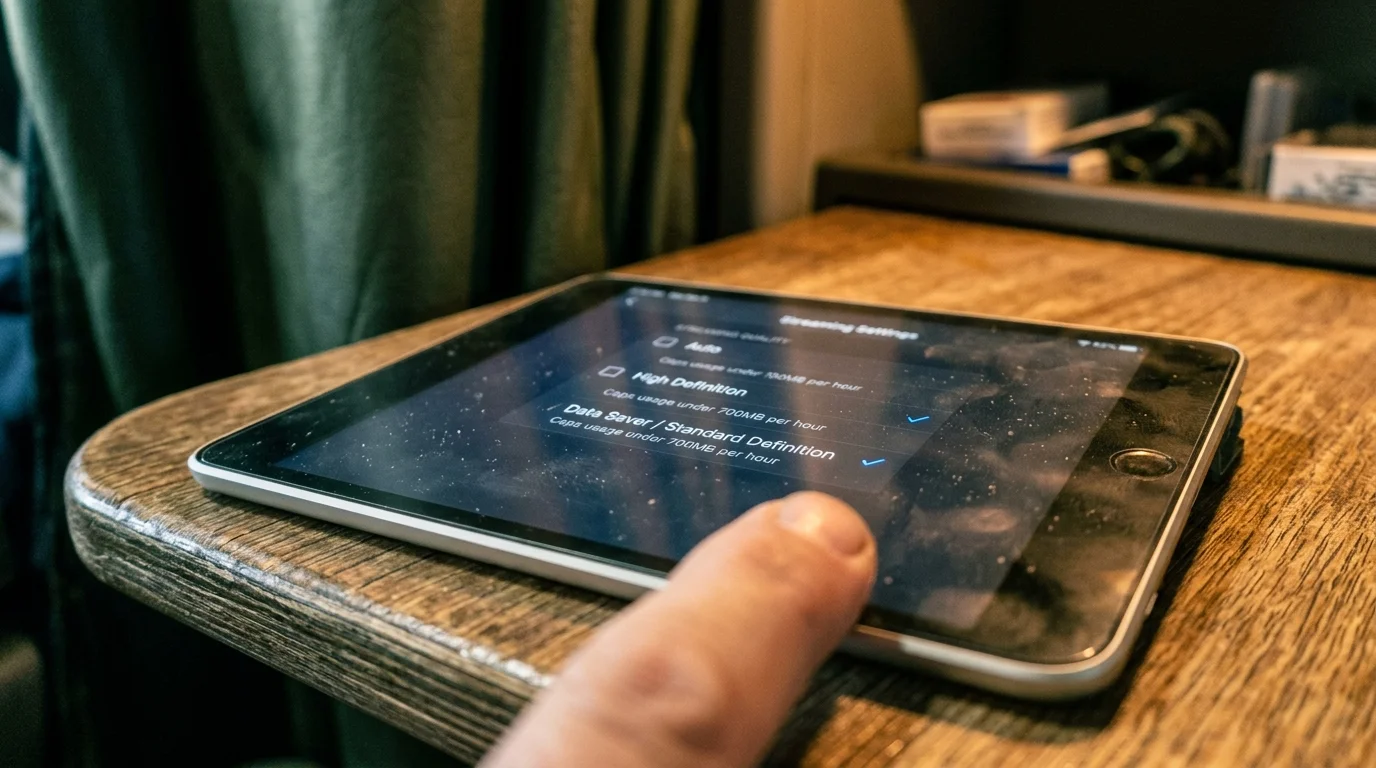
Step-by-Step Settings to Cap Data Under 700MB per Hour
Default streaming settings will rapidly consume a 50GB cellular allocation. Streaming services automatically default to the highest resolution your cellular network can handle, frequently delivering 1080p HD or 4K Ultra HD video.
You can also protect your cellular budget completely by doing some offline download storage math to preload complete series when connected to shipper or terminal Wi-Fi.
Uncapped 4K Ultra HD playback consumes roughly 7.0 GB per hour on Hulu and 7.7 GB per hour on Disney+. At that rate, your 50GB monthly hotspot allowance expires in less than seven hours of viewing.
To stream reliably throughout the entire month, you must adjust your account settings down to standard definition. Standard definition caps your hourly consumption below 700MB while maintaining acceptable visual clarity on compact 24-inch berth displays.
Hulu recommends sustained download speeds of 3.0 Mbps for standard on-demand library streaming, 8.0 Mbps for live streams, and 16.0 Mbps for 4K video. Lowering quality reduces your bandwidth draw well below these ceilings.
Configure the Disney+ mobile application using this specific sequence:
- Launch the Disney+ app on your smartphone or tablet.
- Tap your profile avatar in the lower-right corner of the interface.
- Select App Settings from the navigation menu.
- Tap Cellular Data Usage.
- Switch the setting from Automatic to Save Data.
The “Save Data” setting restricts Disney+ streams to standard definition. This profile consumes approximately 0.6 GB (600MB) per hour, delivering up to 83 hours of total playback on a 50GB hotspot.
Configure the Hulu mobile application with the following steps:
- Launch the Hulu app on your mobile device.
- Tap the Account icon located in the bottom menu bar.
- Select Settings and tap Cellular Data Usage.
- Select Data Saver instead of Cellular Default.
Hulu’s Data Saver setting restricts streams to standard definition, lowering data usage to between 0.65 GB and 0.70 GB per hour. This modification guarantees your hourly consumption stays below your 700MB ceiling.
If you watch content through a web browser on a laptop, manual controls provide additional protection. Click the gear icon located in the video playback scrub bar on Hulu or Disney+ and manually select 480p.

Worked Scenario: Managing a 50GB Monthly Hotspot Budget
Review this realistic operational scenario for managing video streaming consumption alongside essential trucking telematics. Our scenario tracks Marcus, an over-the-road dry-van driver running cross-country regional freight.
Drivers can also stretch their data budget by using offline download storage strategies to cache content over free truck stop Wi-Fi before hitting the road.
Marcus works an operational cycle consisting of 28 consecutive days on the highway followed by a two-day home reset. His carrier plan provides a dedicated 50GB high-speed mobile hotspot allocation every month.
Marcus unwinds by watching exactly 90 minutes (1.5 hours) of television each evening during his mandatory 10-hour rest break. He routes an iPad to his 24-inch cab display using an HDMI cable.
Over a 28-day tour, 1.5 hours of nightly viewing totals 42 hours of entertainment. Marcus divides his viewing time evenly between platforms: 21 hours on Disney+ and 21 hours on Hulu on-demand.
With Disney+ set to Save Data, consumption measures precisely 0.60 GB per hour. Over 21 hours of viewing, Disney+ uses 12.6 GB of cellular data.
With Hulu configured to Data Saver, hourly consumption registers at 0.65 GB per hour. Over 21 hours of viewing, Hulu uses 13.65 GB of cellular data.
Total monthly entertainment data consumption: 12.6 GB plus 13.65 GB equals 26.25 GB. Subtracting 26.25 GB from the initial 50GB pool leaves Marcus with 23.75 GB of remaining hotspot capacity.
Marcus allocates his remaining 23.75 GB buffer across three distinct non-entertainment operational categories:
- Electronic Logging Device (ELD) & Navigation: 3.0 GB reserved for fleet telematics and GPS routing syncs.
- General Smartphone Usage: 10.0 GB for web browsing, email updates, and weather radar monitoring.
- Emergency Safety Margin: 10.75 GB untouched data buffer to guard against accidental overages or software background updates.
On day 29, Marcus returns home for his 34-hour restart. He connects his iPad to his home residential fiber network and opens both apps, satisfying Hulu’s 30-day mobile validation rule without touching his annual location resets.
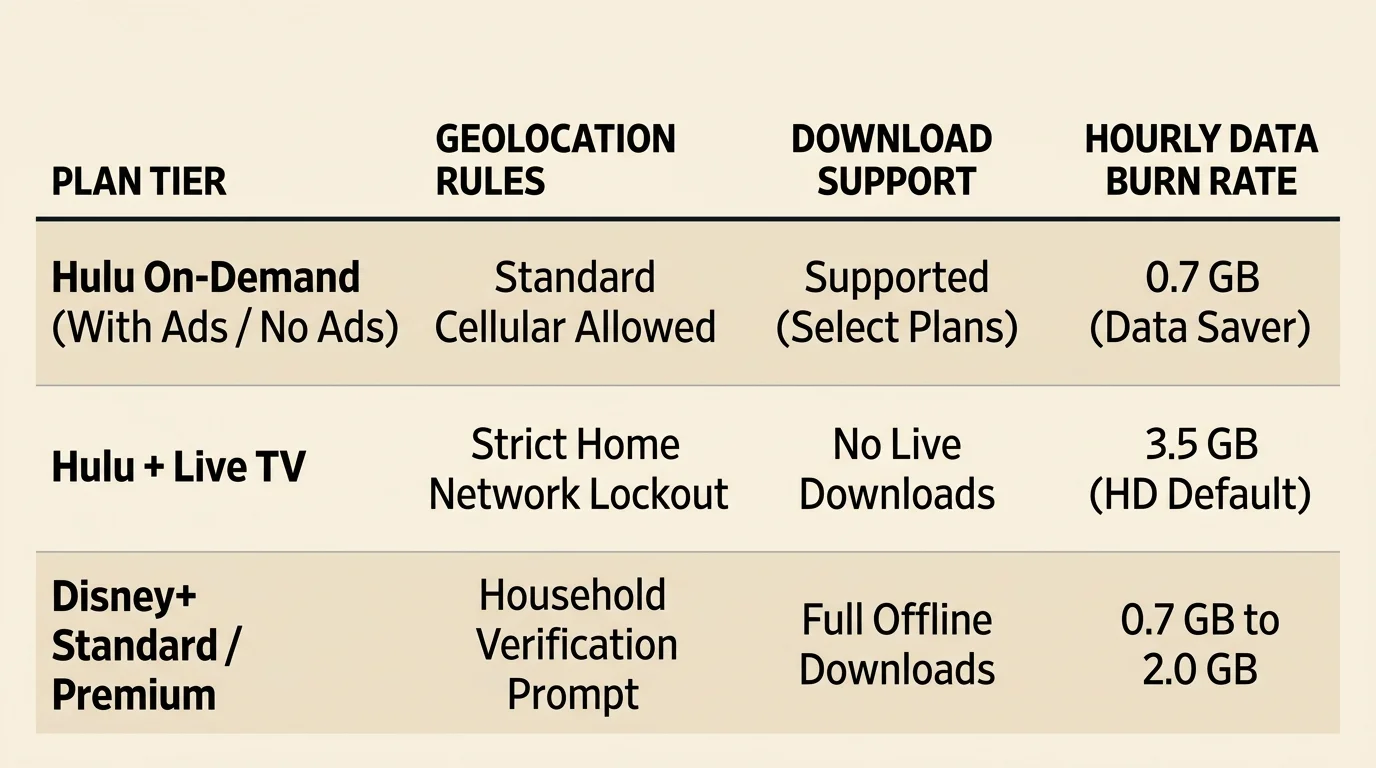
Hulu and Disney+ Plan Options, Features, and Data Rates
Choosing the correct subscription tier prevents unexpected location lockouts and excessive data usage. Ad-supported plans provide lower monthly subscription costs but include unskippable commercial breaks.
Ad-free plans cost more each month but eliminate advertising entirely. In tests documented by CNET’s streaming reviews, ad servers can occasionally stream commercials at higher resolutions than the primary video file, creating minor data spikes.
As noted in PCMag’s streaming services analysis, standalone on-demand platforms offer greater flexibility for mobile travelers than live TV packages. Live TV plans include cloud DVR—digital video recorders that store broadcasts online—which requires additional sustained bandwidth.
The comparison table below details monthly pricing, average data burn rates under mobile optimization, and location vulnerability for major subscription tiers:
| Streaming Tier | Monthly Cost | Hourly Rate (Data Saver) | Hourly Rate (Default HD) | 50GB Capacity (Data Saver) | Hotspot Location Restrictions |
|---|---|---|---|---|---|
| Disney+ Basic (With Ads) | $9.99 | 0.60 GB | 2.00 GB | ~83 Hours | Low (Mobile passcodes only) |
| Disney+ Premium (No Ads) | $15.99 | 0.60 GB | 2.00 GB | ~83 Hours | Low (Supports offline downloads) |
| Hulu (With Ads) On-Demand | $9.99 | 0.65 GB | 1.50–3.00 GB | ~76 Hours | Low (No Home network requirement) |
| Hulu (No Ads) On-Demand | $18.99 | 0.65 GB | 1.50–3.00 GB | ~76 Hours | Low (Supports offline downloads) |
| Hulu + Live TV (With Ads) | $82.99 | 3.50 GB | 3.50–7.00 GB | ~14 Hours | High (Strict 30-day home check-in) |
Is Hulu + Live TV worth it for long-haul drivers? For the vast majority of solo operators, the answer is no. The service costs $82.99 monthly, exhausts 50GB of data in roughly 14 hours, and locks out living room hardware.
Instead, choose the standalone Disney Bundle or separate on-demand accounts. You save more than $60 each month while removing strict residential network requirements entirely.
For movie enthusiasts, Disney+ Premium is best for expansive film franchises and offline access. For serialized dramas, comedies, and next-day network episodes, standard on-demand Hulu offers the most versatile library for evening cab viewing.
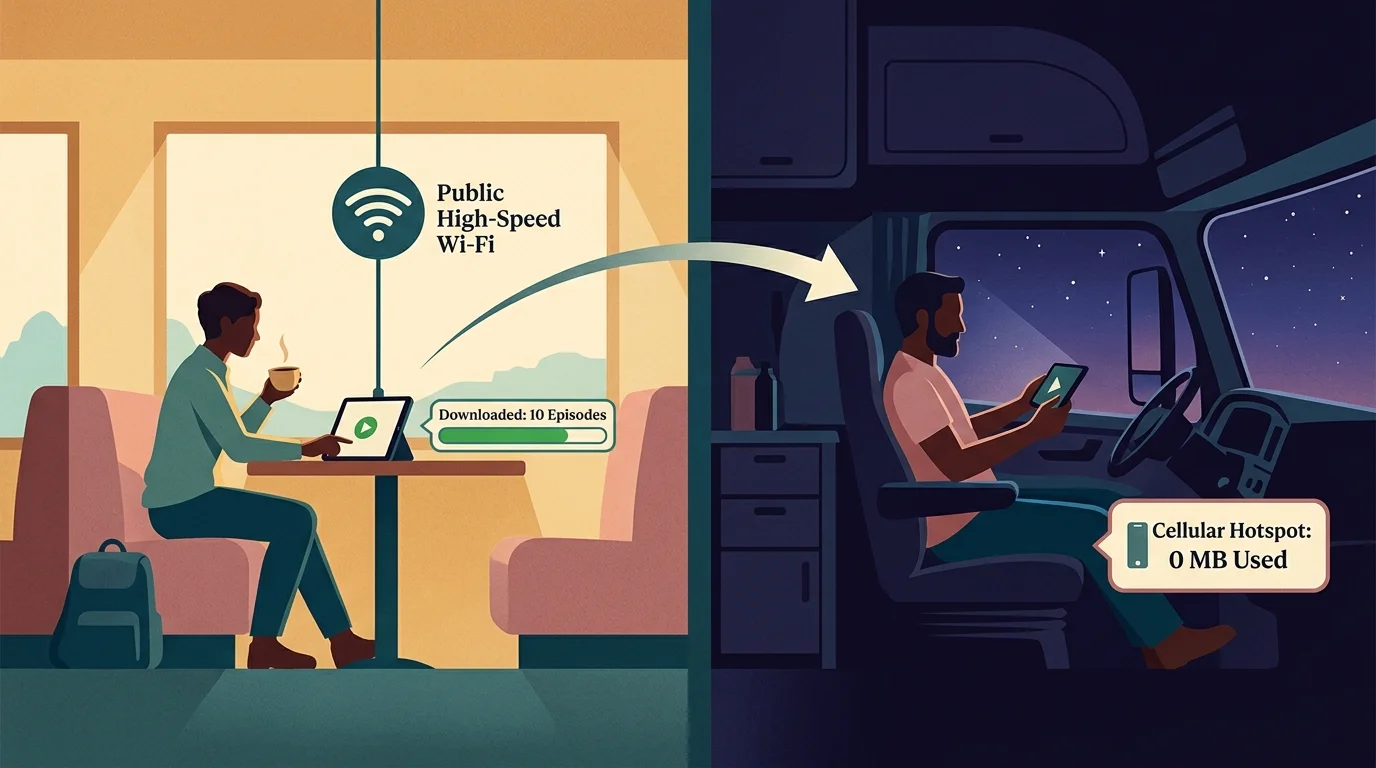
Offline Downloads: The Zero-Hotspot-Data Strategy
The most reliable way to preserve your 50GB mobile hotspot budget is to avoid streaming over cellular networks altogether. Both Hulu and Disney+ provide offline viewing features on their ad-free service tiers.
Offline downloads allow you to store video files directly on your tablet, smartphone, or laptop storage drives. You can play back saved movies and television episodes with your mobile hotspot turned completely off.
Take advantage of complimentary commercial Wi-Fi connections when stopped at major travel centers like Pilot Flying J, Love’s, or TA-Petro. Terminal lounges, company distribution centers, and shipper loading docks often provide free network access as well.
Connect your tablet to terminal Wi-Fi while staging your rig for scheduled drop-and-hook appointments. Queue up entire seasons of television shows to download locally to device storage.
Disney+ Premium allows up to 25 simultaneous downloaded titles across ten supported mobile devices. Hulu’s ad-free tier permits up to 25 downloads across five distinct mobile devices at any single time.
Downloaded titles remain valid on your device for 30 days. Once you press play on an individual title, you have 48 hours to complete viewing before the license expires and requires renewal.
Utilizing off-duty dock time to download television seasons completely protects your 50GB monthly hotspot allotment for route planning, electronic logs, and casual communications.
Frequently Asked Questions
Why does Hulu show a “Not at Home” error when connected to my hotspot?
Hulu displays this error when a living room device—such as a smart TV, Roku, or Fire TV Stick—connects via an unrecognized cellular network. Hulu + Live TV requires living room hardware to operate exclusively on your fixed residential Home network.
Can I use my mobile hotspot to establish a Hulu Home network?
No, Hulu strictly prohibits mobile hotspots, shared Wi-Fi networks, and cellular internet providers from registering as a designated Home network. You must connect your account to a permanent residential fiber, cable, or DSL connection.
How much hotspot data does Disney+ consume per hour on low settings?
When configured to its “Save Data” profile, the Disney+ mobile application uses approximately 0.6 GB (600MB) of data per hour. Under default automatic settings, usage increases to 2.0 GB per hour for standard HD streams.
What happens if I forget to check my mobile device into my home Wi-Fi after 30 days?
If you fail to connect your mobile device to your primary residential Wi-Fi network within 30 days, Hulu + Live TV suspends playback on that device. On-demand features may remain accessible, but live streaming stays locked until reconnected at home.
Disclaimer: Streaming service prices, content libraries, and features change frequently. Prices shown were accurate at time of writing but may have changed. Always verify current pricing on the official service website before subscribing.