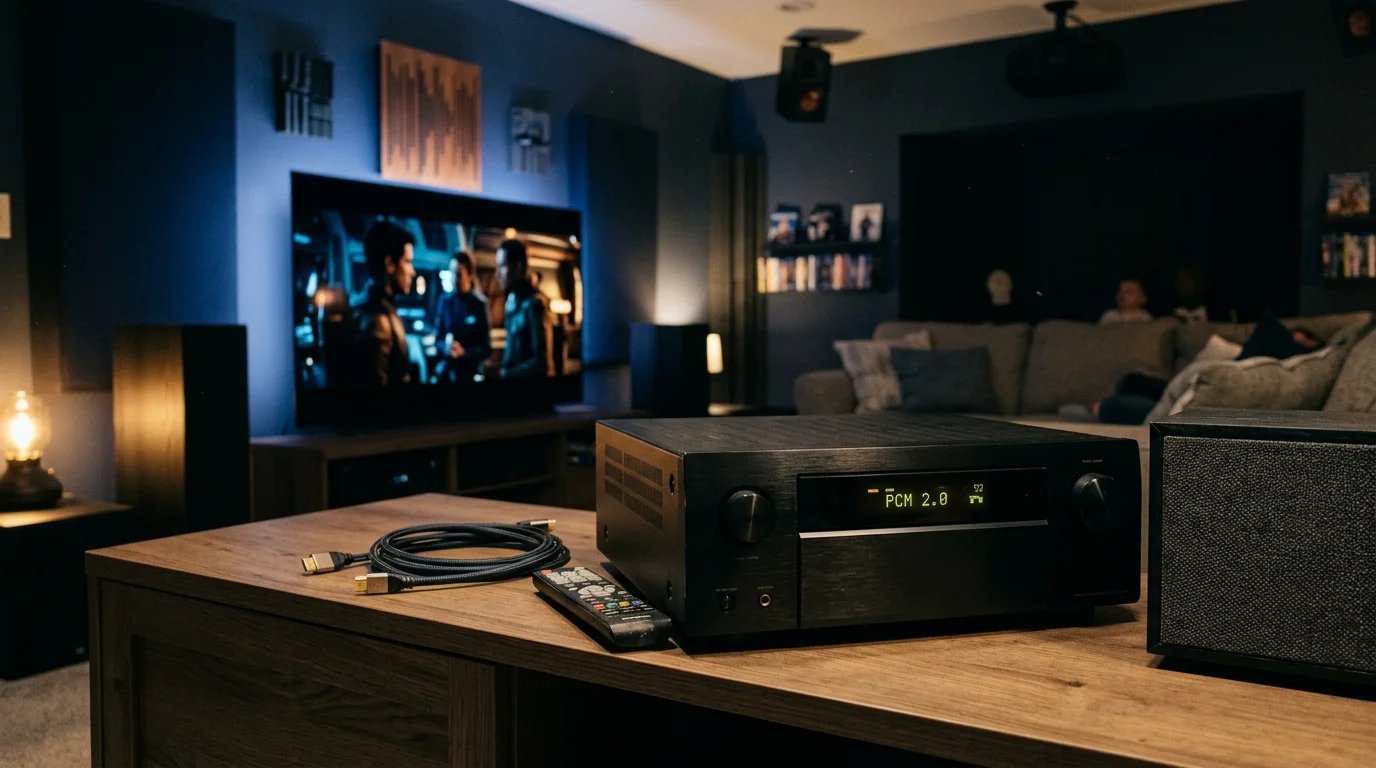
You wired your 5.1.2 receiver for immersive surround sound, but your smart TV may secretly feed it stereo. Most viewers assume that a Dolby Atmos badge on a title guarantees multidirectional audio.
While troubleshooting guides can help you fix common streaming audio problems like stuttering or desync, silent downmixing is a separate issue rooted in hardware negotiation.
That assumption is wrong. Native smart TV audio downmixing silently collapses discrete 5.1 and Atmos feeds into two-channel sound due to hidden tier paywalls, firmware bugs, and incorrect eARC handshakes.
This guide reveals which streaming platforms deliver true 5.1 surround sound streaming, which ones charge extra for it, and how to fix silent stereo downmixing on your hardware.
The Hidden Downmix: Why Your AVR Shows Stereo PCM
Streaming means watching video content over the internet instead of cable or satellite. Cord-cutting refers to canceling traditional cable or satellite TV in favor of streaming services.
Understanding how to get better sound from your TV shows helps ensure your system delivers proper dynamic range and dialogue clarity rather than a flat, compressed audio feed.
If your home theater setup relies on legacy audio gear, learning how to get real 5.1 surround sound on an optical receiver can help prevent modern players from defaulting to stereo.
Many home theater enthusiasts complete their cord-cutting setup only to discover their audio-video receiver displays PCM 2.0 instead of Dolby Atmos. This display reading confirms you are listening to standard two-channel stereo.
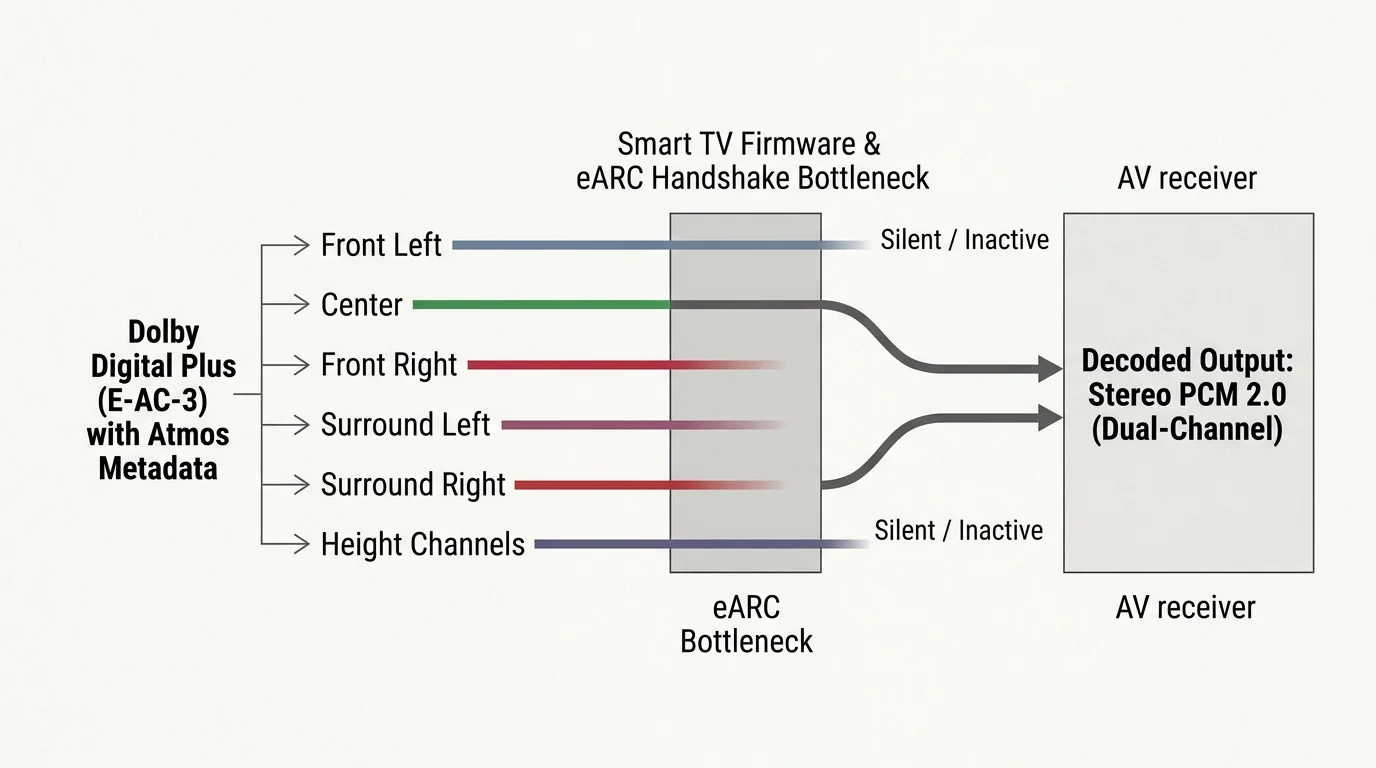
When an audio-video receiver receives two-channel stereo PCM, your height speakers and surround channels stay completely silent. The soundstage collapses entirely to the front left and right channels.
Instead of hearing true multichannel separation, your receiver must rely on artificial upmixing modes like Dolby Surround or DTS Neural:X. These processing modes approximate surround sound, but they cannot replace a discrete audio mix.
Modern streaming services distribute surround audio using Dolby Digital Plus with Atmos metadata, known technically as Enhanced AC-3. This compressed format carries discrete channels alongside spatial object coordinates.
If any link in your hardware pipeline fails to decode or transmit this bitstream, the system downmixes the audio to basic stereo. Native smart TV audio downmixing happens invisibly behind the scenes without any alert on your screen.
You might watch an action film believing you are hearing high-end object-based audio. In reality, you are listening to dual-channel sound stretched across multiple speakers by an upmixer.
Streaming applications often fail to flag this mismatch. The app interface happily shows a Dolby Atmos badge even when sending a stereo PCM signal across your HDMI cable.

Tier Paywalls: Streaming Apps Dolby Atmos Support and Pricing Compared
Streaming platforms increasingly treat premium surround sound as an expensive luxury feature. Major providers now gatekeep multichannel formats behind their most expensive monthly tiers.
Applying simple streaming hacks can help you optimize subscription costs without losing access to premium surround sound features.
Ad-supported plans are cheaper options that show commercials during playback. Ad-free plans cost more each month but eliminate all advertising interruptions.
On-demand entertainment lets you watch whatever you want, whenever you want, rather than following a rigid broadcast television schedule. However, selecting an on-demand movie does not guarantee an immersive audio format.
Netflix restricts Dolby Atmos and spatial audio strictly to its top-tier Premium plan at $22.99 per month. If you subscribe to Netflix Standard at $15.49 per month or Standard with Ads at $6.99 per month, your audio caps at 5.1.
Amazon Prime Video fundamentally altered its audio structure in early 2024. Amazon introduced advertisements to the base Prime Video membership and quietly stripped Dolby Atmos and Dolby Vision support from it.
To restore streaming apps Dolby Atmos support on Prime Video, you must pay an extra $2.99 per month for the ad-free upgrade. Base ad-supported tiers only output standard Dolby Digital 5.1.
Max relocated 4K resolution and Dolby Atmos into its Ultimate Ad-Free tier, which costs $20.99 monthly or $209.99 per year. The standard Ad-Free tier costs $16.99 monthly but limits streams to 1080p video and 5.1 surround sound.
Disney+ enforces a comparable paywall strategy across its subscription options. Disney+ Premium at $15.99 monthly delivers Dolby Atmos and DTS:X IMAX Enhanced audio, while the $9.99 monthly Basic with Ads tier caps at 5.1.
Apple TV+ remains an exceptional value for audiophiles by charging a flat $9.99 per month. Apple includes Dolby Atmos and 4K Dolby Vision on all supported content without requiring an upgraded subscription tier.
Paramount+ includes Dolby Atmos exclusively on its Paramount+ with Showtime tier at $12.99 monthly. The $7.99 monthly Essential tier does not output height metadata.
Peacock Premium Plus costs $13.99 monthly and supports select Atmos titles. The base $7.99 plan rarely provides immersive spatial audio.
| Streaming Service | Required Plan for Atmos | Monthly Price | Annual Price / Savings | Maximum Audio Format | Ad-Supported Audio Limit |
|---|---|---|---|---|---|
| Netflix | Premium | $22.99 | N/A | Dolby Atmos / Spatial Audio | Dolby Digital 5.1 |
| Amazon Prime Video | Ad-Free Upgrade | $11.98 (Standalone) | $139/yr (Prime base) | Dolby Atmos | Dolby Digital 5.1 |
| Max | Ultimate Ad-Free | $20.99 | $209.99/yr ($41.89 savings) | Dolby Atmos | Dolby Digital 5.1 |
| Disney+ | Disney+ Premium | $15.99 | $159.99/yr ($31.89 savings) | Dolby Atmos / DTS:X | Dolby Digital 5.1 |
| Apple TV+ | Base Plan | $9.99 | $99.99/yr ($19.89 savings) | Dolby Atmos | N/A (No ad tier) |
| Paramount+ | Paramount+ with Showtime | $12.99 | $119.99/yr ($35.89 savings) | Dolby Atmos | Dolby Digital 5.1 |
| Peacock | Premium Plus | $13.99 | $139.99/yr ($27.89 savings) | Dolby Atmos (Select) | Dolby Digital 5.1 |
Native Smart TV Apps vs. External Streaming Boxes
A smart TV is a television with a built-in internet connection and pre-installed streaming applications. A streaming device is a small external box or stick that connects to any TV via HDMI to stream video.
If your home theater setup utilizes a high-end soundbar instead of an AVR, knowing how to connect your streaming device to a sound bar correctly will bypass internal television audio processing bottlenecks.
Built-in smart TV apps regularly struggle with high-bandwidth multichannel audio. Television manufacturers prioritize panel quality and thin profiles, often using underpowered system-on-a-chip processors to run their operating systems.
These internal television processors frequently lack the processing bandwidth required to route Dolby Digital Plus bitstreams while simultaneously handling 4K image upscaling and motion processing. As a result, the TV OS silently downmixes to 2.0 PCM.
According to Consumer Reports’ streaming media device guide, dedicated media streamers deliver noticeably faster navigation and more reliable audio-video codec support than built-in television operating systems.
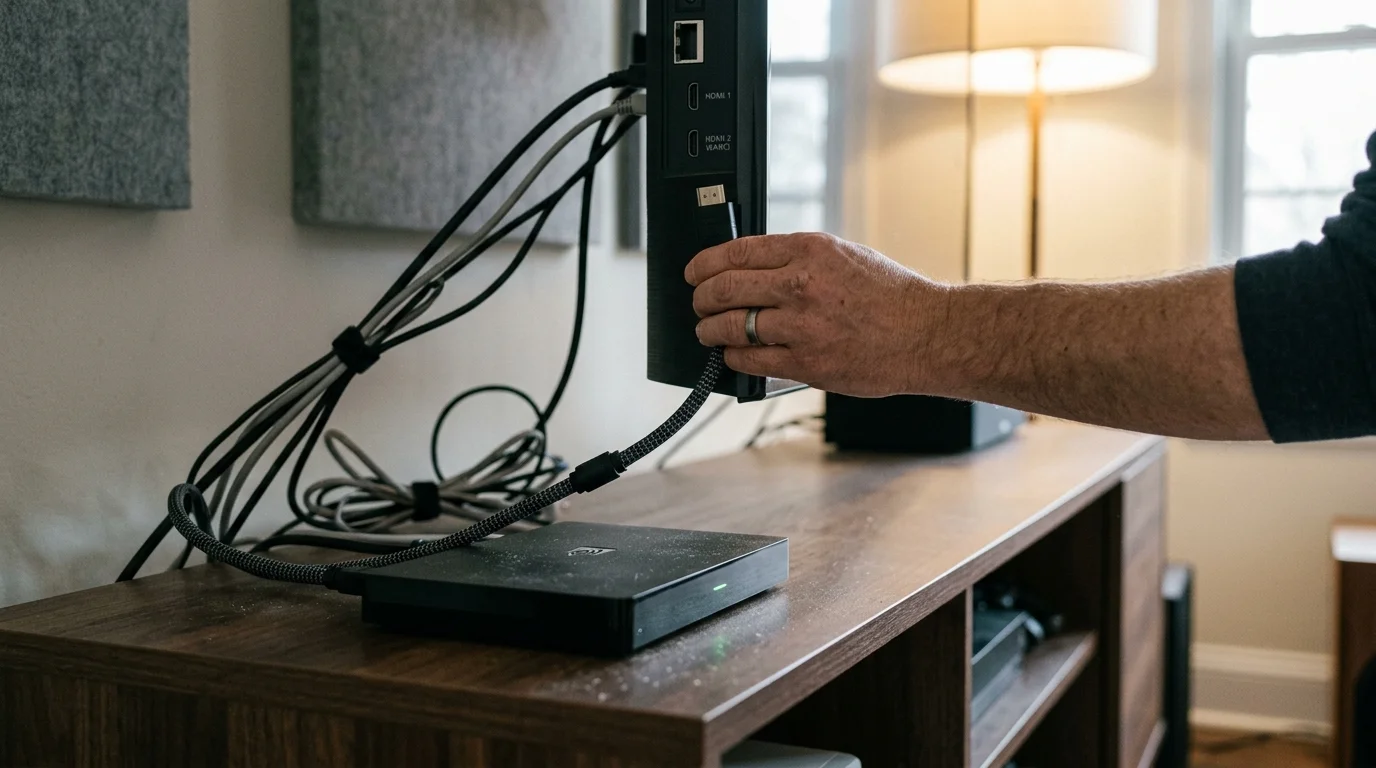
Firmware stability presents another major issue with built-in applications. An automated firmware update to LG webOS or Samsung Tizen can suddenly disrupt eARC audio handshakes, breaking surround sound compatibility for weeks.
External streaming players avoid these hardware bottlenecks by utilizing dedicated digital audio pipelines. Devices like the Apple TV 4K, Roku Ultra, and Amazon Fire TV Cube maintain consistent multichannel handshakes with external receivers.
Live television streaming platforms introduce their own unexpected downmixing behaviors. YouTube TV provides true 5.1 surround sound streaming across most live sports and on-demand cable broadcasts.
A DVR, or digital video recorder, lets you record and watch shows later. YouTube TV includes unlimited cloud DVR storage, maintaining full 5.1 channel integrity on your recorded broadcasts.
However, YouTube TV silently downmixes all program audio to 2.0 stereo whenever you activate its popular Multiview feature. Viewing four football games simultaneously forces the audio pipeline into basic stereo, disabling your surround channels.
The Desktop Browser Trap: Why Laptops Always Downmix to Stereo
Many viewers connect a living room home theater PC or laptop directly to their receiver via HDMI. They assume that a computer with a powerful graphics card provides superior media playback.
To replace browser-based streaming on a budget, picking up one of the best refurbished streaming devices gives you dedicated hardware decoders capable of outputting true bitstream audio.
For living room media PC setups, building a hybrid streaming and Plex server offers a reliable way to avoid browser limitations and stream uncompressed audio tracks directly to your receiver.
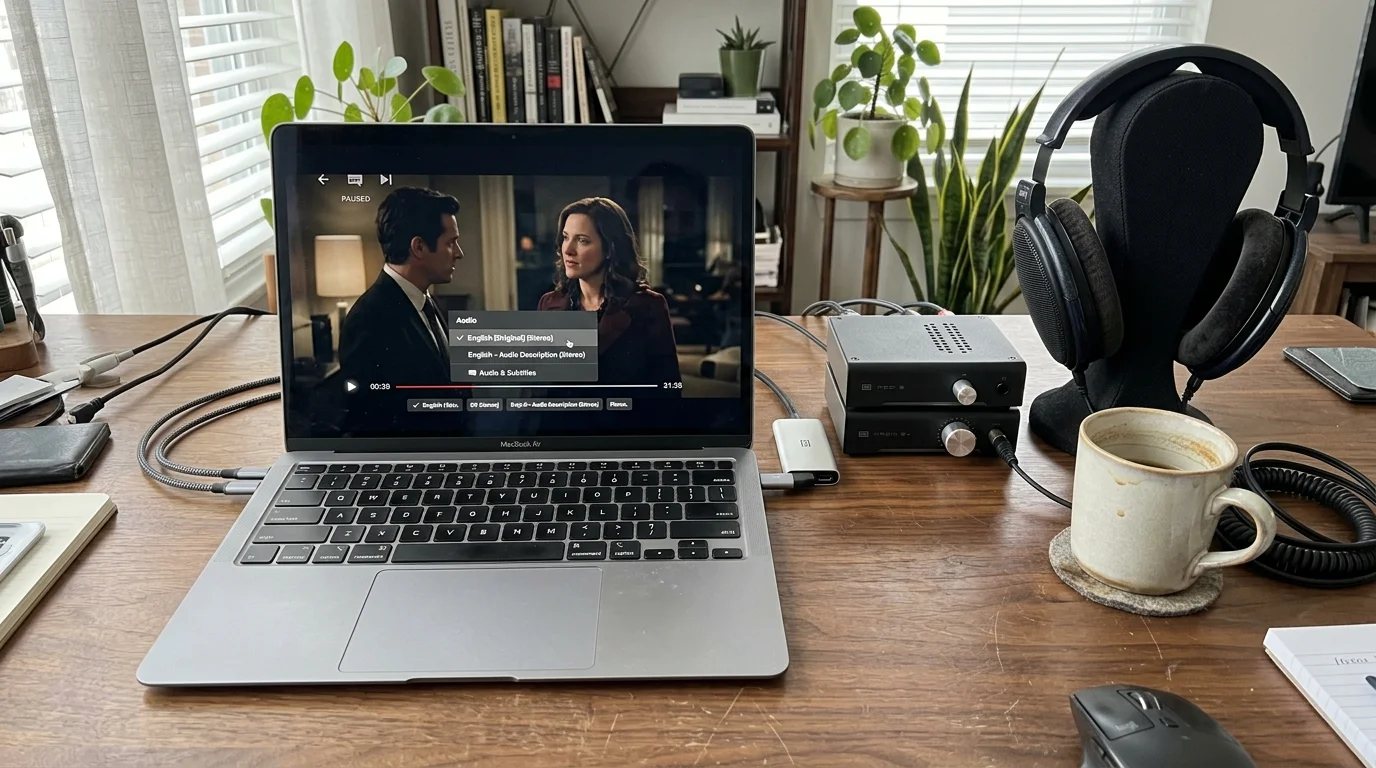
Streaming services through desktop web browsers like Google Chrome, Mozilla Firefox, or Microsoft Edge always downmix audio to 2.0 stereo. This restriction applies regardless of whether your hardware supports Dolby Atmos.
Digital rights management architectures like Google Widevine and Microsoft PlayReady impose strict limitations inside desktop web browsers. Streaming services restrict browser audio pipelines to prevent unauthorized digital copying of discrete multichannel audio tracks.
Furthermore, desktop web browser audio engines are hardcoded to mix audio outputs into two-channel sound. Browser platforms prioritize compatibility with standard desktop speakers and headphones over multichannel receivers.
Even if an on-demand movie page displays a 5.1 or Dolby Atmos badge in Chrome, the browser silently outputs stereo PCM. Connecting a computer via HDMI will not deliver discrete surround sound unless you use specific native Windows Store applications.
To avoid this browser limitation, you must rely on certified streaming boxes or native TV apps. Dedicated hardware environments contain the secure hardware decoders required to negotiate true multichannel audio streams.
Worked Example: Fixing the Apple TV 4K and Samsung eARC Bug
Consider a practical home theater configuration that illustrates how native smart TV audio downmixing occurs in the real world. This scenario demonstrates how two premium devices can fail to produce multichannel sound without proper configuration.
Staying informed on streaming device updates ensures you can catch new firmware patches that quietly alter eARC audio passthrough settings.
In this setup, an Apple TV 4K 128GB unit ($149) connects directly to a 65-inch Samsung QN90C Neo QLED TV ($1,499) using a 48 Gbps HDMI 2.1 cable. The Samsung TV connects through its eARC port to a Denon AVR-X1700H 7.2-channel receiver ($599).
The Denon receiver powers a 5.1.2 physical speaker configuration with five ear-level speakers, one powered subwoofer, and two in-ceiling height speakers. The viewer launches Max to watch Dune: Part Two on an Ultimate Ad-Free subscription ($20.99 per month).
Despite paying for the premium tier, the Denon receiver front panel reads “Multi Ch In 2.0,” and the surround speakers produce zero sound. The Apple TV decodes Dolby Digital Plus internally and outputs uncompressed Multichannel Linear PCM or Dolby MAT.
Samsung Tizen television firmware often struggles to pass uncompressed 5.1 LPCM through its eARC audio pipeline. The television receives six discrete channels from the Apple TV, silently downmixes them to two channels, and passes stereo PCM to the receiver.
You can eliminate this silent downmix by changing a specific audio setting on your Apple TV player. Navigate to Settings, select Video and Audio, open Audio Format, change Format to ON, and select Dolby Digital 5.1.
This setting forces the Apple TV to re-encode all multichannel audio into a compressed AC-3 5.1 bitstream. The Samsung TV easily recognizes and passes this legacy bitstream to your receiver without collapsing the surround channels.
Alternatively, connect the Apple TV 4K directly into an HDMI input on the Denon receiver rather than the television. Routing media through the receiver allows the Denon to decode uncompressed LPCM and Dolby Atmos MAT before sending video to the screen.
How to Configure Your TV and Receiver for True Bitstream Audio
Physical cabling and menu settings determine whether your sound system receives discrete surround sound or downmixed stereo. Understanding connection standards helps you diagnose audio bottlenecks quickly.
Optical TOSLINK cables lack the digital bandwidth required to transmit Dolby Atmos or uncompressed 5.1 Linear PCM audio. An optical cable maxes out at legacy Dolby Digital 5.1 or standard two-channel stereo.
HDMI ARC, or Audio Return Channel, supports compressed Dolby Digital Plus with Atmos metadata up to roughly one megabit per second. This connection standard handles streaming-grade spatial audio, but it cannot pass lossless formats.
HDMI eARC, or Enhanced Audio Return Channel, increases connection bandwidth to 37 megabits per second. This massive bandwidth jump accommodates uncompressed 7.1 LPCM audio and lossless Dolby TrueHD soundtracks from physical media.
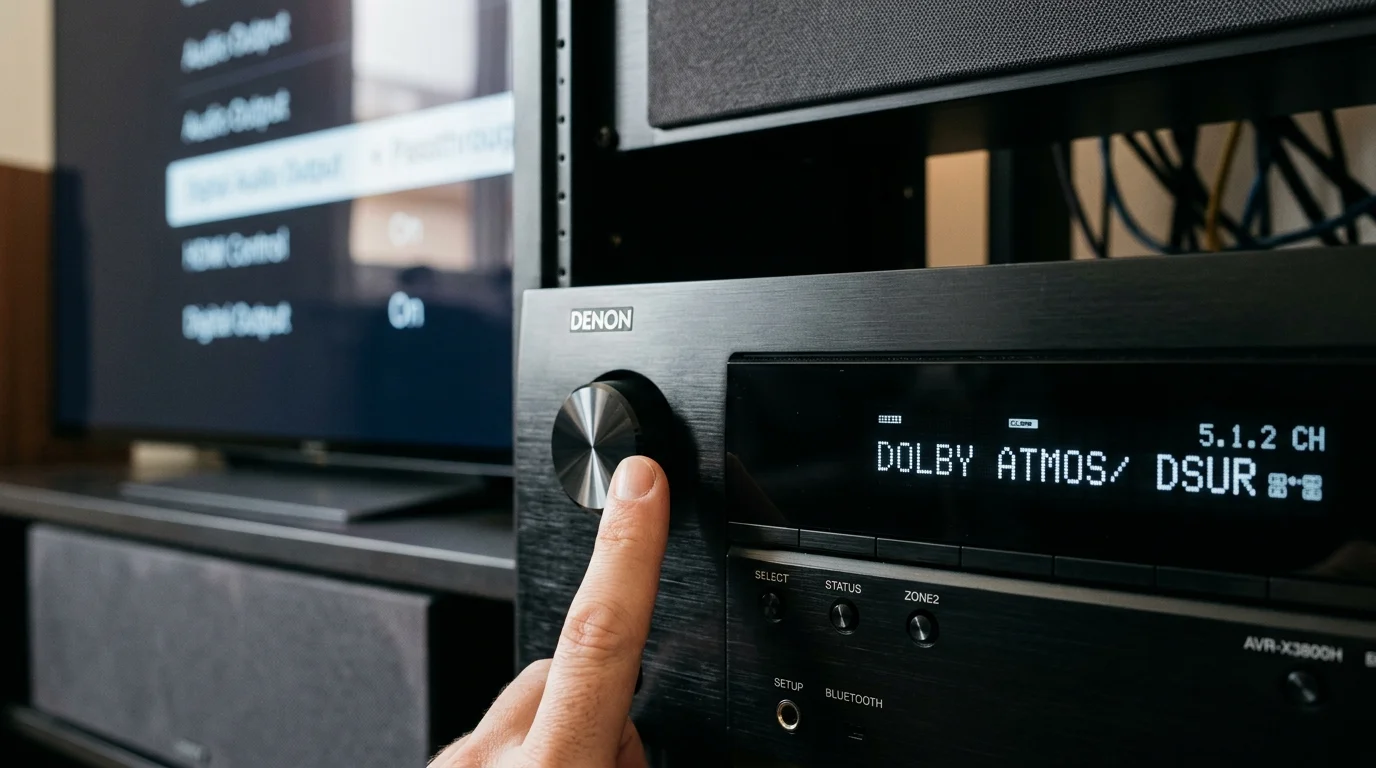
If your smart TV digital audio output is set to PCM, the TV will downmix all multichannel audio to stereo before sending it across your HDMI ARC cable. This menu setting causes widespread audio issues in modern home theaters.
To correct this, open your television sound settings, find Digital Audio Output, and select Pass-Through or Bitstream. These settings instruct the TV processor to forward raw audio data directly to your receiver without modifying the channel layout.
As noted by PCMag’s streaming services analysis, achieving pristine home theater performance requires matching high-end subscription tiers with properly configured transmission chains.
“Never leave your smart TV digital audio output set to PCM when using HDMI ARC. Select Pass-Through to ensure your receiver decodes the raw multichannel bitstream directly.” — Audio Engineering Principle
Next, inspect your receiver front panel while playing content. If the screen displays “Dolby Atmos,” “Dolby Digital Plus,” or “DTS:X,” your receiver is decoding discrete multichannel bitstreams properly.
If the receiver displays “Stereo,” “PCM 2.0,” or displays active indicators for only two front channels, your audio is being downmixed upstream. Check your TV output settings and subscription tiers immediately to resolve the issue.

Best Streaming Configurations for Immersive Home Theater
Building an exceptional home theater requires balancing hardware capabilities against recurring subscription costs. Choosing the right hardware and plan combinations ensures you do not waste money on features your equipment cannot output.
According to CNET’s streaming coverage, ongoing subscription price increases require consumers to evaluate which premium tiers actually justify their added cost.
For dedicated movie enthusiasts seeking uncompromised spatial audio, an Apple TV 4K connected directly to an audio-video receiver delivers superior reliability. Pair this hardware with Apple TV+ and Max Ultimate Ad-Free for reference-quality Dolby Atmos tracks.
Cost-conscious cord-cutters can save significant money while preserving 5.1 surround sound. Standard ad-supported tiers on Netflix, Disney+, and Prime Video provide dependable 5.1 surround sound streaming without paying premium surcharges.
Family households will find the greatest value in Disney+ Premium at $15.99 monthly. Disney reserves full Dolby Atmos and IMAX Enhanced spatial mixes for its ad-free plan, enhancing animated features and Marvel blockbusters.
Live sports fans subscribing to YouTube TV should run the application through a dedicated streaming player like a Roku Ultra. Remember to exit Multiview mode during important games to restore discrete 5.1 surround sound to your stadium experience.
“Verify what your receiver display actually says before blaming your speakers. If the front panel says Stereo or PCM 2.0, your streaming app or TV settings are the culprit.” — Audio Calibration Tip
Audit your subscription plans annually to verify you are not paying for unused Atmos tiers. If you only own a stereo soundbar, downgrade to standard ad-supported plans immediately to lower your entertainment expenses.
Frequently Asked Questions
Why does my AV receiver show PCM instead of Dolby Atmos?
Your receiver displays PCM when it receives a decoded two-channel stereo signal rather than a raw multichannel bitstream. This happens when your smart TV audio output is set to PCM instead of Pass-Through, or when your streaming subscription tier does not include Dolby Atmos support.
Can an optical audio cable pass Dolby Atmos from streaming apps?
No, optical TOSLINK cables lack the physical bandwidth required to transmit Dolby Atmos metadata. Streaming platforms deliver Dolby Atmos over Dolby Digital Plus, which requires an HDMI ARC or HDMI eARC connection to reach your receiver or soundbar.
Does Amazon Prime Video include Dolby Atmos on standard plans?
No, Amazon removed Dolby Atmos and Dolby Vision from standard Prime Video accounts in early 2024. You must pay an additional $2.99 per month for the ad-free upgrade to unlock Dolby Atmos audio tracks.
Why does YouTube TV output stereo sound during Multiview?
YouTube TV automatically downmixes audio to two-channel stereo PCM whenever you use Multiview. The platform combines multiple live broadcast streams into a single video feed, collapsing individual multichannel audio feeds into a shared stereo track.
Do desktop web browsers support 5.1 surround sound streaming?
No, desktop web browsers like Google Chrome, Microsoft Edge, and Mozilla Firefox restrict streaming playback to two-channel stereo. Browser digital rights management constraints and audio pipeline limitations prevent discrete 5.1 and Dolby Atmos output.
Disclaimer: Streaming service prices, content libraries, and features change frequently. Prices shown were accurate at time of writing but may have changed. Always verify current pricing on the official service website before subscribing.