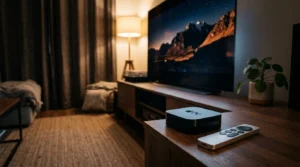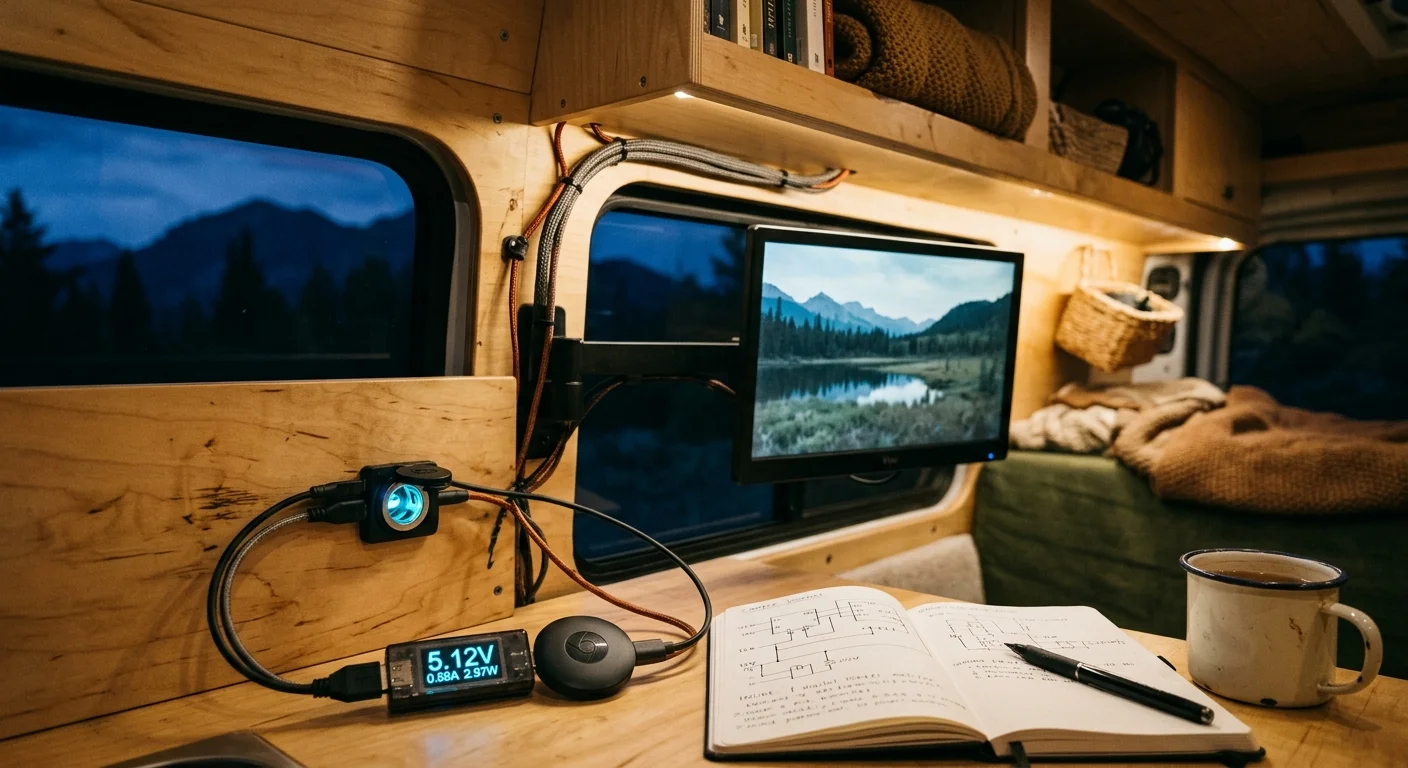
You can run a complete entertainment setup in your camper without draining your off-grid battery bank overnight. Bypassing your AC inverter and running a streaming stick directly on native 12-volt direct current cuts your power usage by up to 80 percent.
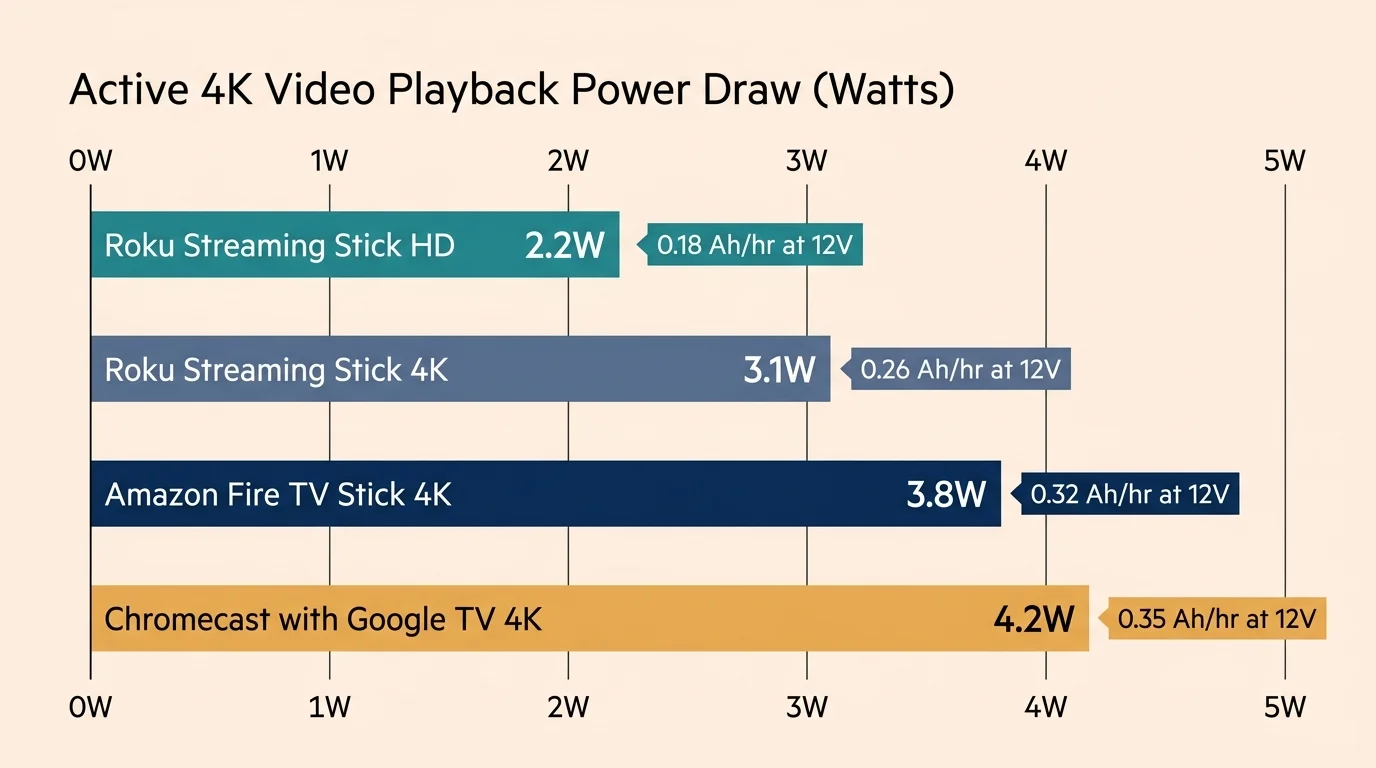
Most popular streaming sticks draw only 2.2 to 4.2 watts during active 4K playback. That translates to less than a single amp-hour from a 12-volt lithium battery for an entire feature film.
This guide reveals the exact watt-hour draw across major devices and proves why an inverter wastes up to 600 percent more energy than a simple DC buck converter.
Direct 12V DC vs. Inverter AC: The Hidden Energy Cost
Off-grid campers and RV owners face strict watt-hour limits on their house battery banks. Running small electronics through an alternating current inverter wastes precious amp-hours before video even begins playing.
For a complete system walkthrough, see our guide to building a low-wattage 12V off-grid streaming and OTA setup for RVs and vans.
Streaming—watching video content over the internet instead of cable or satellite—requires minimal energy on modern hardware. However, the electrical pathway you select dictates how quickly your battery drains.
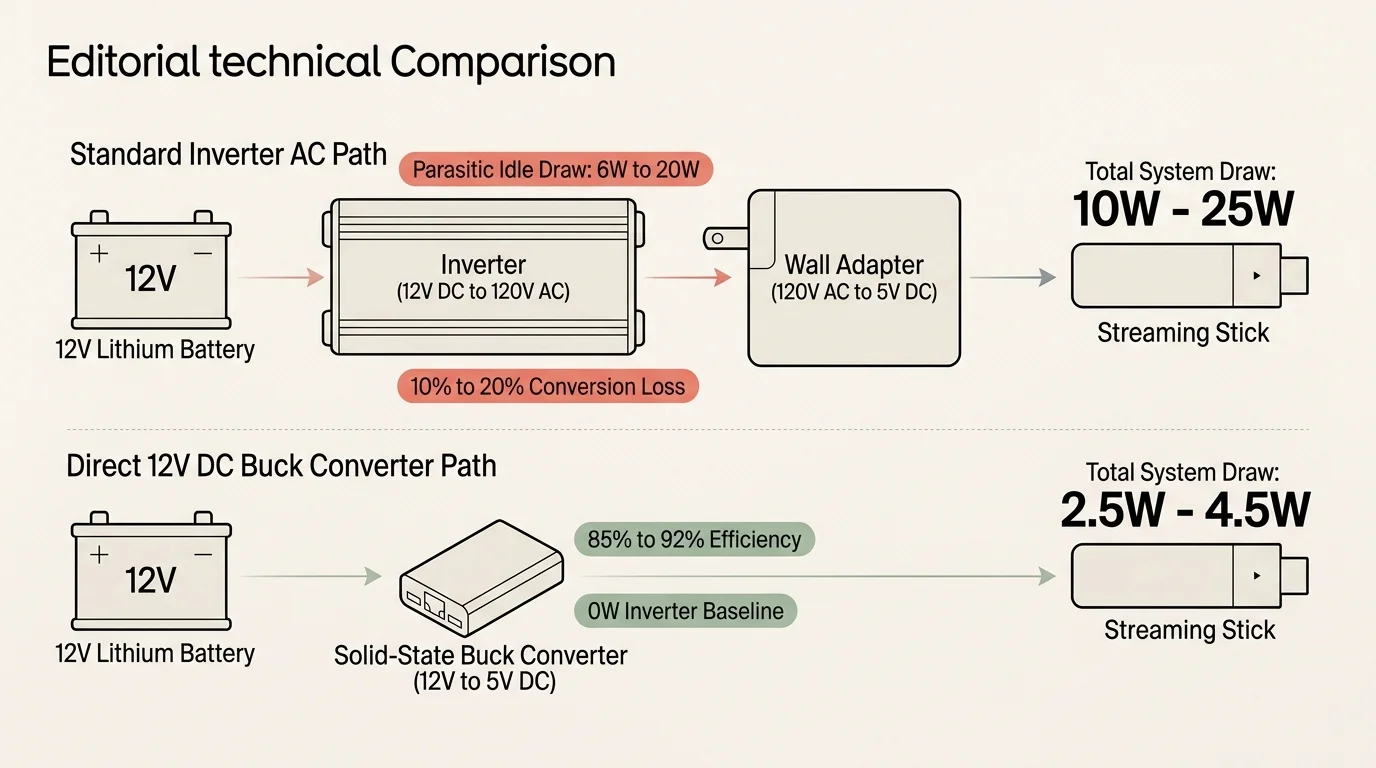
An inverter converts 12V direct current into 120V alternating current. Then, your device wall adapter steps that 120V AC back down to 5V DC.
This double-conversion cycle introduces severe thermal and operational losses. Pure sine wave inverters routinely suffer from a 10% to 20% conversion loss during active operation.
Worse yet, inverters exhibit an idle parasitic draw ranging from 6W to 20W just remaining switched on. That baseline draw pulls 0.5A to 1.6A continuously from your 12V battery rail.
By contrast, a high-efficiency DC-to-DC buck converter steps 12V battery power directly down to 5V USB power. These solid-state modules operate at 85% to 92% efficiency.
Powering your player directly from DC eliminates the inverter baseline draw entirely. This direct connection prevents the massive 300% to 600% energy penalty caused by running an AC inverter.
“Bypassing your inverter eliminates idle standby losses and delivers clean direct current straight to your streaming stick with minimal thermal waste.” — Off-Grid Power Specialist
Real-World Power Consumption Benchmarks by Streaming Stick
A streaming device—a small box or stick (like Roku or Fire TV) that adds streaming to any TV—draws surprisingly little power. We examine verified electrical benchmarks to help you find the lowest power streaming stick.
Selecting a compact travel streaming device helps ensure both physical portability and minimal power consumption when living on the road.
As Wirecutter highlights in their streaming device reviews, hardware efficiency varies significantly across different operating systems. Actual power draw depends on processor architecture and video decoding hardware.
The Roku Streaming Stick HD (Model 3840R) achieves an average active draw of roughly 2.2W during high-definition playback. This minimal draw makes it the lowest power streaming stick for 1080p off-grid setups.
Stepping up to higher resolutions requires slightly more processing power. The Roku Streaming Stick 4K (Model 3820R2) consumes under 3.5W during active 4K HDR video playback.
Under typical streaming loads, the Roku Streaming Stick 4K averages between 2.2W and 3.0W, dropping to 1.5W to 2.0W at idle. Its standard 5V / 1.0A (5W) input works with common USB ports.
The Amazon Fire TV Stick 4K and 4K Max (2nd Gen) require more operating energy. These Amazon models average 2.8W to 4.2W during active 4K streaming sessions.
Idle power on the Fire TV Stick drops to 1.0W to 1.5W in sleep mode. However, momentary boot-up spikes can exceed 1.0A, triggering low-power warnings on undersized power ports.
The Chromecast with Google TV (4K) averages 2.5W to 3.2W during active 4K HDR playback and 0.9W to 1.0W on standby. Google specifies a mandatory 5V / 1.5A (7.5W) power requirement.
Google’s newer set-top successor, the Google TV Streamer (4K), demands a larger 5V / 2.0A (10W) USB-C input. This higher overhead makes the older Chromecast dongle a more battery-friendly alternative.
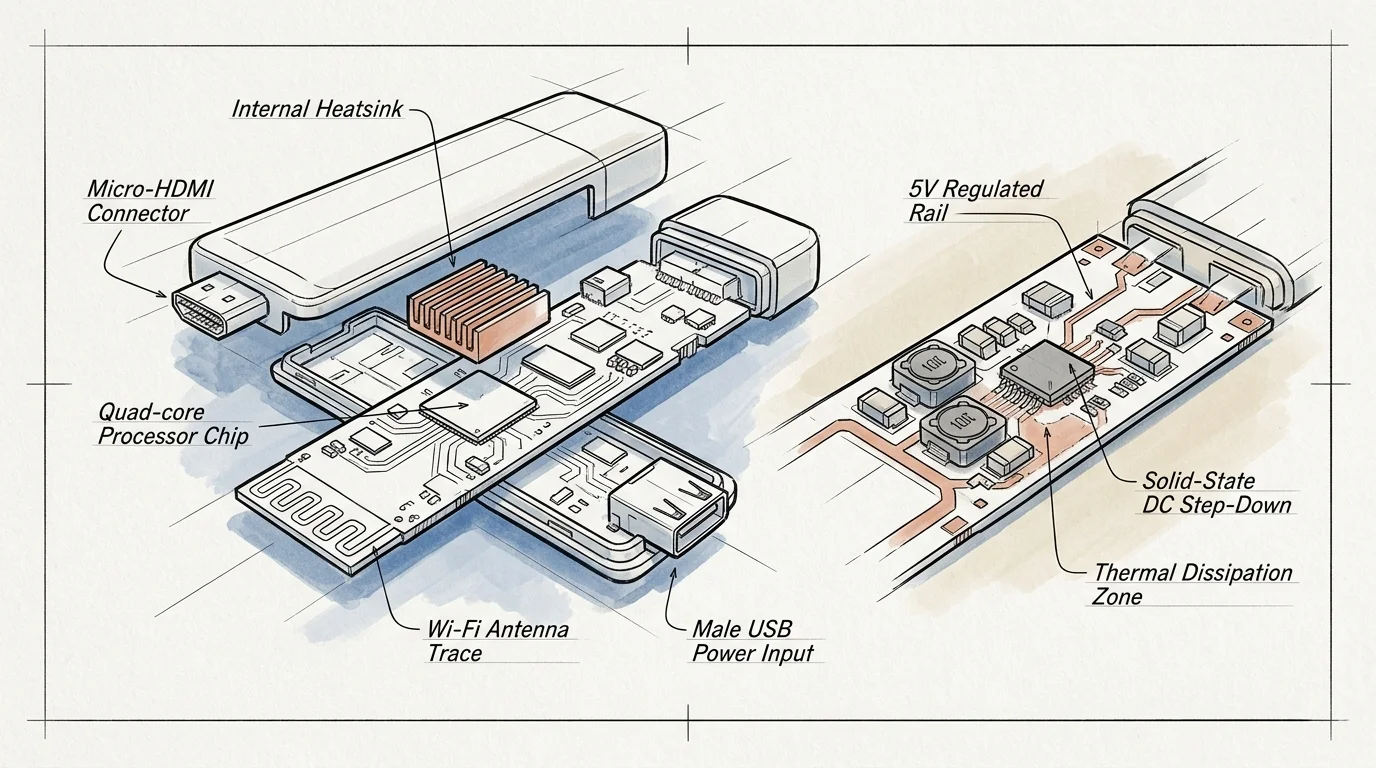
Hardware Specs and Power Requirements Compared
Comparing streaming stick power consumption watts side by side helps you budget your solar energy accurately. Here is how leading market options compare in processing standards and electrical demands.
For an in-depth breakdown of how the two leading platforms stack up beyond energy consumption, check out our guide comparing the Fire Stick vs Roku interface and performance.
| Device Model | Max Resolution | HDR Formats | Audio Standards | Active Draw | Idle Draw | Power Input |
|---|---|---|---|---|---|---|
| Roku Streaming Stick HD (3840R) | 1080p FHD | HDR10 | Dolby Audio pass-through | ~2.2W | 1.2W – 1.5W | 5V / 1.0A (5W) |
| Roku Streaming Stick 4K (3820R2) | 4K UHD | HDR10+, Dolby Vision | Dolby Atmos pass-through | 2.2W – 3.0W | 1.5W – 2.0W | 5V / 1.0A (5W) |
| Amazon Fire TV Stick 4K Max (2nd Gen) | 4K UHD | HDR10+, Dolby Vision | Dolby Atmos decoding | 2.8W – 4.2W | 1.0W – 1.5W | 5V / 1.0A (5W) |
| Chromecast with Google TV (4K) | 4K UHD | HDR10+, Dolby Vision | Dolby Atmos pass-through | 2.5W – 3.2W | 0.9W – 1.0W | 5V / 1.5A (7.5W) |
| Google TV Streamer (4K) | 4K UHD | HDR10+, Dolby Vision | Dolby Atmos decoding | 3.5W – 5.5W | 1.5W – 2.0W | 5V / 2.0A (10W) |
Screen resolution directly affects video decoding overhead. The 4K format provides four times the pixel count of 1080p HD, requiring greater computational muscle from the integrated media processor.
High dynamic range formats like HDR10 and Dolby Vision expand contrast and color depth on compatible camper screens. Decoding these metadata layers adds minor computational overhead to device power draw.
Similarly, spatial audio formats like Dolby Atmos create immersive sound environments. Transmitting spatial audio via pass-through introduces virtually no extra power drain compared to standard stereo audio.
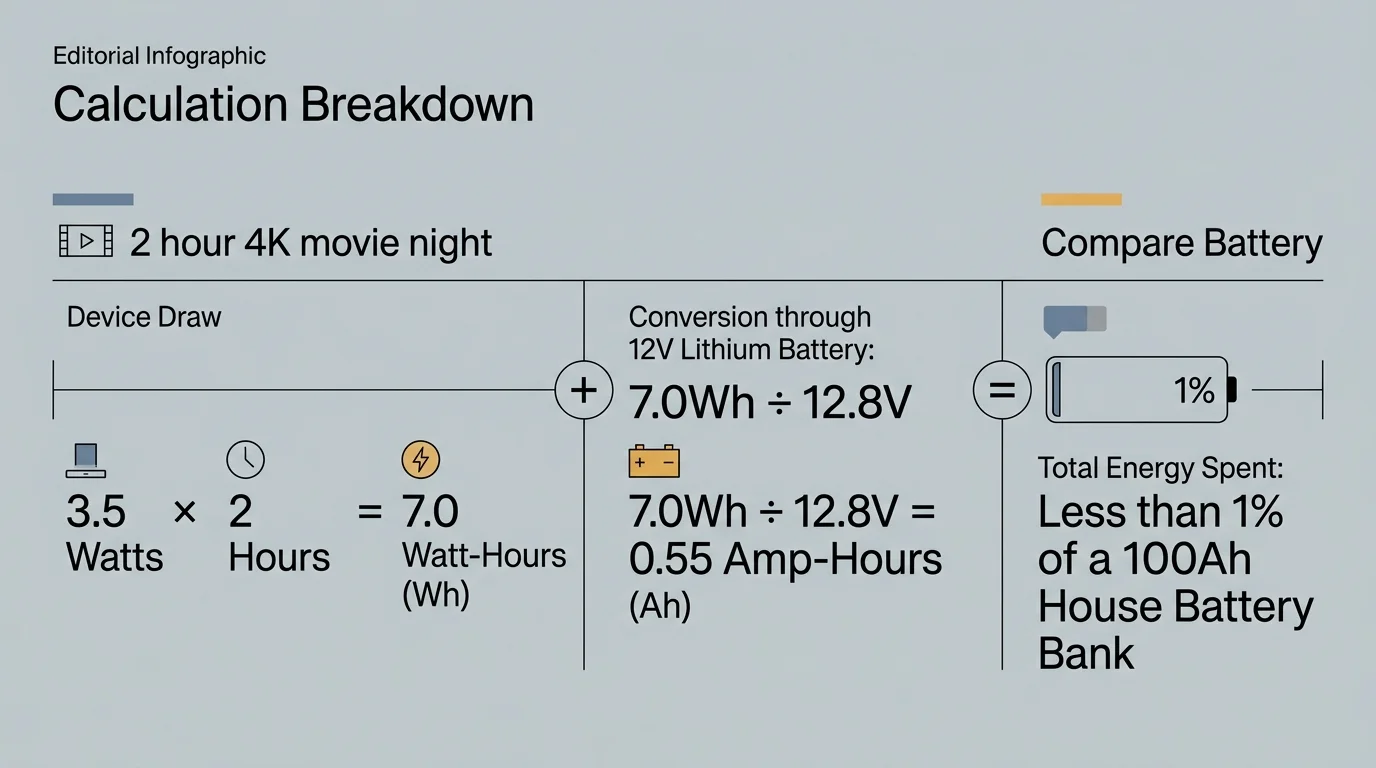
Worked Example: Calculating Battery Drain for an Off-Grid Movie Night
Let us calculate exact battery drain using a standard off-grid camper electrical setup. We will examine a nominal 12.8V, 100Ah lithium iron phosphate (LiFePO4) battery with 1,280 watt-hours of capacity.
If your campsite lacks a dependable cellular connection, explore our cord-cutting strategies for slow internet areas to keep streaming without buffering.
For cord-cutting—canceling traditional cable/satellite TV in favor of streaming services—watching an on-demand movie is common. Watching on-demand—watching whatever you want, whenever you want—keeps hardware active for roughly two hours.
In this scenario, you power a Roku Streaming Stick 4K averaging 2.8W. A high-efficiency DC buck converter operates at 88% efficiency between the 12V battery and the stick.
Dividing 2.8W by 0.88 yields an actual continuous draw of 3.18W from your 12V battery bank. On a 12.8V battery, this represents a tiny current draw of 0.25A.
Over a 2-hour movie, the Roku consumes 6.36 watt-hours of energy. That drains just 0.50 amp-hours from your 100Ah battery, leaving 99.5% of your battery untouched.
Now consider powering that same 2.8W Roku using a 1,000W pure sine wave inverter. The inverter pulls 12W in idle parasitic load and converts energy at 85% efficiency.
Your total consumption becomes 12W plus 3.29W, equaling 15.29W drawn continuously from the battery. Over two hours, that equals 30.58 watt-hours, or 2.39 amp-hours consumed.
The inverter scenario consumes nearly five times more energy for the exact same movie. During an 8-hour rainy day marathon, native DC draws 25.4 Wh versus 122.3 Wh on the inverter.
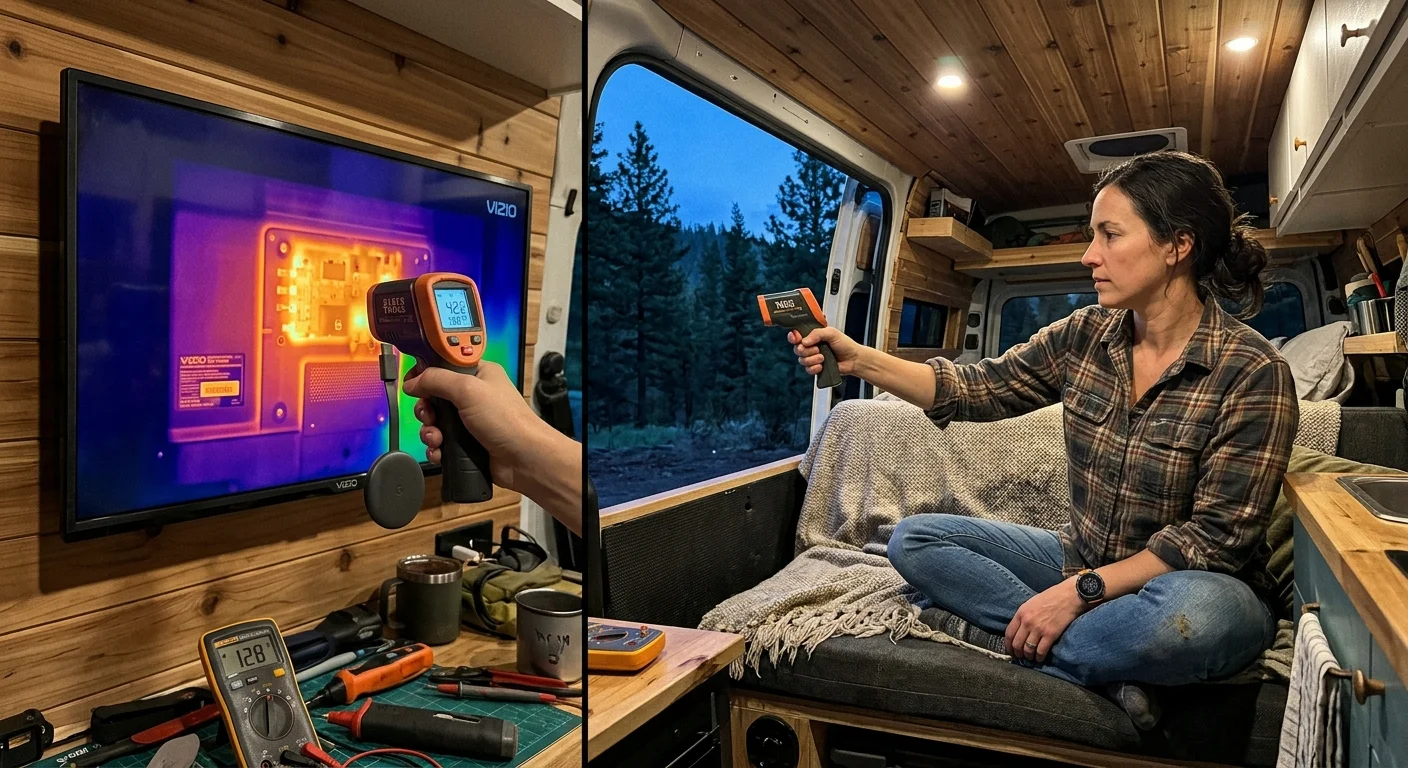
Smart TV Apps vs. Dedicated Streaming Sticks for 12V Living
Many modern RVs come equipped with a factory-installed smart TV—a television with built-in internet connection and apps. However, relying on built-in software often compromises power management.
Using an external player on an older screen remains one of the simplest ways to bypass high background power draws entirely.
According to reviews from Tom’s Guide, external sticks offer superior responsiveness compared to integrated smart TV interfaces. Native television processors frequently lag when loading heavy streaming applications.
Furthermore, smart televisions maintain active background listening modes and Wi-Fi handshakes that raise sleep-mode power draw. Some 12V smart screens draw 3W to 8W even when the display is switched off.
Pairing a basic, efficient 12V LED monitor with an external streaming stick provides superior efficiency. You can cut power to the stick completely using a switched USB port when not in use.
Upgrading your entertainment setup is also dramatically cheaper. When streaming apps drop software support after several years, replacing a $40 stick is much simpler than replacing your camper television.
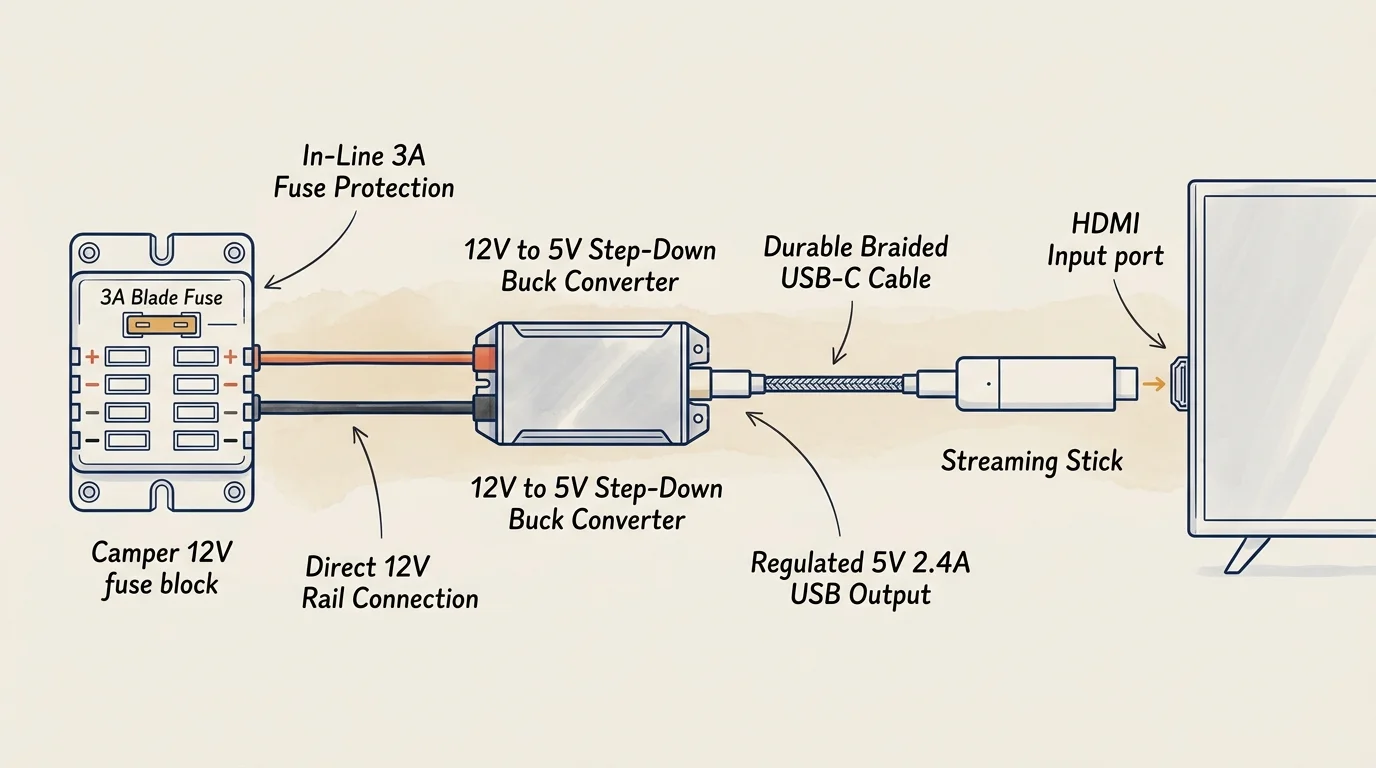
How to Wire a 12 Volt RV Streaming Device
Installing a dedicated 12 volt rv streaming device requires a stable power pathway. You must convert 12V direct current down to regulated 5V USB direct current safely.
If you are new to configuring external media players, review our step-by-step beginner’s guide to setting up a streaming device alongside your electrical installation.
Never plug your streaming stick into your television’s service USB port. Standard television USB ports typically output only 0.5A (2.5W), which causes brownouts and endless boot loops.
Instead, install a dedicated marine-grade 12V-to-5V step-down buck converter near your entertainment center. Look for a unit supporting Quick Charge 3.0 or USB Power Delivery protocols.
Wire the converter directly into your 12V DC fuse distribution block using 18 AWG copper wire. Install a 3A inline blade fuse to protect the circuit against sudden short circuits.
For Chromecast with Google TV, verify your step-down converter delivers at least 1.5A at 5V. Inadequate amperage triggers an on-screen warning stating power is insufficient to stream.
Adding a simple mechanical rocker switch onto your 12V feed lets you eliminate standby vampire drain completely. Flipping the switch off ensures zero battery loss when you sleep or explore.
Platform Ecosystems, Features, and Data Privacy Off-Grid
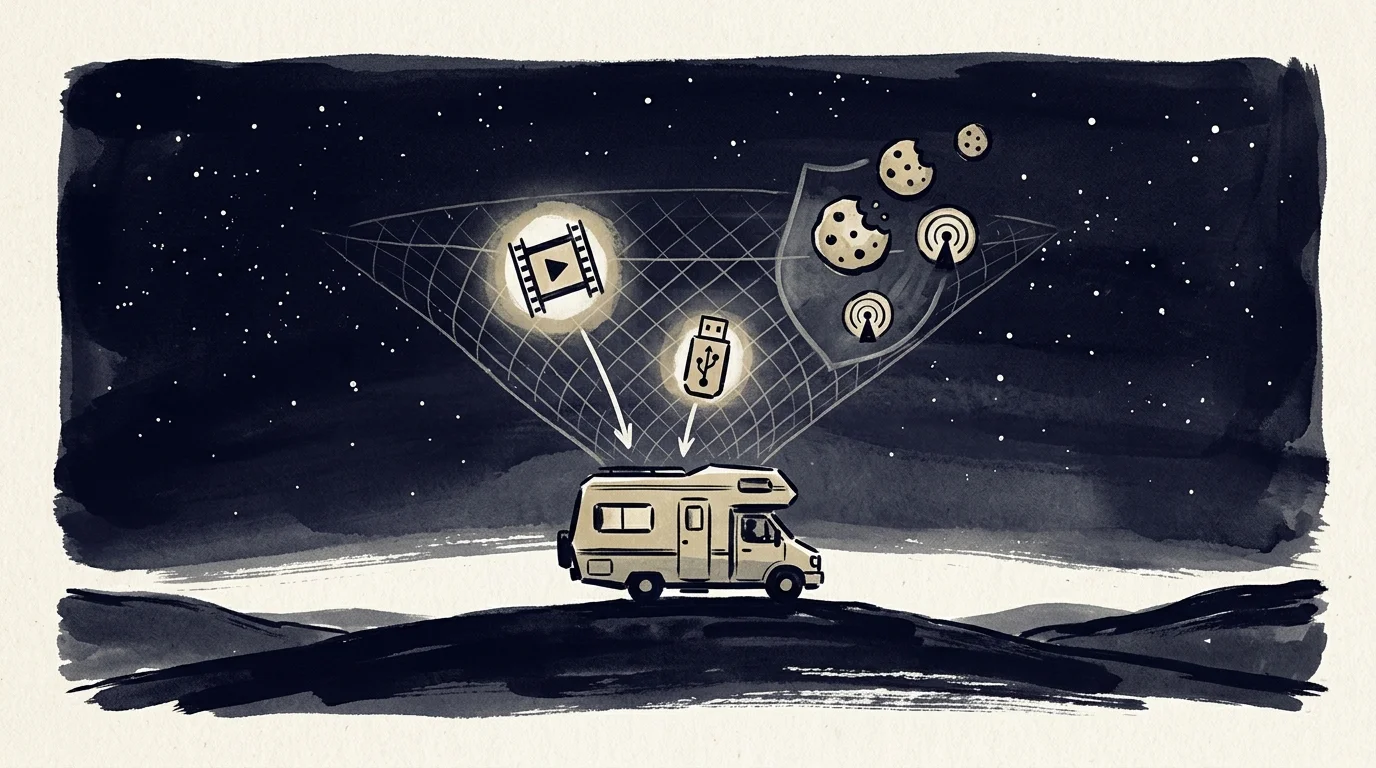
Choosing a platform involves balancing app availability, local playback features, and user privacy. As analysis from CNET illustrates, operating systems treat user data and offline media very differently.
Roku OS offers a clean, neutral interface with support for every major streaming service. It requires very little system memory, which explains its exceptionally low watt-hour consumption.
Amazon Fire OS integrates deeply with Prime Video and supports side-loaded utility applications. Using an inexpensive USB OTG cable lets you connect flash drives loaded with downloaded media for offline viewing.
Google TV excels at search and voice recommendations across all subscribed services. It lets you cast content directly from your smartphone or tablet without needing a dedicated remote control.
When budgeting monthly costs, choosing ad-supported—free or cheaper plans that show commercials—costs less money than ad-free—plans that cost more but don’t show commercials. Both plans consume identical electrical wattage.
Cloud DVR—a digital video recorder, which lets you record and watch shows later—saves battery energy in mobile installations. Cloud recording avoids the electrical penalty of spinning mechanical external drives.
Privacy considerations also vary significantly between hardware brands. Amazon and Google harvest extensive user search queries, app habits, and viewing behaviors to build behavioral advertising profiles.
Roku tracks viewer engagement for advertising purposes but lacks a broader smart-home surveillance ecosystem. If privacy is paramount, you can disable targeted advertising within each platform’s settings menu.
Best Streaming Sticks for Specific Off-Grid Scenarios
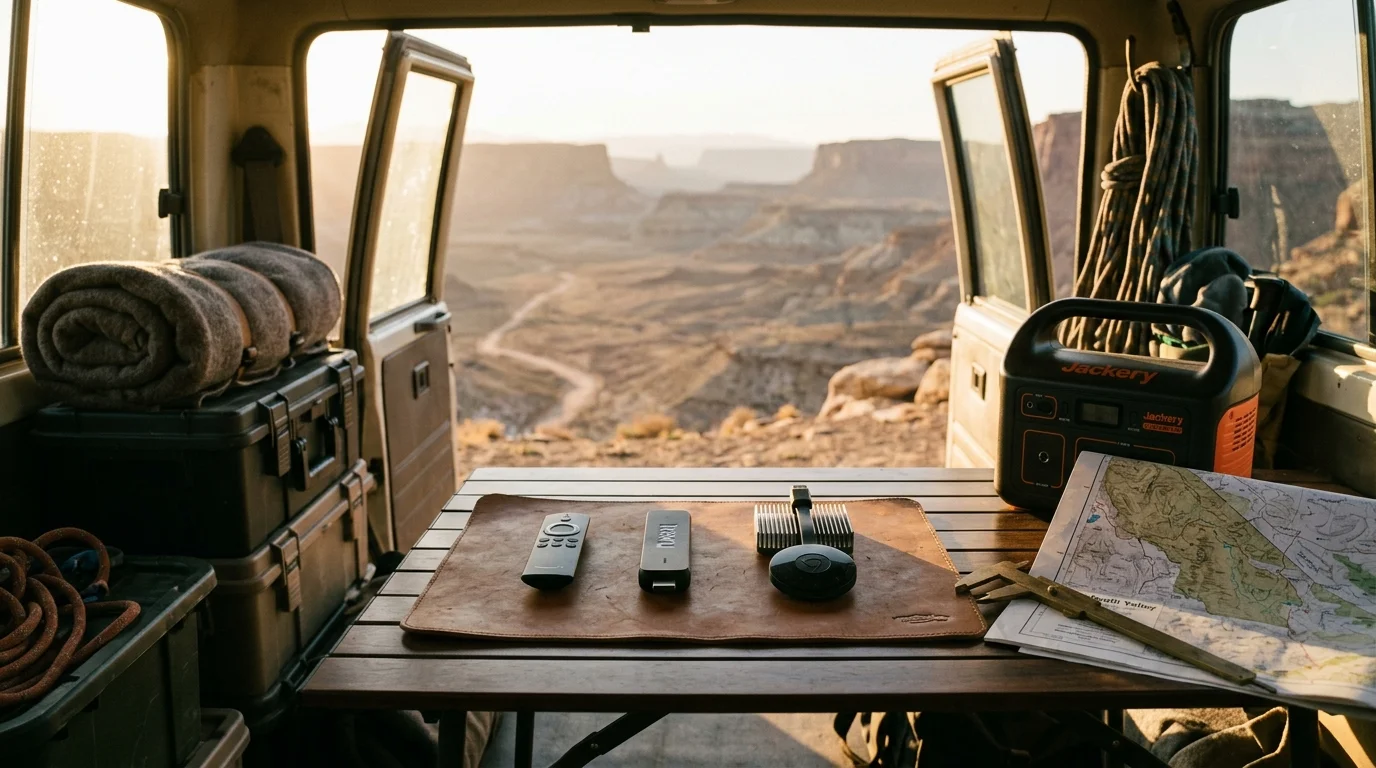
Every camper setup has unique electrical capacities, solar panel outputs, and entertainment priorities. Here are the specific models that best match common off-grid camping profiles.
If you have a modest 50Ah battery bank, choose the Roku Streaming Stick HD (Model 3840R). Its 2.2W operating consumption makes it the lowest power streaming stick available.
For travelers with 4K televisions and medium solar arrays, the Roku Streaming Stick 4K (Model 3820R2) provides the best balance. It delivers pristine picture quality while sipping just 2.8W.
If you camp outside cellular range and rely on downloaded media, choose the Amazon Fire TV Stick 4K Max. Its USB OTG storage support enables seamless offline local video playback.
Campers fully invested in Google smart home systems should select the Chromecast with Google TV (4K). Just ensure your 12V buck converter delivers a full 1.5A output.
“Matching your streaming stick’s power draw to your battery chemistry prevents unexpected low-voltage cutoffs during movie nights in remote campsites.” — Mobile Systems Engineer
Frequently Asked Questions
Can I power a streaming stick directly from my camper TV USB port?
Most television USB ports supply only 0.5A (2.5W), which is inadequate for modern streaming sticks. While basic HD sticks might boot, 4K models will reboot during peak playback.
How much battery capacity does an evening of streaming consume?
Running a streaming stick on direct 12V DC consumes roughly 6 to 9 watt-hours over three hours. That drains less than 0.7 amp-hours from a 12.8V lithium battery.
Does 4K streaming consume more power than 1080p HD?
Yes, 4K video decoding draws roughly 0.6W to 1.2W more power than 1080p playback. Decoding high-bitrate 4K files requires higher clock speeds from the integrated processor.
Will a streaming stick drain my battery when the TV is off?
Yes, streaming sticks remain in standby mode, drawing 0.9W to 2.0W continuously if left powered. Installing a switched 12V USB port eliminates this parasitic drain entirely.
Disclaimer: Device prices and features may change. New models are released regularly, so check for the latest versions before purchasing. The “best” device depends on your specific needs, existing ecosystem (Apple, Google, Amazon), and budget.