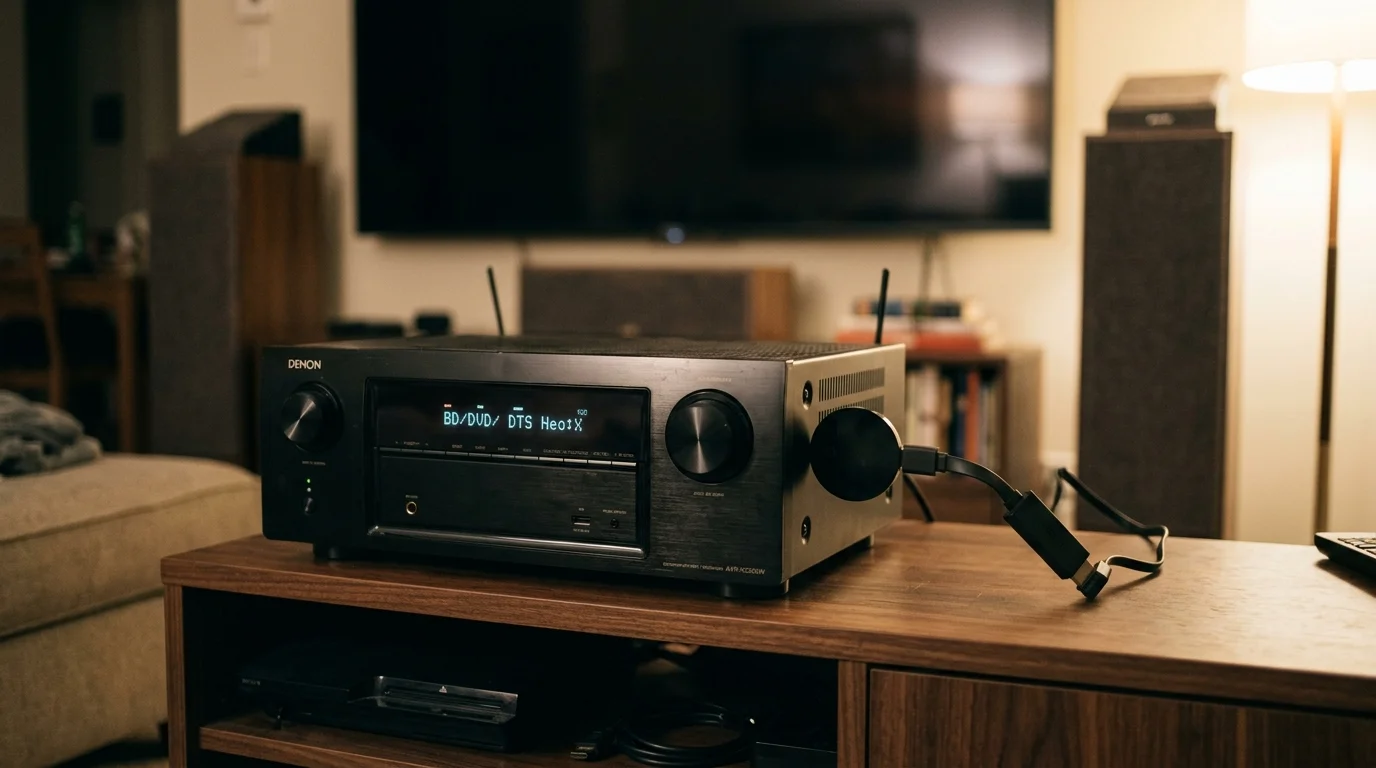
You do not need to spend $600 on a new eARC receiver to enjoy immersive spatial audio. A $50 streaming stick can deliver lossy Dolby Atmos directly to your existing home theater system over standard HDMI ARC.
Many homeowners assume their older 5.1.2 receivers cannot play height channels from modern streaming apps. However, commercial platforms wrap spatial sound inside Dolby Digital Plus streams that easily fit within older audio connections.
While premium players like the Apple TV 4K break this audio path by forcing uncompressed output, budget streaming sticks pass the raw bitstream untouched. This guide reveals which affordable devices protect your surround setup and save you money.
The ARC Bottleneck: Dolby Atmos and the 1 Mbps Limit
Cord-cutting—canceling traditional cable or satellite TV in favor of streaming services—often introduces unexpected audio hurdles. Understanding your hardware connections solves these issues quickly.
For an overview of pricing tiers beyond these entry-level picks, check our guide to the best streaming device for every budget.
Properly balancing your bandwidth constraints is essential when learning how to get better sound from streaming TV shows without replacing your entire audio rack.
Streaming means watching video content over the internet instead of cable or satellite feeds. To handle modern audio formats, your television relies on specific HDMI connection standards.
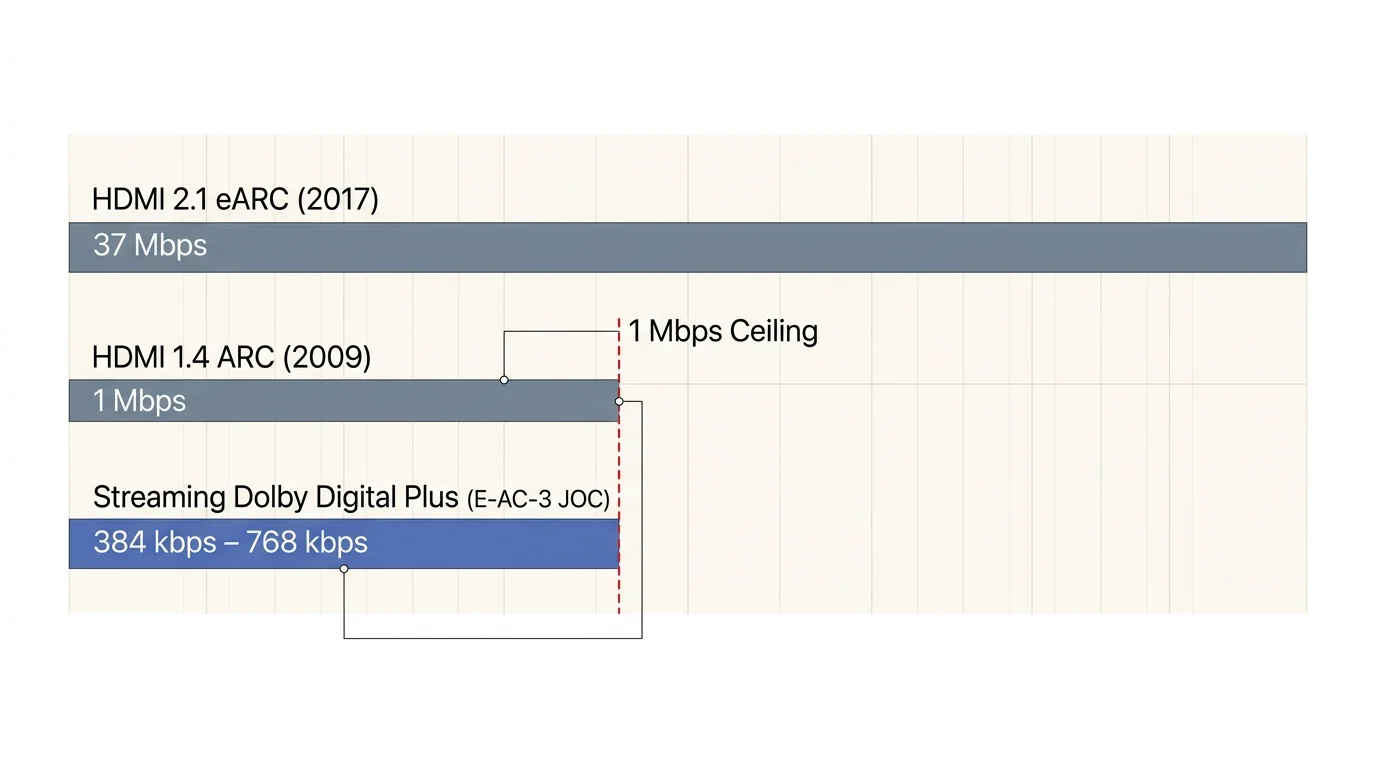
HDMI Audio Return Channel (ARC) arrived in 2009 alongside the HDMI 1.4 specification. Engineers designed ARC to send television audio down an HDMI cable to an external receiver.
Standard ARC operates with a strict bandwidth ceiling of roughly 1 megabit per second (Mbps). This narrow pipe limits the types of audio signals your television can transmit.
By contrast, enhanced Audio Return Channel (eARC) arrived in 2017 with HDMI 2.1. eARC expands that pipeline to approximately 37 Mbps, allowing uncompressed audio transfer.
If your audio/video receiver (AVR) dates from 2015 to 2018, it likely features standard ARC rather than eARC. Fortunately, standard ARC easily handles Dolby Digital Plus (E-AC-3).
Commercial streaming providers package lossy Dolby Atmos using Dolby Digital Plus with Joint Object Coding (E-AC-3 JOC). These bitstreams typically run between 384 kbps and 768 kbps.
Because 768 kbps falls below the 1 Mbps limit of standard ARC, your legacy receiver can play Atmos without hardware modifications. The challenge lies entirely in how your playback hardware handles the signal.
“You do not need an expensive audio receiver upgrade to enjoy spatial audio; standard ARC carries streaming Atmos perfectly when your source device bitstreams properly.” — Audio Engineering Standards Review
Decoding vs. Bitstreaming: Dolby MAT vs. Dolby Digital Plus
When you evaluate dolby atmos arc vs earc streaming performance, the distinction between bitstreaming and internal decoding becomes critical. Your streaming stick dictates this behavior.
Local media enthusiasts face similar audio bottlenecks, which makes building a hybrid streaming and Plex media server setup essential for maintaining lossless audio formats alongside commercial apps.
A streaming device is a small box or stick (like a Roku or Fire TV) that adds streaming capabilities to any television. Every streaming device processes sound using one of two methods.
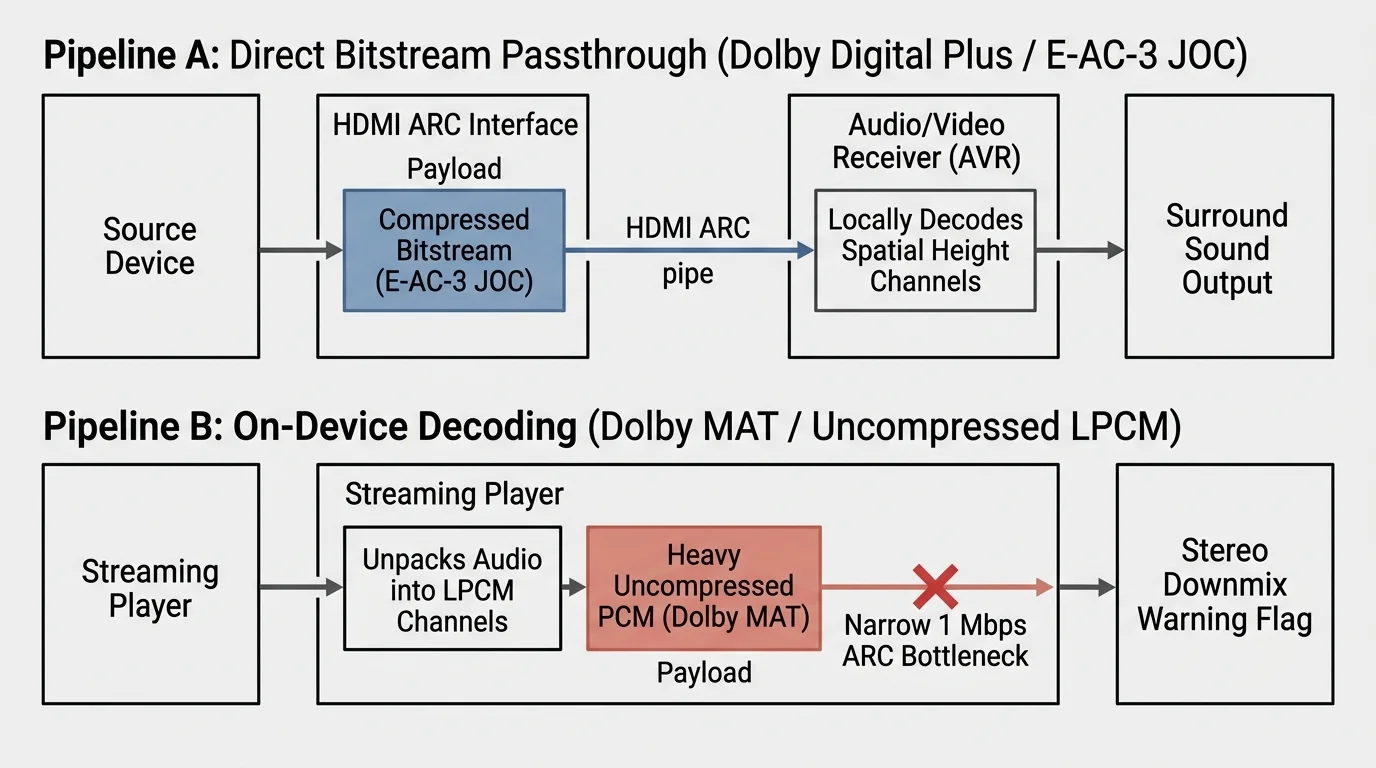
The first method is bitstreaming, where the device pulls the compressed audio stream directly from the internet provider. It transmits that raw digital file to your receiver without modifying a single packet.
Your receiver receives the raw Dolby Digital Plus bitstream, detects the spatial metadata, and performs the physical decoding across your speakers. This approach requires minimal bandwidth across your HDMI cable.
The second method is internal decoding, where the streaming stick unpacks the audio file before transmitting it. The stick decodes the compressed sound into uncompressed multi-channel Linear Pulse Code Modulation (LPCM).
To preserve spatial metadata during internal decoding, hardware manufacturers wrap LPCM inside a format called Dolby MAT 2.0 (Metadata-Enhanced Audio Transmission). Dolby MAT requires immense bandwidth.
A multi-channel LPCM signal with Dolby MAT metadata demands anywhere from 6 Mbps to 18 Mbps. That data stream instantly chokes a standard 1 Mbps ARC connection.
When an uncompressed stream hits an older ARC port, the connection fails to transmit the height channels. The television automatically downmixes the audio to standard stereo or basic 5.1 sound.
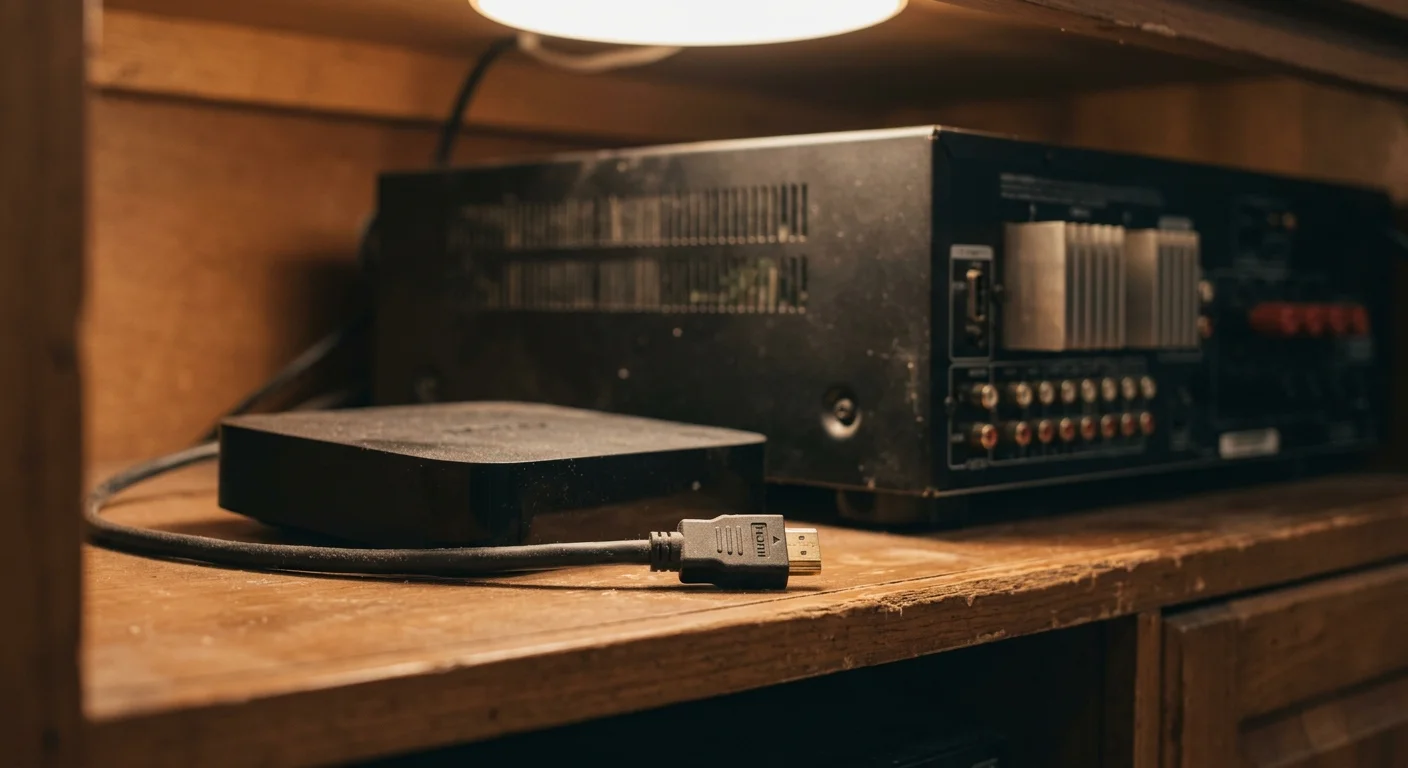
Why Apple TV 4K Fails with Legacy ARC Receivers
The Apple TV 4K represents one of the fastest streaming players available, yet it frustrates owners of legacy home theaters. Apple designs its hardware around internal decoding rather than native bitstreaming.
Instead of passing raw Dolby Digital Plus streams to your television, the Apple TV 4K decodes all streaming audio internally. It outputs the finished signal exclusively as uncompressed Dolby MAT 2.0.
According to CNET’s streaming device tests, high-end streamers often prioritize advanced local audio mixing over legacy gear compatibility. Apple uses this architecture to mix navigation clicks and system sounds instantly.
If you route an Apple TV 4K into a television connected to a legacy ARC receiver, the pipeline fails. Standard ARC cannot transmit the uncompressed LPCM multi-channel audio stream.
Your television recognizes the bandwidth limitation and forces the Apple TV 4K to downmix the audio. Your receiver receives standard 2.0 PCM or legacy Dolby Digital 5.1 without overhead spatial effects.
The only way an Apple TV 4K delivers Dolby Atmos to a legacy receiver is through a direct connection. You must plug the device directly into an input port on the receiver itself.
However, connecting modern devices directly to older receivers creates visual bottlenecks. Legacy receivers frequently lack support for 4K HDR10, Dolby Vision, or modern copy protection (HDCP 2.2).
Plugging your streamer into an older receiver often downgrades your 4K television picture to 1080p SDR. That trade-off makes the Apple TV 4K impractical for legacy ARC setups.
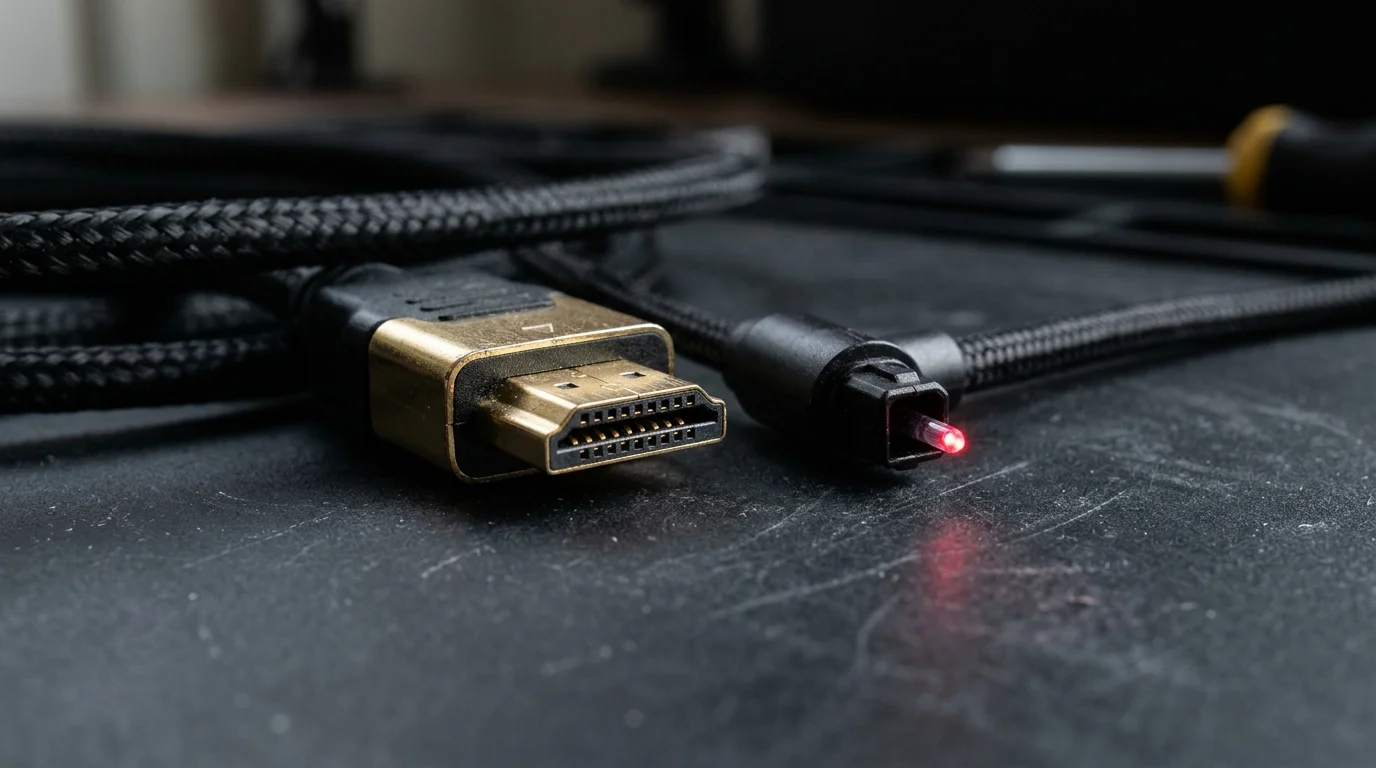
Optical Audio vs. HDMI ARC: Dispelling the Cable Myth
Many home theater owners consider using a digital optical cable (TOSLink or S/PDIF) to route audio between devices. Comparing apple tv vs roku optical audio reveals major physical limitations.
Optical audio technology debuted in 1983 for compact discs and received surround sound updates in the 1990s. The physical glass and plastic cables have not evolved to support modern codecs.
A standard optical connection tops out at uncompressed two-channel stereo PCM or compressed 5.1 surround sound. It maxes out at 640 kbps for legacy Dolby Digital (AC-3) and 1.5 Mbps for standard DTS.
Crucially, optical audio cables cannot carry Dolby Digital Plus (E-AC-3) under any circumstances. The underlying transmission standard simply lacks the clock rate and channel framing for the codec.
Because Dolby Atmos over streaming requires Dolby Digital Plus, optical cables cannot carry Atmos signals. If you run an optical cable from your television to your receiver, you forfeit spatial audio entirely.
Using a streaming stick dolby digital plus passthrough configuration demands an active HDMI ARC link. HDMI ARC provides the dedicated electronic handshake and pins required for modern compressed multi-channel audio.
Even if your streaming device offers an optical port via an adapter, the signal drops height metadata. You must keep your audio chain on HDMI cables to retain overhead sound.
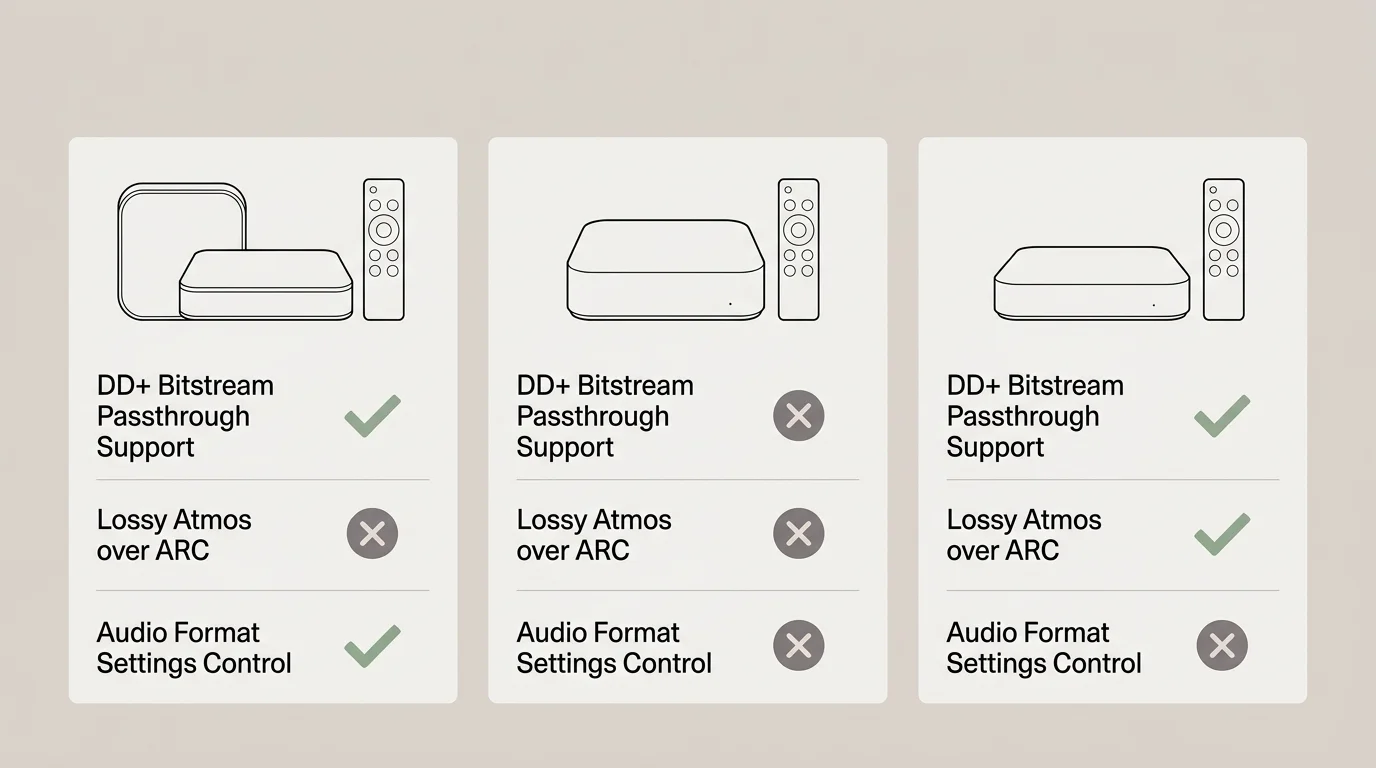
Comparison of $50 Streaming Devices for Passthrough
Choosing the right budget streaming hardware ensures your legacy receiver receives unadulterated bitstream data. Several sub-$50 devices handle this task reliably without requiring receiver upgrades.
If you are deciding between ecosystems before worrying about audio passthrough, review our breakdown of Roku vs Fire TV vs Apple TV vs Chromecast to see how their interfaces compare.
As Wirecutter’s streaming device guide points out, budget streaming sticks frequently offer identical core audio passthrough capabilities compared to luxury streaming boxes. Price does not dictate codec passthrough quality.
The table below compares how leading budget devices handle audio routing when connected to a television feeding an older ARC sound system.
| Device Model | Retail Price | Default Audio Mode | Passthrough Option Available? | Atmos via Standard ARC? | HDR Support |
|---|---|---|---|---|---|
| Roku Streaming Stick 4K (3820) | $49.99 | Auto Detect | Yes (Passthrough) | Yes (E-AC-3 JOC) | HDR10, Dolby Vision, HLG |
| Amazon Fire TV Stick 4K (2nd Gen) | $49.99 | Best Available | Yes (Pass-through) | Yes (E-AC-3 JOC) | HDR10+, Dolby Vision, HLG |
| Walmart Onn. Google TV 4K Pro | $49.88 | Auto | Yes (Manual Passthrough) | Yes (E-AC-3 JOC) | HDR10, Dolby Vision |
| Google Chromecast with Google TV (4K)* | $49.99 | Auto | Yes (Manual Format Selection) | Yes (E-AC-3 JOC) | HDR10, Dolby Vision |
| Apple TV 4K (3rd Gen, Reference) | $129.00 | Auto (Dolby MAT) | No (Forces LPCM) | No (Downmixes to 5.1/2.0) | HDR10+, Dolby Vision |
*Note: Google officially discontinued the Chromecast with Google TV 4K in August 2024 to introduce the Google TV Streamer at $99.99. However, retailers still sell remaining inventory around its original $49.99 price point.
Each of the three primary $50 contenders—Roku, Amazon, and Walmart Onn.—includes native bitstream passthrough modes. These settings prevent the stick from decompressing audio before it traverses your television.

Device Walkthroughs: Settings to Force Bitstream Passthrough
Streaming platforms offer distinct operating systems, remote controls, and user privacy models. Configuring your specific device properly ensures reliable Dolby Digital Plus passthrough across your ARC connection.
Modern streaming devices feature voice-enabled remotes that manage volume and power via HDMI-CEC. They grant access to virtually every major platform, including Netflix, Prime Video, Disney+, Max, and Apple TV+.
Streaming plans generally fall into two pricing structures. An ad-supported tier offers cheaper access by playing commercial breaks, while an ad-free tier charges more to eliminate interruptions.
Many apps offer on-demand viewing, allowing you to watch titles whenever you choose. Others simulate traditional cable with cloud DVR features, which let you record live broadcasts for later playback.
Beyond app access, privacy practices differ across these devices. Amazon and Google heavily track your viewing choices to serve personalized advertisements across their ad ecosystems.
Roku also collects user metrics, but keeps its interface centered entirely around streaming content rather than retail products. Keep these differences in mind when selecting your hardware.
1. Roku Streaming Stick 4K (Model 3820)
The Roku Streaming Stick 4K provides an intuitive, uncluttered home screen. Its voice remote includes dedicated television controls and quick-launch application buttons.
To enable clean passthrough on Roku OS, open the Settings menu from the main home screen. Navigate to Audio, then select Digital output format.
Change the setting from Auto detect to Custom. Under Custom, select Dolby and choose Passthrough to bypass Roku’s internal audio conversion entirely.
2. Amazon Fire TV Stick 4K (2nd Gen, 2023)
Amazon’s 2023 Fire TV Stick 4K includes Wi-Fi 6 support and Alexa voice integration. Its remote lets you navigate content or issue smart-home commands easily.
To set up passthrough on Fire OS, click the gear icon to open Settings. Select Display & Sounds, then click into the Audio menu.
Scroll down to Surround Sound. Switch the selection from Best Available to Pass-through to force the Fire TV to export raw E-AC-3 streams.
3. Walmart Onn. Google TV 4K Pro
The Onn. Google TV 4K Pro runs official Google TV software at an aggressive $49.88 price point. It features hands-free Google Assistant microphones, an Ethernet port, and 32GB of internal storage.
Open the Google TV profile menu in the upper-right corner and select the Settings gear. Navigate to Display & Sound, then choose Advanced audio settings.
Select Manual format selection. Enable Dolby Digital Plus and Dolby Atmos in Dolby Digital Plus, while leaving standard PCM conversion disabled.
Reviewing Tom’s Guide streaming evaluations confirms that properly setting these budget devices prevents unwanted downmixing. Your hardware will deliver pure audio streams directly to your television.
“Setting your streaming stick to direct audio passthrough bypasses internal decoders, preserving the raw spatial metadata older receivers need to activate Atmos.” — Home Cinema Installation Guide

A Worked Setup Scenario: Connecting a 5.1.2 Legacy Setup
Consider this real-world scenario featuring a homeowner named Marcus. Marcus owns a Denon AVR-S710W receiver, originally purchased in 2016 for $479, powering a 5.1.2 physical speaker layout.
The Denon AVR-S710W supports lossy Dolby Atmos decoding, but its HDMI board only supports standard ARC. It lacks modern eARC hardware.
Marcus pairs this receiver with a 65-inch 4K smart TV manufactured in 2020. A smart TV is simply a television with a built-in internet connection and streaming apps.
If Marcus buys an Apple TV 4K for $129, the device outputs Dolby MAT 2.0. The TV’s ARC port fails to carry the uncompressed LPCM signal, reducing the audio to 2.0 stereo.
Instead, Marcus purchases a Roku Streaming Stick 4K for $49.99. He plugs the Roku directly into HDMI Input 1 on his television.
He connects an HDMI cable from the television’s HDMI ARC port to the HDMI Monitor Out port on his Denon AVR. This preserves 4K HDR video on his display.
Marcus opens his television settings and enables HDMI-CEC (called Anynet+, Bravia Sync, or SimpLink depending on brand). He sets the television’s digital sound output to Passthrough or Bitstream.
Next, he opens the Roku settings and sets the audio format to Passthrough. The configuration takes roughly six minutes to complete.
Marcus launches Disney+ on the Roku and streams an episode of The Mandalorian. The streaming service delivers an E-AC-3 JOC bitstream encoded at 448 kbps.
The 448 kbps bitstream travels through the TV and down the ARC cable within the 1 Mbps limit. The front panel on his Denon AVR-S710W lights up with the word ATMOS.
By spending $49.99 on a Roku stick instead of $600 on a new eARC receiver, Marcus saves $550.01. His legacy speakers produce clear, authentic overhead sound effects immediately.
When Smart TV Apps Are Good Enough vs. Buying a Stick
Before purchasing external hardware, test your television’s native operating system. Many recent smart TVs handle Dolby Atmos passthrough over ARC without external accessories.
If your television also lacks an intuitive operating system, pairing it with one of the best streaming devices for older TVs without smart features can revitalize both your interface and audio signal.
Televisions manufactured after 2019 running LG webOS, Samsung Tizen, or Google TV often pass Dolby Digital Plus over ARC natively. Their built-in apps output lossy Atmos directly.
To verify your television’s capability, install an app like Max or Disney+ directly on the screen. Play a title marked with spatial audio badges.
Check your receiver’s front display or on-screen info menu. If your AVR displays “Dolby Atmos” or “DAtmos,” your internal smart TV apps work properly.
However, native smart TV platforms suffer from distinct disadvantages as they age. Television manufacturers rarely update internal processors or software platforms past three or four years.
Older built-in apps frequently drop spatial audio licenses or become sluggish to navigate. Some televisions silently convert internal app audio to standard Dolby Digital 5.1 over ARC.
A dedicated $50 streaming stick solves software lag and codec limitations permanently. External streamers receive regular software updates and maintain consistent bitstream output across every streaming service.
Frequently Asked Questions
Can standard HDMI ARC carry uncompressed Dolby TrueHD Atmos?
No, standard HDMI ARC lacks the bandwidth required for Dolby TrueHD. Dolby TrueHD requires eARC or a direct HDMI connection, but standard ARC easily carries lossy streaming Atmos via Dolby Digital Plus.
Why does my receiver display “Dolby Digital Plus” instead of “Dolby Atmos”?
This message occurs when your streaming stick decodes the audio internally or your TV audio output is set to PCM. Adjust both your streaming stick and TV audio settings to “Passthrough” or “Bitstream” to resolve the issue.
Do I need a special HDMI cable for Dolby Digital Plus passthrough over ARC?
Any standard High-Speed HDMI cable (rated for 18 Gbps) handles lossy Dolby Atmos over standard ARC. You only need Ultra High-Speed 48 Gbps cables when using modern eARC features or 4K 120Hz gaming gear.
Can an optical audio cable send Dolby Atmos to my sound system?
No, optical cables cannot carry Dolby Digital Plus or Dolby Atmos under any circumstances. Optical connections max out at legacy Dolby Digital 5.1 and uncompressed two-channel stereo.
Disclaimer: Device prices and features may change. New models are released regularly, so check for the latest versions before purchasing. The “best” device depends on your specific needs, existing ecosystem (Apple, Google, Amazon), and budget.