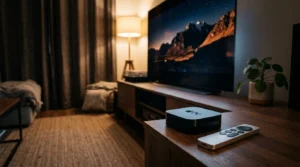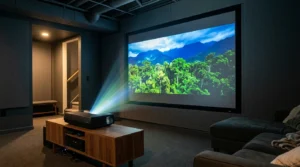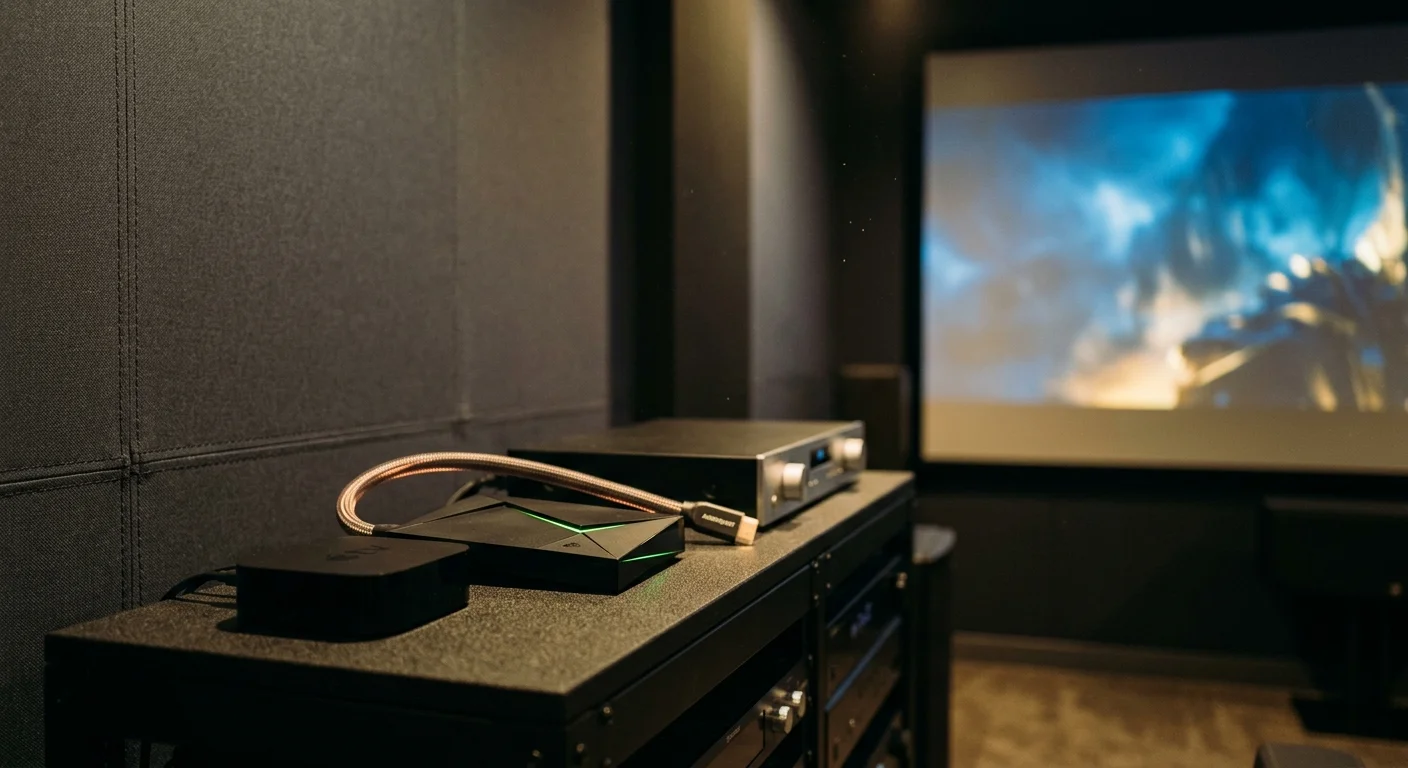
Selecting the right playback engine for an anamorphic scope home theater projector determines whether your cinema experience feels pristine or frustrating. On a 130-inch screen, subtle visual flaws become glaring distractions that pull you out of the movie.
While home theater enthusiasts frequently praise the Nvidia Shield TV Pro for audio passthrough, the Apple TV 4K is the only mainstream player that natively prevents the catastrophic 41-second frame drop across commercial apps.
This guide compares both flagship players to resolve cadence stutters, manage anamorphic aspect ratios, and tame projector HDMI handshake delays.
The 24p Conundrum: 23.976 fps vs 24.000 fps on Big Screens
Streaming—watching video content over the internet instead of cable or satellite—relies on precise clock synchronization between your player and projector. When timing falls out of alignment, playback stutters.
Most commercial Hollywood films release at 23.976 frames per second (fps). However, European productions and modern streaming originals increasingly master masters in exact, integer 24.000 fps.
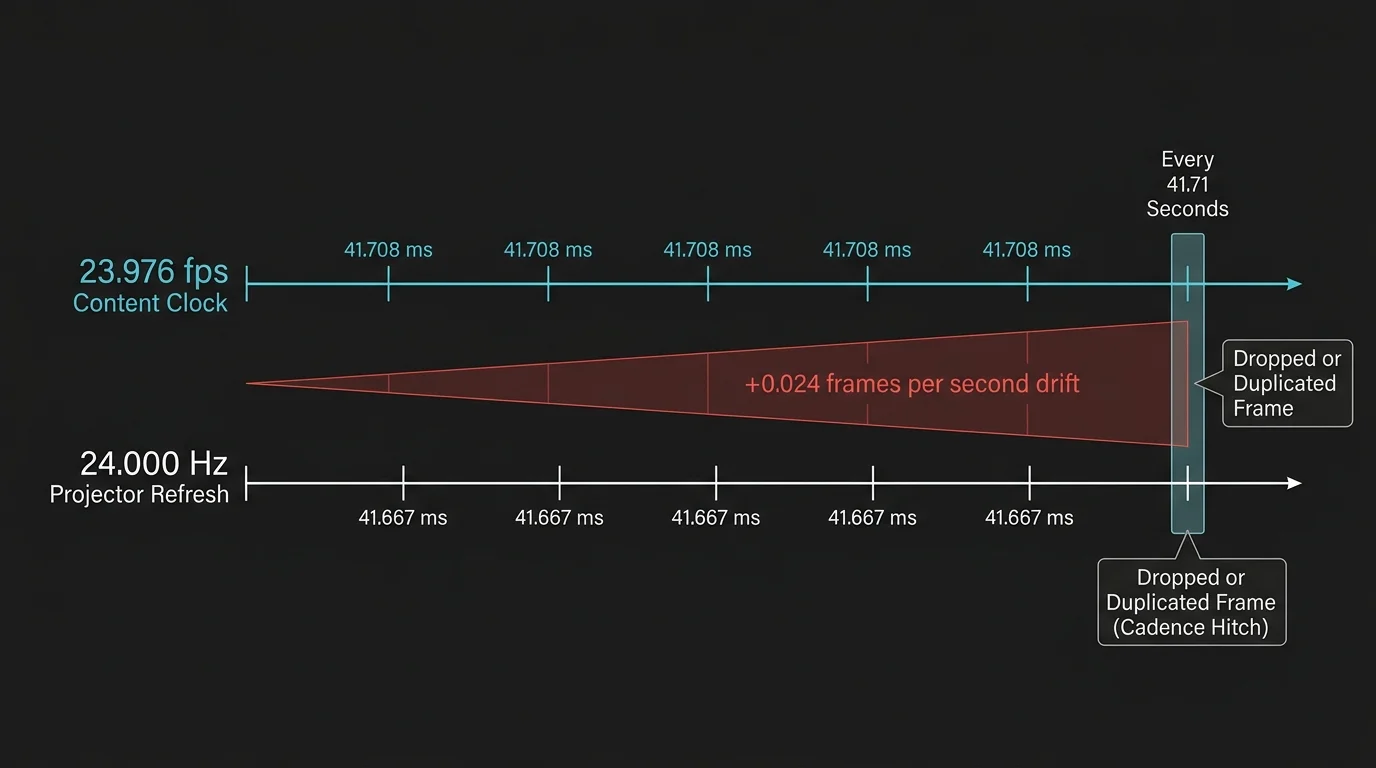
If your playback device outputs 23.976 fps content at a fixed 24.000 Hz refresh rate, the mathematical discrepancy creates a visual penalty. A timing error accumulates continuously during playback.
The time difference between 24.000 and 23.976024 equals 0.024 frames every second. As a result, the playback engine must duplicate or drop exactly one video frame every 41.71 seconds.
On a standard smart TV—a television with built-in internet connection and apps—that single repeated frame often slips by unnoticed. Motion blur and smaller panel diagonals mask the hiccup.
Dedicated projection changes the equation entirely. When projected across a 135-inch scope screen, a dropped frame during a smooth camera pan creates an aggressive, jarring hitch.
For dedicated cord-cutting—canceling traditional cable/satellite TV in favor of streaming services—projectors demand rigorous timing accuracy. Selecting a capable 23.976 fps streaming stick or box solves this problem.
Frame Rate Matching: Apple tvOS vs Nvidia Shield Android TV
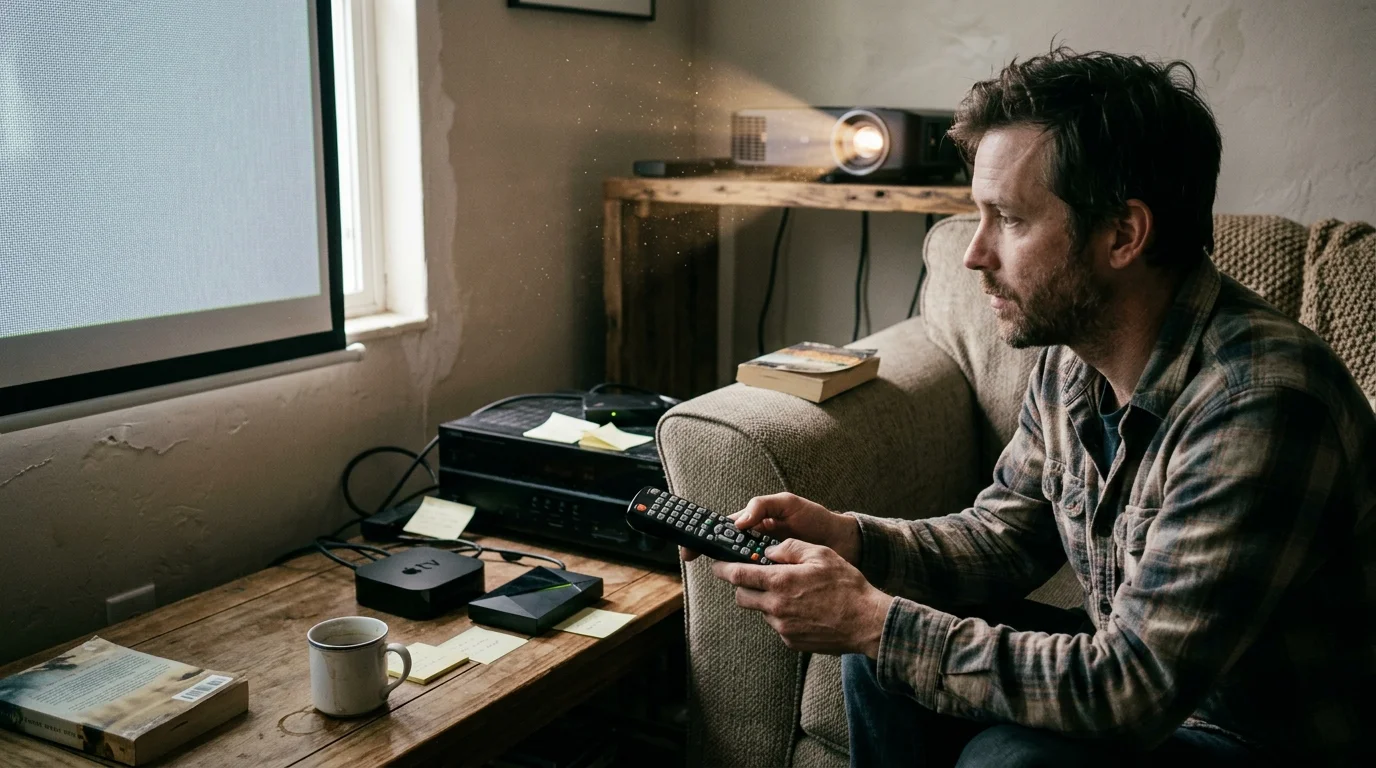
Achieving cadence accuracy requires automatic frame rate matching streaming devices. Here, the architectural differences between Apple tvOS and Android TV become immediately apparent.
Apple TV 4K integrates native, operating-system-level frame rate switching directly into tvOS. Apple requires commercial apps to respect this video framework via AVPlayer APIs.
When you enable Match Frame Rate on Apple TV 4K, tvOS reads the source stream metadata. It then switches your HDMI output between 23.976 Hz, 24.000 Hz, 50.000 Hz, and 59.94 Hz automatically.
Apps like Netflix, Disney+, Prime Video, and Apple TV+ change the projector output rate effortlessly. You experience zero 41-second micro-stutters during film playback.
According to Wirecutter’s streaming device testing, the Apple TV 4K delivers the smoothest navigation and the most reliable app performance on the market.
The Nvidia Shield TV Pro takes an entirely different approach because it runs on Android TV 11. Android TV 11 lacks a universal, OS-enforced frame rate switching mechanism across commercial applications.
Google introduced native OS-level frame rate matching in Android 12. However, the Nvidia Shield TV Pro remains on Android 11 firmware through its Shield Experience 9.x updates.
To match frame rates on the Shield in commercial apps, you must trigger an experimental feature named Match Frame Rate (Beta). You must map this command to a custom remote button.
Every time you launch a stream, you press this assigned button manually. The Shield pauses video briefly, analyzes the video buffer, and forces the display output to match.
Unfortunately, this beta feature fails on dynamic video streams and crashes specific DRM-protected apps. If you forget to press the hotkey, the Shield outputs at a default 60 Hz.
In local media players like Kodi and Plex, both players behave impeccably. Both the Shield and Apple TV 4K switch between fractional and integer frame rates automatically for local files.
“Cadence errors on high-gain projection screens turn minor digital timing offsets into visible motion artifacts that ruin cinematic immersion.”
Projector HDMI Handshake Delays and the HDMI Bonk
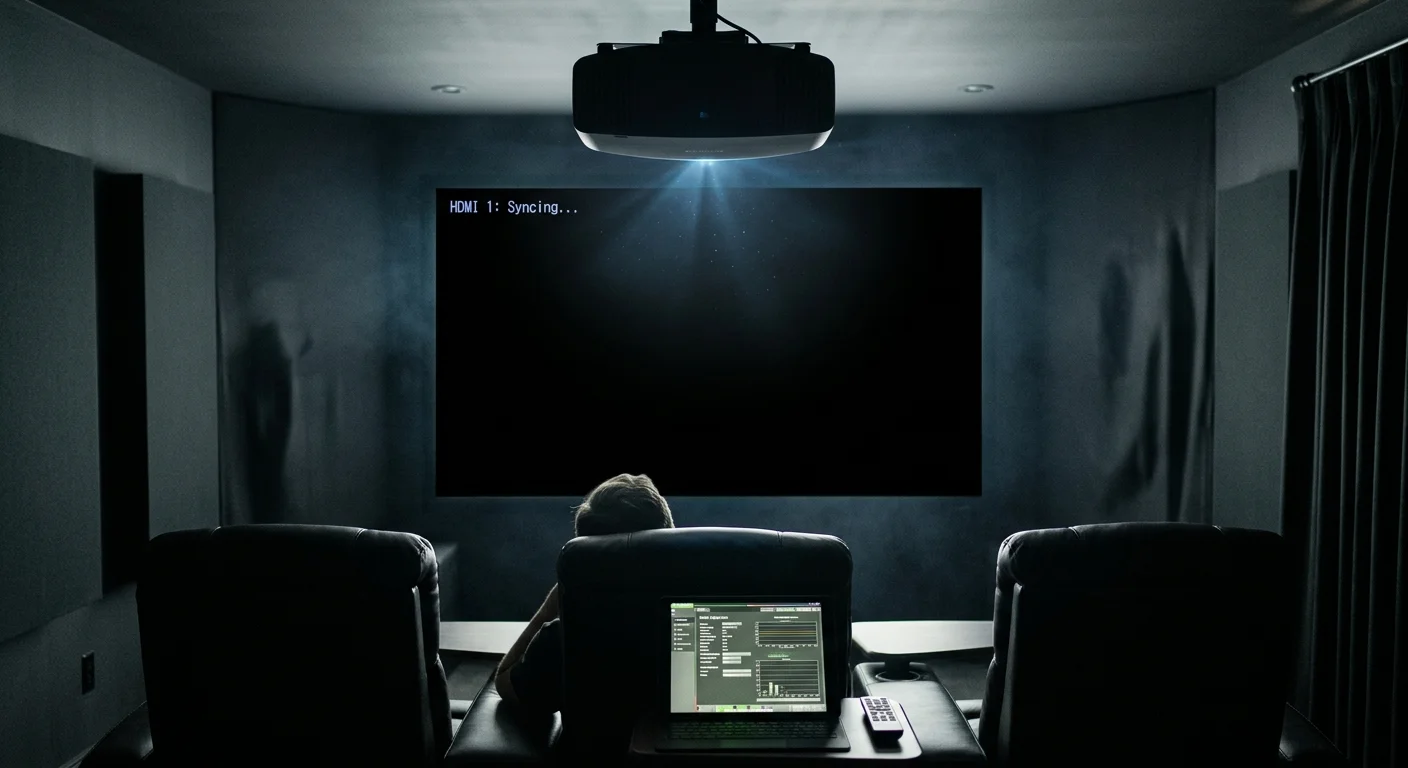
Frame rate switching introduces a unique hardware issue for home theater owners: the HDMI resynchronization delay. AV enthusiasts commonly refer to this black screen interval as the HDMI bonk.
Unlike flat-panel televisions that re-clock HDMI video signals in two seconds, high-end 4K projectors require significant time. D-ILA, SXRD, and laser projectors take 8 to 15 seconds to sync clock frequencies.
When your player switches from 60 Hz system menus to a 23.976 Hz film, your projector screen goes completely dark. You often miss movie studio logos or opening dialogue.
The third-generation Apple TV 4K features HDMI 2.1 Quick Media Switching (QMS). QMS eliminates these resync blackouts by shifting refresh rates instantly without renegotiating the HDMI connection clock.
However, QMS requires HDMI 2.1 Variable Refresh Rate (VRR) support on the display side. Dedicated home theater projectors from JVC, Sony, and Epson do not support HDMI 2.1 QMS.
Because your projector lacks QMS hardware support, the Apple TV 4K will still trigger an HDMI handshake blackout. Neither player can prevent this display-level synchronization lag.
You can mitigate this delay on Apple TV 4K by configuring your default interface output to 4K SDR at 24.000 Hz. This eliminates the handshake when launching 24p movies.
On the Shield TV Pro, setting the UI to 24 Hz makes menu navigation feel sluggish and unresponsive. System animations on Android TV look choppy below 60 Hz.
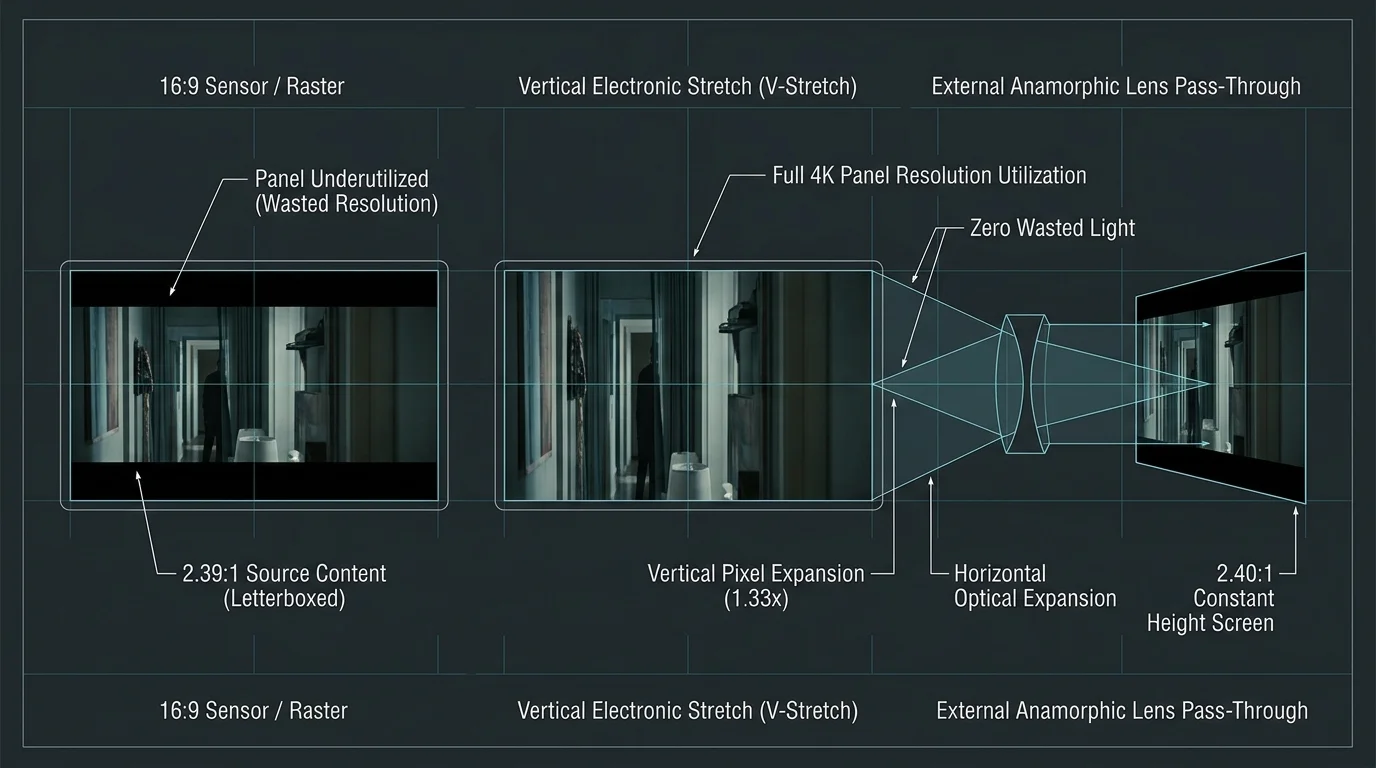
Aspect Ratio Handling: Anamorphic Lenses and Scope Screens
Basement home theaters often feature Constant Image Height (CIH) projection setups using 2.35:1 or 2.40:1 scope screens. These setups pair ultra-wide screens with external anamorphic lenses.
An anamorphic lens optically expands a vertically stretched picture horizontally. This allows you to use your projector’s full 4K sensor resolution and lumen output without letterbox bars.
To use an anamorphic lens properly, your video source must stretch letterboxed widescreen video by 1.33x vertically. Alternatively, your projector or an outboard video processor must perform this scaling.
Neither tvOS nor Android TV offers global, system-level aspect ratio scaling for commercial DRM-protected streaming apps. Netflix, Max, and Prime Video always output fixed 16:9 containers with hardcoded black bars.
When watching commercial streaming services, neither the Apple TV nor the Shield can crop or stretch the video signal internally. You cannot bypass this operating system limitation.
To project commercial streams onto a scope screen, you must rely on your projector’s motorized lens memory or anamorphic lens scaling modes. Dedicated outboard processors also resolve this framing challenge.
The picture changes dramatically when comparing local media playback engines. If you stream ripped 4K UHD Blu-rays through your home network, the Nvidia Shield TV Pro excels.
Android TV supports advanced media engines like Kodi and Nova Video Player. These tools give you complete, pixel-level control over aspect ratio scaling and vertical stretching.
Kodi on the Shield allows you to apply a custom 1.33x or 1.25x vertical anamorphic stretch directly to the media stream. It handles this scaling before video ever leaves the player.
Crucially, Kodi on the Shield allows you to reposition subtitles vertically. You can move text out of the lower black bar and up into the active movie image.
On Apple TV 4K, local media playback runs through apps like Infuse or Plex. While Infuse offers basic cropping presets, it lacks custom vertical stretch scaling factors.
Infuse also restricts your ability to adjust subtitle vertical positioning freely. As a result, forced subtitles often project off the bottom edge of a 2.35:1 screen.
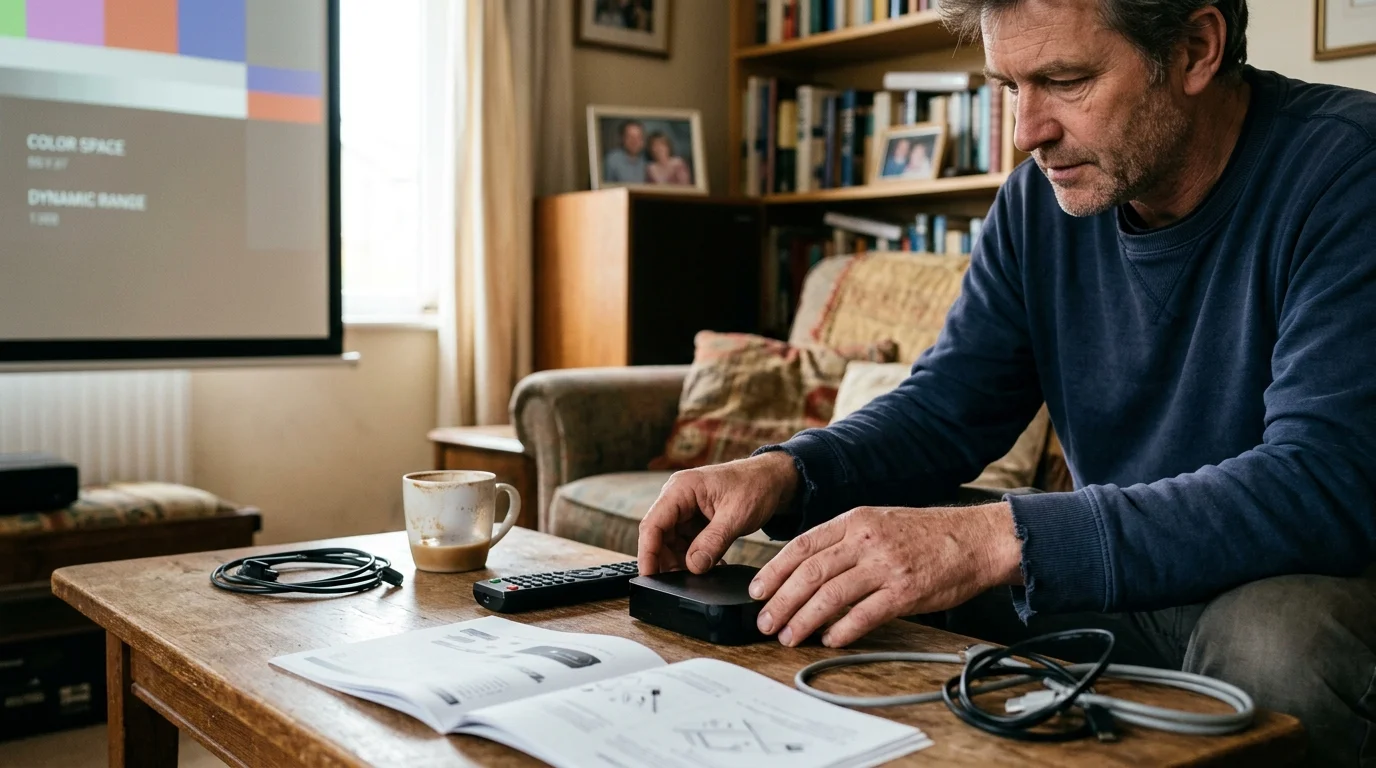
Color Space, Chroma Subsampling, and Dynamic Range Switching
Projectors utilize distinct tone-mapping algorithms compared to OLED and LED panels. Accurate color space and dynamic range switching remain critical to avoid washed-out black levels.
Apple TV 4K offers a separate Match Dynamic Range setting alongside frame rate matching. This forces the device to output native SDR, HDR10, or Dolby Vision based on content metadata.
For projectors, the recommended Apple TV setting is 4K SDR with both Match Dynamic Range and Match Frame Rate toggled On. This prevents system menus from blasting searing HDR brightness.
The Nvidia Shield TV Pro switches color spaces reliably via its display settings menu. It can automatically switch between Rec.709 for standard definition and Rec.2020 for HDR content.
However, the Shield TV Pro occasionally suffers from color-banding artifacts when converting 10-bit YUV 4:2:0 streams to its default 12-bit YUV 4:2:2 output. Subtle color gradations can show visible steps.
Home theater enthusiasts often pair projectors with HDFury devices to extract Low Latency Dolby Vision (LLDV). LLDV forces the streaming player to tone-map Dolby Vision internally for the projector.
According to Tom’s Guide’s streaming player benchmarks, the Apple TV 4K delivers exceptional video processing accuracy, rendering pristine color transitions without artificial sharpening.
When paired with an LLDV spoofing device, Apple TV 4K renders specular highlights cleanly. It avoids the subtle red push that sometimes occurs with the Shield’s color conversion engine.
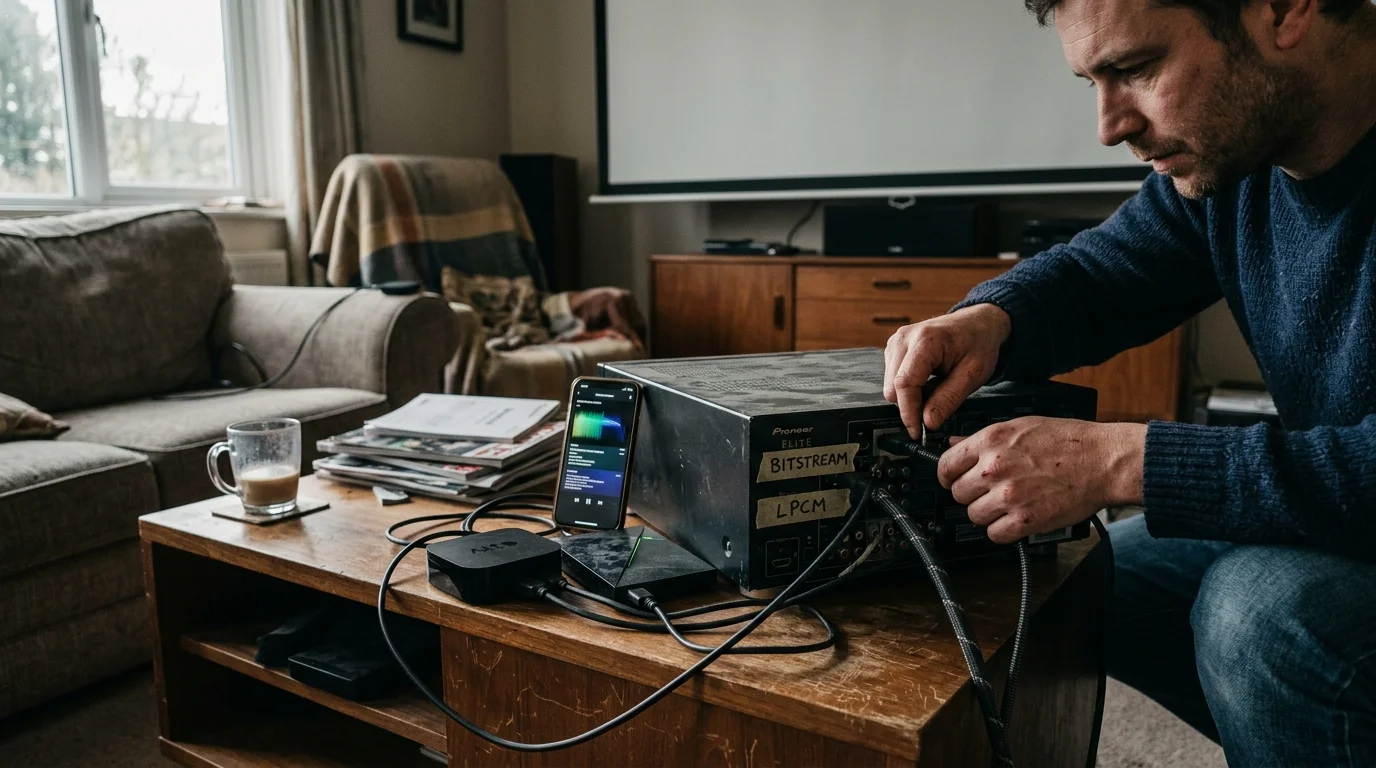
Audio Output Comparison: Lossless Bitstreaming vs LPCM Conversion
Audio processing marks the most consequential operational divide between these two flagship devices. Your sound system architecture dictates which device fits your theater.
Dedicated basement theaters typically feature multi-speaker immersive surround setups, such as 7.2.4 or 9.4.6 configurations. These rooms use outboard AV receivers or dedicated pre-amplifiers.
The Nvidia Shield TV Pro provides true audio bitstream passthrough. It sends untouched Dolby TrueHD, Dolby Atmos, DTS-HD Master Audio, and DTS:X bitstreams over HDMI to your processor.
Your receiver performs all audio decoding natively. Your processor’s display illuminates the correct codec badge, ensuring that object-based height spatial audio renders without modification.
In contrast, Apple TV 4K does not support passthrough for lossless audio codecs. tvOS intercepts audio bitstreams and decodes them internally using an uncompressed Linear PCM (LPCM) pipeline.
If you play a 4K UHD Blu-ray rip with a Dolby TrueHD Atmos soundtrack through Infuse on Apple TV, the OS strips spatial metadata. You receive an uncompressed 7.1 LPCM signal.
The sound remains lossless and uncompressed, but your receiver cannot assign audio objects to overhead ceiling speakers. You lose full 3D spatial Atmos positioning from disc backups.
For commercial apps, this limitation does not apply. Commercial streaming services deliver lossy Dolby Atmos encoded via Dolby Digital Plus (E-AC-3), which Apple TV transmits perfectly via Dolby MAT 2.0.
Whether you watch ad-supported plans—cheaper tiers that include commercials—or ad-free options that skip them, commercial Atmos reaches your ceiling speakers intact on both players.
“If uncompromised, object-based audio from 4K disc rips represents your theater’s primary goal, bitstream audio passthrough makes the Shield Pro mandatory.”
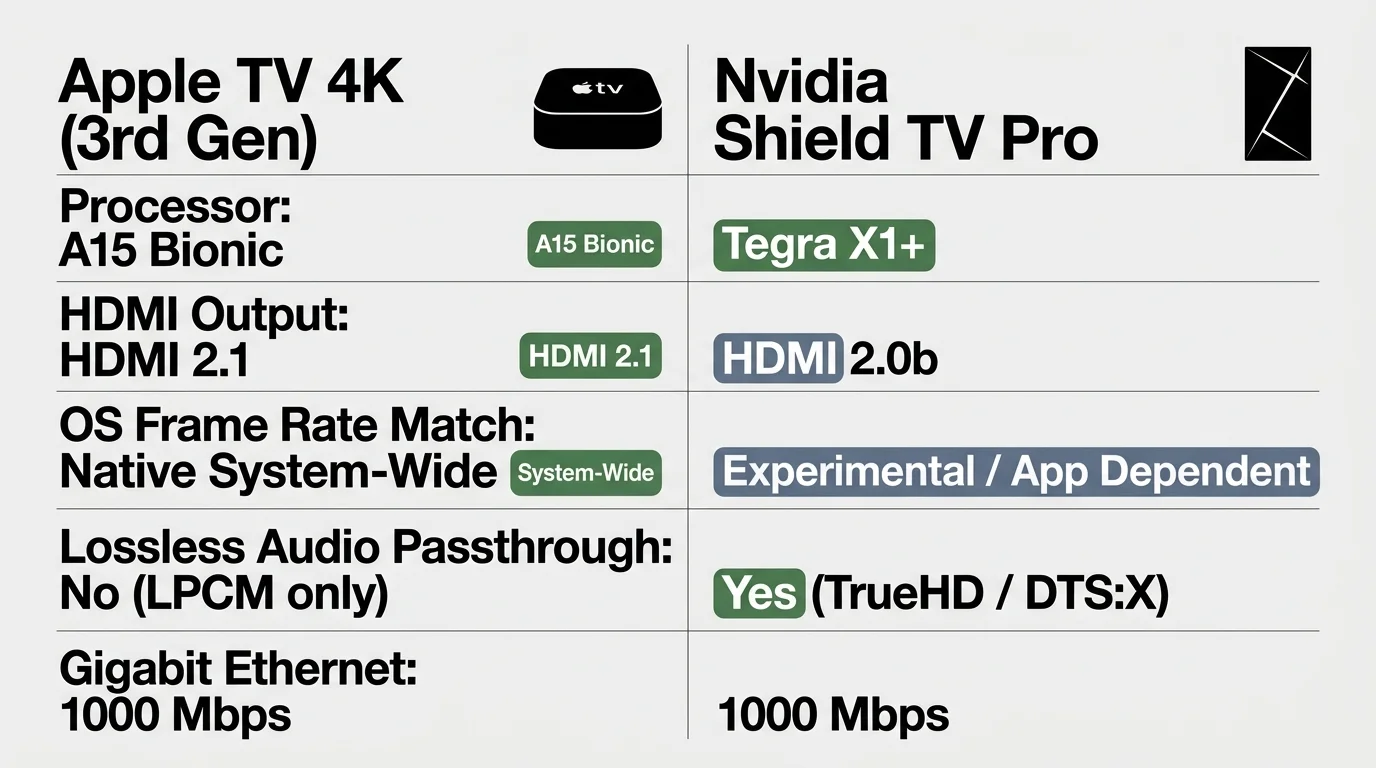
Side-by-Side Hardware and Feature Specifications
Comparing raw specifications reveals substantial generational differences between these devices. The Apple TV 4K benefits from modern silicon, while the Shield retains legacy I/O flexibility.
Evaluating hardware profiles helps balance processing power against specialized media connectivity for your equipment rack.
| Feature / Metric | Apple TV 4K (3rd Gen, 128GB) | Nvidia Shield TV Pro (2019) | Performance Impact on Projection |
|---|---|---|---|
| Processor | A15 Bionic (5-core CPU) | Tegra X1+ (8-core CPU) | Apple TV UI responds significantly faster; Shield handles complex decoding via legacy hardware blocks. |
| Operating System | tvOS 17 / 18 | Android TV 11 | Apple provides continuous OS updates; Shield remains stranded on Android 11. |
| Frame Rate Matching | System-level (23.976 / 24.000 Hz) | Manual Hotkey (Beta) / App-level | Apple TV prevents 24p micro-stutter everywhere; Shield requires user intervention in commercial apps. |
| Lossless Audio Bitstream | No (Decodes to Multi-Ch LPCM) | Yes (TrueHD / DTS:X Passthrough) | Shield preserves height metadata on ripped discs; Apple TV strips spatial data on TrueHD. |
| HDMI Specification | HDMI 2.1 (Up to 4K 60Hz HDR) | HDMI 2.0b (4K 60Hz HDR) | Apple TV supports higher bandwidth interfaces, though both max out at 4K60 for video playback. |
| Anamorphic Subtitle Shift | No (Restricted by app sandbox) | Yes (Granular control in Kodi) | Shield allows repositioning text off black bars; Apple TV risks text cropping on scope screens. |
| Retail Pricing (MSRP) | $149.99 | $199.99 | Apple TV provides modern internal hardware at a lower price point. |
As detailed above, the Apple TV 4K delivers superior processing performance and framerate stability. Conversely, the Nvidia Shield TV Pro protects compatibility with high-end audio processors.
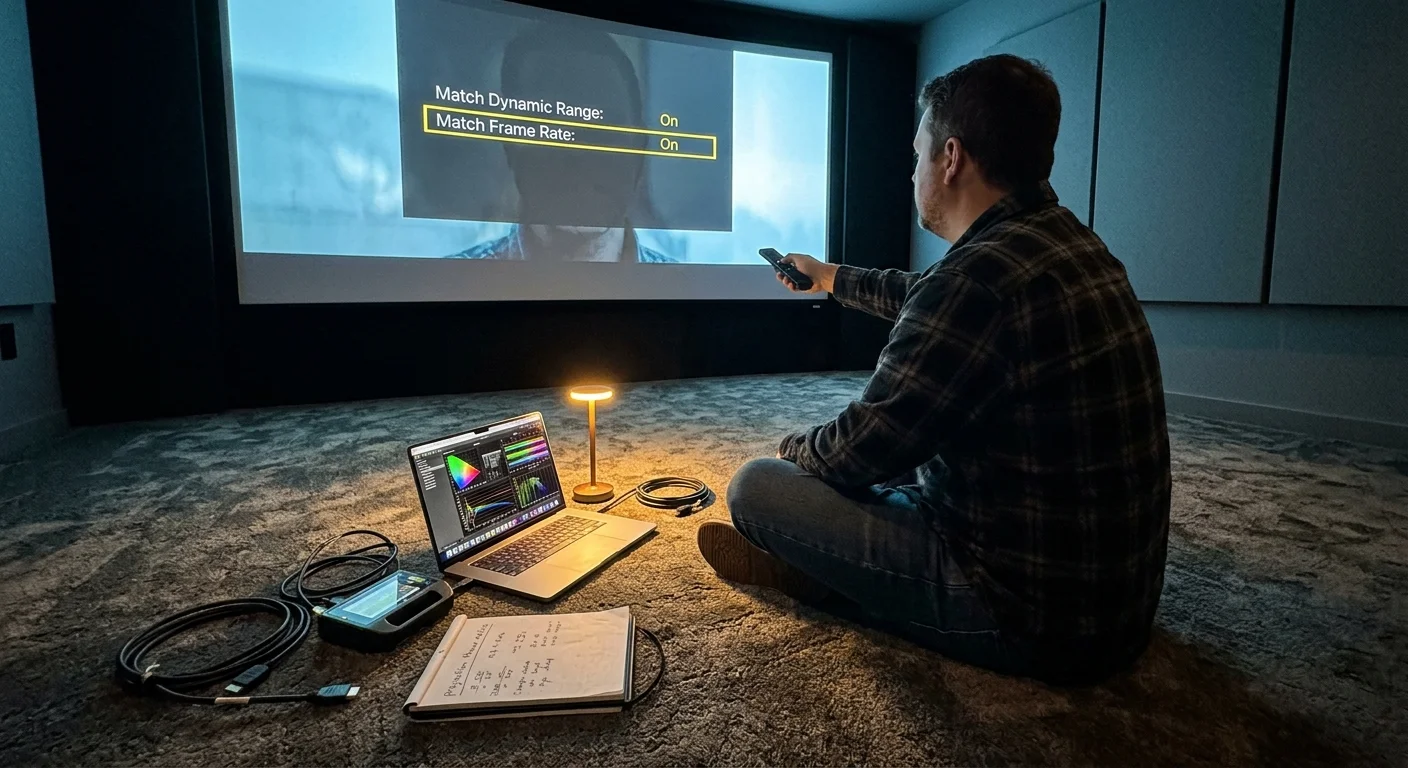
Worked Scenario: Configuring an Anamorphic Projection Setup
To understand how these playback behaviors operate in practice, examine a typical high-end basement theater environment. Real equipment configurations highlight operational trade-offs.
Our scenario features a JVC DLA-NZ7 4K laser projector shining onto a 135-inch 2.37:1 Seymour AV acoustically transparent scope screen. A Panamorph Paladin DCR lens sits mounted before the projector.
Signal routing flows over 40-foot fiber-optic HDMI cables through a Denon AVR-X3800H receiver. A dedicated NAS stores disc backups alongside commercial streaming subscriptions.
We test playback on both devices using the 124-minute feature film Dune: Part Two. The film features long, sweeping sand dune landscape pans that expose micro-stutter instantly.
The film source encodes at 23.976 fps. Playing this film without cadence matching drops 1 frame every 41.71 seconds, totaling 178 dropped frames over the 124-minute duration.
On Apple TV 4K, navigate to Settings > Video and Audio. Set Format to 4K SDR, HDMI Output to YCbCr, Chroma to 4:4:4, and enable both Match Dynamic Range and Match Frame Rate.
Launch the stream. The JVC projector enters its HDMI handshake for 11.2 seconds while syncing to 23.976 Hz. Once locked, the film plays through with zero dropped frames.
Because the stream uses a commercial 16:9 container, black bars appear on the sides. You engage the JVC projector’s Anamorphic D mode to stretch the image vertically by 1.33x.
Now switch to the Nvidia Shield TV Pro. When launching the movie, the Shield remains at its default 4K 60.000 Hz desktop frequency.
Panning across the Arrakis desert produces visible judder as 23.976 fps content telecines unevenly into a 60 Hz container. You press your configured remote shortcut to trigger Match Frame Rate (Beta).
The video pauses, the JVC projector spends 11.5 seconds resynchronizing to 23.976 Hz, and playback resumes smoothly. However, if an advertisement plays, the frequency mismatches again.
For disc backups on the Shield, launch Kodi. Set Kodi’s refresh rate switching to On Start / Stop, and set display scaling to a custom 1.33x stretch mode.
Kodi switches the projector refresh rate automatically. It applies the vertical anamorphic stretch internally and shifts subtitle text 120 pixels upward into the active viewing area.
The Denon receiver illuminates the Dolby TrueHD Atmos indicator, engaging all four ceiling speakers. The Shield delivers an uncompromised experience for disc rips that the Apple TV cannot match.
Privacy, Interface, and Platform Longevity
Beyond frame rates and aspect ratios, everyday usability impacts your home theater investment. A high-end theater should offer an elegant, distraction-free interface.
Apple TV 4K delivers a clean, ad-free user interface. tvOS displays installed app icons without injecting auto-playing video commercials or sponsored home screen banners.
Apple enforces strict user privacy policies. tvOS restricts tracking mechanisms, keeping your personal entertainment viewing habits private from advertising networks.
Conversely, the Nvidia Shield TV Pro runs an Android TV launcher packed with sponsored rows, banner advertisements, and algorithmic recommendations. You can bypass this using custom launchers like Projectivy.
Hardware longevity presents another critical divergence. The Nvidia Shield TV Pro hardware launched in late 2019 and uses a Tegra X1+ processor dating back several years.
While Nvidia provided exemplary software support for years, the Shield struggles with modern AV1 decoding. The Apple TV 4K’s A15 Bionic chip provides immense headroom for future updates.
According to TechRadar’s top media streamer evaluations, the Apple TV 4K stands as the most responsive, premium streaming hardware currently available.
Unlike broadcast cable setups that rely on a hardware DVR—a digital video recorder that lets you record and watch shows later—both players rely entirely on cloud storage.
For accessing on-demand content—watching whatever you want, whenever you want—the Apple TV provides a noticeably faster, smoother platform for commercial streaming apps.
If your theater functions primarily as a commercial streaming cinema, Apple TV 4K is the superior choice. If your theater serves as a showcase for lossless Blu-ray rips, the Shield Pro remains essential.
Frequently Asked Questions
Can the Apple TV 4K eliminate the projector HDMI handshake blackout using QMS?
No, the Apple TV 4K cannot eliminate HDMI resync blackouts on home theater projectors. While the 3rd Gen Apple TV supports HDMI 2.1 QMS, projectors from JVC, Sony, and Epson lack the required HDMI 2.1 VRR framework to support this feature.
How do I stop the 41-second micro-stutter on the Nvidia Shield TV Pro?
To eliminate micro-stutter on the Shield, map the Match Frame Rate (Beta) command to your remote’s customizable menu button. Alternatively, use third-party utilities like the Refresh Rate app to force fractional 23.976 Hz switching on supported streaming applications.
Can either device vertically stretch Netflix movies for an anamorphic lens?
Neither device can apply a custom vertical stretch to commercial streaming apps like Netflix or Disney+. Due to DRM security rules, these apps output hardcoded 16:9 containers. You must execute anamorphic stretching via your projector’s internal lens modes or an outboard video processor.
Which player outputs better picture quality on a 4K home theater projector?
Both players deliver pristine 4K video signals, but Apple TV 4K handles color space conversions and dynamic range matching with fewer artifacts. It avoids the subtle color banding and red push that can occasionally occur during Nvidia Shield YUV color space conversions.
Disclaimer: Device prices and features may change. New models are released regularly, so check for the latest versions before purchasing. The “best” device depends on your specific needs, existing ecosystem (Apple, Google, Amazon), and budget.