You can eliminate your $180 monthly cable bill without sacrificing reference-grade home theater sound. Most viewers unwittingly degrade their multichannel audio when connecting modern streaming devices directly to smart TV ports.
Commercial services aggressively compress spatial soundtracks, while television processors frequently drop object metadata from uncompressed disc backups.
You do not have to accept second-rate audio to save money. This guide reveals the receiver-first hardware topology required for an uncompressed Plex local streaming setup alongside commercial apps, delivering full Dolby TrueHD Atmos without signal drops.
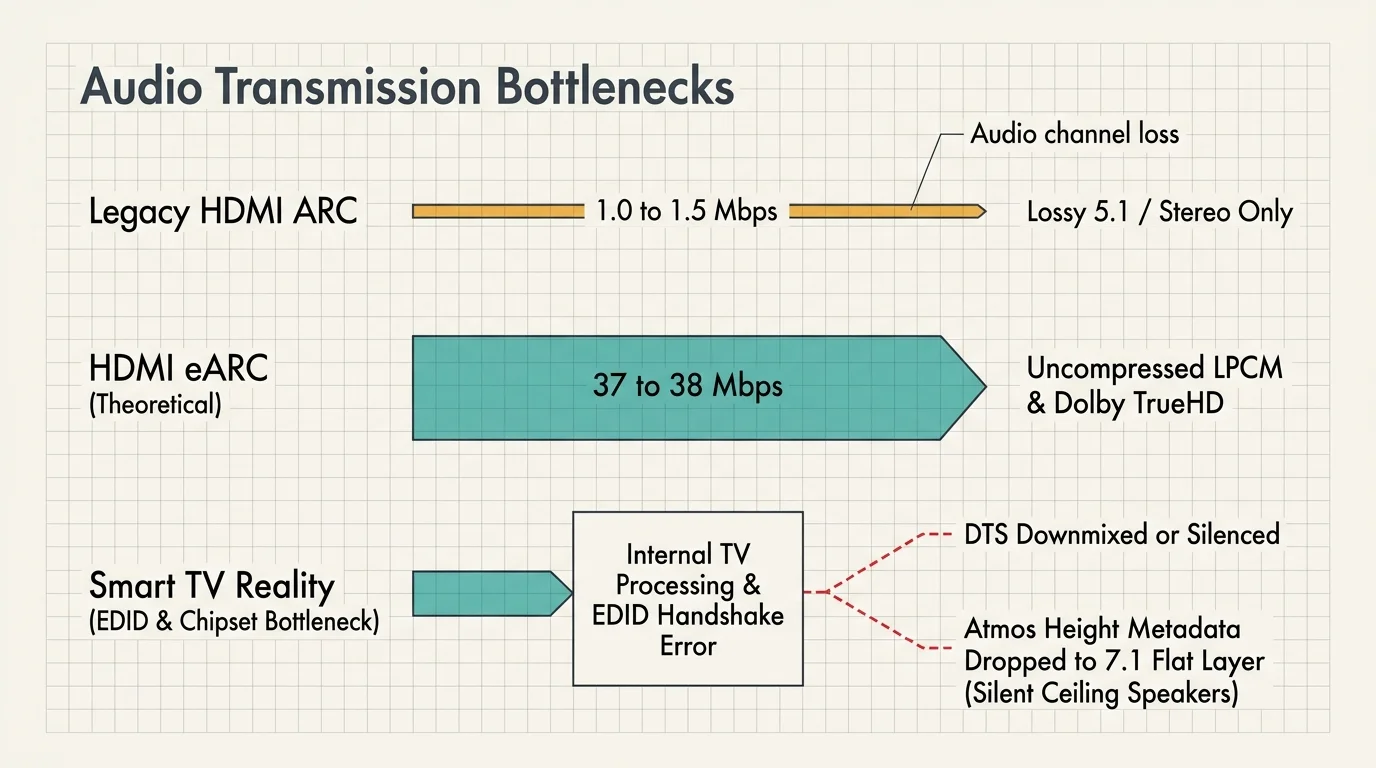
The Audio Bottleneck: Why TV eARC Drops Lossless Surround Sound
Most home entertainment setups rely on cord-cutting—canceling traditional cable or satellite TV in favor of streaming services. Viewers commonly plug their media players directly into their television.
A smart TV is a television with a built-in internet connection and factory apps. These displays route sound back to an audio receiver using an audio return channel.
Older HDMI ARC connections throttle bandwidth to roughly 1.0 to 1.5 megabits per second (Mbps). This pipeline restricts you to legacy stereo or lossy surround formats.
Enhanced Audio Return Channel (HDMI eARC) expands potential bandwidth up to 37 to 38 Mbps. On paper, eARC accommodates uncompressed multichannel Linear PCM (LPCM), DTS-HD Master Audio, and Dolby TrueHD.
However, practical television hardware rarely matches the full HDMI 2.1 specification. Internal TV processing chipsets frequently block or alter bitstream audio signals.
Many major television brands refuse to pay licensing fees for DTS decoding. When you play a DTS-HD MA track, the television either downmixes it to stereo or silences the output entirely.
Even with Dolby formats, television microcode often introduces extended display identification data (EDID) handshaking errors. These handshakes strip out height metadata from Dolby TrueHD streams carrying Dolby Atmos.
Your receiver receives an eight-channel base layer instead of an immersive 7.1.4 spatial mix. Ceiling speakers fall completely silent during playback.
“Connecting media players directly to a television remains the single most common cause of silent height channels in modern surround setups.”
Direct passthrough solves this hardware barrier. Feeding playback hardware directly into an Audio/Video Receiver (AVR) eliminates television processing from the audio signal path entirely.
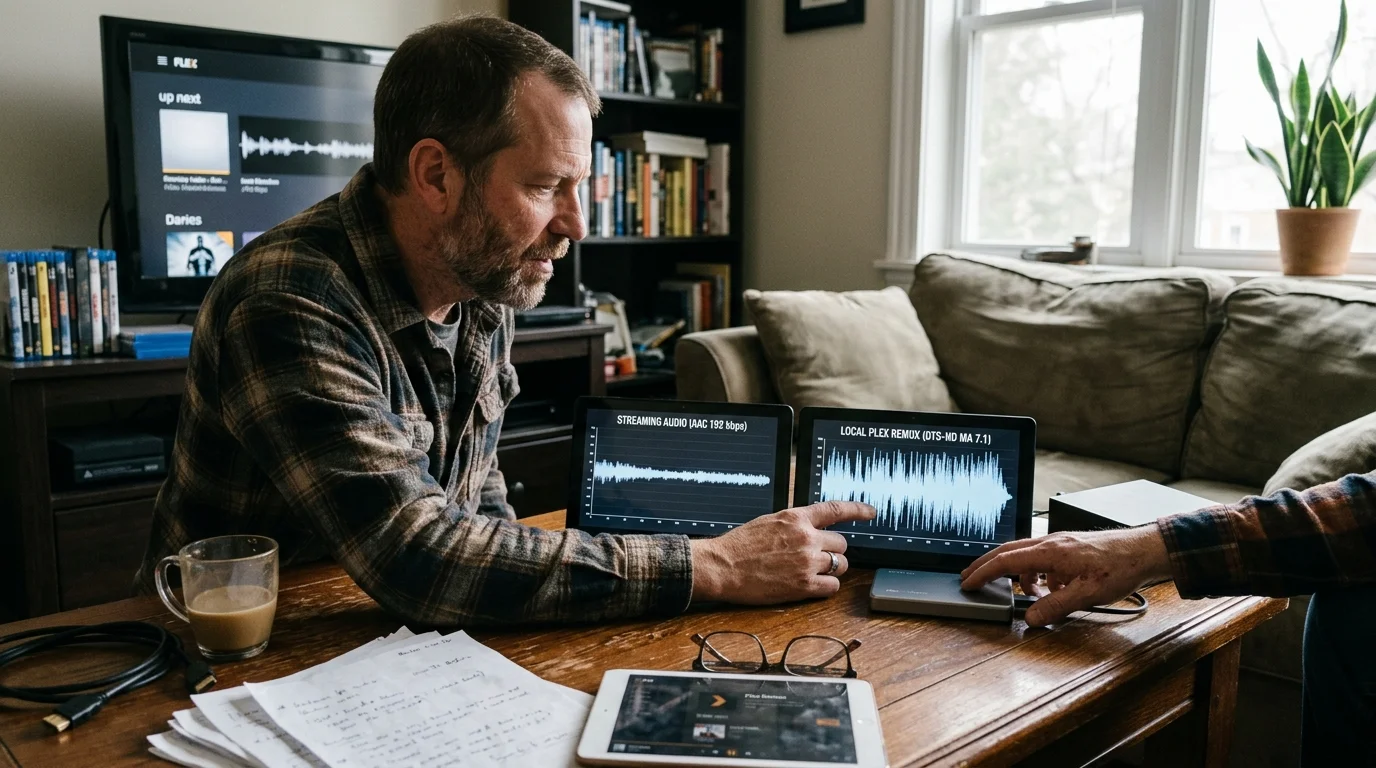
The Bitrate Divide: Commercial Streaming vs. Local Plex Remuxes
Understanding the difference between streaming—watching video content over the internet instead of cable—and local hosting clarifies why audio fidelity drops. Commercial services manage expensive cloud distribution costs.
Platforms like Netflix, Max, Disney+, and Amazon Prime Video never broadcast lossless surround audio tracks. They deliver on-demand content, allowing you to watch whatever you want whenever you want, using lossy compression.
These commercial providers deliver Dolby Atmos using Dolby Digital Plus (E-AC-3) paired with Joint Object Coding. The total audio bitrate hovers between 448 kbps and 768 kbps.
This pipeline discards acoustic data above 18 kHz and flattens dynamic range. Explosions lack visceral punch, and subtle ambient environmental cues disappear.
By contrast, a Plex local streaming setup streams bit-for-bit disc backup copies (remuxes) across your local home network. These files retain reference-grade theatrical audio tracks.
Dolby TrueHD tracks run at variable bitrates between 3,000 kbps and 8,000 kbps, with peaks up to 18 Mbps. DTS-HD Master Audio bitrates frequently climb to 24.5 Mbps.
Plex plays these lossless bitstreams directly when client equipment supports them. The dynamic audio range remains intact, matching the acoustic presentation heard in mastering studios.
| Delivery Platform | Primary Audio Codec | Average Bitrate | Spatial Object Metadata | Bandwidth Allocation |
|---|---|---|---|---|
| Traditional Cable TV | Dolby Digital (AC-3) | 384 – 448 kbps | No (Channel-Based 5.1) | Dedicated QAM Carrier |
| Commercial SVOD (Netflix/Max) | Dolby Digital Plus (E-AC-3) | 448 – 768 kbps | Yes (Lossy Atmos JOC) | Compressed Internet CDN |
| Plex Local Remux (TrueHD) | Dolby TrueHD | 3,000 – 8,000 kbps | Yes (Lossless Atmos 7.1.4) | Local Gigabit Network |
| Plex Local Remux (DTS-HD) | DTS-HD Master Audio | 4,000 – 10,000 kbps | Yes (Lossless DTS:X) | Local Gigabit Network |
A hybrid home theater streaming environment gives you the best of both worlds. You enjoy commercial convenience for casual viewing and local lossless playback for cinema nights.

Cord-Cutting Economics: Traditional Cable vs. The Hybrid Home Theater
Transitioning from cable to a hybrid theater server requires initial hardware spending. However, the recurring monthly savings quickly overtake those setup costs.
According to Cord Cutters News, the average monthly cable television bill exceeds $150 once hidden equipment fees, local sports charges, and broadcast surcharges appear.
Let us examine a concrete, real-world cost scenario comparing a standard US cable package against a self-hosted hybrid media setup.
A typical bundled cable package costs $174.50 per month. The breakdown includes an $85.00 base channel package, a $21.00 broadcast TV fee, and a $15.50 regional sports fee.
Adding two leased cable boxes costs $24.00 monthly. Cloud DVR service—a digital video recorder that lets you record and watch shows later—adds $12.00, while franchise fees add $7.00.
Over a full calendar year, you spend $2,094.00 renting low-grade broadcast hardware. Over three years, that total climbs to $6,282.00.
Now consider the hardware investment for an uncompromising hybrid streaming setup. You purchase an Nvidia Shield TV Pro streaming device for $199.99.
A streaming device is a dedicated compact box or stick that adds internet streaming applications to any connected display. Next, you acquire a refurbished mini PC equipped with an Intel Alder Lake processor for $180.00.
You add a reliable 16TB Western Digital Red Pro hard drive for $210.00 to store uncompressed media. An over-the-air digital antenna costs $45.00, and a network tuner like the HDHomeRun Flex 4K costs $199.99.
Your one-time hardware investment totals $834.98. The equipment belongs entirely to you, eliminating recurring rental fees.
Ongoing monthly operational costs remain manageable. A standalone 300 Mbps fiber internet plan costs approximately $55.00 monthly.
You subscribe to ad-supported plans—cheaper subscription tiers that show intermittent commercial breaks—or select ad-free plans that cost slightly more to eliminate advertising interruptions entirely.
An ad-free Disney+ and Hulu bundle runs $26.99 monthly. An ad-free Max tier costs $16.99 monthly, yielding an ongoing monthly entertainment bill of $98.98.
Unlocking Plex hardware-accelerated video transcoding requires a Plex Pass subscription. Plex Pass options include $6.99 per month, $69.99 annually, $249.99 for a 5-year plan, or a $749.99 Lifetime Pass.
Using the $69.99 annual Plex Pass, your year-one operational expenses total $1,257.75. Adding your $834.98 equipment investment brings your first-year expenditure to $2,092.73.
You reach parity with cable within twelve months. In year two and year three, your annual cost drops to $1,257.75, saving you $836.25 every single year thereafter.
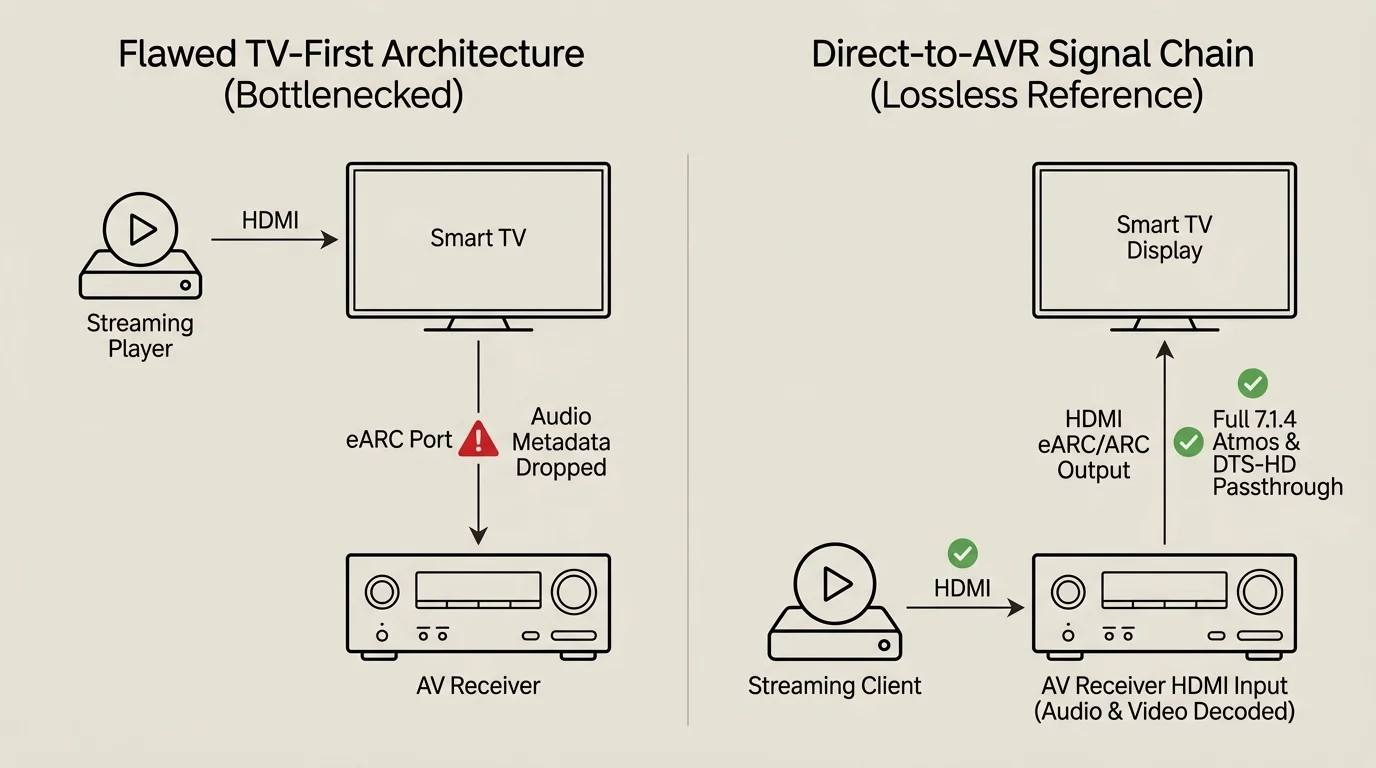
Hardware Topology: Designing the Direct-to-AVR Signal Chain
Achieving lossless audio alongside 4K High Dynamic Range (HDR) video requires connecting your components in a strict, specific sequence. Never route media source boxes through the television display first.
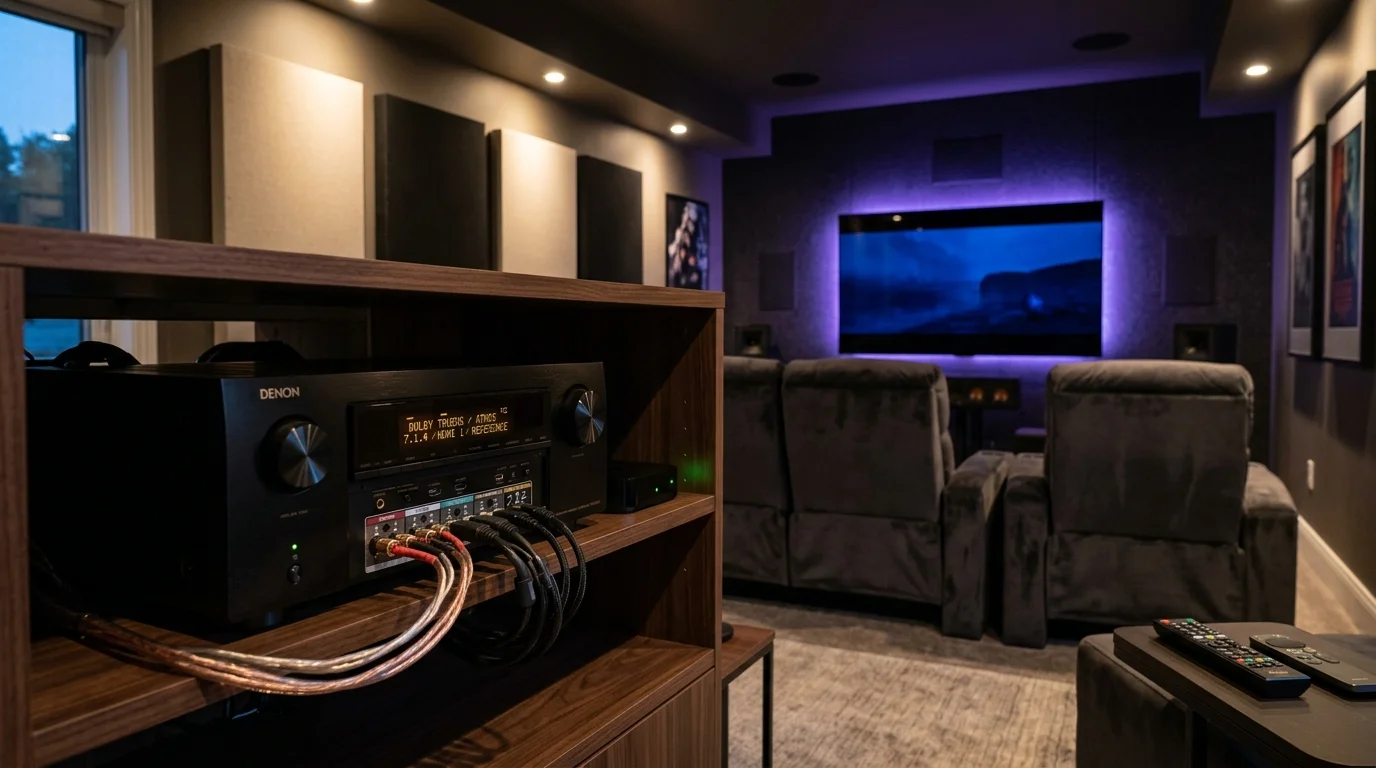
The correct topology uses a receiver-first signal chain. Your streaming playback device connects directly into an HDMI input port on the rear panel of your home theater receiver.
A modern Audio/Video Receiver, such as a Denon AVR-X1700H or Marantz Cinema 60, acts as the central digital processing hub. The receiver immediately strips the lossless digital audio track from the incoming signal.
The AVR internal digital-to-analog converters decode pure Dolby TrueHD Atmos or DTS:X bitstreams natively. Zero downsampling occurs, and height metadata routes instantly to external speaker channels.
Next, the AVR video passthrough circulates the unprocessed video signal downstream. A certified 48 Gbps HDMI cable runs from the AVR HDMI Monitor Out port to the television HDMI eARC input port.
This layout delivers 4K video at 60 Hz or 120 Hz with Dolby Vision and HDR10 colors intact to your display. Simultaneously, your audio avoids TV digital signal processing traps.
Verify that your receiver settings permit uncompressed bitstream delivery. Open your AVR video setup menu and set 4K Signal Format to Enhanced or 8K Enhanced.
Ensure that HDMI Passthrough is active. This feature lets audio signals travel to the TV when you want casual viewing without powering on the multichannel surround amplifier.
If you play high-refresh-rate console video games at 4K 120 Hz, modern receivers with full HDMI 2.1 support handle these inputs without latency penalties. You achieve ultra-low lag without audio downmixing.
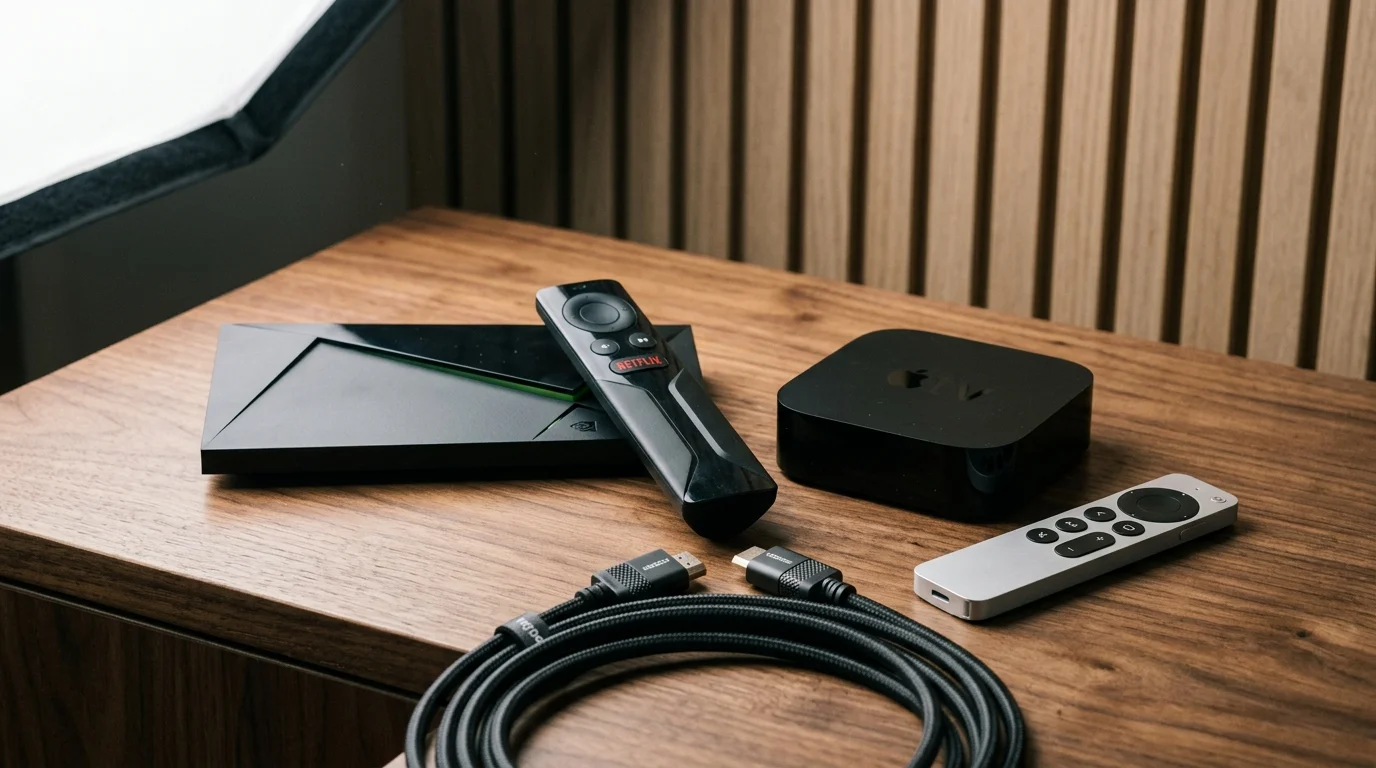
Client Device Selection: Nvidia Shield TV Pro vs. Apple TV 4K
Picking the wrong playback device will break uncompressed bitstream passthrough, regardless of how powerful your sound system is. Only specific streaming devices pass lossless audio files.
As CNET reports, dedicated external streaming players deliver vastly superior processing power and app support compared to built-in smart TV platforms.
The Nvidia Shield TV Pro ($199.99 MSRP) remains the gold standard for enthusiasts managing local media servers alongside subscription applications. It runs Google TV with deep codec compatibility.
The Shield Pro passes native bitstream data over HDMI for both Dolby TrueHD with Atmos and DTS-HD Master Audio with DTS:X. When paired with Plex, it plays high-bitrate media files effortlessly.
The Shield Pro also supports commercial streaming applications like Netflix, Disney+, and Prime Video. It handles 4K HDR playback and outputs commercial Dolby Digital Plus Atmos tracks reliably.
The Apple TV 4K (3rd Generation, 2022 to present) offers a smooth, ad-free interface with lightning-fast app launch times. It serves commercial SVOD platforms exceptionally well.
However, Apple tvOS restricts raw HDMI bitstream passthrough for lossless audio codecs. Third-party applications like Infuse or Plex decode Dolby TrueHD internally to multichannel Linear PCM (LPCM).
While multichannel LPCM retains full lossless audio resolution, the decoding process permanently strips spatial Dolby Atmos height metadata. Your ceiling channels will remain completely dormant.
Furthermore, Apple TV 4K converts DTS-HD MA tracks to LPCM. You preserve lossless audio channels, but dynamic DTS:X height cues are lost.
If true 7.1.4 spatial audio from local disc backups is your goal, the Nvidia Shield TV Pro is essential. The Apple TV 4K remains an outstanding secondary device for commercial streaming environments.
Network and Antenna Infrastructure: Bandwidth for Local 4K and Broadcast TV
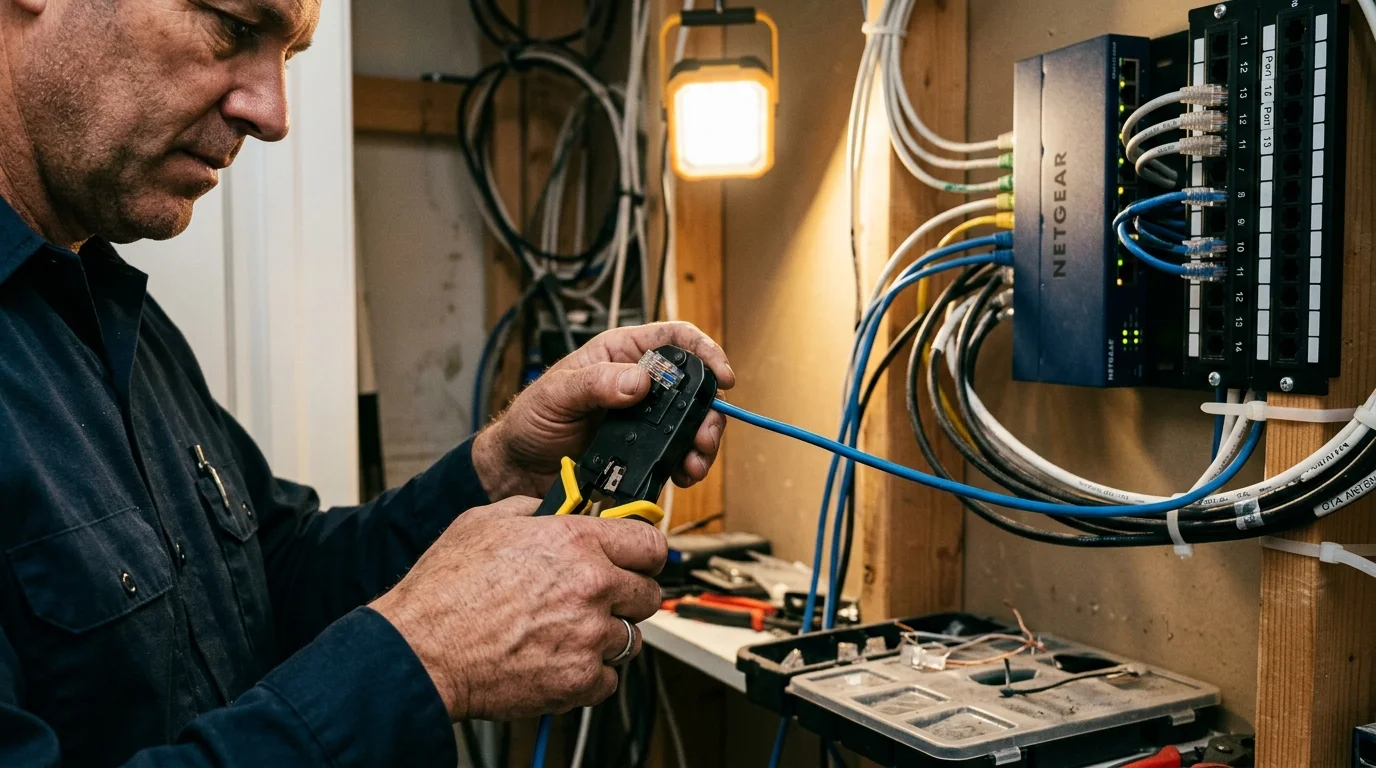
High-bitrate local streaming demands a robust in-home local network. 4K UHD Blu-ray remuxes broadcast at average bitrates of 80 to 100 Mbps, but peak scenes can surpass 140 Mbps.
Standard 100 Mbps Ethernet ports, which are still found on many modern smart TVs, will choke during peak action scenes, causing playback buffering. Always run Gigabit Ethernet to your streaming player and Plex server.
If Wi-Fi is your only physical option, deploy a dedicated Wi-Fi 6 or Wi-Fi 6E mesh router system. Ensure the 5 GHz band maintains a constant local transfer speed above 200 Mbps.
High-speed internet is essential for commercial streaming, but you do not need expensive gigabit internet plans. A stable 100 to 300 Mbps download connection easily supports three concurrent 4K commercial streams.
Cord-cutters also need a way to access local broadcast stations like CBS, NBC, FOX, and ABC. Paying for live TV streaming bundles often adds $40 to $80 per month to your expenses.
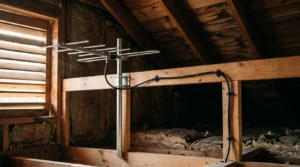
An over-the-air (OTA) digital television antenna captures these stations for free. Data from Consumer Reports reveals that indoor and outdoor antennas frequently pull uncompressed broadcast signals that look cleaner than cable feeds.
Connect your digital antenna to an HDHomeRun network tuner. This hardware converts broadcast television signals into digital video streams accessible across your home network.
Plex integrates directly with HDHomeRun tuners. The server supplies an interactive digital program guide, allowing you to watch live local news or record sports directly to your hard drive.
This network integration delivers broadcast television directly into your unified Plex interface. You eliminate costly live TV streaming subscriptions while consolidating all entertainment into one client player.
Step-by-Step Cable Cancellation and Equipment Return Guide
Cutting the cord requires careful execution. Cable providers routinely make cancellation difficult, often billing former subscribers for unreturned hardware months after service termination.
Guidance from the FCC Consumer Guide highlights consumer protections regarding billing transparency, equipment returns, and fee disputes. Follow this structured process to disconnect cleanly.
First, test your replacement systems thoroughly before contacting your cable provider. Set up your streaming device, configure your Plex media server, and scan your antenna channels.
Confirm that everyone in your home feels comfortable using the new unified interface. Once family members can access their favorite programs without frustration, you are ready to cancel.
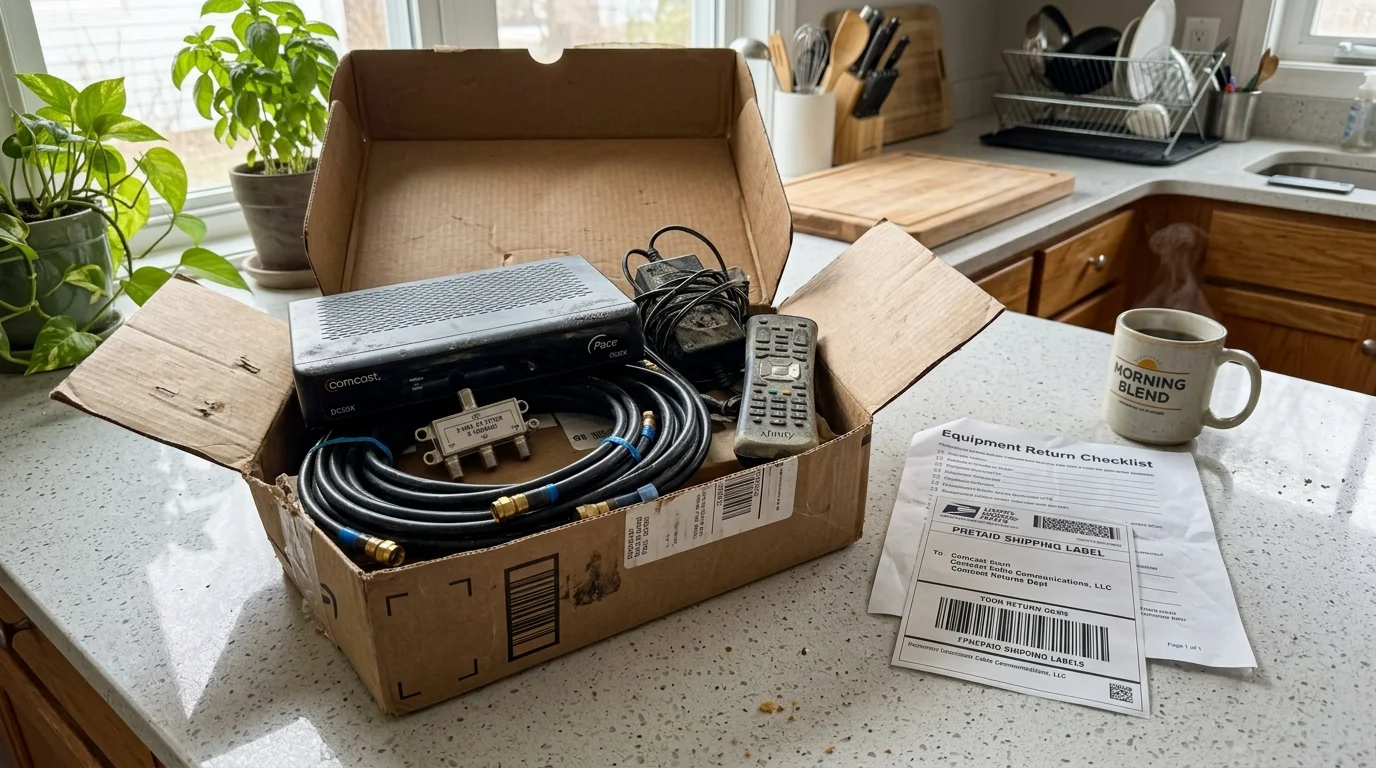
Next, gather every piece of leased cable provider hardware. Collect all set-top boxes, digital adapters, remote controls, HDMI cords, power bricks, and rented internet gateway modems.
Place this hardware into a single container. Make a written record of the serial number and MAC address printed on each individual hardware label.
Call the customer retention line for your cable provider. State your decision directly: “I am disconnecting television service completely because I have transitioned to an alternative system.”
Politely decline their promotional bundles, temporary discounts, and contract extensions. Demand a specific cancellation date, and request a written cancellation confirmation number over the telephone.
Never return leased hardware using an unmonitored drop box. Take the equipment box directly to an official company retail store or an authorized shipping affiliate like UPS.
Demand a physical, printed return receipt displaying every scanned serial number. Store this document safely in your files for at least twelve months.
Cable providers frequently bill unreturned equipment fees ranging from $150 to $250 per box due to inventory mistakes. Your physical receipt serves as indisputable legal proof of return.
Monitor your final billing statement carefully. Verify that the company proration matches your cancellation date, and confirm that all recurring lease charges have stopped.
Frequently Asked Questions
Why does my AV receiver display Multi-Channel PCM instead of Dolby Atmos?
This usually indicates your playback device is decoding the audio internally or passing through an eARC television port that strips spatial metadata. Connect your player directly to the receiver and set audio output to Bitstream Passthrough.
Can an Apple TV 4K output lossless TrueHD Dolby Atmos from a Plex server?
No, the Apple TV 4K cannot pass lossless TrueHD Atmos. Apple tvOS forces internal decoding to LPCM, which preserves uncompressed audio quality but discards the spatial height metadata required for ceiling channels.
Do commercial streaming apps ever offer uncompressed Dolby TrueHD audio?
No, commercial streaming platforms exclusively use lossy Dolby Digital Plus (E-AC-3) compression to minimize network distribution overhead. Lossless Dolby TrueHD remains exclusive to physical 4K Blu-ray discs and uncompressed local server rips.
What internet speed do I need for a hybrid streaming and Plex home theater?
You need a 100 to 300 Mbps internet connection for commercial 4K streaming platforms. Local Plex streaming does not consume external internet bandwidth; it relies entirely on your internal home Gigabit router network.
Disclaimer: Cable and streaming prices vary by location and change frequently. The cost comparisons in this article are estimates based on typical pricing. Your actual savings will depend on your current cable package, internet costs, and which streaming services you choose.