
If you manage three T-Mobile family lines, paying carrier upcharges to strip commercials from Netflix wastes your entertainment budget. Keeping the free tier saves you more cash than paying T-Mobile’s monthly upgrade fee year-round.
T-Mobile now covers only the $8.99 monthly cost for Netflix Standard with Ads. While the carrier offers a discount to upgrade, unbundling and rotating ad-free access independently cuts your annual costs much deeper.
Here is the exact math comparing cellular plan streaming discounts against standalone streaming, showing where your three-line family account saves the most money.
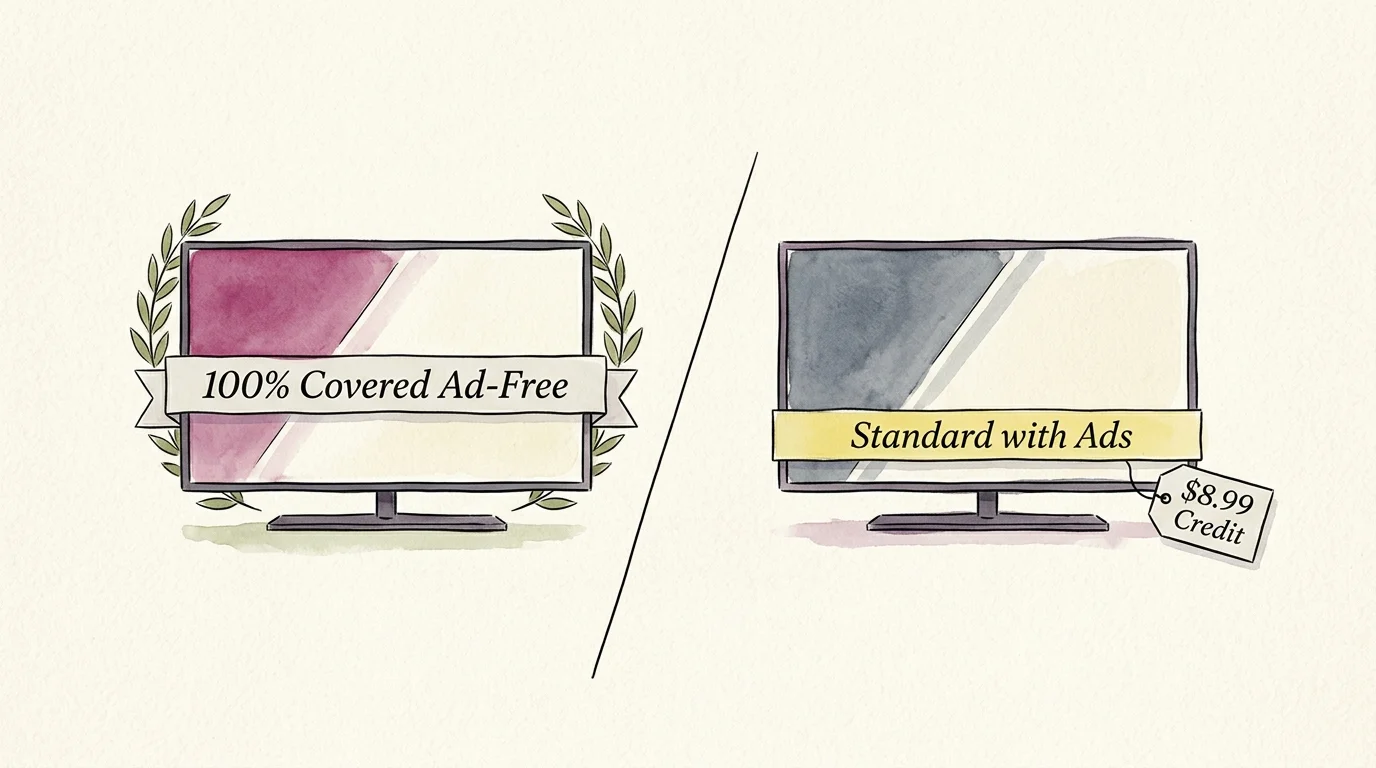
How T-Mobile Changed the Netflix On Us Perk
T-Mobile restructured its flagship entertainment benefit, altering how millions access streaming (watching video content over the internet instead of cable or satellite).
This policy adjustment aligns with industry-wide changes examined in our carrier streaming perk audit, which details how telecom providers have systematically scaled back complimentary subscriptions.
Previously, qualifying accounts received commercial-free viewing funded entirely by the carrier. That arrangement offered true cord-cutting (canceling traditional cable/satellite TV in favor of streaming services) value without hidden compromises.
In January 2024, T-Mobile transitioned the complimentary “Netflix On Us” benefit to the ad-supported (free or cheaper plans that show commercials) tier. Qualifying subscribers now receive Netflix Standard with Ads at no out-of-pocket cost.
If your household insists on ad-free (plans that cost more but do not show commercials) viewing, you must pay an added monthly surcharge. T-Mobile bills this fee directly to your post-paid wireless account.
The revised perk applies to plans like Experience More and Experience Beyond. It also covers legacy accounts such as Go5G Plus, Go5G Next, and Magenta MAX.
Families with three lines on standard Magenta or Go5G rate plans retain eligibility. However, entry-level tiers like T-Mobile Essentials remain completely excluded from the perk.
According to reporting from CNET, mobile carriers continue trimming entertainment subsidies as media companies raise baseline wholesale rates.
Understanding this transition requires looking past promotional headlines. You must calculate whether T-Mobile’s subsidized upgrade fee beats buying subscriptions on your own schedule.

The Real Math: T-Mobile Upgrade Surcharges vs Standalone Costs
Evaluating this benefit requires examining the exact tmobile netflix on us upgrade cost against direct retail subscription prices. Standalone Netflix tiers carry specific monthly fees that dictate your net savings.
Factoring in the impact of the latest Netflix price hike helps clarify whether paying standalone rates or keeping carrier billing makes the most sense.
The standalone Netflix Standard with Ads tier costs $8.99 each month. T-Mobile covers this full $8.99 amount, providing $107.88 in annual cellular plan streaming discounts.
If you want ad-free viewing, retail Netflix Standard costs $19.99 per month. Instead of covering the full price, T-Mobile applies a fixed $6.99 monthly credit toward the upgraded tier.
Your T-Mobile bill reflects a $13.00 monthly charge ($19.99 retail minus the $6.99 credit). Over twelve months, you pay $156.00 out of pocket on your wireless statement.
Upgrading to Netflix Premium ad-free costs $26.99 per month at retail. With T-Mobile’s $6.99 monthly credit applied, you pay $20.00 each month, totaling $240.00 annually.
This tmobile streaming perks breakdown reveals that the carrier credit drops from $8.99 to $6.99 whenever you leave the ad-supported tier. You lose $24.00 of annual carrier subsidy just by choosing to skip commercials.
| Netflix Plan Tier | Standalone Monthly Cost | Standalone Annual Cost | T-Mobile Monthly Upcharge | T-Mobile Annual Out-of-Pocket | Annual Value Received |
|---|---|---|---|---|---|
| Standard with Ads (1080p, 2 streams) | $8.99 | $107.88 | $0.00 | $0.00 | $107.88 (100% covered) |
| Standard Ad-Free (1080p, 2 streams) | $19.99 | $239.88 | $13.00 | $156.00 | $83.88 ($6.99/mo credit) |
| Premium Ad-Free (4K UHD, 4 streams) | $26.99 | $323.88 | $20.00 | $240.00 | $83.88 ($6.99/mo credit) |
The numbers show an obvious trade-off. T-Mobile’s ad-supported option delivers maximum financial efficiency, whereas carrier upcharges reduce the actual percentage discount you receive.

Three-Line Family Scenario: Full Year Cost Analysis
Consider a practical scenario featuring a family of four spread across three cellular lines on a qualifying Go5G Plus plan. Parents use Line 1 and Line 2, while two teenagers share Line 3.
This household watches approximately four hours of television nightly across different rooms. Let us compare three distinct financial paths over a 365-day billing calendar.
In Strategy A, the family accepts the default $0 Standard with Ads tier linked to their T-Mobile account. They pay $0.00 extra on their monthly phone bill, keeping $107.88 in carrier value.
They endure roughly four minutes of commercials per hour of viewing. Across 1,460 hours of annual family screen time, they sit through approximately 97 hours of commercial interruptions.
In Strategy B, the account owner upgrades via T-Life to Standard Ad-Free for continuous, year-round commercial-free viewing. T-Mobile charges $13.00 on every monthly phone bill.
The annual out-of-pocket cost comes out to exactly $156.00 ($13.00 multiplied by 12 months). While they save $83.88 compared to retail standalone billing, they surrender $156.00 in total cash.
In Strategy C, the family utilizes a tactical split. They keep the $0 ad-supported tier active on T-Mobile for casual background programming throughout eight off-peak months.
During the four peak viewing months (such as November, December, June, and July), they upgrade via T-Mobile to Standard Ad-Free for major series releases. They pay $13.00 for those four months only.
Their total annual out-of-pocket expenditure drops to $52.00 ($13.00 multiplied by 4 months). This hybrid approach saves the family $104.00 in cash compared to continuous year-round upgrading.
“The most expensive streaming plan is the one you pay for automatically every month without checking if your household is actually watching it.”
By controlling your upgrade calendar instead of accepting passive billing, a three-line household retains comfort without burning cash.
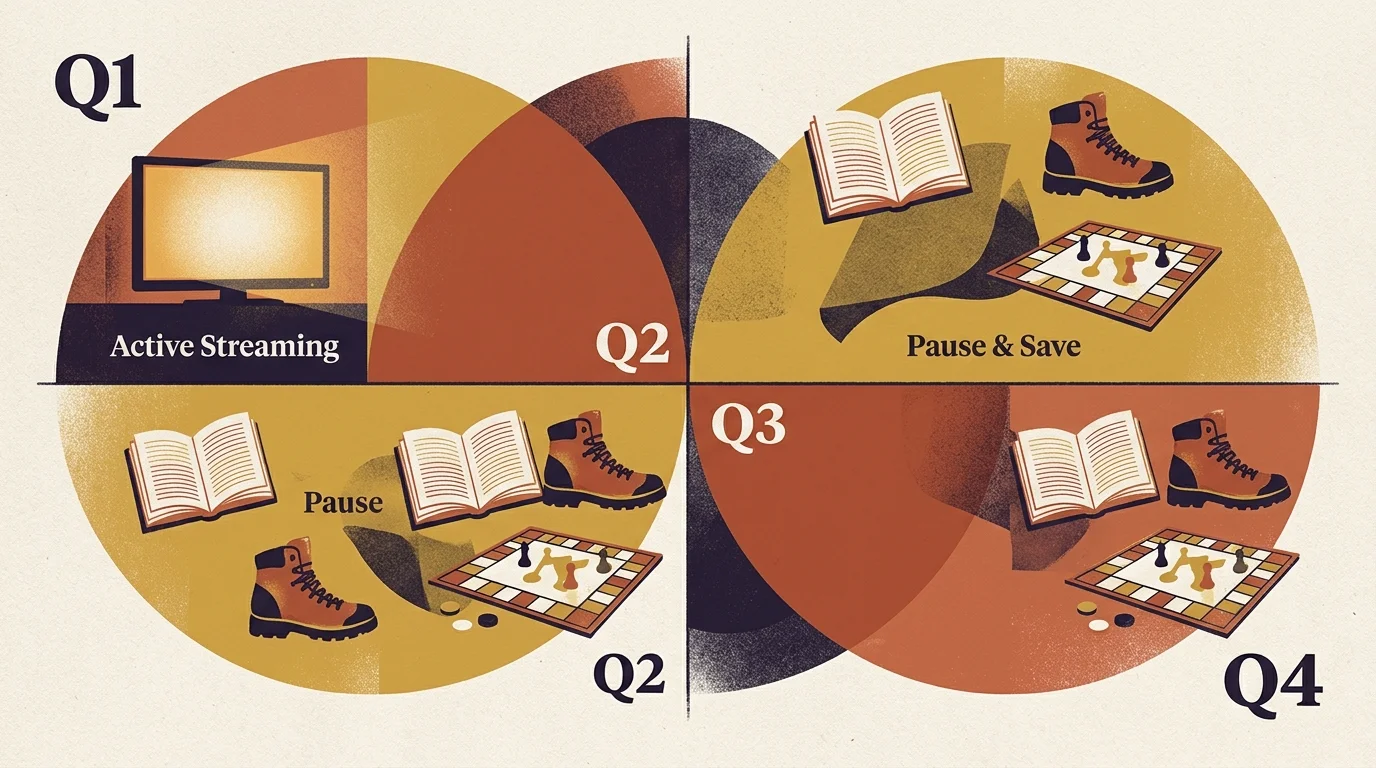
The Subscription Rotation Strategy for Three-Line Households
Subscription rotation means maintaining only one or two paid premium entertainment services at any single point. You cancel or pause services as soon as you finish specific shows.
On-demand (watch whatever you want, whenever you want) catalogs make linear television models obsolete. You no longer need a DVR (digital video recorder, lets you record and watch shows later) to hoard programs.
Three-line families often fall into the trap of subscription creep. They maintain multiple active services simultaneously so every family member has endless choices.
A structured rotation protocol eliminates duplicate costs across multiple entertainment platforms. One parent manages the central rotation schedule on a shared family calendar.
According to budgeting guidelines published by Consumer Reports, rotating streaming apps seasonally saves households hundreds of dollars annually compared to persistent multi-service subscriptions.
Under this system, your T-Mobile Netflix benefit serves as the zero-cost anchor. The ad-supported tier remains permanently linked to your mobile account at zero expense.
When high-priority exclusive releases drop, the family pools entertainment requests for a single thirty-day binge window. The account owner toggles the ad-free upgrade for that specific month.
Once the watch-list clears, the owner steps the tier back down to the complimentary tier inside account settings. This preserves commercial-free quality during intense viewing windows while maintaining zero ongoing overhead.

Alternative Bundling and Third-Party Streaming Discounts
T-Mobile is not the only provider offering cellular plan streaming discounts or bundle rebates. Evaluating outside platforms helps you determine if bundling through your phone carrier remains worthwhile.
Before committing to carrier perks, compare these numbers with direct options like the Disney+, Hulu, and Max bundle to see if standalone entertainment bundles offer better multi-app discounts.
Unlike competitors, standalone Netflix does not sell annual subscription passes at a discounted rate. Every direct consumer plan bills on a strictly monthly cycle.
Platforms like Disney+, Paramount+, and Max offer annual plans that provide 15% to 20% discounts compared to monthly billing. Pairing an annual plan elsewhere with T-Mobile’s free Netflix tier maximizes overall family savings.
Other ecosystems bundle entertainment access into retail loyalty memberships. Walmart+, for example, includes Paramount+ Essential with ads at no additional charge for members.
Many credit cards also offer monthly statement credits for select streaming services. Certain American Express cards grant up to $20 monthly credits toward Disney, Hulu, or ESPN+ subscriptions.
College students in your household can secure standalone discounts across rival services. Hulu provides student pricing at $1.99 per month, while Amazon Prime offers discounted rates for verified college enrollees.
Military veterans and active-duty service members on T-Mobile qualify for discounted cellular rate plans, like Go5G Military. These lines still receive the same Netflix On Us subsidies, compounding your overall savings.

Step-by-Step: Changing Your Netflix Tier in T-Life
Managing your tier does not require contacting customer support. You complete every adjustment directly through T-Mobile digital interfaces.
- Launch the T-Life application on your primary account holder smartphone, or sign in via browser at account.t-mobile.com.
- Select the Account tab from the bottom navigation menu.
- Tap Add-ons and scroll down to the Entertainment benefits section.
- Locate your current Netflix On Us selection and choose Manage.
- Select your desired tier: Standard with Ads ($0.00/mo), Standard ($13.00/mo), or Premium ($20.00/mo).
- Review the billing change summary and confirm your submission.
Tier upgrades apply to your Netflix profile immediately upon confirmation. Tier downgrades usually adjust at the start of your subsequent cellular billing cycle.
Be aware of payment fallback rules. If you cancel your qualifying phone lines or switch to an ineligible plan, T-Mobile discontinues billing the carrier subsidy.
When carrier integration terminates, Netflix immediately charges the backup credit card stored on your streaming profile at full standalone rates. Check your saved payment methods periodically to prevent surprise charges.
Consumers must also guard against identity phishing scams. Scammers distribute fraudulent text messages claiming your T-Mobile Netflix benefit has expired to harvest credit card data.
The Better Business Bureau warns users never to click billing links sent via automated SMS messages. Always access your account through official apps or verified web portals.
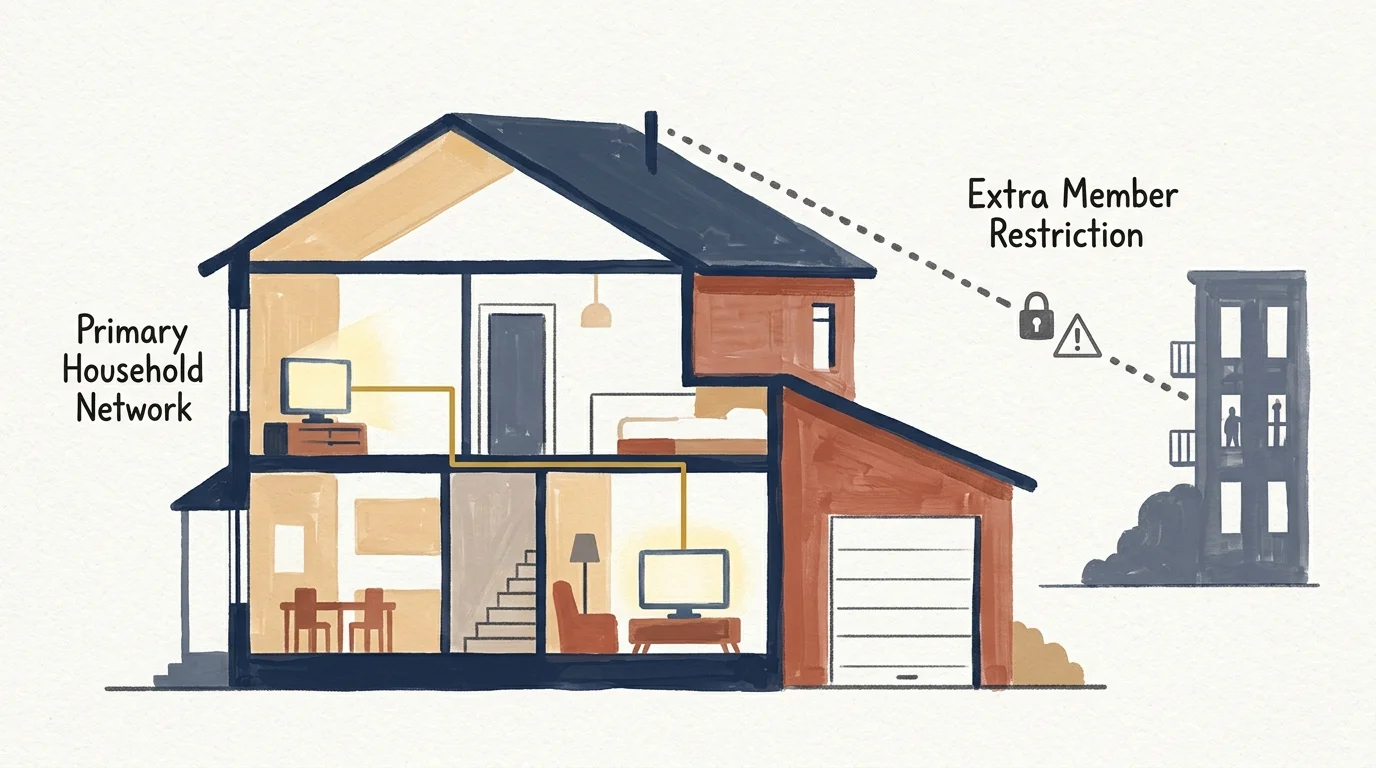
Household Sharing Rules, Extra Members, and Technical Settings
Managing a three-line family plan frequently involves users residing in separate physical locations, such as young adults attending college. Netflix enforces strict household sharing boundaries.
Keep in mind that navigating T-Mobile’s bundle requires understanding how the Netflix password sharing crackdown impacts extra members outside your primary home.
The service defines a household by the primary smart TV (a television with built-in internet connection and apps) connected to the primary home internet network. Secondary devices must connect to that network monthly.
A streaming device (a small box or stick, like Roku or Fire TV, that adds streaming to any TV) used outside the home will eventually face access lockouts. Mobile phones bypass this via periodic Wi-Fi check-ins.
To support a member living outside the home permanently, Netflix sells Extra Member slots. These add-ons cost $7.99 monthly for ad-supported or $9.99 monthly for ad-free access.
T-Mobile discounts do not cover Extra Member slots. Any extra out-of-household member fees bill directly to your default personal payment method inside Netflix.
You can optimize your streaming experience on the ad-supported tier by adjusting playback settings. Open Profile & Parental Controls in account settings to configure viewing parameters.
Set video data usage to Medium or Auto to stop video buffering over home broadband networks. Technical benchmarks from Tom’s Guide confirm that proper bandwidth allocation minimizes compression artifacts on 1080p streams.
Lock younger viewer profiles with four-digit PINs. This ensures teenage children on your family lines do not encounter unapproved content or alter your shared playback queues.
Frequently Asked Questions
Does T-Mobile still offer free Netflix without ads?
No, T-Mobile no longer provides a completely free ad-free tier. Qualifying plans include Netflix Standard with Ads for $0, while upgrading to ad-free requires a monthly out-of-pocket payment.
Can I add an extra out-of-household member to my T-Mobile Netflix perk?
Yes, but T-Mobile does not subsidize that feature. Extra member slots cost $7.99 or $9.99 per month and bill directly to the personal payment card saved on your Netflix account.
What happens to my Netflix account if I downgrade my T-Mobile cellular plan?
If you switch to an ineligible cellular tier, T-Mobile ceases covering the monthly subscription fee. Netflix automatically charges your backup payment card at full prevailing retail prices.
Is the $13 monthly upgrade to ad-free worth it for three family lines?
Paying $13 monthly year-round costs $156 annually. Households save significantly more money by keeping the free ad-tier for general viewing and only upgrading for short, high-volume binge periods.
Disclaimer: Streaming service terms and pricing change frequently. Always review current terms of service before implementing any money-saving strategies. Some tips may not work with all services or in all regions.