
You can slash your off-campus entertainment expenses to under $6.25 per person each month while cycling through eight major streaming catalogs. A synchronized four-roommate syndicate caps your collective household entertainment bill at exactly $25.00 monthly.
Unlike typical sharing schemes that trigger account locks, this blueprint uses single-household Wi-Fi exemptions to legally access every major platform without paying extra-member fees.
By rotating two to three active services each term using assigned card allocations, your apartment maintains constant premium television without subscription creep.
The Math Behind the $25 Monthly Household Cap
Cord-cutting—canceling traditional cable or satellite TV in favor of streaming services—often becomes expensive when households subscribe to multiple platforms simultaneously. Streaming refers to watching video content over the internet instead of cable or satellite.
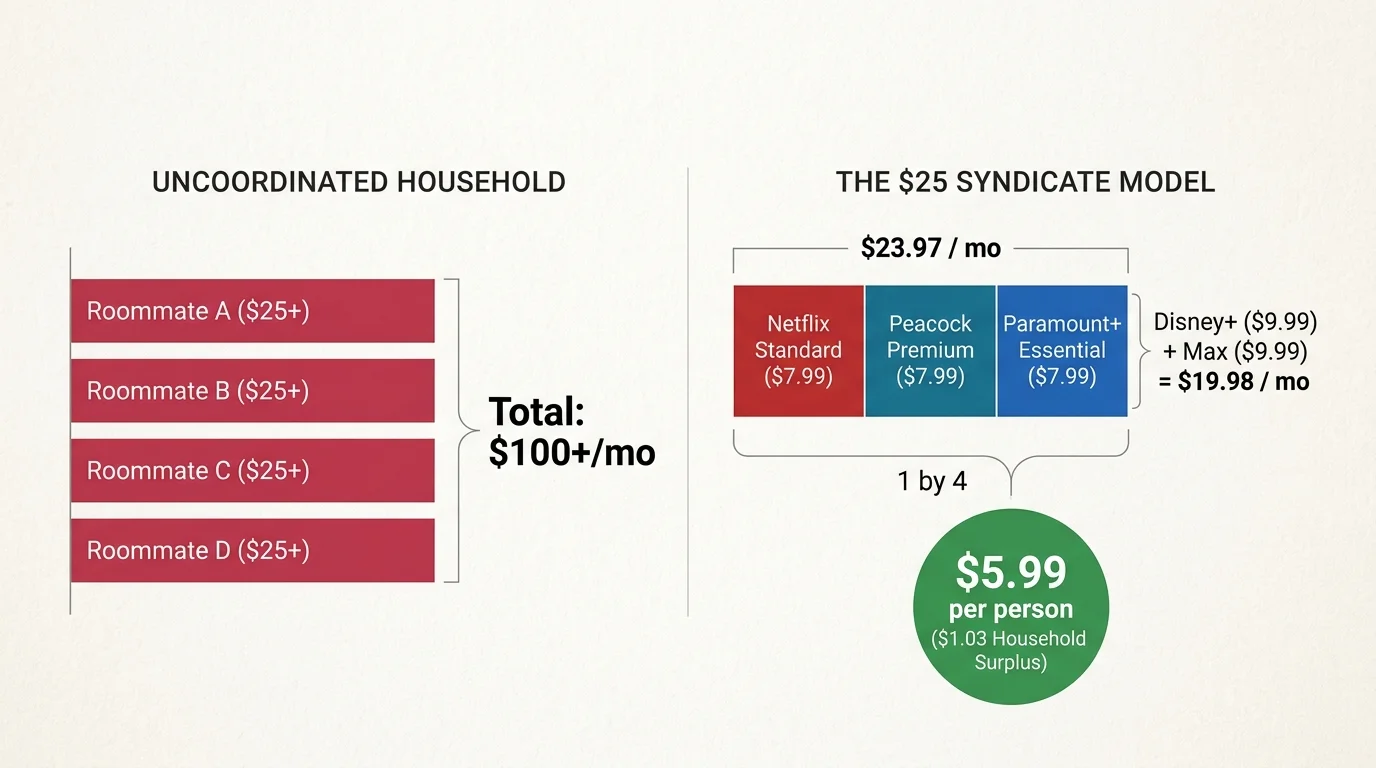
When four roommates each maintain separate entertainment subscriptions, the collective apartment cost frequently exceeds $100 per month. You can eliminate this waste through a shared roommate streaming budget.
To keep the total apartment expenditure at or below $25.00 each month, your household must limit active subscriptions to two or three platforms at any given time. This establishes a maximum personal contribution of $6.25 per roommate.
Our syndicate model relies on entry-level, ad-supported tiers—cheaper plans that display commercial breaks during programming—rather than expensive ad-free tiers that cost significantly more for commercial-free playback.
As CNET reports, entry-level ad tiers have become the primary battleground for media companies adjusting pricing models. These tiers provide access to the complete content catalogs at substantial discounts.
Consider a standard autumn billing cycle. The apartment activates Netflix Standard with Ads ($7.99), Peacock Premium with Ads ($7.99), and Paramount+ Essential with Ads ($7.99).
The total monthly invoice comes to $23.97. Divided equally among four roommates, each individual pays exactly $5.99 for that month, leaving a $1.03 household surplus beneath the $25.00 limit.
If you instead choose a two-platform pairing, such as Disney+ Basic with Ads ($9.99) and Max Basic with Ads ($9.99), your monthly bill drops to $19.98. That configuration costs each roommate just $5.00 per month.

The Seasonal Streaming Rotation Schedule Across Four Quarters
Nobody watches eight platforms simultaneously. Most viewers binge-watch on-demand programming—content you watch whenever you want, rather than on a broadcast schedule—in concentrated cycles surrounding specific series releases.
A seasonal streaming rotation schedule synchronizes your subscription activations with academic quarters and premier broadcast calendars. This eliminates paying for dormant services during busy exam periods.
“Rotating subscription tiers systematically eliminates digital shelf-ware, ensuring you only pay for platforms during active viewing cycles.”
The academic rotation divides the calendar year into four distinct phases: Fall Semester (September to November), Winter Break and Early Spring (December to February), Spring Semester (March to May), and Summer Term (June to August).
During the Fall Semester (Quarter 1), activate Netflix Standard with Ads ($7.99), Peacock Premium ($7.99), and Paramount+ Essential ($7.99). This pairing covers Sunday Night Football, network procedural debuts, and autumnal movie releases for $23.97 monthly ($5.99 per person).
For the Winter Term (Quarter 2), terminate those three services and activate the Disney+ and Hulu ad-supported bundle ($10.99) alongside Max Basic with Ads ($9.99). Your household total is $20.98 monthly ($5.25 per person), unlocking premium dramas and holiday releases.
In the Spring Semester (Quarter 3), cancel Max and the Disney duo. Activate Amazon Prime Video standalone ($8.99), Apple TV+ ($9.99), and Peacock Premium ($7.99).
This Quarter 3 selection costs $26.97. However, applying a SheerID student discount to Peacock drops its price to $1.99, reducing your total spring invoice to $20.97 ($5.24 per person).
During the Summer Term (Quarter 4), switch to Max Basic with Ads ($9.99), Netflix Standard with Ads ($7.99), and Paramount+ Essential ($7.99). The total cost equals $23.97 monthly, keeping your per-roommate cost at $5.99.
Managing Simultaneous Stream Bottlenecks and Living Room Hardware
Ad-supported plans present one mechanical challenge for four roommates: concurrent stream limitations. Stream concurrency dictates how many screens can play video from one account at the exact same moment.
According to testing data from Tom’s Guide, stream limit errors occur instantaneously when a third profile initiates playback on two-stream entry tiers.
Netflix, Hulu, and Max restrict viewing to two simultaneous screens on their ad tiers. If two roommates watch separate shows in their bedrooms, the other two roommates receive an error code if they attempt to launch a third stream.
Conversely, Peacock and Paramount+ permit three simultaneous streams, Disney+ allows four, and Apple TV+ supports up to six streams via Apple Family Sharing. Managing these technical restrictions requires intentional hardware organization in shared living areas.
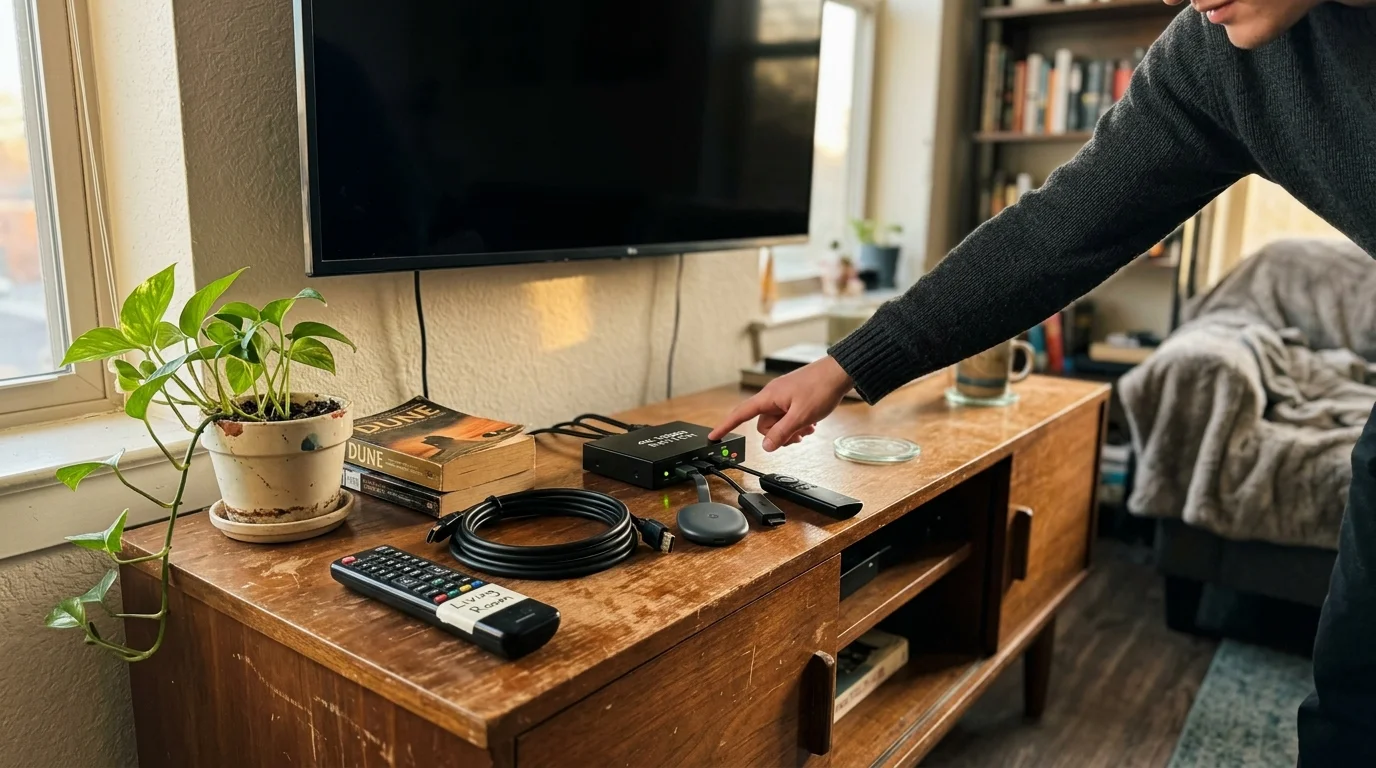
Invest in a central living room smart TV—a television featuring built-in internet access and streaming applications. Alternatively, connect a standalone streaming device—a compact hardware stick like a Roku or Amazon Fire TV that equips any screen with streaming software.
Route all premier group viewing through the communal living room screen. When roommates gather in common spaces for popular shows, four people consume only a single concurrent stream allocation.
| Streaming Platform | Monthly Ad Tier Price | Simultaneous Streams | Video Resolution | Household Tracking Method |
|---|---|---|---|---|
| Netflix | $7.99 | 2 | 1080p Full HD | Home Wi-Fi Network & Primary TV IP |
| Max | $9.99 | 2 | 1080p Full HD | Connected Device IP & Geolocation |
| Hulu | $9.99 | 2 | 1080p Full HD | Home Network Handshake Check |
| Peacock | $7.99 | 3 | 1080p Full HD | Concurrent Stream Counter |
| Paramount+ | $7.99 | 3 | 1080p Full HD | Concurrent Stream Counter |
| Amazon Prime Video | $8.99 | 3 | 1080p Full HD | Amazon Household & Stream Cap |
| Disney+ | $9.99 | 4 | 1080p Full HD | Home Network IP Tagging |
| Apple TV+ | $9.99 | 6 | 4K Ultra HD | Apple Family Sharing ID |
Unlike broadcast television, streaming platforms lack traditional DVR capabilities—a digital video recorder that lets you record and store live television broadcasts to view later. Instead, the entire catalog remains on-demand.
Because content remains accessible at all hours, roommates can stagger their viewing times across the evening. Staggered watching avoids concurrent screen conflicts without requiring expensive plan upgrades.
Assigning Credit Cards and Automating Monthly Cancellations
Splitting streaming subscriptions across four roommates often fails when one individual acts as the sole collection agency. Chasing Venmo transfers creates friction and leads to unpaid shares.
Roommates can lower individual charges even further by stacking credit card streaming perks that provide monthly statement credits for popular services.
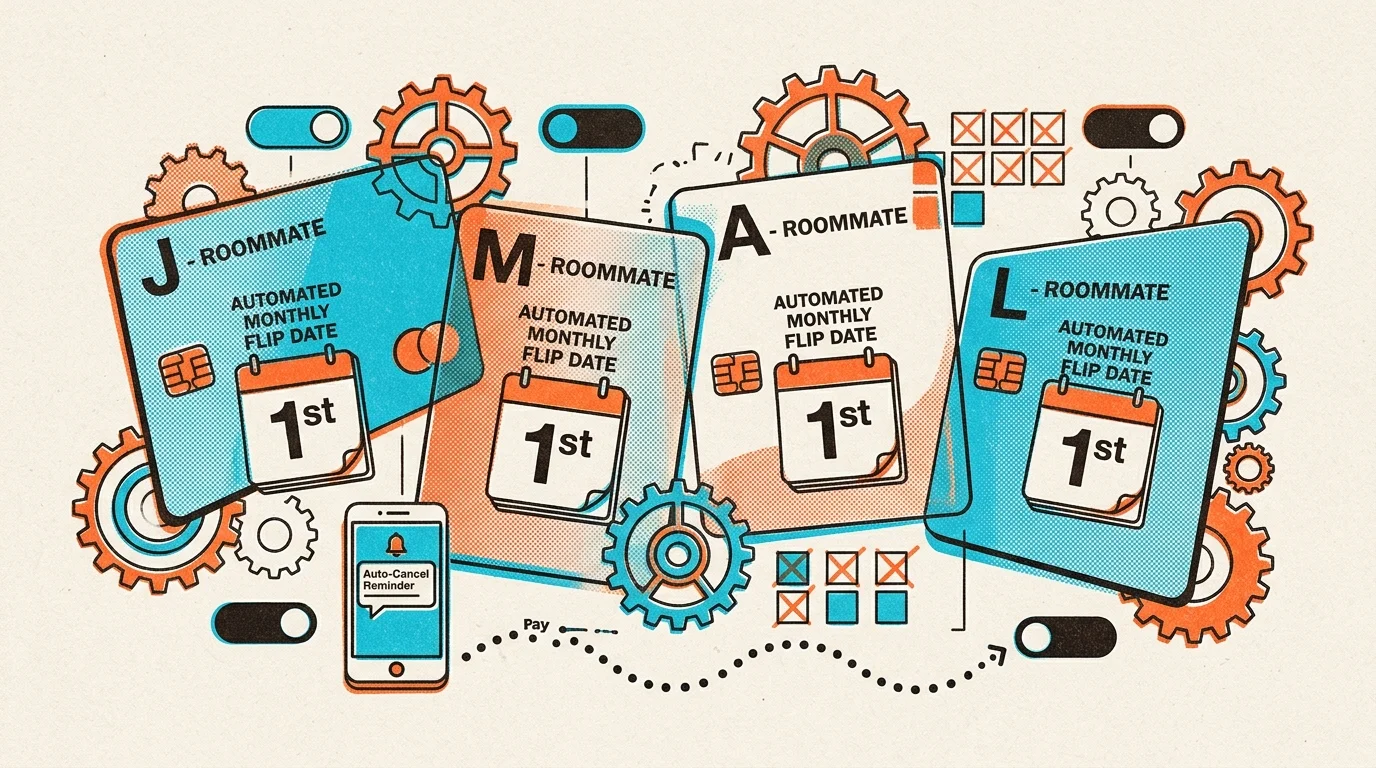
The syndicate model eliminates payment friction by assigning individual platform billing responsibilities to distinct credit cards. Each roommate handles the financial charge for one assigned platform rotation.
Roommate A registers their card for Netflix. Roommate B handles Peacock and Paramount+. Roommate C manages Max and Disney+, while Roommate D covers Apple TV+ and Prime Video.
Because platforms charge month-to-month on prepaid 30-day cycles with no contracts, you should execute cancellations immediately after purchase. When you cancel on day one, the subscription remains active until day thirty.
Immediate cancellation prevents unexpected auto-renewals when the rotation cycle shifts to new services. The service cleanly shuts down at the end of the term, leaving the billing card uncharged.
Store all syndicate credentials inside a dedicated shared password manager. Using an encrypted vault ensures all four roommates access accounts without sharing credit card numbers or master passwords.

Navigating Household Password Policies Legally Under One Roof
Major entertainment providers have deployed sophisticated geofencing technology to restrict unauthorized account sharing. However, off-campus roommates sharing a single apartment lease are exempt from these crackdowns.
Setting up shared entertainment is a cornerstone of cord cutting for apartment dwellers who want to ditch expensive collective cable packages.
According to consumer research published by Consumer Reports, household geofencing relies heavily on home Wi-Fi handshakes rather than physical occupant identity. The algorithms verify physical residence via network connectivity.
Under platform terms of service, a “household” constitutes the collection of devices associated with the primary residential internet connection. Because your syndicate shares one apartment, your devices connect to the same router.
To maintain seamless authentication, designate the living room smart TV as your primary residential device. This hardware anchors your apartment IP address within Netflix, Disney+, and Hulu detection engines.
Every roommate must connect their personal laptops, smartphones, and tablets to the central home Wi-Fi network at least once every thirty days. Opening the streaming apps while on the local network refreshes the authentication token.
Avoid logging into syndicate accounts using external mobile cellular hotspots. External networks trigger verification warnings, requiring one-time passcode confirmation from the registered account owner.
Stacking Student Discounts and Promotional Bundles
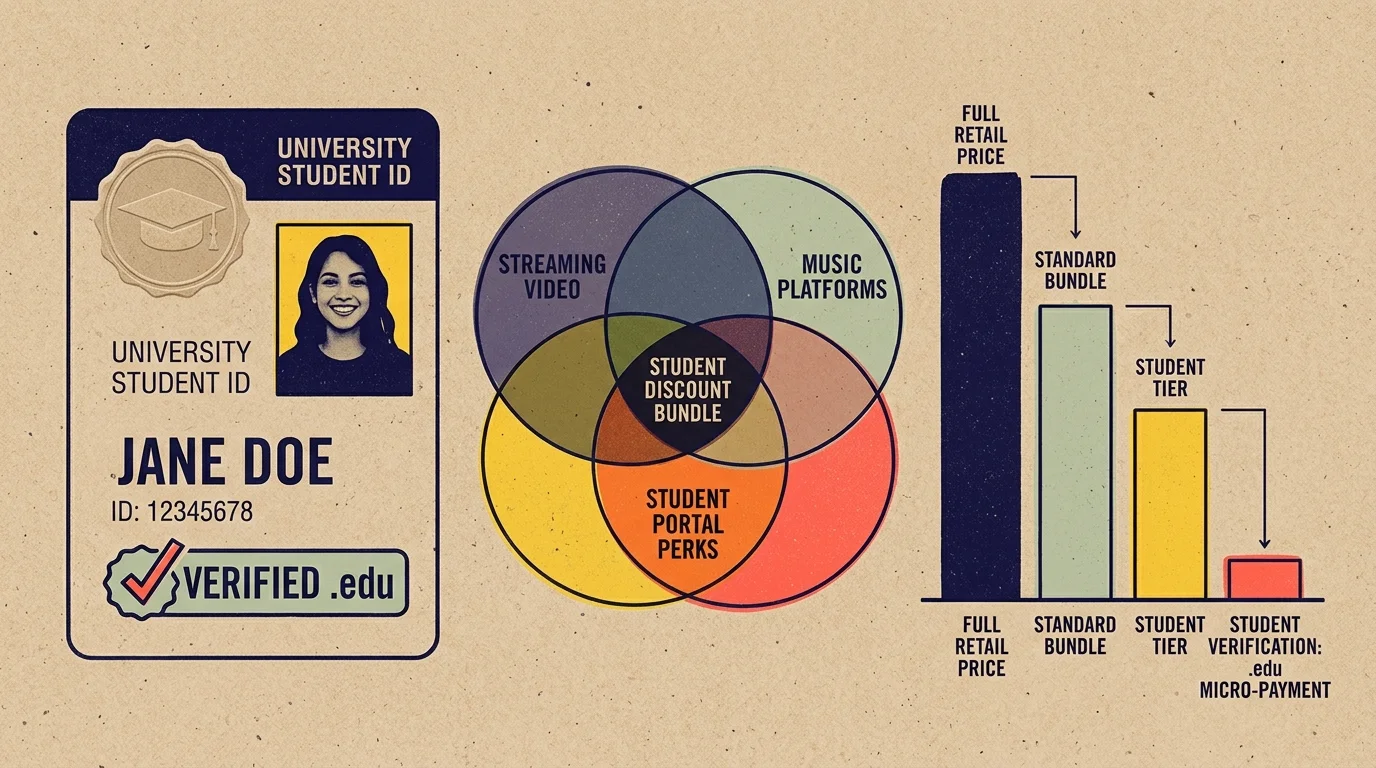
College students possess access to verified educational pricing that dramatically drops household costs. Leveraging SheerID student verifications drives total apartment entertainment costs far below the $25.00 ceiling.
Hulu offers a dedicated student discount providing its ad-supported tier for just $1.99 per month. That represents an $8.00 monthly savings compared to the standard $9.99 rate.
Peacock also maintains a verified student promotion at $1.99 per month for twelve consecutive months. This cuts your Peacock expense by 75% compared to regular pricing.
Rotate these student discount applications among roommates. Since each student possesses a unique .edu email address, your household can utilize distinct educational promotions across different academic terms.
Take advantage of commercial bundles during active terms. The Disney+, Hulu, and ESPN Select ad-tier bundle provides access to two critical catalogs for $10.99 monthly, saving $8.99 compared to purchasing standalone plans.
Keep a calendar reminder for Black Friday and Cyber Monday promotional windows. Streamers consistently offer promotional rates as low as $0.99 per month for six-month trial periods during late November.

Avoiding Streaming Scams and Payment Pitfalls
Cost-conscious students searching for cheap subscriptions often encounter deceptive online marketplaces offering lifetime access to premium services for a single flat fee. These unauthorized accounts violate service terms.
The Better Business Bureau warns consumers against unauthorized account resellers offering lifetime access to premium subscriptions. These operations frequently sell stolen credentials that get terminated within days.
Never purchase account access from third-party auction sites, messaging apps, or online forums. These listings expose your personal devices to security vulnerabilities and result in immediate account termination.
Beware of phishing emails that simulate billing failures. Fraudulent messages frequently state that your Netflix or Max payment failed, directing you to spoofed websites designed to harvest bank credentials.
Ensure that all billing updates occur directly within official platform applications or verified domain settings. Never click billing links embedded inside unsolicited SMS alerts or external emails.
Finally, monitor virtual card authorizations. Services like Privacy.com allow you to generate burner cards with strict $10 spend limits, guaranteeing a subscription cannot overcharge your roommates.
Frequently Asked Questions
Is it legal for four roommates to share streaming accounts in one apartment?
Yes, sharing accounts among roommates residing at the same physical address is fully compliant with subscriber agreements. Streaming services define a household by your local physical connection, exempting single-router residences from password-sharing penalties.
What happens if three roommates try to watch a two-stream service at the same time?
The third roommate will receive an on-screen concurrency error preventing playback until another stream concludes. You can avoid this by watching together on the shared living room television or alternating viewing schedules.
How do we handle watchlist recommendations without crossing profiles?
Every major streaming platform allows you to create individual viewer profiles under a single master account. Each roommate should establish their own PIN-protected profile to maintain personalized algorithms, custom watchlists, and playback histories.
Can we keep our student streaming discounts after graduating?
Student promotions require annual identity reverification through third-party services like SheerID. Once your university enrollment concludes and your institutional email expires, platforms automatically adjust your subscription charges to standard commercial rates.
Disclaimer: Streaming service terms and pricing change frequently. Always review current terms of service before implementing any money-saving strategies. Some tips may not work with all services or in all regions.