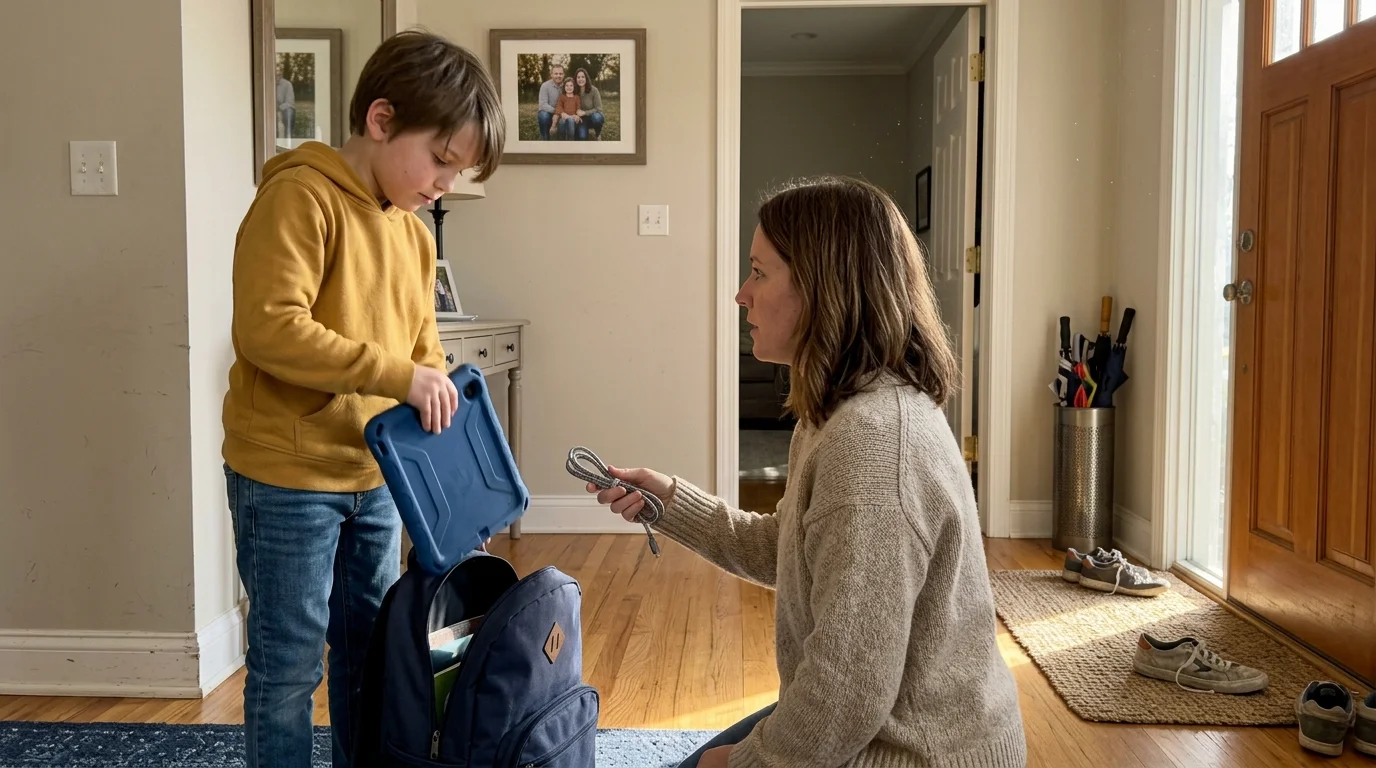
You can maintain your children’s watchlists and parental controls between two homes without buying duplicate subscriptions. Streaming—watching video content over the internet instead of cable or satellite—penalizes shared logins across different Wi-Fi networks.
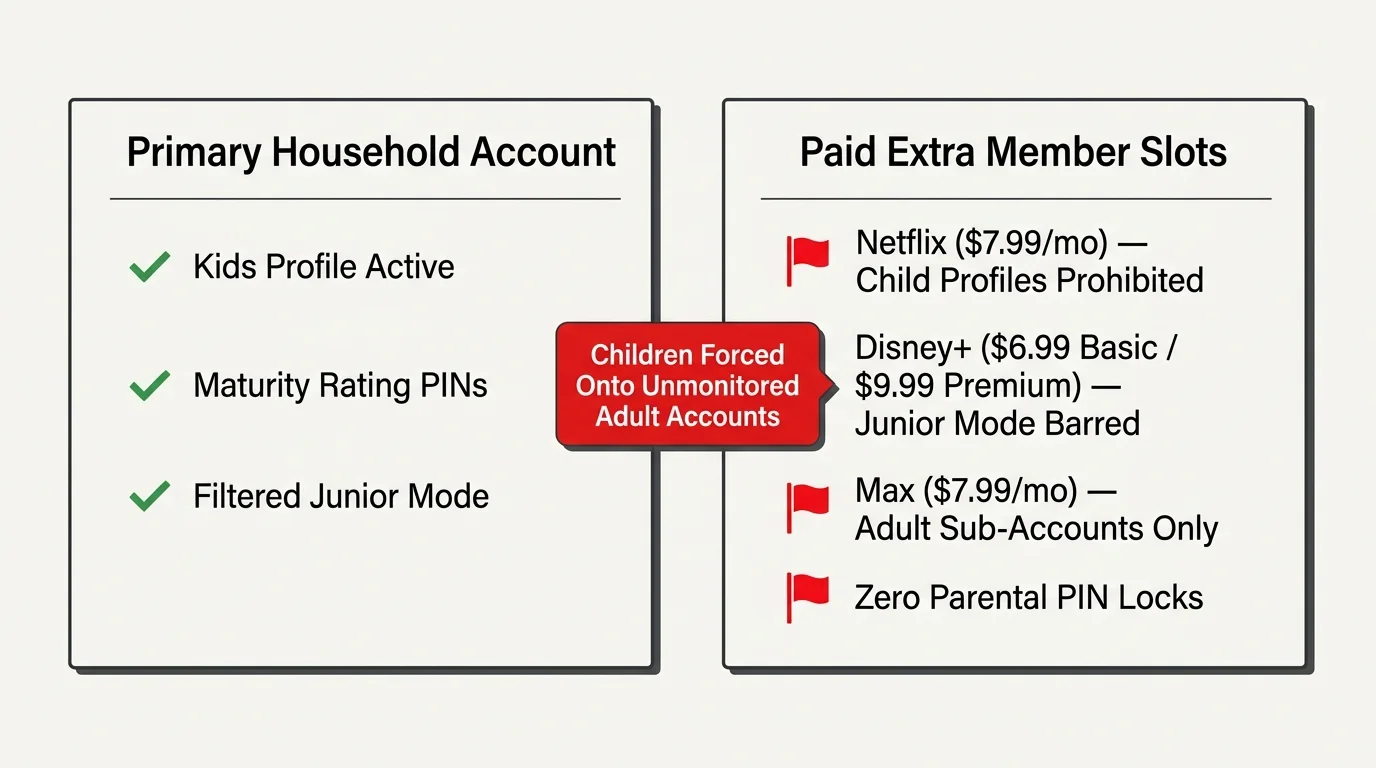
Most advice suggests paying for “extra member” slots, but this fails co-parenting families. Platforms strictly ban child profiles on secondary member sub-accounts, wiping out age ratings and parental controls.
You can solve this dilemma by structuring a split-app custody agreement and using mobile hardware bridges to avoid living-room geo-fences entirely.
Why Extra Member Add-Ons Fail Shared Custody Families
Major streaming providers promote paid sharing as the primary solution for split households. Netflix charges $7.99 monthly for an extra member slot, while Disney+ charges $6.99 for Basic and $9.99 for Premium.
Understanding the limits of modern streaming family plans is essential before deciding whether to split logins or purchase separate household tiers.
These paid add-on slots carry a severe technical restriction that harms co-parents. Netflix explicitly prohibits designated Kids profiles on extra member accounts, limiting external slots to a single adult profile.
Disney+ enforces a similar barrier across its paid sharing infrastructure. While parents can transfer standard profiles, Disney+ strictly bars Junior Mode profiles and accounts registered to minors under 18 from being transferred.
Max implements identical restrictions on its $7.99 monthly extra member slots. Paying extra member fees forces your child onto an unmonitored adult sub-account without built-in maturity protections.
Managing co parenting streaming profiles requires active content filtering and saved preferences. Paying platform add-on fees strips those protections away while increasing your monthly household expenses.
How Geo-Fencing Detects Households: Living-Room TVs vs. Portable Tablets
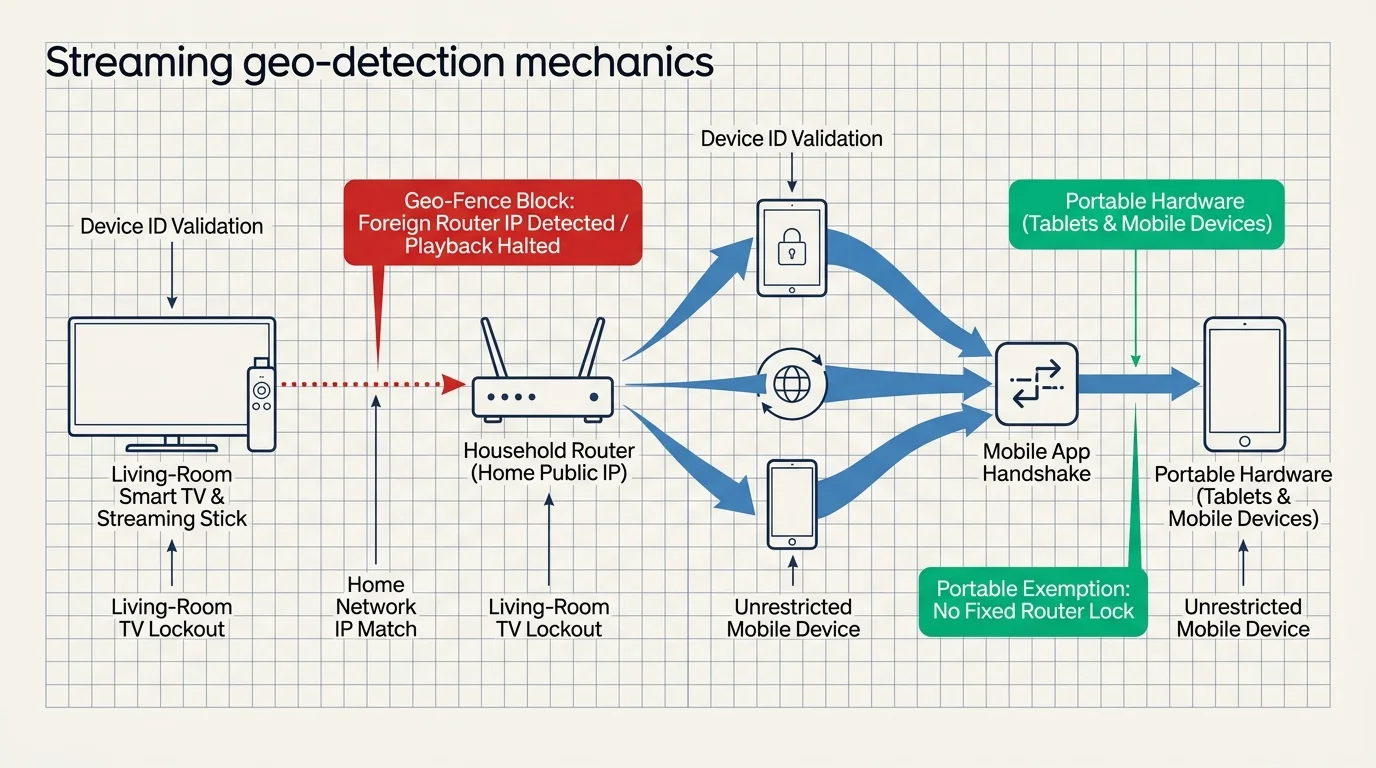
Understanding how anti-password sharing algorithms function allows you to prevent system lockouts. Platforms detect locations by pairing your device ID with your home internet router’s public IP address.
These geographic verification mechanics mirror the restrictions detailed in the vacation home streaming playbook, where network shifts cause unexpected TV lockouts.
When you stream on a smart TV—a television with built-in internet connection and apps—the platform assigns it to a permanent physical household. The same rule applies to any living-room streaming device—a small box or stick (like Roku or Fire TV) that adds streaming to any TV.
A netflix household split family encounters instant lockouts when logging into a smart TV at the second home. The service identifies the foreign router IP and immediately blocks video playback with an authorization error.
Portable hardware operates under an entirely different set of technical rules. According to Tom’s Guide’s password-sharing coverage, location algorithms specifically target stationary living-room equipment rather than mobile operating systems.
Smartphones, laptops, and tablets do not anchor to a permanent physical router. Because these devices travel frequently, platform algorithms grant them broad network flexibility across multiple Wi-Fi access points.
“Living-room streaming hardware locks your account to a physical router, whereas mobile operating systems bypass household verification checks entirely.” — Streaming Technology Analyst
This technical difference provides the foundation for keeping your children connected. You must avoid logging primary accounts into stationary television hardware located at the secondary co-parenting residence.
The Platform-Split Strategy: Dividing Services Between Households
The cleanest way to manage shared custody streaming accounts involves dividing service ownership between both residences. This approach prevents geo-blocking errors and eliminates awkward post-divorce communication regarding login verification codes.
Balancing distinct logins between separate residences becomes simpler if you learn how to manage multiple streaming subscriptions with a shared tracking system.
Cord-cutting—canceling traditional cable or satellite TV in favor of streaming services—empowers parents to build customized, modular entertainment bundles. Each parent assumes sole ownership and billing for specific platforms.
Under this arrangement, Parent A subscribes to Netflix Premium at $22.99 monthly and hosts the primary family profiles. Parent B subscribes to the Disney Bundle Trio Basic at $14.99 monthly and Max at $16.99 monthly.
Both households gain access to premium catalogs without duplicating monthly subscription fees. Each parent enters their owned platform credentials onto the living-room televisions in both households.
Parents can balance ad-supported tiers—free or cheaper plans that show commercials—against ad-free plans—plans that cost more but do not show commercials. Choosing ad-supported options for secondary platforms reduces costs further.
This model preserves on-demand viewing—the ability to watch whatever you want, whenever you want. It also eliminates the need for a DVR—a digital video recorder that lets you record and watch shows later.
Parents can rotate seasonal platforms during school holidays or summer breaks. Pausing dormant services for three months each year yields substantial savings without affecting your children’s core profiles.

Platform Rules and Co-Parenting Workarounds
Streaming platforms enforce distinct household verification methods and pricing structures. Reviewing these technical parameters helps you select the right deployment strategy for your family.
| Platform | Extra Member Monthly Cost | Child Profile Transfer Allowed | Household Geo-Lock Trigger | Recommended Co-Parent Setup |
|---|---|---|---|---|
| Netflix | $7.99 (Standard or Premium only) | No (Adult profiles only) | Living-room smart TVs, streaming sticks, TV boxes | Mobile tablet bridge with AirPlay or Chromecast |
| Disney+ | $6.99 (Basic) / $9.99 (Premium) | No (Under-18 accounts barred) | Smart TV apps, Apple TV, Roku OS, Fire OS | Independent account ownership via Platform-Split |
| Max | $7.99 – $8.00 | No (Single adult profile only) | Connected TV hardware and home IP mismatches | Mobile-to-TV casting or seasonal rotation |
| Paramount+ | Not Offered (Simultaneous streams apply) | Not Applicable | Concurrent streams exceeding plan limit (3 streams) | Native cross-household login (No IP lock) |
| Hulu (Standalone) | Not Offered (Household policy enforced) | Not Applicable | Living-room TV devices on non-home networks | Mobile casting or bundled via Disney+ app integration |
Platforms like Paramount+ and Peacock currently monitor concurrent streams rather than residential IP addresses. These services run reliably across both households simultaneously without triggering geographic security blocks.
Hulu enforces strict living-room restrictions on connected TVs. You can bypass Hulu’s standalone television lock by accessing Hulu content directly through the unified Disney+ application interface.
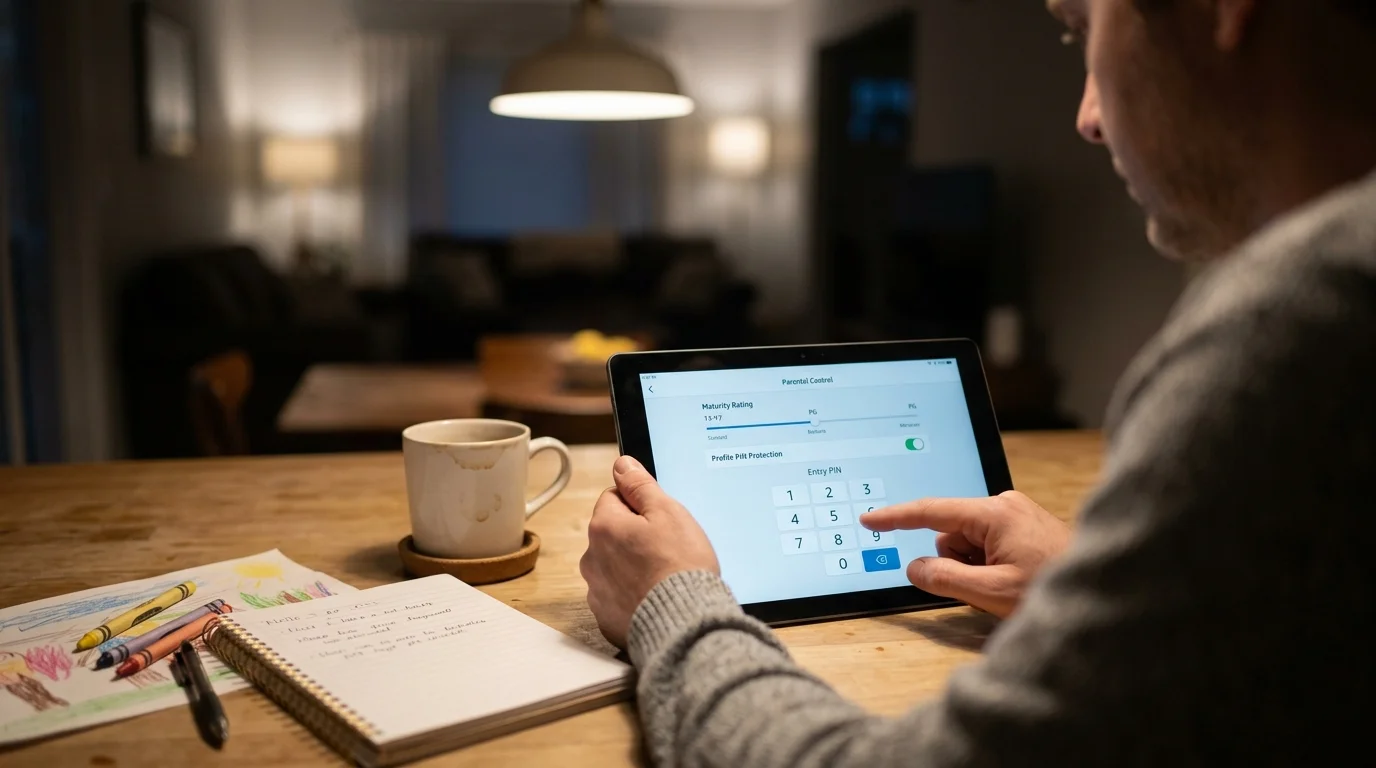
Configuring Parental Controls, PINs, and Maturity Ratings Remotely
Managing entertainment across two homes requires strict profile security. Children can easily switch to an unmonitored adult profile if you leave account settings open.
Start by securing the master administrative account on Netflix. Navigate to your Account Settings on a web browser, select “Profile & Parental Controls,” and set a 4-digit Account PIN.
Lock every adult profile with an individual 4-digit Profile Lock PIN. This prevents your children from exiting their restricted interface on any television or mobile device.
Adjust your child’s content rating slider to match their exact age group, such as TV-Y, TV-G, or TV-PG. Netflix instantly hides mature titles from search results and algorithmic recommendation feeds.
Disney+ provides similar administrative safeguards through its settings menu. Open Profile Settings, select your child’s profile, and switch “Junior Mode” on for younger children.
For older kids, leave Junior Mode off and configure the Content Rating threshold manually to 6+, 9+, or 12+. Enable the “Profile Creation Restriction” toggle to stop kids from generating new, unrestricted profiles.
According to Wirecutter’s streaming device tests, hardware-level restrictions on devices like Apple TV or Roku add essential parental safety controls. Activating system-level device PINs prevents children from downloading unauthorized streaming apps.
These profile locks travel with the account automatically. Once configured, parental safeguards remain enforced on every device across both parental residences without manual adjustments.
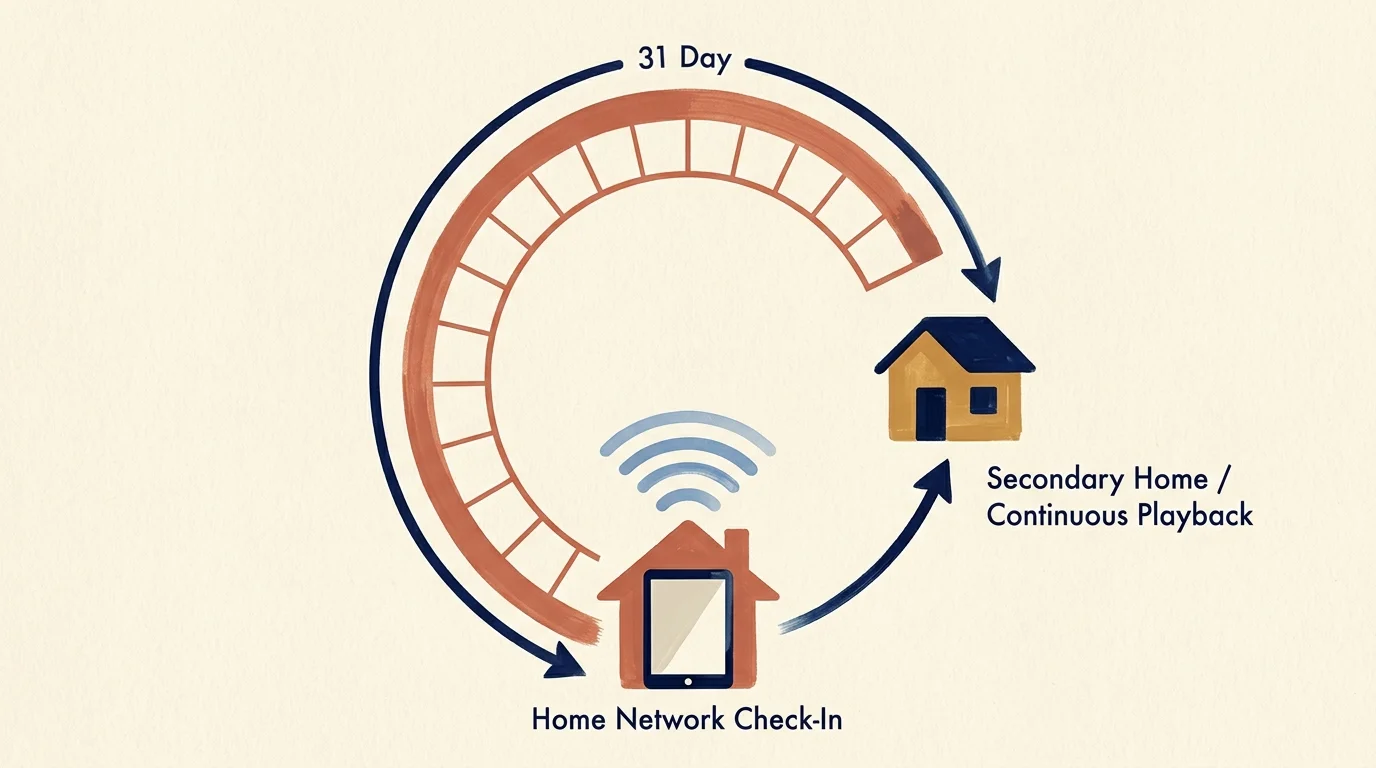
The 31-Day Hardware Bridge: Keeping Profiles Synced Legally
You can share a single Netflix or Max subscription legally across two homes by utilizing portable mobile hardware. Netflix permits mobile apps to stream outside the home network if they check in periodically.
A portable device must connect to the primary household’s Wi-Fi network once every 31 days. This connection validates the device ID and refreshes the platform’s security certificate.
Consider a practical co-parenting scenario involving two school-aged children sharing time on a 2-2-5-5 custody schedule. Parent A pays for a Netflix Premium subscription ($22.99 monthly) at the primary residence.
The children use an Apple iPad 10th Generation and an Amazon Fire HD 10 tablet for school and entertainment. During Sunday custody handoffs, the children bring their tablets to Parent A’s residence.
The tablets automatically connect to Parent A’s Wi-Fi router. Opening the Netflix application for 30 seconds pings the authentication server, renewing the mobile authorization token for another 31 days.
When the children travel to Parent B’s home, they take their authorized tablets with them. Instead of opening the locked Netflix TV app, they stream content directly on their portable screens.
To watch movies together on a large display, the children wirelessly cast video from their tablets. They connect via Apple AirPlay 2 or Google Cast to Parent B’s living-room television.
Alternatively, Parent B can plug an official Apple Lightning-to-HDMI or USB-C digital AV adapter into the TV. The television functions as an external monitor, bypassing the living-room geo-block completely.
Watchlists, viewing history, and parental maturity limits remain perfectly synchronized. The children pause an animated series at Parent A’s house and resume the exact episode at Parent B’s house.
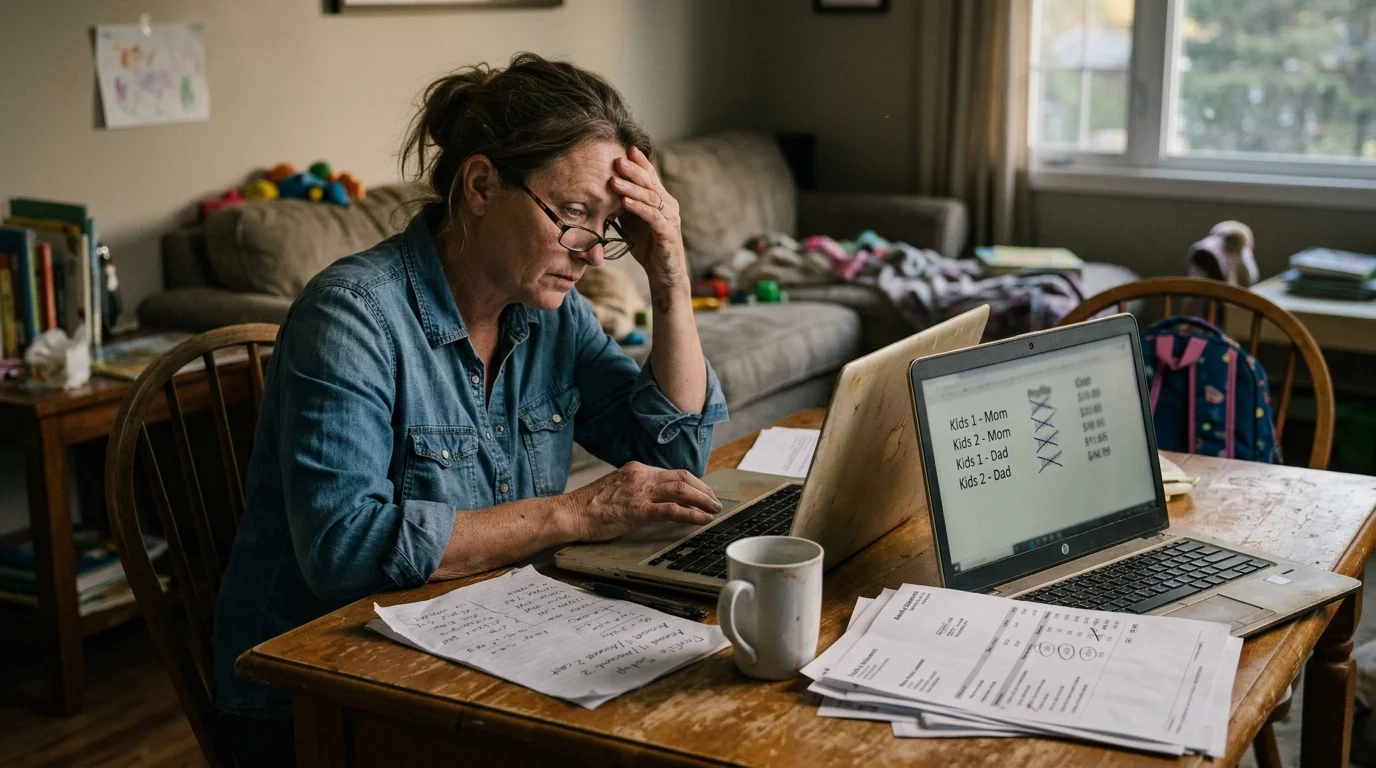
Financial Breakdown: Duplicate Accounts vs. Co-Parent Optimization
Purchasing duplicate subscriptions at both homes creates unnecessary financial waste. Comparing redundant household billing against an optimized split strategy demonstrates significant annual savings.
In an uncoordinated arrangement, both households purchase separate standalone plans. Each parent buys Netflix Standard ($15.49), Disney Bundle Trio ad-free ($26.99), and Max ad-free ($16.99), totaling $59.47 monthly per home.
Combined, the two households spend $118.94 every month for identical entertainment access. Over a full calendar year, the parents spend a combined $1,427.28 on streaming services.
In the optimized platform-split model, Parent A subscribes to Netflix Premium ($22.99) and Paramount+ with Showtime ($12.99), totaling $35.98 monthly. This setup provides four simultaneous 4K streams and offline downloads.
Parent B subscribes to the Disney Bundle Trio ad-free ($26.99) and Max ad-free ($16.99), totaling $43.98 monthly. The two households spend a combined $79.96 monthly across all services.
This co-parenting arrangement costs $959.52 annually. The two households save a combined $467.76 every year while gaining access to wider catalog selections and higher resolution tiers.
“Unbundling duplicate household subscriptions and rotating off-season apps saves split families hundreds of dollars annually without sacrificing a single show.” — Financial Entertainment Strategist
Consumer Reports’ streaming guide highlights that bundling subscriptions or selecting annual billing plans saves typical households between 15% and 25% annually. Paying annually for Disney+ ($159.99/year) and Max ($169.99/year) saves an additional $73.88.
Look for third-party partnership perks to reduce recurring charges further. For example, a Walmart+ membership ($12.95 monthly or $98 annually) includes Paramount+ Essential at no additional charge.
Parents enrolled in higher education can claim substantial student discounts. Hulu offers eligible college students an ad-supported tier for $1.99 monthly, saving $84 annually off standard retail pricing.

Avoiding Third-Party Account Scams and Shared Billing Friction
Frustrated co-parents seeking cheap workarounds often encounter dangerous third-party subscription schemes. Unofficial marketplaces on Reddit, Telegram, and eBay frequently sell “lifetime” streaming credentials at steep discounts.
These unauthorized accounts rely on stolen credit cards or hacked login databases. Purchasing access exposes your devices to malware and compromises your family’s personal payment information.
The Better Business Bureau warns consumers against purchasing discounted streaming credentials, which often originate from stolen identities or illicit credit card fraud. When platforms detect fraudulent billing, they terminate the account immediately without refunds.
Avoid sharing joint credit cards or maintaining joint digital payment profiles with your former spouse. Shared payment cards cause recurring friction when automated renewal fees process unpredictably.
Use virtual payment cards with preset monthly spending caps to manage your assigned platforms. Services like Privacy.com allow you to establish exact billing limits, preventing accidental overages from app purchases.
If you split subscription reimbursements, log transactions through dedicated co-parenting management tools like OurFamilyWizard. Clear digital records prevent misunderstandings and ensure financial clarity between both households.
Frequently Asked Questions
Can my child use an HDMI adapter to watch Netflix on a TV at the other parent’s house?
Yes. Connecting a tablet or laptop to a television via an HDMI cable mirrors the screen without triggering a living-room geo-block. The platform recognizes the stream as mobile playback rather than an unauthorized smart TV.
What happens if a tablet misses the 31-day Wi-Fi check-in window?
The mobile application will temporarily suspend playback and display an in-app verification prompt. To restore access, connect the tablet to the primary household’s Wi-Fi network and relaunch the application for 30 seconds.
Does casting video via Apple AirPlay trigger streaming household lockouts?
No. Casting from an authorized mobile device via AirPlay 2 or Google Cast sends media streams directly from the tablet. The destination television acts as a wireless display and avoids triggering household location locks.
Can co-parents legally share an Apple One or Google Play family plan?
Apple and Google permit family group sharing across up to six family members. However, both platforms require a single family organizer to manage billing for all media and app purchases made within the group.
Disclaimer: Streaming service terms and pricing change frequently. Always review current terms of service before implementing any money-saving strategies. Some tips may not work with all services or in all regions.