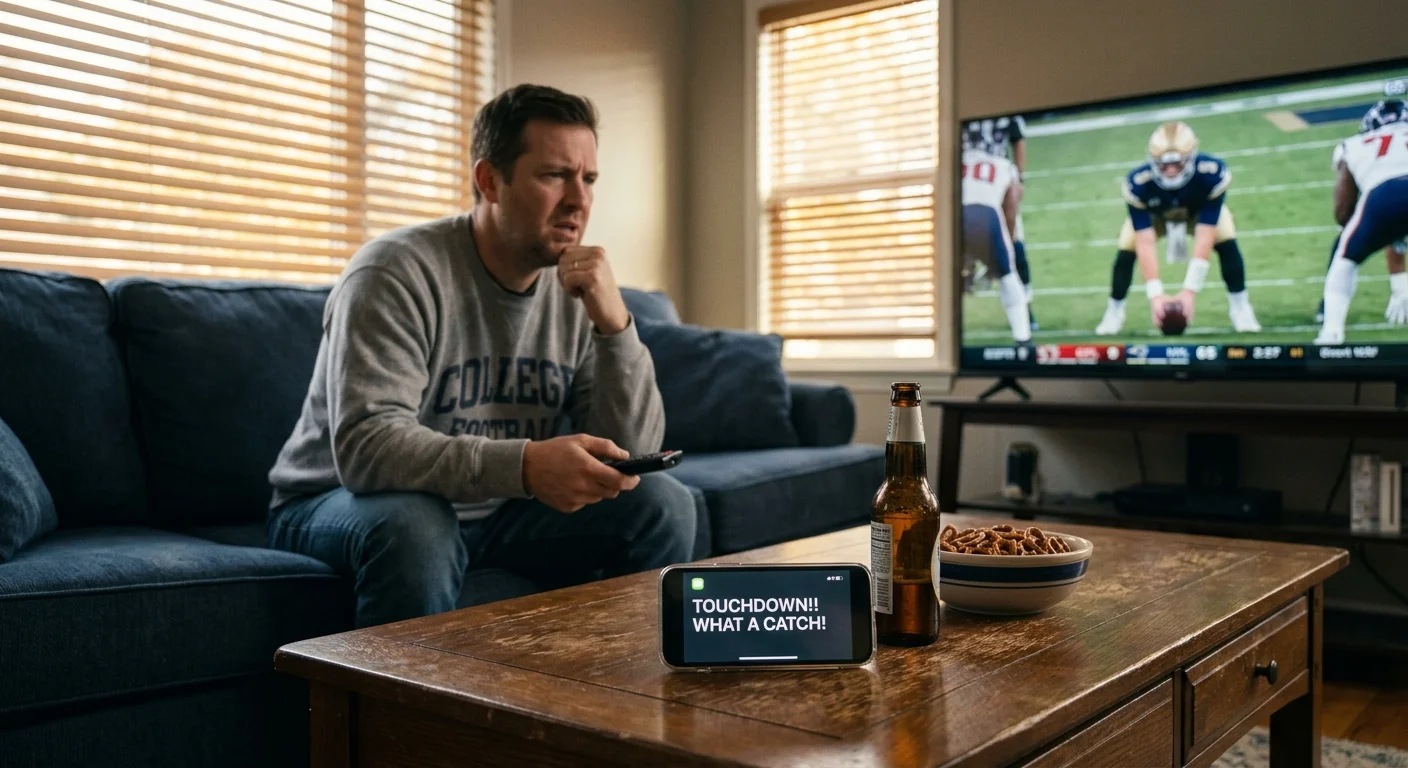
Your phone buzzes with touchdown celebrations from your college football group chat while your quarterback has not even snapped the ball yet. You can eliminate these infuriating 45-second spoilers immediately by reconfiguring how your live feed reaches your television.
Whether following college ball or scouting the best live TV streaming service for NFL football, unwanted delays turn exciting live drives into anticlimactic plays.
Upgrading to gigabit internet will not fix this delay because standard streaming architecture deliberately delays playback to prevent buffering.
Our benchmark breakdown reveals you can eliminate up to 35 seconds of latency by combining YouTube TV’s broadcast delay toggle with an over-the-air digital antenna for major network games.
Why Streaming Video Lags Behind Real-Time Action
When cord-cutting—canceling traditional cable or satellite TV in favor of streaming services—you exchange dedicated physical broadcast lines for internet delivery packets.
Streaming—watching video content over the internet instead of cable or satellite—relies on segmented video delivery rather than a continuous radio frequency broadcast.
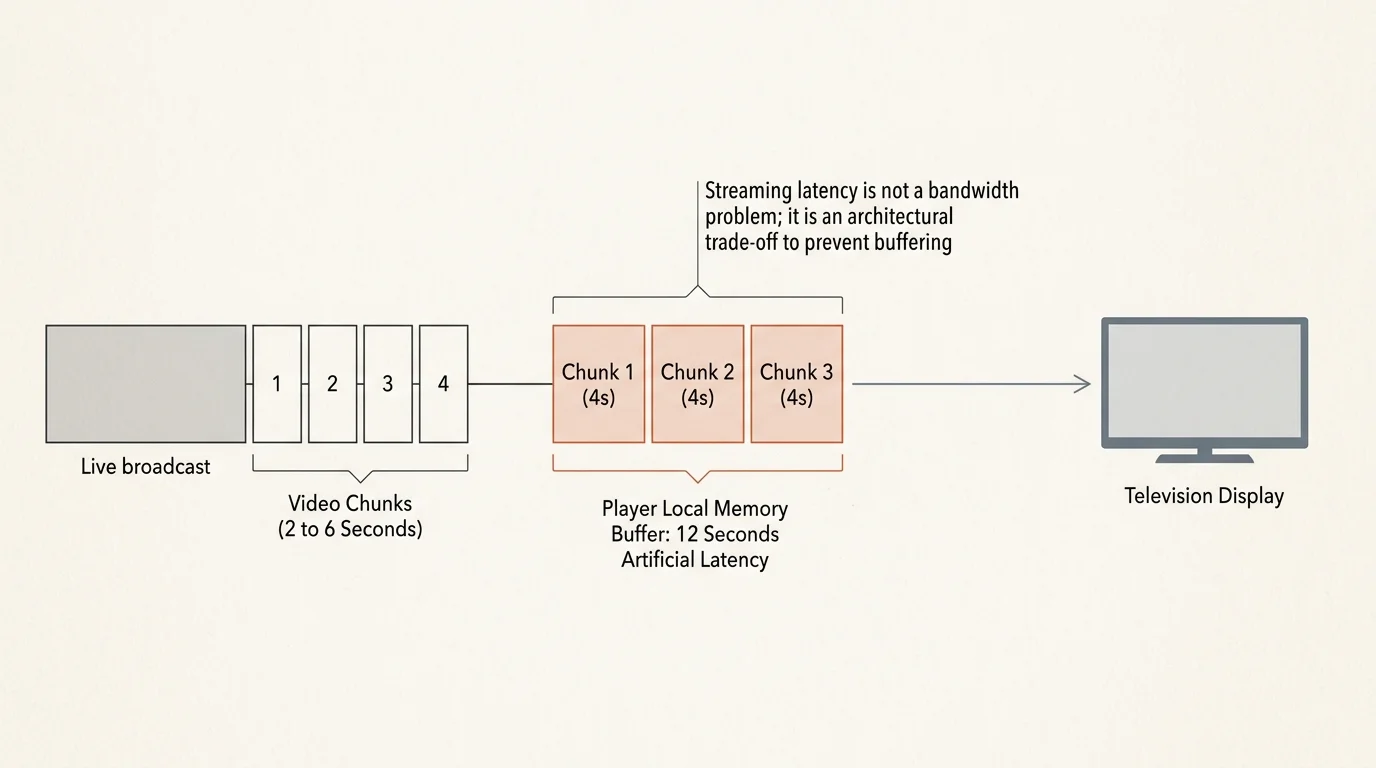
Live streams split the broadcast video into discrete files called chunks, which typically run between two and six seconds in length.
Whether you watch on a smart TV—a television with a built-in internet connection and apps—or a separate streaming device—a small box or stick like a Roku or Apple TV that adds streaming to any TV—your player behaves the same way.
Your streaming player intentionally downloads and holds two to three full video chunks in its local memory buffer before displaying the first frame on your screen.
This deliberate buffering prevents micro-stuttering and playback pauses if your home network experiences temporary speed drops.
However, holding three four-second chunks in reserve instantly injects 12 seconds of artificial latency before encoding delays, content delivery network routing, and server processing enter the equation.
“Streaming latency is not a bandwidth problem; it is an architectural trade-off where platforms sacrifice live speed to prevent video buffering.”
Traditional digital cable avoids this software buffering by utilizing dedicated quadrature amplitude modulation tuners inside set-top boxes.
Consequently, your friends watching a traditional cable feed receive the stadium transmission noticeably faster than your standard internet app can deliver it.
Latency Benchmarks: OTA Antennas vs. Cable vs. Streaming
Video latency measures the exact time elapsed between an event occurring on the field and that specific light hitting your television screen.
For households that cannot easily install an antenna, understanding how to watch local channels on live TV streaming services helps minimize broadcast delays across key network affiliates.
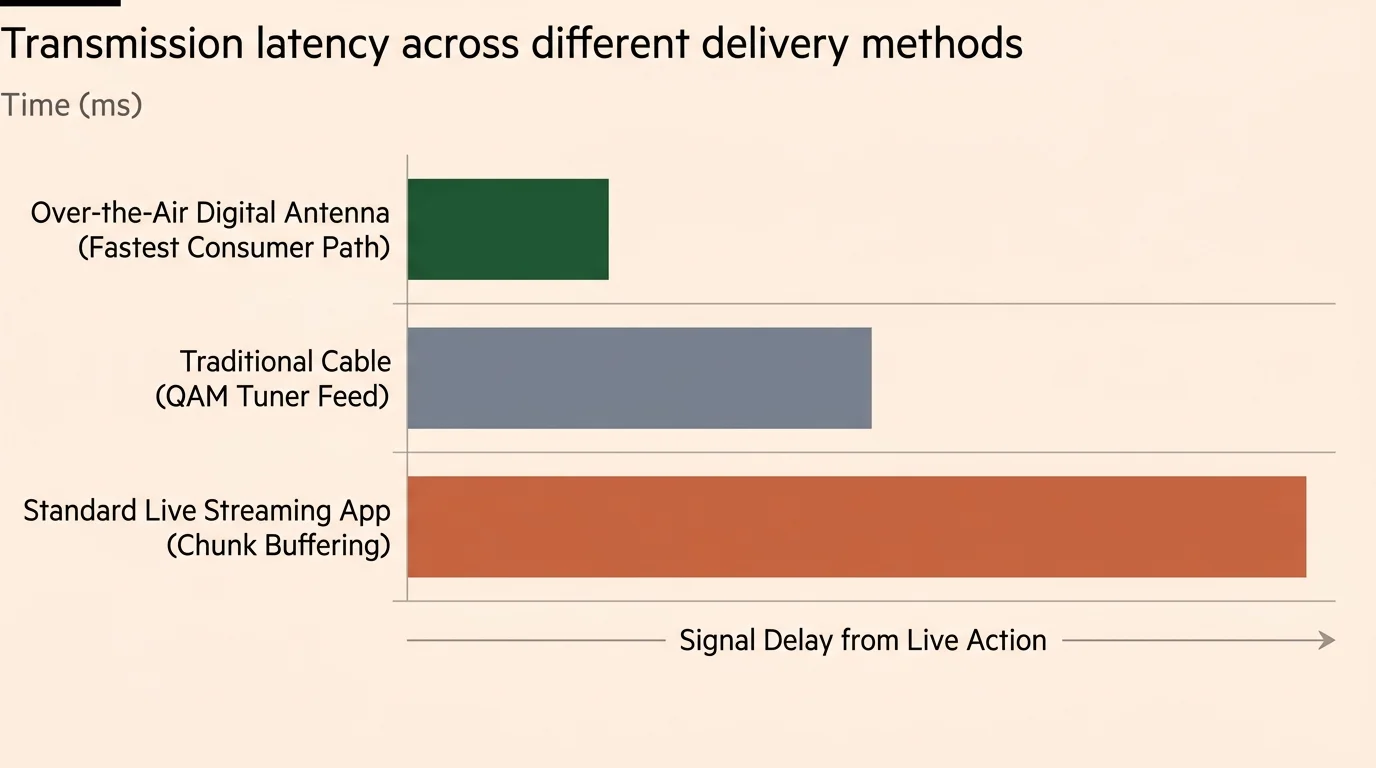
Over-the-air terrestrial antennas provide the fastest consumer video delivery path in the United States.
Antenna signals bypass internet routing, digital packaging, and third-party servers entirely, delivering pure radio frequency broadcasts straight from local transmission towers.
According to broadcast research published by Cord Cutters News, over-the-air digital signals trail live in-stadium action by only 3 to 17 seconds.
That baseline delay stems strictly from on-site stadium camera encoding and transmission uplink to broadcast network headquarters.
Traditional digital cable and satellite feeds run through secondary digital headends, adding another 5 to 15 seconds of delay behind terrestrial antenna broadcasts.
Standard internet video streams lag significantly further behind, routinely trailing in-stadium action by 45 to 70 seconds.
| Broadcast Method / Service | Delivery Protocol | Typical Latency vs. Stadium | Delay vs. OTA Antenna | Buffer Stutter Risk |
|---|---|---|---|---|
| Over-the-Air (OTA) Antenna | ATSC 1.0 / ATSC 3.0 RF | 3 to 17 seconds | 0 seconds (Baseline) | Zero (Signal Loss Only) |
| Traditional Digital Cable | QAM Digital RF | 18 to 32 seconds | 10 to 15 seconds | Near Zero |
| YouTube TV (Decreased Delay) | Low-Latency MPEG-DASH | 15 to 25 seconds | 8 to 12 seconds | Moderate on Wi-Fi |
| YouTube TV (Default Delay) | Standard MPEG-DASH | 40 to 55 seconds | 25 to 38 seconds | Very Low |
| Hulu + Live TV | Standard HLS / DASH | 45 to 65 seconds | 30 to 48 seconds | Very Low |
| Sling TV | Standard HLS | 50 to 75 seconds | 35 to 58 seconds | Low |
| DirecTV Stream | Low-Latency HLS Hybrid | 25 to 40 seconds | 15 to 25 seconds | Low |
The gap between an over-the-air antenna and standard internet streaming is where group chat spoilers thrive.
When your friend with an antenna sees a red-zone interception, they text your group immediately.
If your stream runs 45 seconds behind their antenna feed, you read the text while your team is still lining up in the shotgun formation.
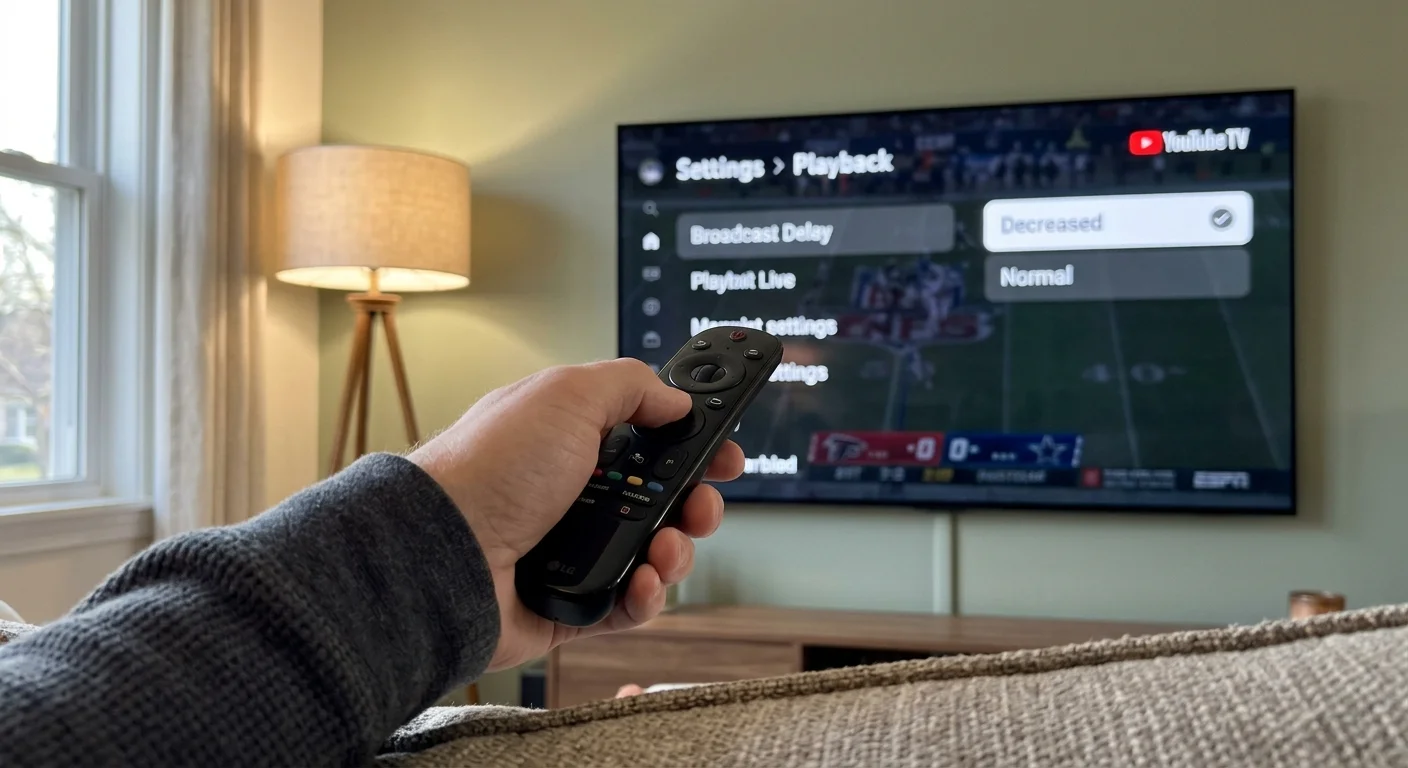
Inside YouTube TV’s ‘Decrease Broadcast Delay’ Setting
YouTube TV addressed this chronic sports issue by releasing a dedicated playback toggle labeled “Decrease Broadcast Delay.”
This responsive low-latency setting is a significant factor when comparing FuboTV and YouTube TV for sports fans who want seamless weekend viewing.
This setting reduces the player’s internal video chunk buffer from three chunks down to a single chunk or partial chunk.
Under default settings, YouTube TV maintains roughly 30 to 45 seconds of delay from the real-time broadcast to ensure flawless playback stability.
Activating the low-latency toggle slashes that transmission gap down to approximately 10 to 15 seconds from the broadcast source.
This adjustment moves your internet stream within striking distance of traditional digital cable feeds.
To enable the feature on your streaming device, start playing any live sports channel and press down on your remote to bring up the player controls.
Select the three-dot “More” icon on the left side of the player menu, choose “Broadcast Delay,” and switch the setting from “Default” to “Decreased.”
YouTube TV applies this setting across all live channels on that specific streaming device for 48 hours before reverting to default.
The platform imposes this 48-hour reset window deliberately to protect general entertainment viewers from unexpected playback errors.
Because the decreased buffer holds less video in reserve, minor home Wi-Fi drops or network congestion can cause brief playback pauses.
If you experience buffering on the decreased setting, connect your streaming device to your router using a physical Ethernet cable rather than Wi-Fi.
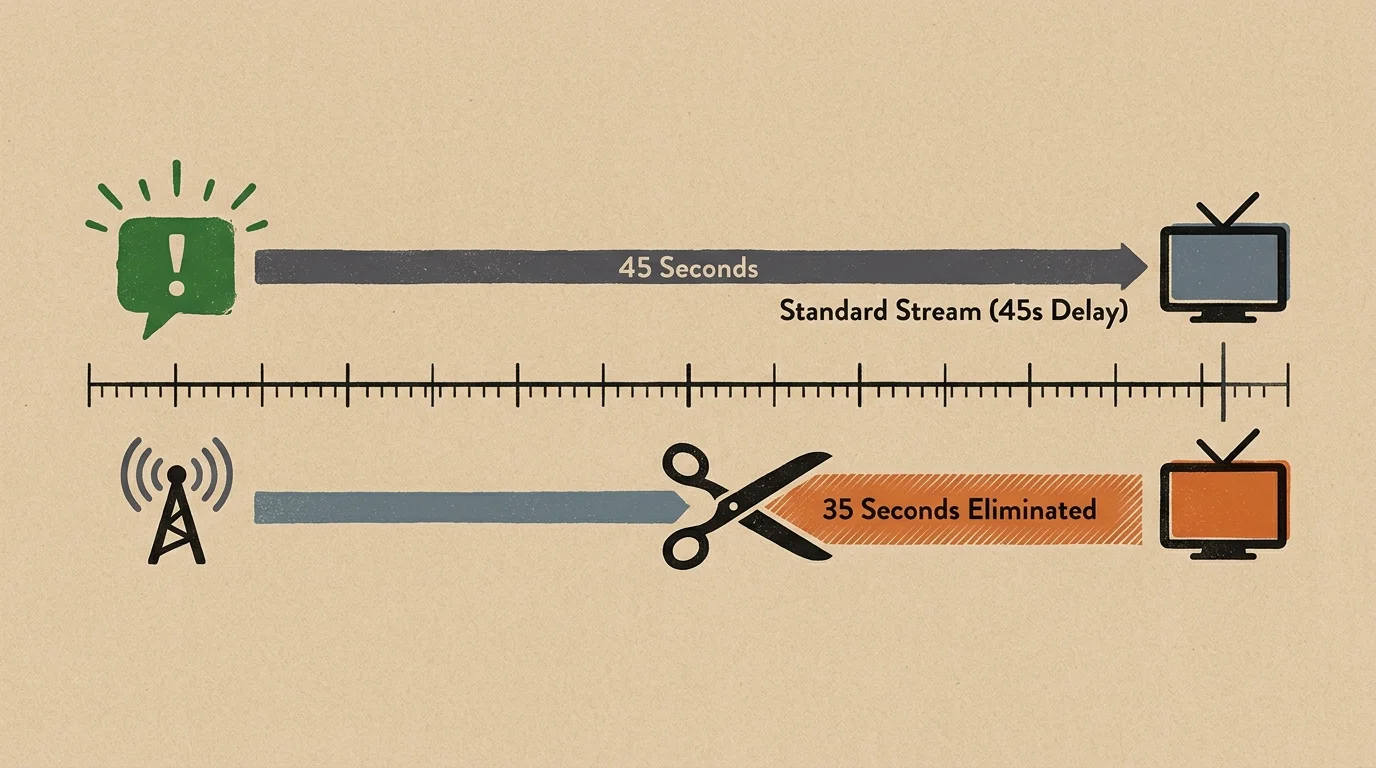
A Worked Example: Erasing the 45-Second Group Chat Spoiler
Consider a practical game day scenario from an SEC football Saturday featuring Georgia against Texas.
If you plan to record tight games instead of watching live, remember how to set up custom DVR padding so thrilling overtimes never get cut short.
You invite your group chat into your Saturday viewing while streaming the game on an Apple TV 4K connected to a 300 Mbps broadband connection.
At 8:14:00 PM Eastern Daylight Time, the Texas cornerback intercepts a pass in the end zone.
Your friend in Austin watches the game on a local ABC affiliate using a $24.99 Mohu Leaf indoor digital antenna connected directly to their smart TV.
Their television displays the interception at 8:14:08 PM EDT—just eight seconds after the live play occurred on the turf.
Your friend grabs their phone and types “PICK SIX UNBELIEVABLE!” into your group text at 8:14:18 PM EDT.
Your television runs YouTube TV on default settings, carrying a 48-second total latency penalty against stadium action.
Your stream will not show the turnover until 8:14:48 PM EDT.
You read the spoiler text a full 30 seconds before your stream shows the quarterback release the football.
Now, let us examine the result after you apply our technical fixes.
First, you open YouTube TV player settings and toggle Broadcast Delay to “Decreased,” shaving 28 seconds of software buffering off your feed.
Your live stream now displays plays at 8:14:20 PM EDT—arriving just two seconds after your friend sends their text message.
Next, you switch inputs to an indoor digital antenna plugged directly into your television’s coaxial port for the second half.
Your screen now displays the game action at 8:14:08 PM EDT, matching your friend’s feed second for second.
You have reclaimed 40 seconds of transmission time, completely insulating your Saturday afternoon from unexpected mobile spoilers.
How Hulu + Live TV, Sling TV, and Competitors Compare
While YouTube TV provides a manual latency switch, competing live streaming platforms handle video buffering differently.
Hulu + Live TV prioritizes stream reliability and picture stability over ultra-low latency delivery.
As industry testing documented by PCMag demonstrates, Hulu + Live TV routinely buffers 45 to 60 seconds of video data behind the actual broadcast.
Hulu does not offer a user-facing toggle to decrease broadcast delay or shrink player buffers.
Consequently, college football fans using Hulu + Live TV must tolerate substantial latency delays during national sporting events.
Sling TV utilizes standard HTTP Live Streaming architecture that generally trails terrestrial broadcast antennas by 40 to 55 seconds.
Sling splits its sports networks between its Sling Orange package (which carries ESPN networks) and its Sling Blue package (which carries FOX and NBC in select markets).
Neither Sling tier offers reduced-buffer controls, leaving viewers vulnerable to group text notifications.
DirecTV Stream maintains lower average latency than Hulu or Sling, typically hovering 25 to 35 seconds behind stadium action.
DirecTV Stream achieves this tighter delivery window through optimized content delivery network pathways rather than consumer-facing toggles.
Fubo matches YouTube TV’s default delivery speed but lacks a specific manual delay reduction button.
If you subscribe to Hulu + Live TV or Sling TV, your only reliable method to eliminate broadcast delay on major network games is an external antenna.
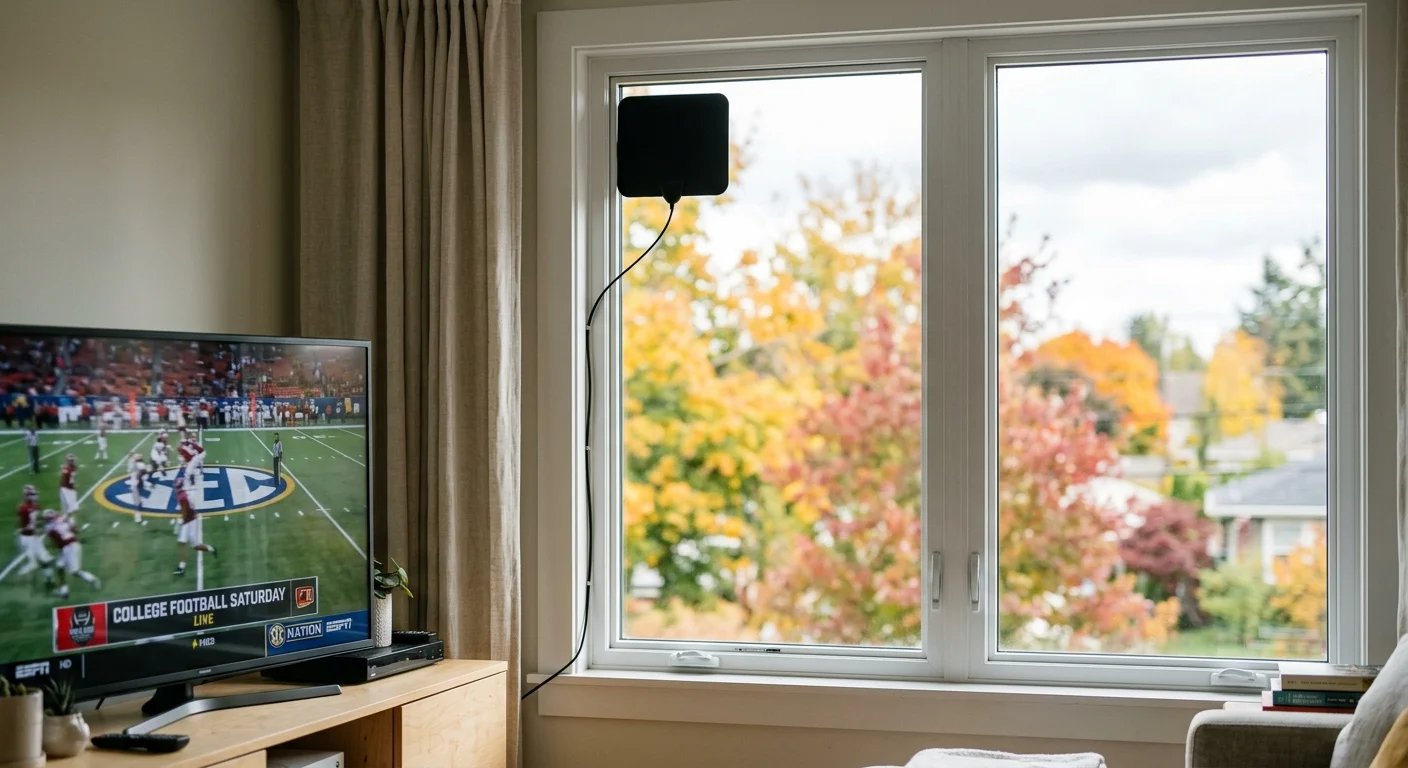
The Over-the-Air Antenna Fix for Saturday College Football
An over-the-air digital antenna provides the ultimate defensive tool against spoiled sports plays.
Over-the-air broadcasts deliver uncompressed high-definition video over public airwaves entirely free of monthly subscription charges.
“For high-stakes Saturday broadcasts on ABC, CBS, and FOX, a $25 over-the-air antenna delivers a sharper picture and arrives 30 to 45 seconds ahead of internet streams.”
Major college football conferences distribute their premier weekly matchups across broadcast networks: ABC, CBS, FOX, and NBC.
These four legacy networks maintain terrestrial transmission towers in almost every major television market across the country.
Modern smart televisions feature built-in digital tuners that decode both ATSC 1.0 digital broadcasts and newer ATSC 3.0 NextGen TV signals.
To verify local network broadcast towers near your home, visit the Federal Communications Commission DTV reception map online.
Enter your zip code to review signal strength indicators for your local ABC, CBS, FOX, and NBC transmitters.
If transmission towers sit within 30 miles of your home, an inexpensive indoor multidirectional antenna like the Mohu Gateway or Channel Master Flatenna works reliably.
Attach the antenna’s coaxial cable directly into the ANT/CABLE port on the back of your television set.
Open your television setup menu, select “Channel Scan” or “Tuner Setup,” and let the processor catalog every available free broadcast channel.
Once scanned, you can switch between your internet streaming device on HDMI 1 and your antenna tuner with a single remote button click.
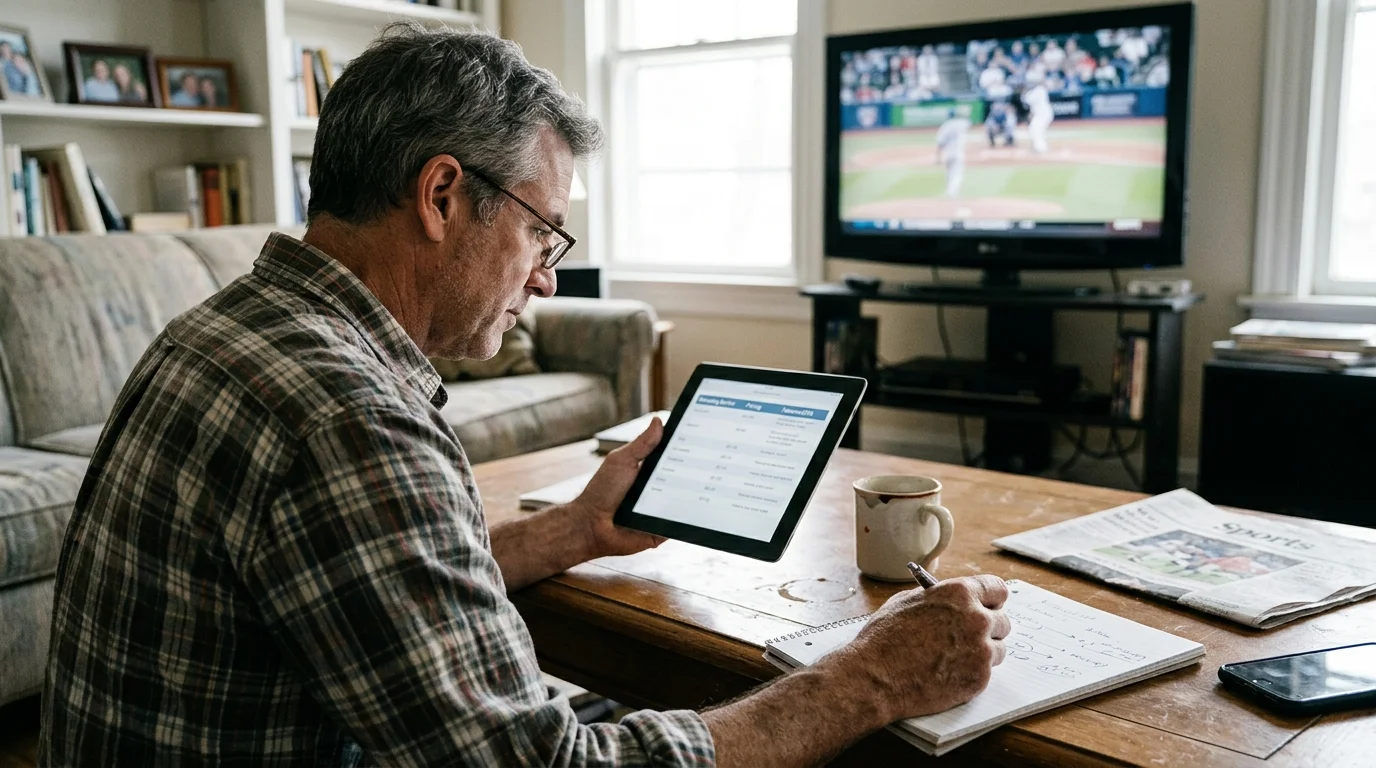
Top Sports Streaming Services: Channels, Pricing, and DVR
Selecting the right streaming provider requires balancing sports channel availability, hardware features, and monthly costs.
Evaluations from Tom’s Guide highlight that channel lineups and cloud DVR limitations vary dramatically between providers.
A cloud DVR—or digital video recorder that lets you record and watch shows later over the internet—stores games on remote servers rather than local hard drives.
Many packages also bundle ad-supported tiers—cheaper plans that show commercials—or ad-free options that cost more but remove ads from on-demand video libraries.
On-demand programming—watching whatever you want, whenever you want—operates differently from live TV, but sports fans require real-time linear feeds.
Most live TV streaming services operate on month-to-month terms without long-term contracts, enabling you to cancel when football season concludes.
| Service | Base Price / Mo | Major Sports Channels Included | Cloud DVR Storage | Simultaneous Streams | Regional Sports Networks (RSNs) |
|---|---|---|---|---|---|
| YouTube TV | $72.99 | ESPN, ESPN2, ABC, FOX, FS1, CBS, CBS Sports, NBC, SEC, B1G, ACCN | Unlimited (Kept 9 Months) | 3 Streams | No (Limited Local) |
| Hulu + Live TV | $76.99 | ESPN, ESPN2, ABC, FOX, FS1, CBS, NBC, SEC, B1G, ACCN | Unlimited (Kept 9 Months) | 2 Streams | No (Limited Local) |
| DirecTV Stream (Choice) | $108.99 | ESPN, FOX, FS1, CBS, NBC, SEC, B1G, ACCN, Regional Sports Networks | Unlimited (Kept 9 Months) | Unlimited at Home | Yes (Comprehensive) |
| Fubo (Pro Plan) | $79.99 + RSN Fee | ESPN, FOX, FS1, CBS, NBC, FS2, B1G, ACCN, SEC | Unlimited (Permanent) | 10 at Home | Yes (Regional Fees Apply) |
| Sling TV (Orange + Blue) | $55.00 | ESPN, ESPN2, ESPN3, FS1, NFL Network, FOX/NBC (Select Markets) | 50 Hours (Unlimited Add-on $5) | 1 to 3 Streams | No |
Before buying any service, review regional sports network availability and local channel agreements by entering your zip code on each platform’s lookup page.
Major sports leagues also enforce territorial blackout rules that restrict streaming games broadcast by local regional sports networks.
If you only watch out-of-market games, basic streaming packages cover your viewing needs without requiring regional sports fees.
Best for Sports Fans: YouTube TV
YouTube TV remains the premier selection for dedicated college football fans who demand low-latency options and robust recording tools.
At $72.99 monthly, it delivers every primary college sports channel, including SEC Network, Big Ten Network, and ACC Network, in its standard lineup.
The platform includes an unlimited cloud DVR that stores recordings for nine full months and permits unlimited simultaneous recordings without storage conflicts.
Its exclusive “Decrease Broadcast Delay” toggle cuts stream latency closer to cable than any direct competitor.
You can add the Sports Plus package for $10.99 monthly to unlock NFL RedZone and specialized hunting or racing networks.
Best for Families: Hulu + Live TV
Hulu + Live TV costs $76.99 monthly and provides exceptional overall home entertainment value by bundling Disney+ and ESPN+ directly into your base subscription.
While it lacks YouTube TV’s low-latency toggle, the inclusion of ESPN+ unlocks hundreds of exclusive non-televised college football games every Saturday.
The base plan supports two simultaneous home streams, though families can upgrade to unlimited home screens for an extra $9.99 per month.
The service includes unlimited cloud DVR storage with commercial skipping on recorded content.
Best Budget Option: Sling TV
Sling TV offers the most economical path to live sports, pricing its standalone Sling Orange or Sling Blue plans at $40 monthly.
College football fans generally require the $55 monthly Sling Orange + Blue combo to secure both ESPN networks and FOX sports properties.
You can add the Sports Extra package for $11 monthly to gain SEC Network, ACC Network, and Longhorn Network programming.
Sling includes only 50 hours of base DVR storage and excludes CBS entirely, requiring an indoor antenna to catch Saturday SEC or Big Ten games.
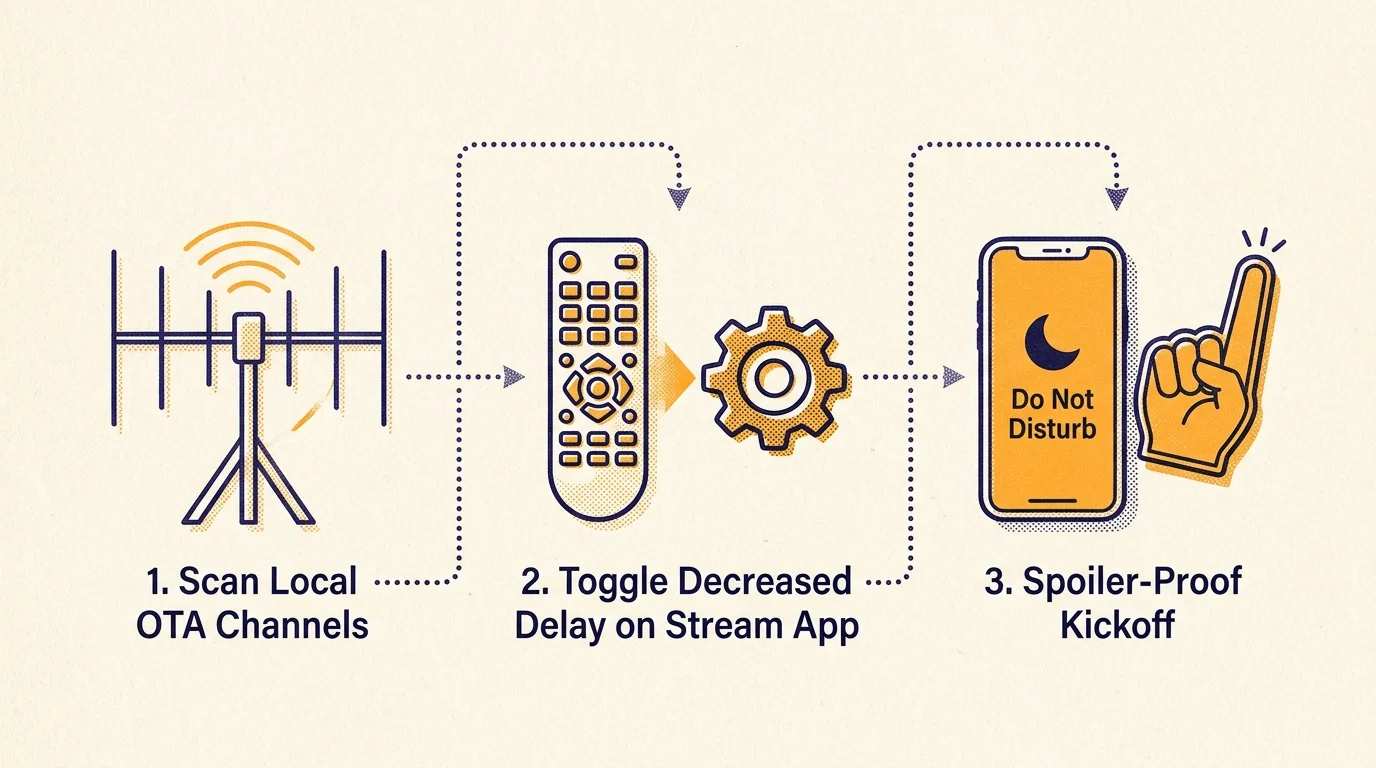
Step-by-Step Strategy to Spoiler-Proof Your Game Day Setup
Combining optimized hardware connections with smart software settings delivers the fastest possible at-home viewing experience.
Review comprehensive streaming analyses from CNET to verify how device performance impacts stream rendering speeds.
Follow this exact technical checklist every Saturday morning to keep your living room ahead of your group text threads:
- Connect Physical Ethernet: Unplug your streaming device from Wi-Fi and connect an inexpensive Cat6 Ethernet cable directly into your home router. Wired connections eliminate wireless packet retransmissions that cause streaming players to expand their internal buffers.
- Engage Low-Latency Settings: Launch YouTube TV, press down on your remote, select the three-dot player menu, and switch “Broadcast Delay” to “Decreased.” Repeat this process every 48 hours for active game streams.
- Deploy an Antenna for Main Broadcasts: Plug a $25 indoor digital antenna into your television’s coaxial port. Switch your TV input to antenna mode for games broadcast on ABC, CBS, FOX, and NBC to jump 30 seconds ahead of all streaming feeds.
- Reboot Streaming Hardware Weekly: Power cycle your streaming media player every Saturday morning before kickoff. Clearing system cache memory prevents progressive latency drift over long six-hour viewing stretches.
- Mute Specific Group Notifications: If you must stream a game on a service without low-latency controls like Hulu or Sling, open your group chat settings. Select “Mute Alerts” for three hours to prevent pop-up banners from ruining critical 4th-quarter scoring drives.
Executing these targeted adjustments removes the transmission lag that puts streaming sports fans at a social disadvantage.
You can enjoy modern cord-cutting cost savings without sacrificing the live, real-time thrill of game day drama.
Frequently Asked Questions
Why does my live sports stream lag behind cable and broadcast TV?
Internet streaming protocols split live video into multi-second file segments called chunks. Your streaming player downloads and holds several chunks in a memory buffer before playing them on screen to prevent buffering during internet speed fluctuations.
Does faster internet speed eliminate stream delay?
No, upgrading to gigabit fiber or faster download speeds will not eliminate stream delay. The latency is hardcoded into the streaming platform’s player buffer architecture and video packaging pipeline rather than your home connection’s download capacity.
How much delay does YouTube TV’s ‘Decrease Broadcast Delay’ remove?
YouTube TV’s decreased broadcast delay setting reduces your latency penalty by approximately 15 to 25 seconds. This setting pulls your live stream to within 10 to 15 seconds of real-time stadium action, closely matching traditional cable boxes.
Can an over-the-air antenna pick up ESPN or FS1?
No, terrestrial digital antennas can only receive free local broadcast networks like ABC, CBS, FOX, NBC, and PBS. Cable-exclusive channels like ESPN, FS1, and SEC Network require an active subscription to a live TV streaming service or cable provider.
Disclaimer: Live TV streaming prices and channel lineups change frequently. Local channel availability varies by location. Always use the free trial to verify your local channels are included before committing. Sports blackout rules may affect some live events.