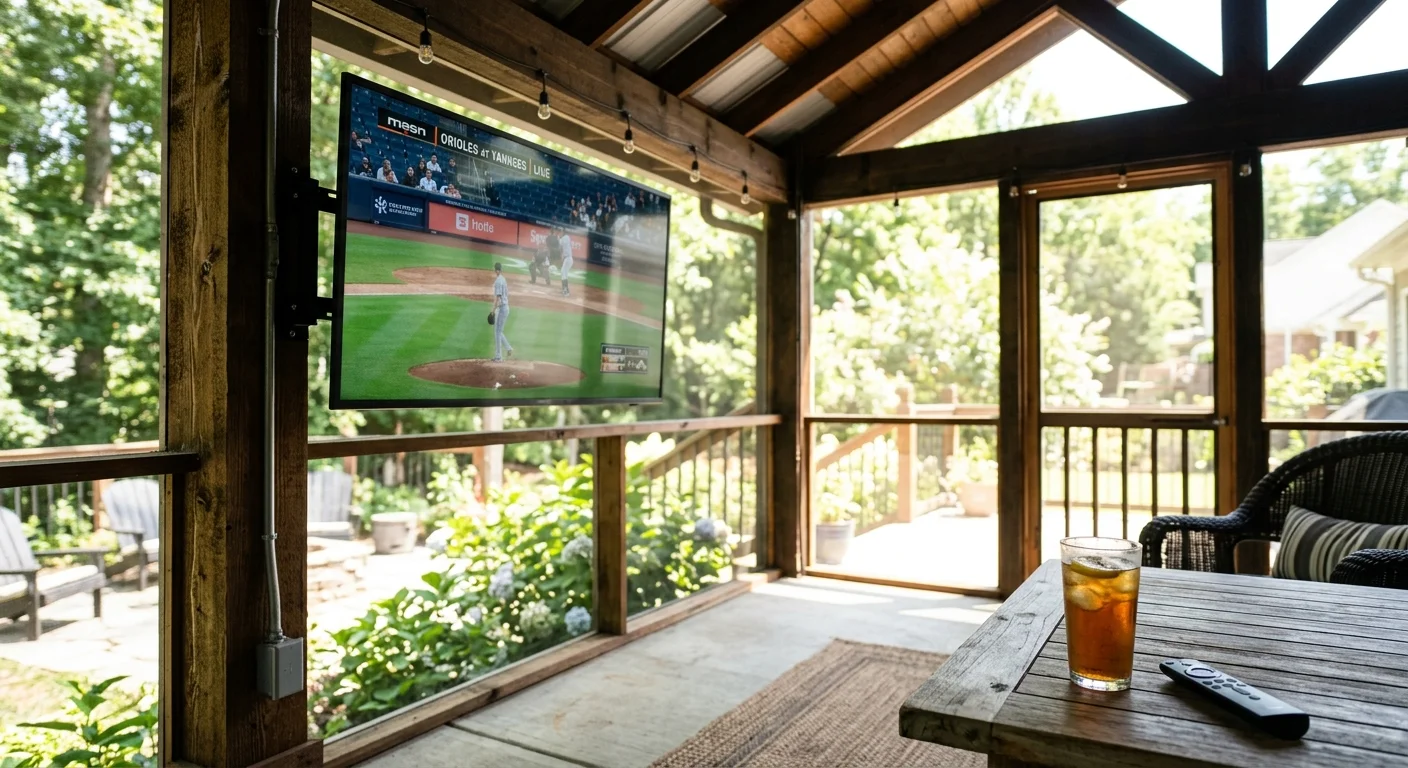
Mounting an outdoor television on a screened porch gives you backyard entertainment, but midday glare and summer humidity quickly ruin the picture. Standard streaming sticks buckle under porch conditions, dropping frames and rendering faint home screen menus unreadable.
Most homeowners blame their outdoor display for washed-out sports or random system freezing. However, the true culprit is an unventilated streaming device—a small box or stick that adds streaming to any television—trapped in a 120°F chassis pocket running an unsuitable dynamic range profile.
This guide evaluates high-contrast user interfaces, thermal resilience, and menu visibility to help you select a media player that survives humid afternoons.
Thermal Reality: The Back-of-TV Heat Trap on Covered Patios
Streaming—watching video content over the internet instead of cable or satellite—demands constant computational power. That ongoing workload generates heat inside compact hardware.
While basic maintenance can often speed up a slow streaming device, excessive heat causes severe hardware throttling that software optimizations cannot fix.
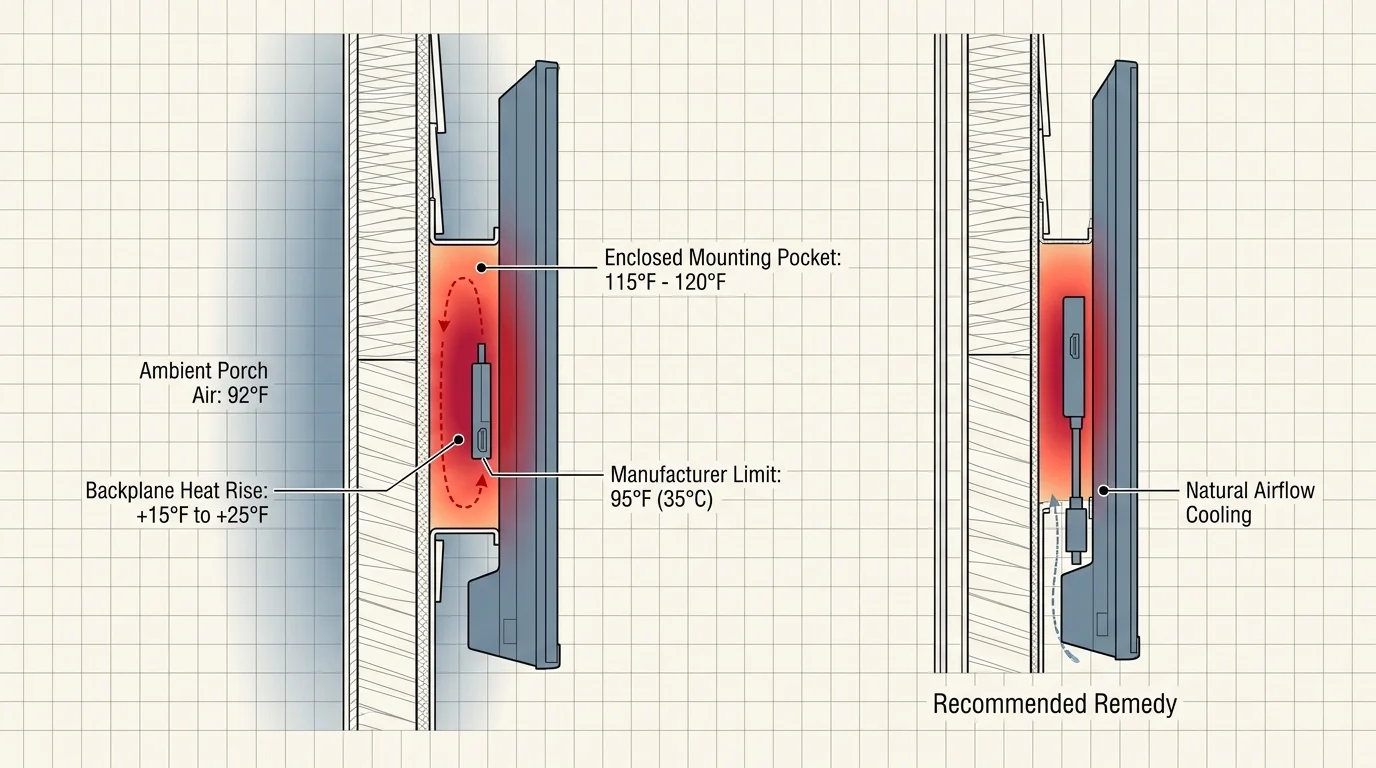
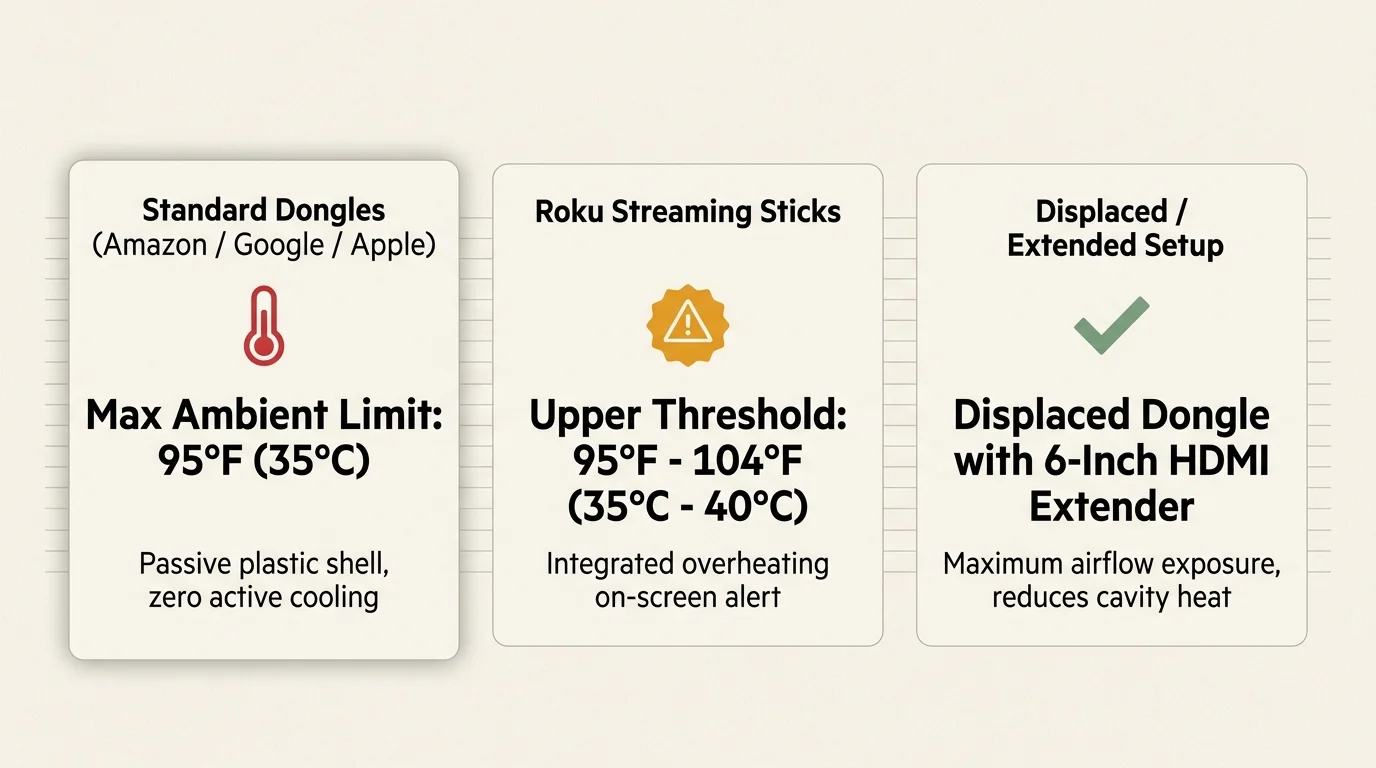
Major hardware manufacturers design their compact dongles for climate-controlled living rooms. Amazon, Google, and Apple rate their compact media players for a maximum ambient operating temperature of 95°F (35°C).
Roku rates its hardware slightly higher, with an upper limit between 95°F and 104°F (35°C to 40°C). Even that higher threshold cannot withstand the severe conditions behind an outdoor display.
Television backplanes emit substantial heat during routine operation, raising internal cavity temperatures by 15°F to 25°F above ambient air. On a humid 92°F July afternoon, the enclosed mounting pocket behind your porch television easily exceeds 115°F.
Compact media sticks rely on passive heat dissipation through their plastic casings rather than active cooling fans. Confined behind a sweltering television, these devices throttle their processors, skip video frames, and drop wireless connections.
Roku units display a visible corner alert stating that your device is overheating, accompanied by a solid red LED light on the stick. Amazon Fire TV units present an on-screen warning modal or restart repeatedly to protect internal silicon.
“Heat dissipation failure causes more outdoor streaming dropouts than weak wireless signals. Trapping a fanless dongle directly against a hot television backplane guarantees thermal throttling on summer afternoons.”
As reported by Tom’s Guide, processing speed and hardware reliability drop significantly when compact media sticks face extreme physical demands.
You can avoid heat-induced shutdowns by displacing the player away from the display chassis. Using short HDMI extender cables allows circulating porch air to cool the device naturally.
Sunlight Legibility and Menu Contrast: The HDR Daytime Trap
Sunlight legibility challenges outdoor viewing just as much as thermal stress. Screened porches provide shade overhead, but ambient daylight bounces off patio floors, washing out picture contrast.
Much like balancing streaming device output settings for ambient light with projectors, overriding default tone mapping is essential for preserving contrast in high-glare environments.
Standard indoor televisions produce between 250 and 400 nits of peak brightness. A partial-sun outdoor television outputs between 500 and 1,000 nits, while full-sun displays require 1,500 to 2,500 nits.
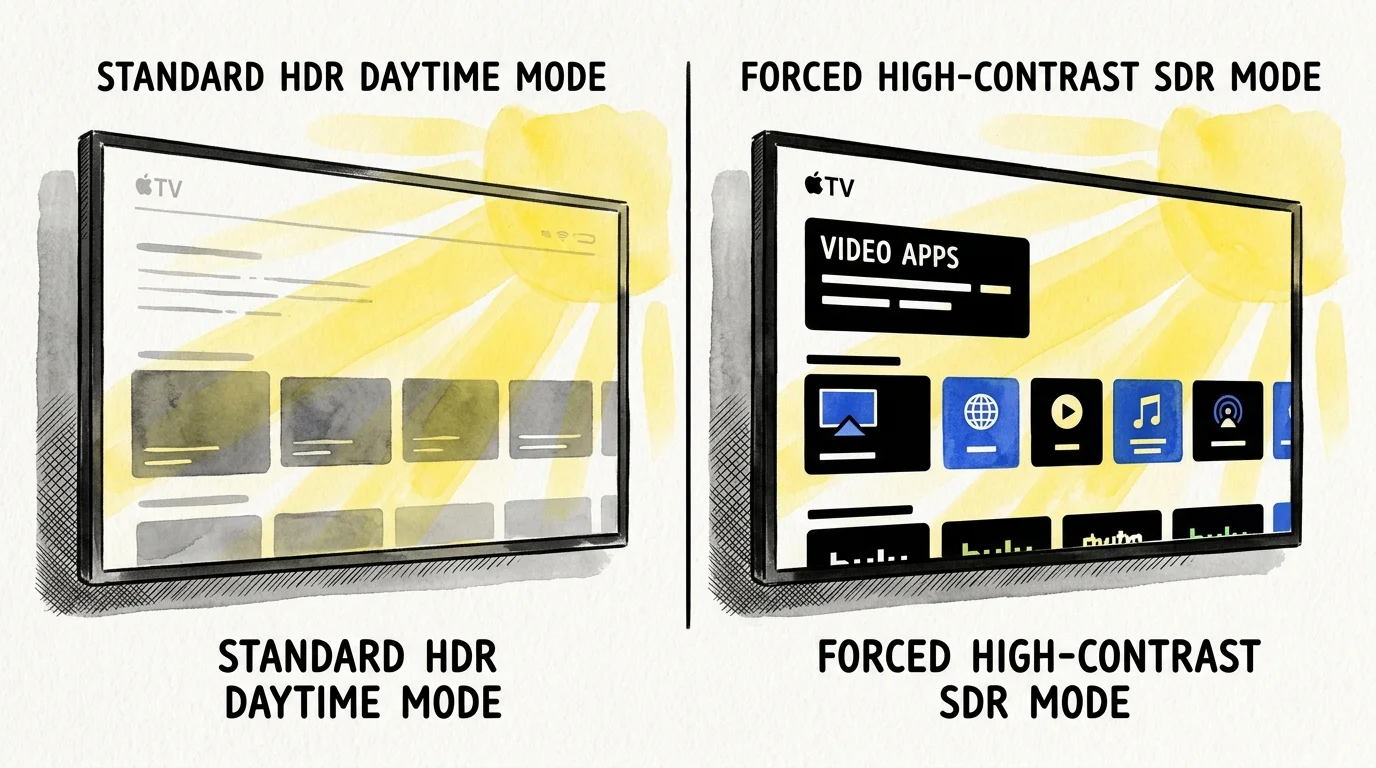
High dynamic range (HDR) technologies create unforeseen visual problems on bright patios. Formats like HDR10—the baseline high dynamic range video standard—map brightness according to dark home theater specifications.
Dolby Vision, a dynamic HDR metadata format that adjusts brightness frame by frame, also targets dark environments. Consequently, mid-tones and dark video elements appear dim and muddy against porch glare.
Default streaming home screen menus rely on subtle gray gradients and translucent navigation panels. In ambient outdoor daylight, these faint menu elements blend together, making it difficult to read titles or browse guide grids.
Forcing standard dynamic range (SDR) within player settings resolves this brightness deficit. SDR signals allow your outdoor television to drive all panel backlights at maximum continuous luminance.
Selecting a high contrast streaming UI transforms outdoor usability. Bold interface outlines and opaque text cards remain readable even during bright, sunlit afternoons.
Detailed Hardware Comparison for Humid, Unconditioned Porches
Choosing the best streaming stick high heat patio setup requires comparing raw hardware thermal limits, form factors, and contrast accessibility tools. Not all devices handle porch humidity and glare equally.
The table below compares four major streaming devices across key hardware metrics, thermal specifications, and interface features relevant to unconditioned outdoor installations.
| Device | Chassis Design | Operating Temp Limit | High-Contrast UI Mode | Wireless Standard | MSRP |
|---|---|---|---|---|---|
| Amazon Fire TV Stick 4K Max (2nd Gen) | Compact Dongle | 95°F (35°C) | High Contrast Text | Wi-Fi 6E | $59.99 |
| Roku Streaming Stick 4K | Compact Dongle | 104°F (40°C) | High Contrast Text & Custom Themes | Wi-Fi 5 (Dual-band) | $49.99 |
| Apple TV 4K (3rd Gen) | Desktop Console | 95°F (35°C) | Focus High Contrast & Reduce Transparency | Wi-Fi 6 / Gigabit Ethernet | $129.00 |
| Google TV Streamer (4K) | Desktop Console | 95°F (35°C) | High Contrast Text Vectoring | Wi-Fi 5 / Gigabit Ethernet | $99.99 |
Resolution on all four platforms reaches 4K, delivering four times the pixel count of standard 1080p high definition. That high pixel density preserves sharp text on screens measuring 55 to 75 inches.
Each platform also decodes Dolby Atmos, an object-based audio format that places sound elements in three-dimensional space. Outdoor soundbars decode these signals to deliver clear dialogue above patio ambient noise.
Form factor represents the main hardware divide. Compact sticks conceal neatly behind screens, but larger desktop consoles feature larger passive heat sinks that shed sustained thermal loads more effectively.
Optimizing UI Settings for Maximum Daylight Readability
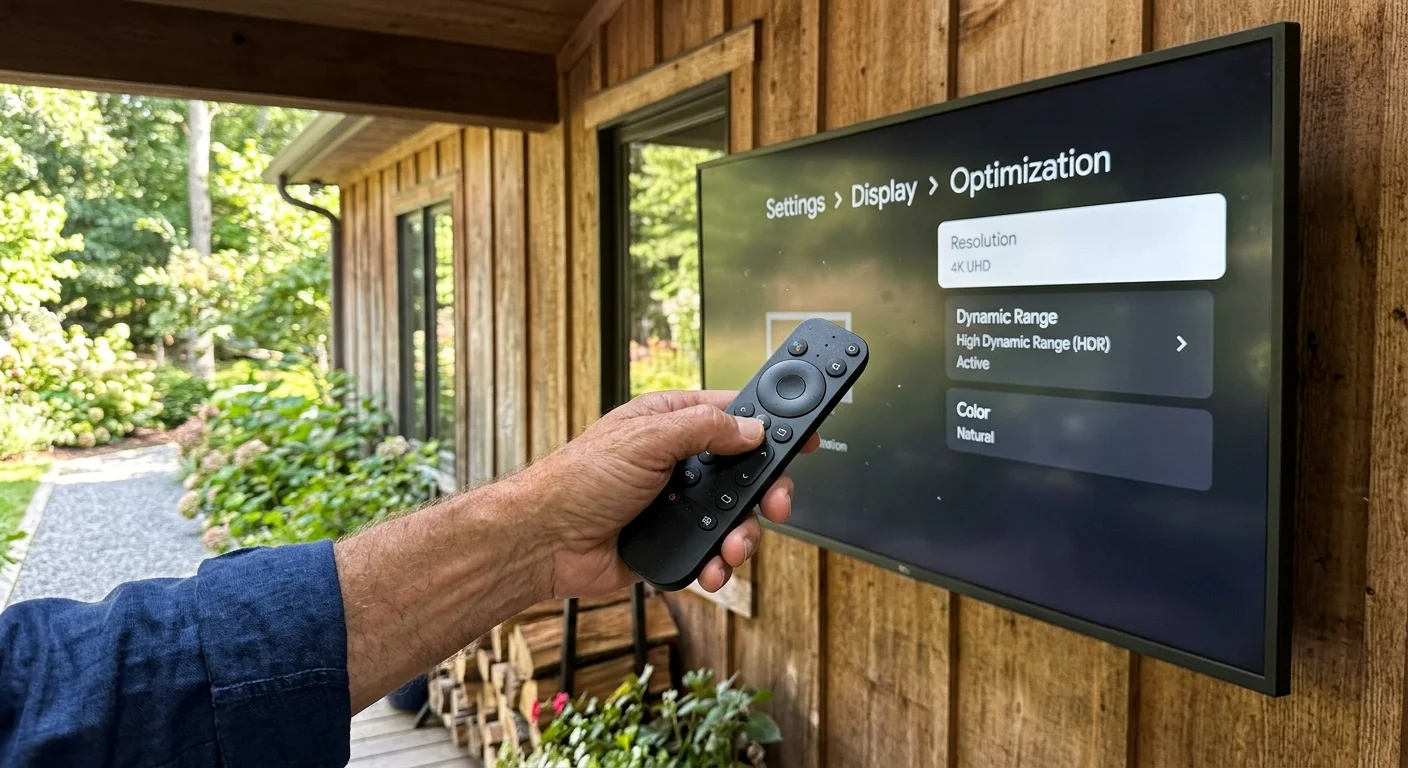
Every major operating system includes accessibility toggles that dramatically improve outdoor visibility. Enabling these settings eliminates washed-out menus caused by bright porch daylight.
Evaluating the Fire Stick vs Roku interface differences highlights how contrasting UI themes and font outlines directly affect menu clarity outdoors.
On Apple TV running tvOS, open Settings, select Accessibility, and choose Display. Enable Reduce Transparency to replace translucent frosted backgrounds with solid opaque backing.
Next, change Focus Style to High Contrast within the same Apple TV menu. This setting wraps highlighted app tiles in distinct, thick white outlines that stand out through patio glare.
Amazon Fire TV devices provide a similar legibility enhancement. Open Settings, navigate to Accessibility, and toggle High Contrast Text to active status.
This setting converts subtle gray system text into bold, black-bordered typography across your home screen and menu banners. The dark borders make program guides legible against bright outdoor backgrounds.
On Google TV, open Settings, choose System, select Accessibility, and enable High contrast text. Google TV then renders fine navigation fonts with thick vector outlines.
Roku OS features a global High contrast text switch inside Settings under Accessibility. Roku also allows you to install light or dark solid system themes under Settings Theme.
Switching your Roku to a solid dark theme removes busy wallpaper images. Plain backgrounds deliver the highest possible contrast for menu navigation under changing outdoor light.
Ecosystems, App Support, and Privacy Outdoors
Cord-cutting—canceling traditional cable or satellite TV in favor of streaming services—requires reliable access to live channels and on-demand libraries. Fortunately, all four major platforms support popular streaming apps.
You can access live sports, news, and entertainment through providers like YouTube TV, Hulu + Live TV, and Sling TV. These services include cloud DVR capabilities—a digital video recorder that stores programs online for later viewing.
Each platform also supports on-demand apps, allowing you to watch movies and series whenever you want. You can select ad-supported plans that cost less but show commercials, or pay more for ad-free tiers.
According to testing analysis from Wirecutter, platform usability often comes down to personal software preference and physical remote ergonomics.
Remote controls matter outdoors because low-contrast button labels are difficult to read in bright sunlight. The Apple TV Siri Remote features high-contrast aluminum buttons with tactile ridges that you can navigate by touch.
Roku and Fire TV remotes use black rubberized buttons that resist moisture well, though their printed labels can fade over time. Both platforms offer effective voice search buttons, letting you bypass on-screen typing entirely.
Privacy policies also differ between platforms. Amazon and Google rely heavily on targeted advertising, monitoring your viewing habits and app usage across their operating systems.
Roku collects viewing telemetry through automated content recognition to serve customized ads on your home screen. Apple maintains the strictest privacy profile, keeping your viewing activity isolated from cross-platform advertising brokers.
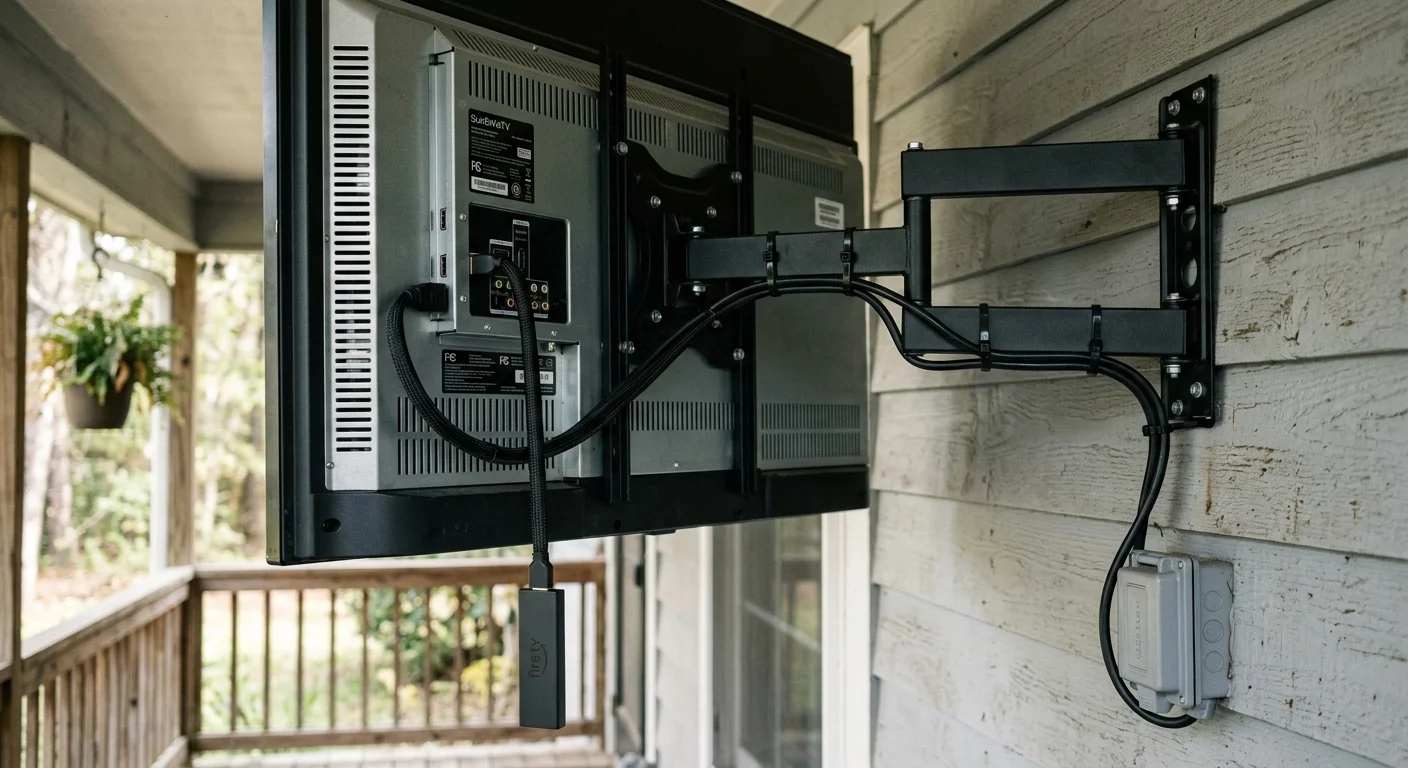
A Worked Installation Scenario: The 65-Inch Porch Setup
Consider this real-world scenario involving a 14-by-20-foot screened-in porch located in Atlanta, Georgia. The homeowner installed a 65-inch partial-sun outdoor television rated at 700 nits of peak brightness.
During initial setup, the homeowner inserted an Amazon Fire TV Stick 4K Max directly into the rear HDMI 1 port. No extension cable was used, positioning the stick against the television exhaust vent.
On an 88°F afternoon at 2:30 PM, the television chassis raised the rear pocket air temperature to 118°F. After 22 minutes of streaming, the stick throttled its processor, dropped playback resolution, and initiated a reboot loop.
Furthermore, standard HDR output caused daytime baseball scenes to look flat and shadowy. Fine gray text in the program guide was nearly impossible to read through screen glare.
The homeowner implemented three hardware and software adjustments to stabilize the system:
- Installed a 12-inch 4K-rated male-to-female HDMI extension cable ($8.99) to drop the stick away from the television chassis.
- Attached an aluminum heat sink fin ($6.49) to the stick casing to dissipate heat into ambient air.
- Changed display output from adaptive HDR to forced 4K SDR at 60Hz inside Fire OS video settings.
- Enabled High Contrast Text inside the Fire OS accessibility menu.
These simple changes reduced the device operating temperature by 19°F, bringing it down to a stable 99°F. The stick streamed a 3.5-hour afternoon baseball broadcast without a single dropped frame or thermal error.
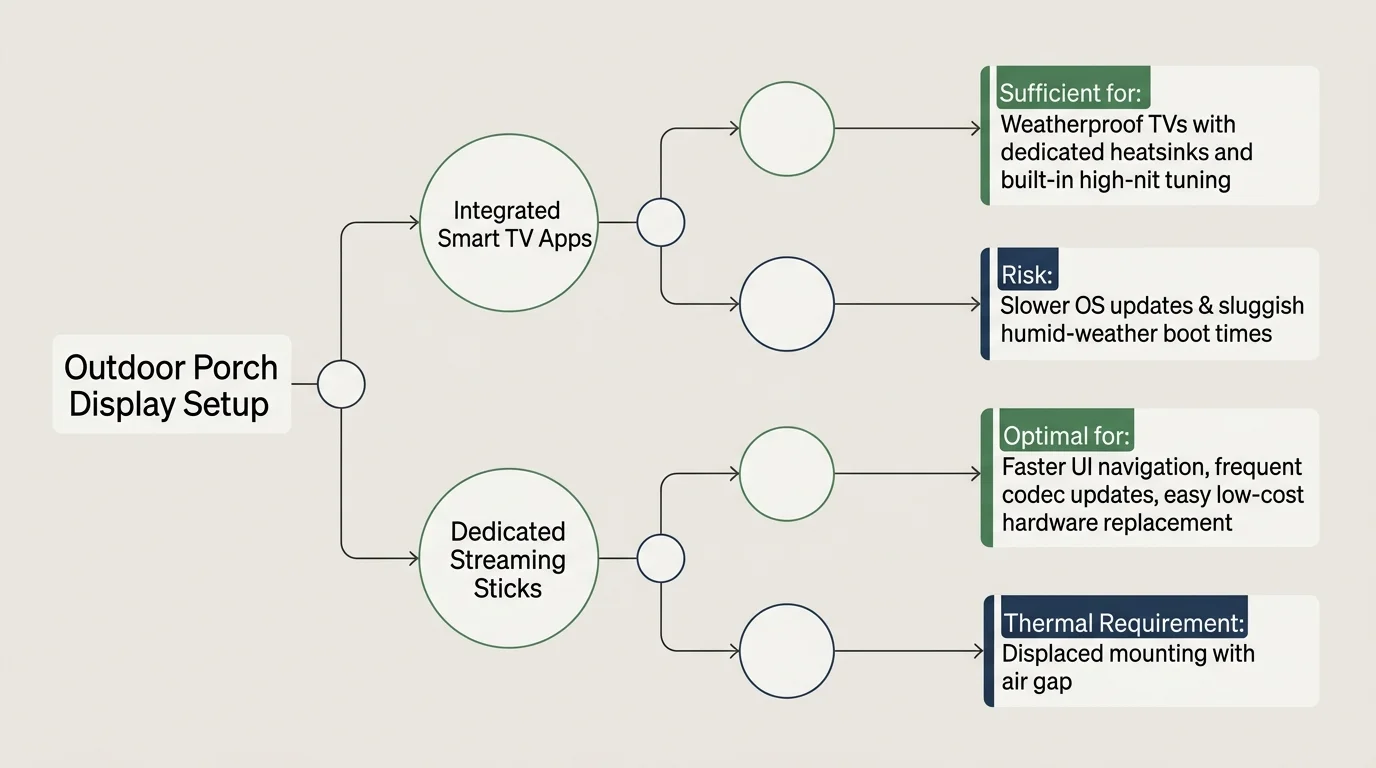
When Smart TV Apps Are Good Enough vs Dedicated Sticks
A smart TV—a television with a built-in internet connection and streaming apps—offers an all-in-one package. For outdoor setups, relying solely on built-in software has distinct pros and cons.
Built-in smart TV platforms eliminate external cables, hanging dongles, and extra power supplies. This clean arrangement reduces moisture ingress risks inside weatherproof television enclosures.
If you own a premium, fully sealed outdoor television with an integrated weatherproof media bay, built-in apps work fine for casual viewing. Weatherproof displays often feature internal cooling fans that protect internal motherboards.
However, outdoor television manufacturers rarely update their built-in processors with the latest chips. Over two or three years, built-in apps become sluggish, load slowly, and stop receiving critical software updates.
Dedicated streaming sticks solve this planned obsolescence. Upgrading an inexpensive stick every three years costs far less than replacing a complete weatherproof television display.
External media players also receive more frequent operating system updates and offer superior accessibility contrast controls. For demanding screened porch environments, a dedicated player remains the smarter investment.
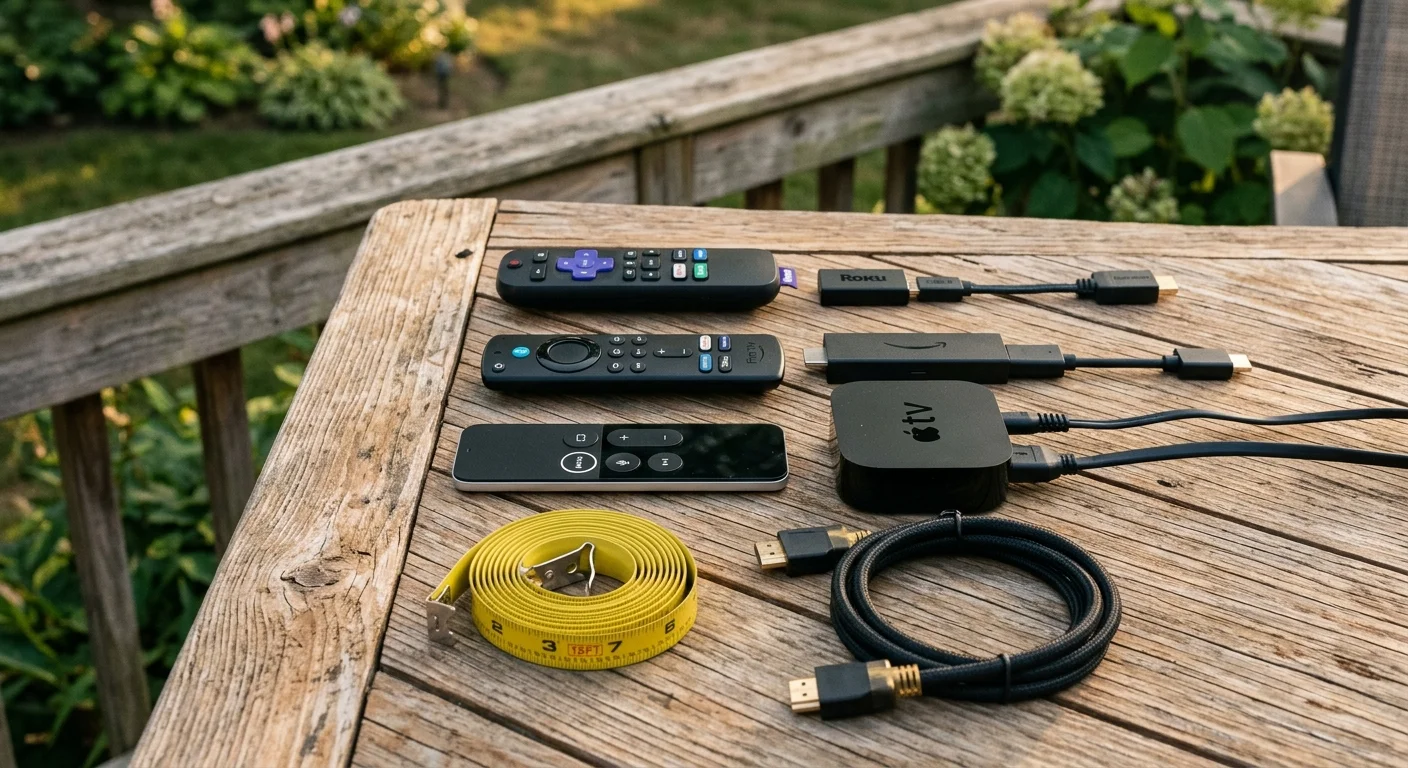
Best Outdoor Streaming Picks by Budget and Patio Layout
Selecting the best outdoor tv streaming device depends on your porch layout, sunlight exposure, and budget. Here are our specific hardware recommendations based on practical performance criteria.
For budget-conscious setups under $50, the Roku Streaming Stick 4K is your best option. Its 104°F ambient operating limit provides superior heat resilience compared to competing low-cost dongles.
Roku also provides a free HDMI extender upon request through their support website. This cable lets you position the stick away from hot television exhaust vents immediately upon installation.
If you need maximum text legibility under intense daylight, choose the Amazon Fire TV Stick 4K Max at $59.99. Its High Contrast Text feature renders crisp, black-bordered typography across all interface elements.
The Fire TV Stick 4K Max also supports Wi-Fi 6E, ensuring dependable signal reception even when your wireless router is located deep inside the house.
An evaluation by CNET highlights how larger desktop-style streamers manage heat far better than compact dongles. For high-heat southern climates, premium set-top boxes justify their higher cost.
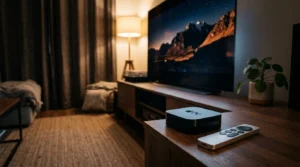
The Apple TV 4K ($129.00) and Google TV Streamer ($99.99) excel when placed on an outdoor media shelf below the television. Their large chassis dissipate heat effectively without thermal throttling.
Pairing a tabletop console with an opaque interface mode gives you the ultimate outdoor streaming setup. Your menus remain legible, and your hardware stays cool through summer heatwaves.
Frequently Asked Questions
Why does my streaming stick overheat behind my outdoor patio TV?
Televisions generate substantial heat during operation, warming the space between the display chassis and your wall mount to 120°F. Compact streaming sticks lack internal cooling fans and quickly overheat when trapped in that stagnant thermal pocket.
Can I leave a streaming stick plugged into my patio TV during winter?
Most streaming devices tolerate cold non-operating storage down to -4°F, provided they remain completely dry. However, rapid temperature swings can cause internal condensation, so bringing the stick indoors during freezing, humid winter months extends its lifespan.
Why do daytime sports look dim on my outdoor patio TV when using HDR?
HDR formats like HDR10 and Dolby Vision map brightness according to dark home theater viewing standards. Mid-tones appear shadowy in outdoor ambient light, so locking your streaming stick to 4K SDR forces maximum continuous panel brightness.
Does using an HDMI extender cable reduce streaming video quality?
A short HDMI 2.0 or 2.1 certified extender cable does not degrade digital video or audio quality in any way. It transfers full 4K resolution at 60Hz while moving the streaming stick into cooler circulating air.
Disclaimer: Device prices and features may change. New models are released regularly, so check for the latest versions before purchasing. The “best” device depends on your specific needs, existing ecosystem (Apple, Google, Amazon), and budget.