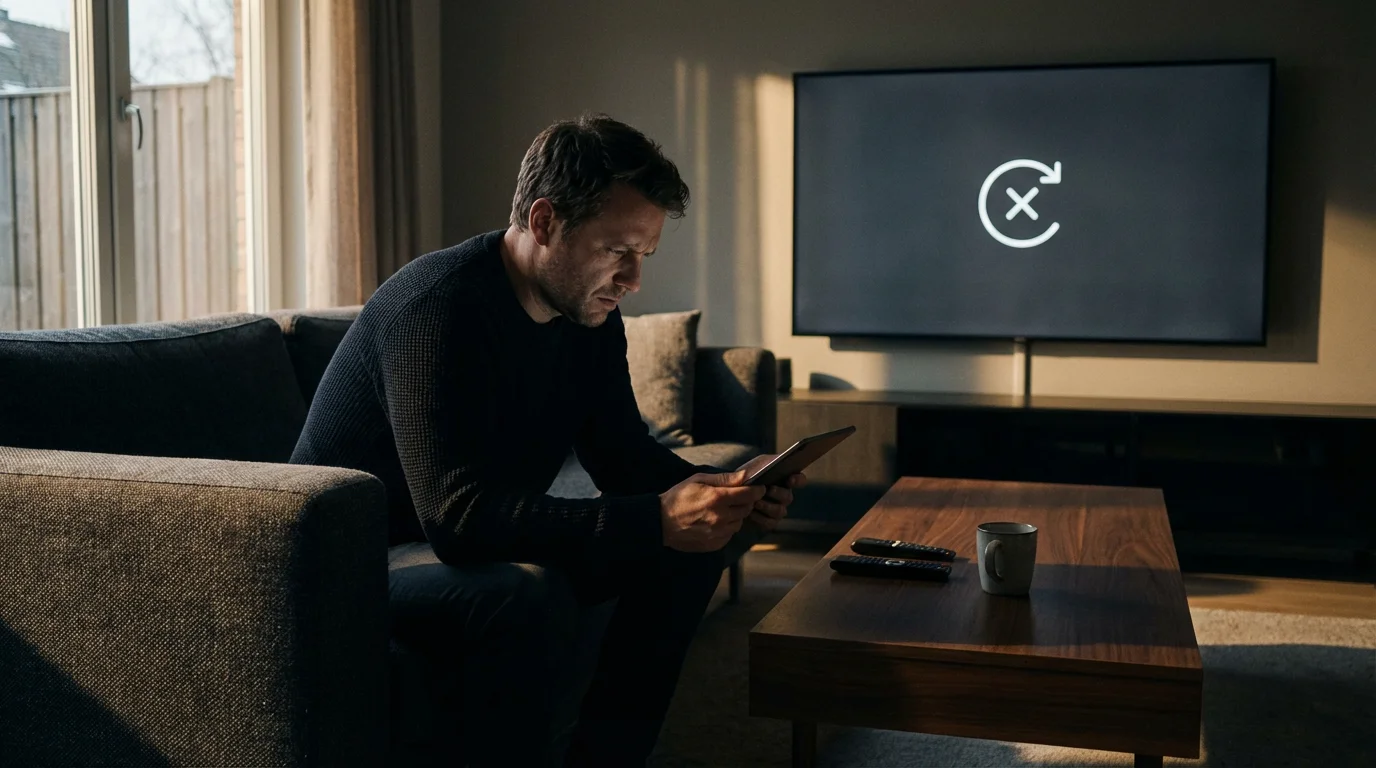
You settle onto the couch, snacks in hand, ready to watch your home team play a crucial game. You launch your live TV streaming app, click on the channel, and suddenly face a black screen or a generic message: “This content is not available in your area.” This is the dreaded blackout, and it is arguably the most frustrating aspect of modern sports viewership.
For cord-cutters—people who cancel traditional cable to switch to internet-based TV—blackouts are particularly confusing. Many assume that streaming services bypass the archaic rules of cable television. Unfortunately, streaming services like YouTube TV, Hulu + Live TV, and Sling TV must adhere to the same complex web of licensing agreements and territorial rights that govern traditional cable providers.
Understanding why blackouts happen is the first step to overcoming them. By knowing the rules of the game, you can choose the right service, set up the correct equipment, and ensure you actually get to watch the teams you love without wasting money on subscriptions that don’t deliver.
What Are Blackouts and Why Do They Happen?
A blackout occurs when a broadcaster does not have the legal right to show a specific event in a specific geographic area. These restrictions are not technical glitches; they are intentional features of the broadcasting contracts signed between sports leagues, local stations, and national networks.
While these blocks are frustrating, you should be careful about searching for alternative feeds, as it is rarely safe to legally stream sports from unofficial sites.
The primary driver behind blackouts is exclusivity. To maximize revenue, sports leagues sell the rights to air games to different buyers. They sell “in-market” rights to local channels (to encourage local viewership and advertising) and “out-of-market” rights to national packages (like NFL Sunday Ticket or MLB.TV).
If you live in the broadcast territory of a specific team, the league wants you to watch the game on the local channel that paid for those exclusive rights. Consequently, they “black out” the national feed or the out-of-market streaming package to protect the local partner’s investment.
The Three Main Types of TV Blackouts
Not all blackouts act the same way. Identifying which type you are experiencing helps you find the solution.
1. Local Sports Blackouts
This is the most common frustration. If a game is airing on a Regional Sports Network (RSN) or a local broadcast station in your area, you cannot watch it on a national service meant for out-of-market viewers. For example, if you live in Boston and try to watch the Red Sox on MLB.TV, you will be blocked because the rights belong to NESN (New England Sports Network).
2. National Exclusivity Blackouts
Sometimes, a national network like ESPN, TNT, or FOX buys the exclusive national rights to a game. In this scenario, even your local RSN might be blacked out. You must watch the game on the national channel. This often happens during playoffs or special “Game of the Week” broadcasts.
3. Technical or Rights-Gap Blackouts
Occasionally, a program (not just sports) may not have streaming rights cleared. This dates back to older contracts where “internet distribution” wasn’t a defined clause. While rare for modern sports, you might see this with older movies or syndicated sitcoms where the streaming service only has rights to the live channel feed but not that specific show.
Regional Sports Networks: The Core of the Problem
If you are a serious fan of the MLB, NBA, or NHL, your happiness largely depends on Regional Sports Networks (RSNs). These are channels like Bally Sports, NBC Sports Regional Networks, YES Network, SNY, and NESN.
RSNs are expensive for streaming services to carry. As a result, many live TV streaming services have dropped them to keep monthly subscription prices lower. This leads to a massive gap in coverage for local fans.
“The fragmentation of Regional Sports Networks is the single biggest hurdle for cord-cutters today. You often have to choose between a cheaper monthly bill or access to your home team.”
Here is the reality for most markets:
- Cable/Satellite: Usually carry most RSNs but come with high fees and contracts.
- DirecTV Stream & Fubo: These are the two primary streaming services that invest heavily in carrying RSNs. They are more expensive but are often the only choice for local sports fans.
- YouTube TV, Hulu + Live TV, Sling TV: These services have dropped many RSNs (specifically the Bally Sports networks) to maintain competitive pricing.
League Rules: NFL, MLB, NBA, and NHL
Each major US sports league handles broadcasting rights differently. Knowing these nuances prevents surprises on game day.
Before diving into specific league restrictions, you might want to check out the latest deals for live sports streaming to see which platforms currently offer the best sports coverage.
NFL Blackouts
The NFL is generally the most consumer-friendly regarding local viewership. By rule, all local team games must be broadcast on over-the-air television (usually CBS, FOX, or NBC) in the local market. This means you rarely need an expensive cable package to watch your home team; you often just need a way to receive local channels, such as a digital antenna.
However, mobile streaming of NFL games used to be heavily restricted. Today, services like NFL+ allow mobile viewing of local games, while YouTube TV (the new home of Sunday Ticket) handles out-of-market games. Note that Sunday Ticket blacks out games that are airing on your local CBS or FOX station.
MLB Blackouts
Major League Baseball has the most restrictive blackout rules. Their “territories” are vast and sometimes defy logic. For example, viewers in Iowa are blacked out from watching six different teams (Cubs, White Sox, Cardinals, Twins, Royals, and Brewers) because the state is claimed as “home territory” by all of them. If you live in a blackout zone, you cannot watch those teams on MLB.TV; you must subscribe to a service that carries the specific RSN for that team.
NBA and NHL Blackouts
Both the NBA and NHL follow a model similar to MLB. If you live in the local market, you must watch on the local RSN (e.g., Bally Sports or MSG). If a game is picked up for national broadcast on TNT or ESPN, the local blackout rules may be lifted, or the national feed might be blacked out in favor of the local feed, depending on the specific exclusivity of that night’s contract.
Carriage Disputes: When Channels Disappear
A “carriage dispute” is a business disagreement, but to you, it looks exactly like a blackout. This happens when a streaming provider (like YouTube TV) and a channel owner (like Disney or NBCUniversal) cannot agree on the price the provider pays to carry the channels.
Unexpectedly losing a channel due to a dispute is one of the common mistakes people make when cutting the cord if they don’t have a backup plan in place.
When the contract expires without a new deal, the channel owner pulls their signal. Suddenly, you might lose access to ESPN, ABC, or your local NBC station entirely.
According to Cord Cutters News, these disputes are becoming more frequent as networks demand higher fees and streaming services try to prevent price hikes. Unlike sports blackouts, which are permanent rules, carriage disputes are temporary. However, they can last from a few days to several months.
How to handle disputes:
- Stay flexible: Since most streaming services are month-to-month contracts, you can cancel and switch to a competitor until the dispute is resolved.
- Use TV Everywhere apps: sometimes, even if a channel is dark on your main lineup, your login credentials might still work on the network’s standalone app, though this is rare during full contract lapses.

How to Check for Blackouts Before You Subscribe
Never subscribe to a service assuming you will get your local channels. Always verify using concrete data.
1. Use the Service’s Zip Code Tool
Every major live TV streaming service provides a “Channel Lookup” tool on their homepage. Enter your zip code to see exactly which local networks (ABC, CBS, FOX, NBC) and which RSNs are available. If the RSN isn’t listed, you will not get local NBA/MLB/NHL games.
2. Check League Maps
If you plan to buy a league pass (like NBA League Pass or MLB.TV), use their blackout check tools. Enter your zip code, and the site will tell you exactly which teams you are not allowed to watch on that service.
3. Verify “Out of Market” Status
If you are a Dallas Cowboys fan living in Seattle, you are “out of market.” You generally won’t face blackouts for Cowboys games unless they are playing the Seahawks (your local team) or playing on national TV (Monday Night Football). Being an out-of-market fan is actually easier for streaming than being a local fan.

Proven Strategies to Manage Blackouts
You don’t have to accept a black screen. Here are legal, practical ways to ensure you see the game.
Some viewers also research how to use a VPN with streaming services to change their virtual location, though this can be hit-or-miss depending on the platform.
1. The Digital Antenna (Over-the-Air)
This is the most cost-effective “blackout buster” for NFL fans and viewers of major events like the World Series or the Super Bowl. A one-time purchase of a digital HD antenna (costing between $30 and $80) allows you to pull in local broadcast signals (ABC, CBS, FOX, NBC, PBS) for free.
Because these signals come directly through the airwaves, they are immune to streaming delays and often have better picture quality than compressed streams. CNET often highlights antennas as an essential backup for any cord-cutter.
2. Choosing the Right “Premium” Tier
If you need RSNs (Bally Sports, etc.), you likely need to upgrade your package. Services like Fubo often charge a “Regional Sports Fee” (typically $11 to $14 extra per month) to include these channels. While expensive, it is the only legal way to bypass the local blackout on apps like MLB.TV.
3. Standalone RSN Apps
Recently, some networks have launched their own direct-to-consumer streaming services. For example, Bally Sports+ and YES Network allow you to subscribe directly to them without a cable package. This costs roughly $20–$30/month but solves the blackout issue for local fans using cheaper base services like Sling or YouTube TV.
Comparing Services: Best Options for Local Sports
The table below compares how the major live TV streaming services handle local channels and Regional Sports Networks. Prices and lineups vary by location, so treat this as a general guide.
| Service | Base Price (Approx) | Local Channels (ABC/CBS/FOX/NBC) | Regional Sports Networks (RSNs) | Best For… |
|---|---|---|---|---|
| DirecTV Stream | $80 – $100+ | Excellent Coverage | Best Coverage: Carries most RSNs including Bally, YES, Altitude. | Die-hard local sports fans who want a cable-like experience. |
| Fubo | $80+ (+ RSN fees) | Excellent Coverage | Very Good: Carries Bally and many others. Missing some Turner networks (TNT/TBS). | Sports fans who prioritize volume of sports channels. |
| YouTube TV | $73 | Excellent Coverage | Limited: Carries NBC Sports RSNs and SNY, but lacks Bally Sports. | NFL fans (Sunday Ticket home) and general TV viewers. |
| Hulu + Live TV | $77 | Excellent Coverage | Limited: Similar to YouTube TV. Includes ESPN+ bundle. | Families who want Disney+ and ESPN+ included. |
| Sling TV (Blue/Orange) | $40 – $55 | Selected Markets Only (FOX/NBC/ABC) | Poor: Very few RSNs. | Budget-conscious viewers who use an antenna for locals. |
As Tom’s Guide notes in their reviews, DirecTV Stream remains the most comprehensive option for RSNs, though it comes with the highest price tag.
Frequently Asked Questions
Why is a game blacked out on ESPN even though I pay for it?
If a game is being broadcast on a local channel in your area (like a local RSN or broadcast station), the national feed on ESPN is usually blacked out to protect the local station’s exclusive rights. You are expected to watch the game on that local channel, not the national ESPN feed.
Can I use a VPN to get around sports blackouts?
Technically, a Virtual Private Network (VPN) can mask your location, making it appear as though you are streaming from a different city. However, most streaming services aggressively block known VPN IP addresses. Using a VPN may violate the terms of service of your streaming provider, leading to account suspension. It is generally not a reliable long-term solution for live TV.
Do streaming services offer refunds for blacked-out games?
No. Streaming services state in their terms and conditions that channel lineups and programming availability are subject to change and that blackouts are controlled by the leagues, not the service. You will not receive a credit for individual blacked-out games.
Does NFL Sunday Ticket blackout local games?
Yes. NFL Sunday Ticket is exclusively for “out-of-market” games. If the Vikings are playing on your local FOX station in Minneapolis, that game will be blacked out on Sunday Ticket. You must watch it on your local FOX channel (via antenna, cable, or live TV stream).
Disclaimer: Live TV streaming prices, channel lineups, and blackout restrictions change frequently. Local channel availability varies significantly by zip code. Always use the free trial periods offered by services to verify that your specific local channels and RSNs are available in your area before committing to a subscription.