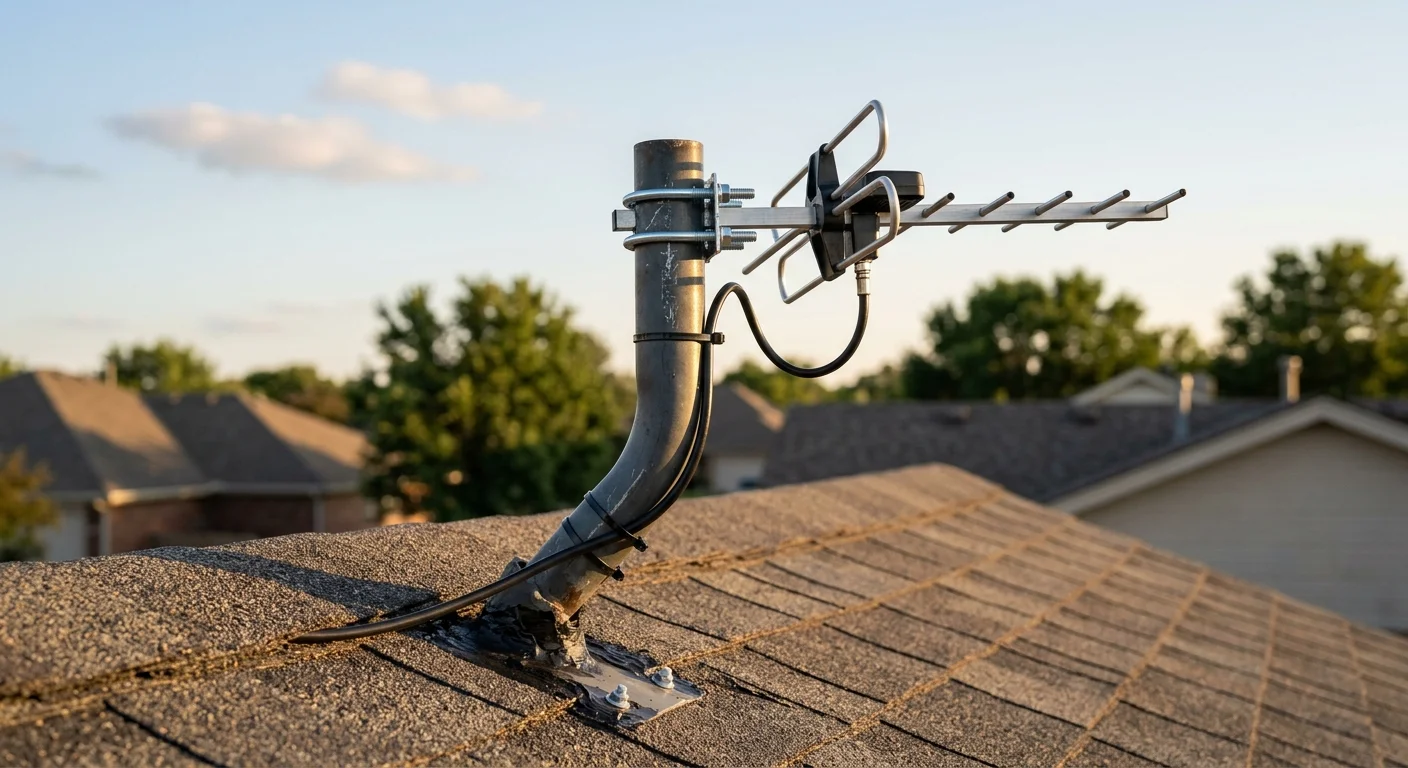
That abandoned DirecTV dish on your roof holds the exact structural foundation and coaxial wiring you need for free broadcast television across your entire house.
Instead of drilling new exterior penetration holes or pulling fresh lines through finished drywall, you can safely repurpose the existing mount and pre-wired coaxial runs in an afternoon.
While generic advice suggests abandoning existing infrastructure, disconnecting the high-voltage satellite power supply and swapping the proprietary splitter gives you a multi-room antenna distribution network for under $120 in parts.
Assessing Your Roof Mast: DirecTV vs Dish Network Hardware
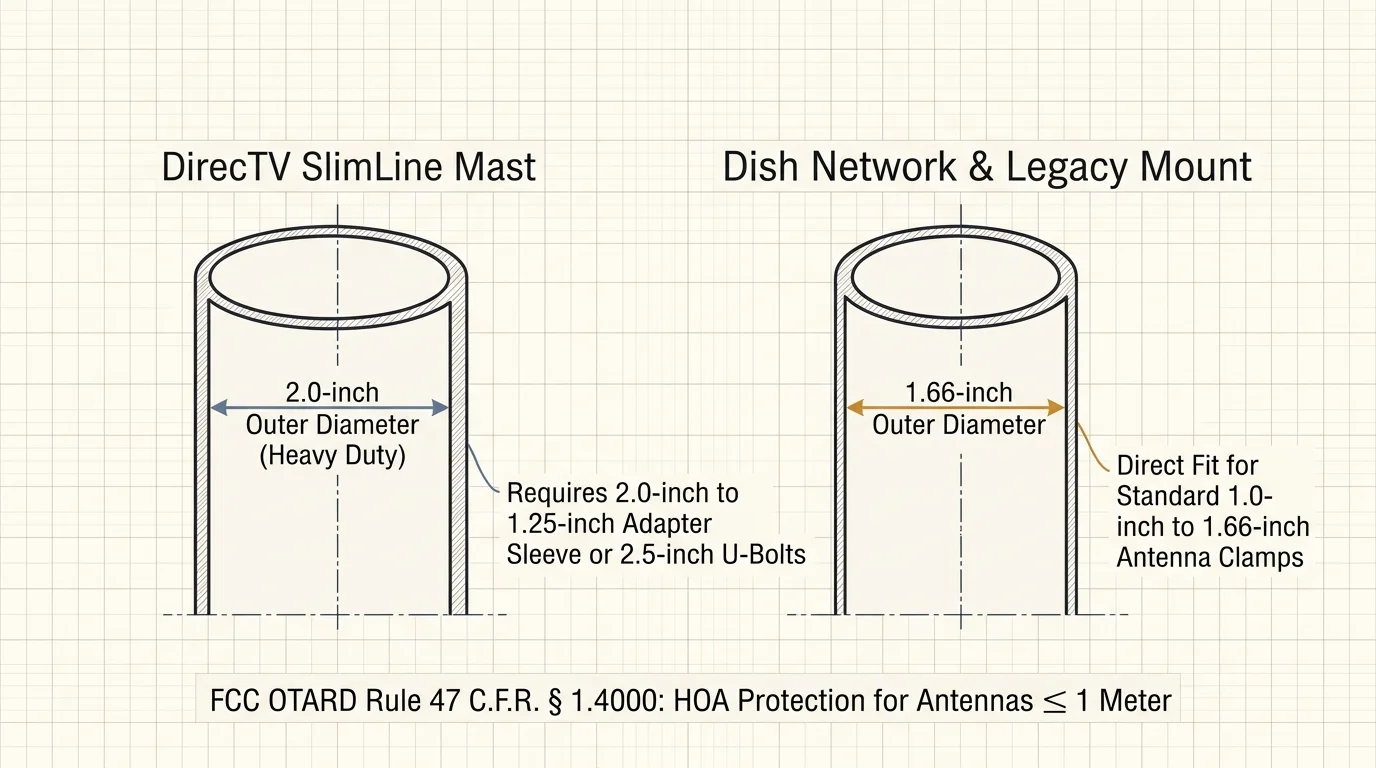
Before you purchase an antenna, you must measure the outer diameter of your existing satellite mast. Satellite providers used different hardware standards depending on dish weight and wind resistance.
DirecTV SlimLine satellite dishes require a heavy-duty mast with a 2.0-inch outer diameter. Older standard-definition mounts and Dish Network reflectors typically use a narrower 1.66-inch outer diameter pipe.
Most commercial over-the-air television antennas include standard U-bolt brackets designed for pipes measuring between 1.0 inch and 1.5 inches. Some brackets accommodate up to 1.66 inches without modification.
If you have a 2.0-inch DirecTV pole, standard antenna U-bolts will not fit around the mast. You must acquire a 2.0-inch to 1.25-inch mast adapter sleeve or source wider 2.5-inch threaded U-bolts.
Leave the base footplate secured to your roof rafters. The existing lag bolts are sealed with waterproof mastic tape; removing them exposes your roof decking to moisture leaks and structural rot.
According to consumer protection rules published by the FCC Consumer Guide, the Over-the-Air Reception Devices (OTARD) rule guarantees your right to mount antennas on residential properties.
Under 47 C.F.R. § 1.4000, homeowners associations cannot prohibit you from mounting an antenna measuring one meter or less on an existing mast located within your exclusive-use property.
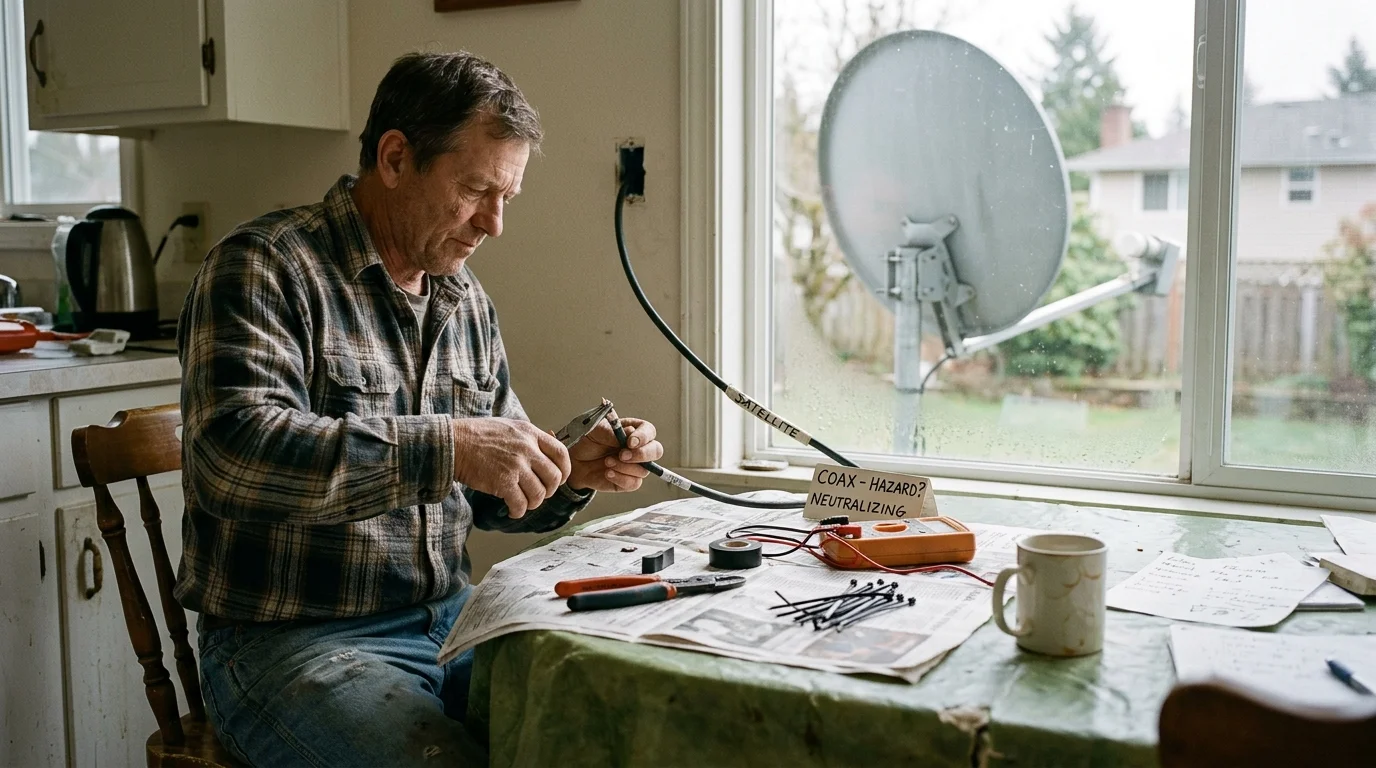
Removing the Dish and Neutralizing High-Voltage Satellite Hazards
Repurposing satellite wiring requires you to eliminate active electrical current before touching the outdoor cables. Satellite systems do not send harmless passive broadcast signals across your home.
DirecTV Single Wire Multiswitch systems rely on an indoor power inserter that injects 21 volts or 29 volts of direct current into the coaxial lines.
This high voltage powers the Low-Noise Block downconverter at the dish. If you leave this power supply plugged in, 29 volts will enter your television tuner and destroy its sensitive demodulator chips.
“Connecting an active 29-volt satellite power inserter to a standard digital television tuner will instantly fry the receiver’s front-end circuitry.”
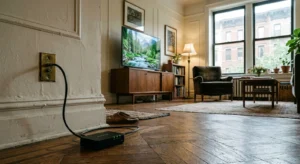
Begin by locating the satellite power inserter inside your house. Look behind your primary television cabinet, in your basement utility rack, or near the attic distribution junction.
The power inserter is a small rectangular brick with a wall plug, an indicator light, and two coaxial ports labeled Signal to IRD and Power to SWM. Unplug this unit and disconnect both coaxial cables immediately.
Once you disconnect the internal power supply, safely access your roof using a sturdy ladder secured against your fascia board. Disconnect the coaxial cables from the satellite dish horn assembly.
Use a half-inch socket wrench to loosen the adjustment collar bolts securing the curved dish reflector to the vertical mast. Slide the dish assembly off the mast while leaving the vertical mounting pipe intact.
Inspect the coaxial cable ends hanging near the mast. If the rubber weather boots have decayed, trim three inches of exposed cable and install a fresh compression F-connector using a weatherproof jacket.
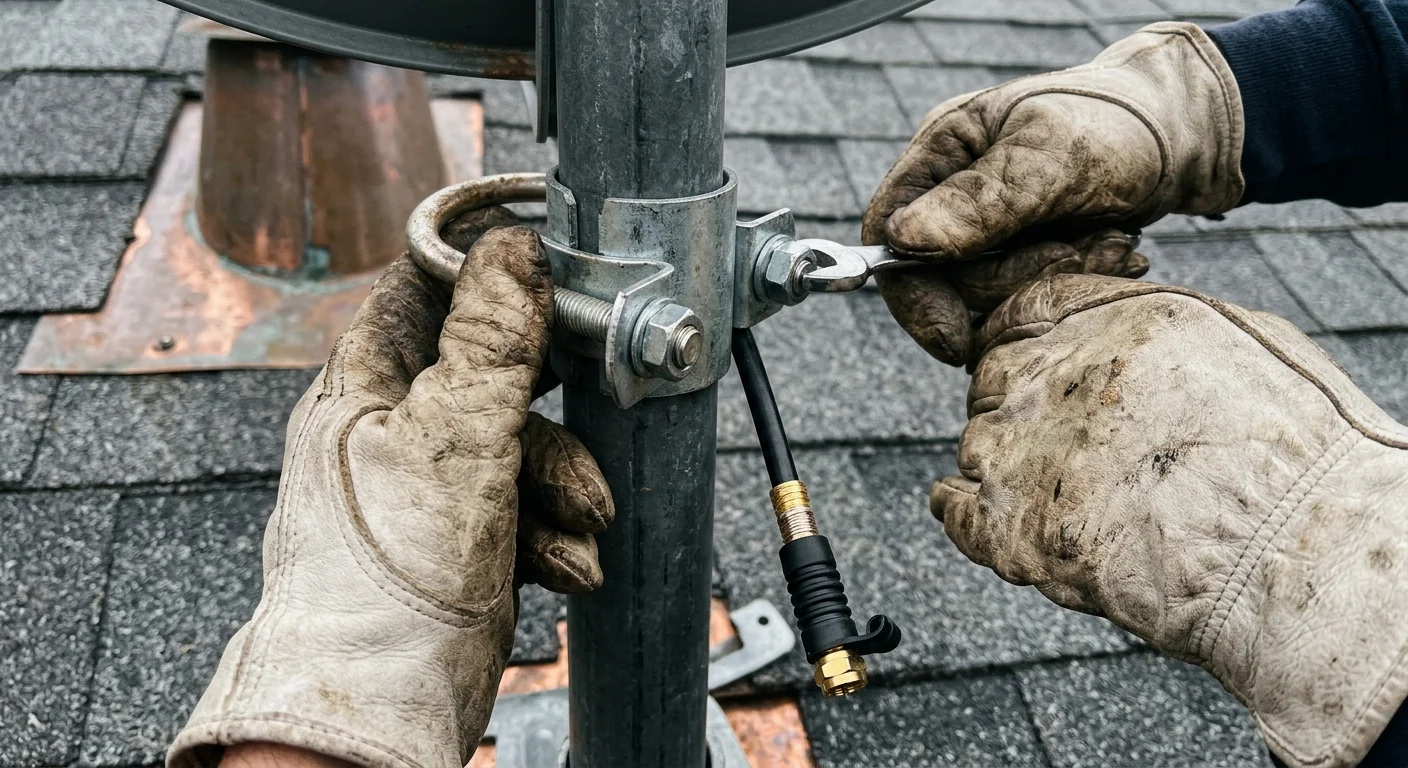
Mounting Your Antenna: Adapters, Brackets, and Orientation
When you mount antenna on directv mast installations, securing the proper mast sleeve ensures long-term wind stability. Slide a galvanized 2.0-inch to 1.25-inch reducer pipe over the DirecTV mast and tighten its clamping bolts.
Select an outdoor antenna engineered for your local transmission frequencies. Digital television signals travel across three distinct spectrum segments: VHF-Low (channels 2 to 6), VHF-High (channels 7 to 13), and UHF (channels 14 to 36).
Extensive field evaluations compiled by Wirecutter demonstrate that multi-directional antennas with dedicated VHF elements deliver the most reliable suburban reception.
Fasten your new antenna mounting bracket to the mast adapter. Position the antenna as high as possible on the pipe to clear nearby roof ridges, metal gutters, and mature tree lines.
Determine the physical direction of your broadcast towers before tightening the hardware. Use an online signal mapping utility to locate the compass heading of your local network transmission towers.
Aim your antenna directly toward the primary tower cluster. If your local broadcast towers sit in two opposing directions, install a bi-directional antenna array or a motorized rotor.
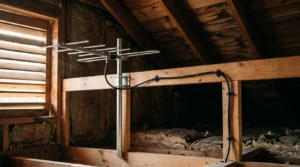
Connect the outdoor RG6 cable previously attached to your satellite dish directly into the antenna output transformer balun. Ensure the connection uses a silicone weather boot to prevent water intrusion.
Secure the coaxial line against the vertical mast using UV-rated black zip ties every twelve inches. Never allow unsupported coaxial lines to whip in the wind, which degrades internal copper shielding.
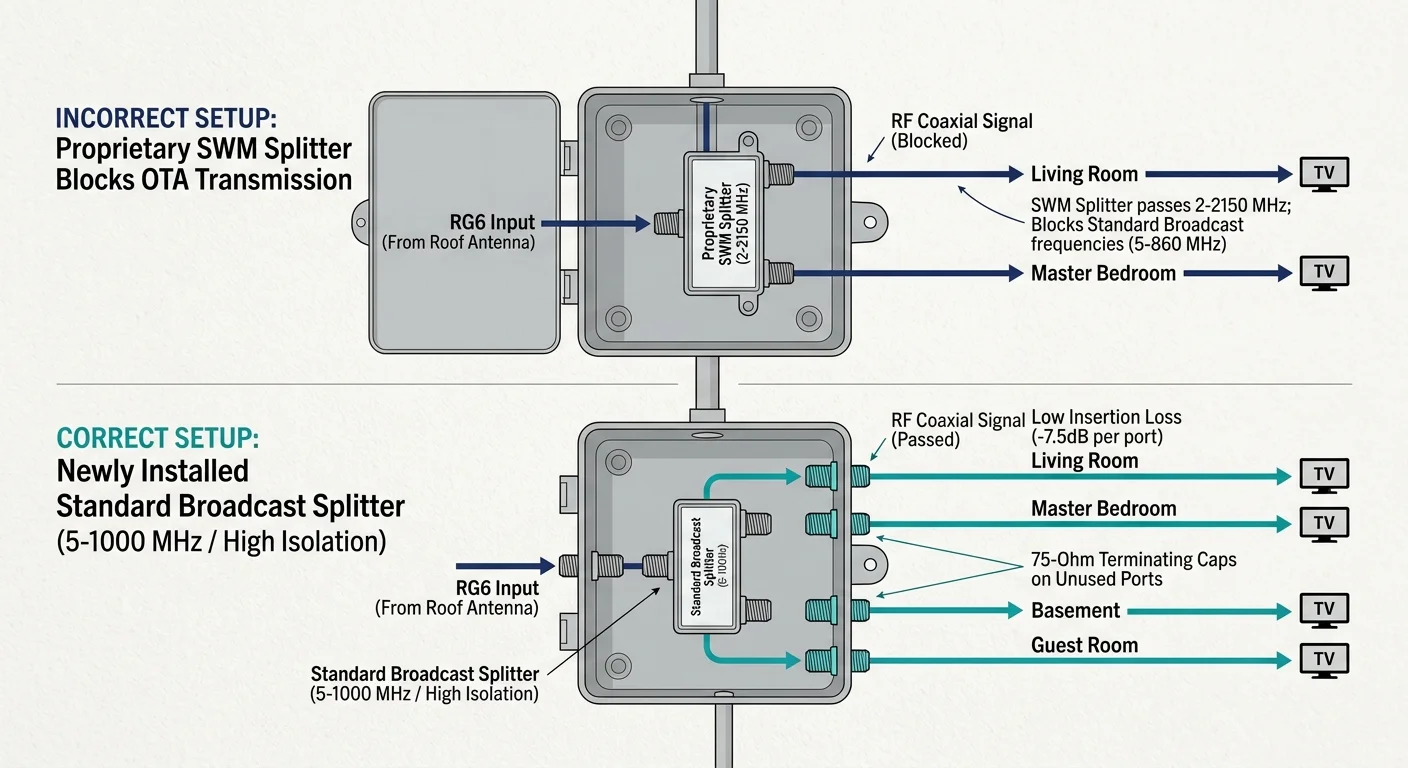
Reconfiguring Splitters and In-Wall RG6 Coaxial Distribution
To convert satellite cable to hdtv antenna delivery, you must replace the core distribution splitters. Satellite splitters cannot process standard over-the-air frequencies effectively.
Satellite splitters carry labels such as SWM-4 or SWM-8 and operate across a 2 MHz to 2150 MHz frequency range. However, their internal circuitry includes proprietary power-passing diodes and severe attenuation below 500 MHz.
Standard broadcast signals require frequencies between 54 MHz and 608 MHz. Passing these broadcast waves through a satellite switch introduces heavy signal loss, leaving your television with pixelated images.
Locate the primary splitter inside your basement, garage, or outdoor junction box. Remove the satellite splitter and install an all-ports-open passive digital TV splitter rated for 5 MHz to 1000 MHz.
Attach the primary feed line coming down from your roof antenna to the port labeled Input on your new splitter. Connect the pre-wired lines running to your individual rooms into the Output ports.
If your home contains four pre-wired room outlets but you only use two televisions, install 75-ohm F-type termination caps on the unused splitter ports. Open ports create signal reflection that ruins reception.
Existing satellite installations almost universally use 75-ohm RG6 coaxial cable. This heavy-duty shielding prevents interference from household Wi-Fi networks and cellular signals.
When you use satellite dish coax for antenna distribution, you gain clean low-loss lines without drilling through hardwood floors or fishing wires through exterior walls.
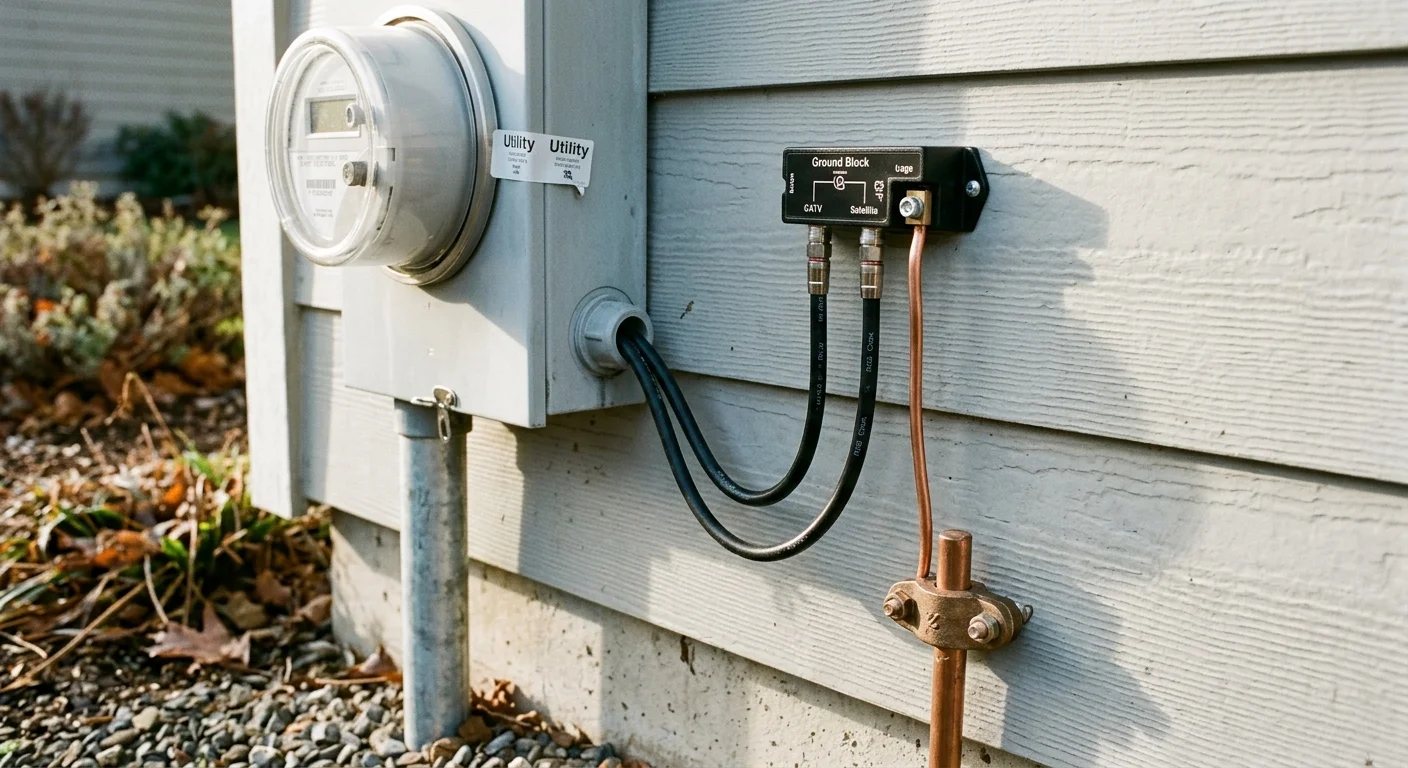
Meeting Grounding Standards and Electrical Safety Codes
Outdoor antennas collect static electrical charges from wind and atmosphere. Proper electrical bonding channels static safely into the earth and protects your connected electronics from nearby lightning strikes.
The National Electrical Code under NEC Article 810 mandates structural grounding for all outdoor masts and signal lead-in cables. Never skip this life-safety standard when repurposing satellite mounts.
Satellite installers generally bond the original mast to your home ground electrode system. Inspect the foot of the mast for a bare copper or green insulated 10 AWG copper ground wire.
Follow the ground wire to verify its termination. The wire must connect directly to your home electrical service ground electrode, an Intersystem Bonding Termination block, or a six-foot driven ground rod.
If the existing satellite grounding wire appears corroded, cracked, or disconnected, replace it with new 10 AWG solid copper wire. Clamp the wire firmly to the mast using an electrical pipe grounding clamp.
Your RG6 coaxial feed line must also pass through a 75-ohm coaxial grounding block before entering your home envelope. Install this discharge unit as close as practicable to the wall penetration point.
Run a continuous ground lead from the coaxial grounding block to the same grounding electrode used for the mast. Never bond antenna components to gas pipes, flexible conduit, or interior plumbing lines.
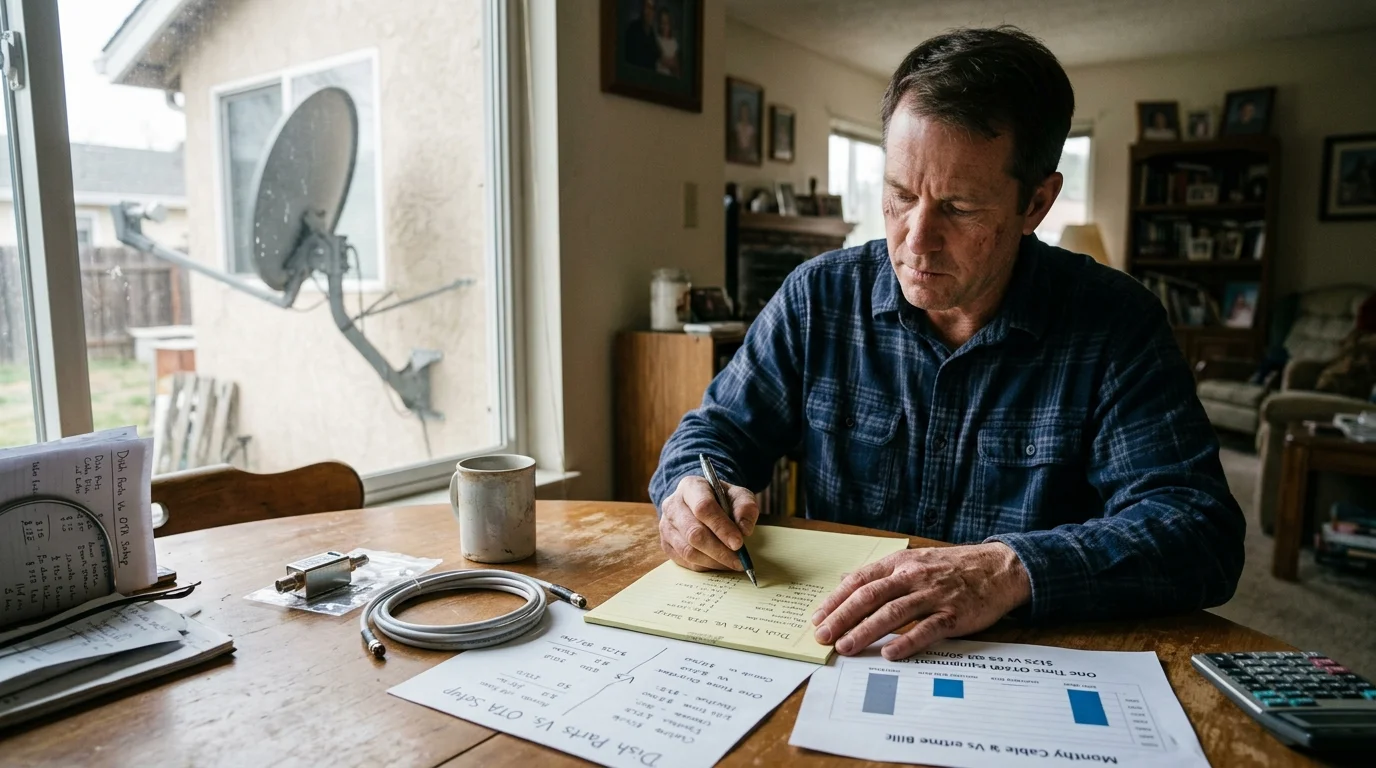
Equipment Costs and Long-Term Savings Analysis
Repurposing satellite equipment eliminates the largest expenses associated with whole-home antenna installations: running structural cabling, mounting heavy roof brackets, and drilling exterior penetrations.
Professional antenna technicians frequently charge between $350 and $600 for labor, mounting brackets, and custom in-wall coaxial pulls. Completing the conversion yourself uses existing capital assets.
| Component | Original Satellite Hardware | Replacement OTA Hardware | Functional Difference |
|---|---|---|---|
| Roof Mast | 2.0″ OD DirecTV SlimLine steel pipe | Existing mast plus 1.25″ adapter sleeve | Adapts heavy mast to fit standard antenna U-bolts |
| Signal Splitter | DirecTV SWM 2-2150 MHz switch | Bidirectional 5-1000 MHz digital splitter | Eliminates high-frequency attenuation below 500 MHz |
| Power Supply | 21V or 29V SWM DC power inserter | None (Passive system) | Prevents catastrophic electrical damage to TV tuners |
| Distribution Wire | Quad-shield 75-ohm RG6 coaxial cable | Reused existing in-wall RG6 runs | Identical impedance; zero cable replacement cost |
Consider a fully worked conversion scenario for a suburban home with four room jacks. In this setup, you replace the DirecTV dish with an outdoor multi-directional antenna system.
The conversion requires one ClearStream 2MAX antenna for $69.99, one 2.0-inch to 1.25-inch mast adapter for $18.50, and an Antronix four-way digital splitter for $11.50.
You also purchase a pack of 75-ohm F-type terminators for $6.25 and two weatherproof coaxial compression connectors for $8.75. Your total hardware expenditure comes to exactly $114.99.
According to long-term cost studies published by Consumer Reports, the average pay-TV subscriber spends $135 monthly on proprietary broadcast fees, equipment rentals, and basic programming.
By replacing satellite delivery with free local broadcast channels, your initial $114.99 hardware investment pays for itself in less than 27 days. Over five years, you retain $8,100 in saved subscription fees.
Scanning Channels and Integrating with Modern Streaming Hardware
Once you secure your connections, you can finalize your transition to cord-cutting, which means canceling traditional cable or satellite TV in favor of streaming services. Every room now has access to free broadcast television.
A smart TV is a television with a built-in internet connection and apps. Connect the wall jack coaxial cable directly to the RF connector labeled Antenna In or Air on the back of your television.
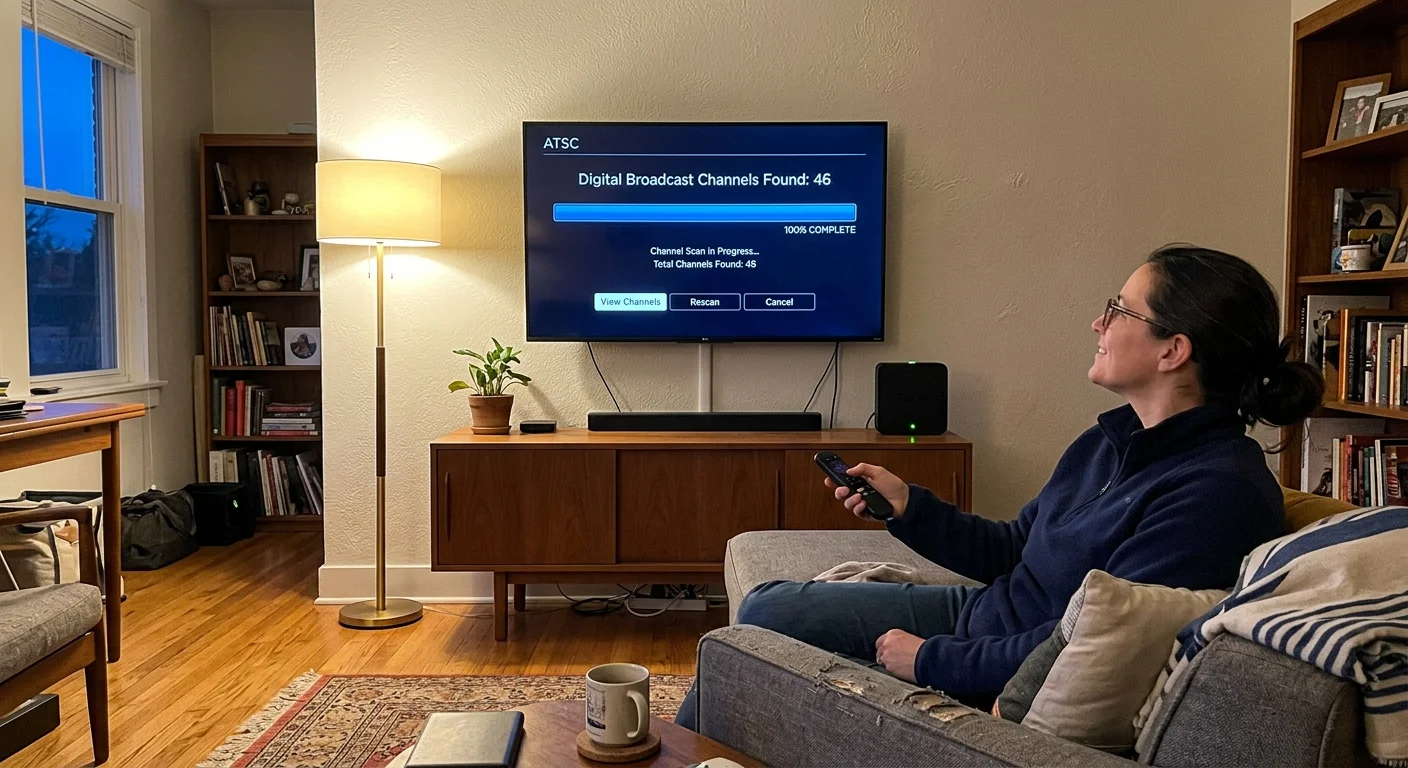
Access your television settings menu using your remote control. Select the tuner input mode, set the channel source to Antenna or Air rather than Cable, and launch an automatic channel scan.
Your television tuner scans the 54 MHz to 608 MHz frequencies, cataloging major networks like CBS, NBC, ABC, FOX, PBS, and independent regional channels. Most suburban locations pull between 35 and 70 distinct channels.
The Federal Communications Commission requires television stations to simulcast standard ATSC 1.0 digital broadcasts through at least July 17, 2027. Your standard digital tuner remains fully supported without buying converter boxes.
If you prefer distributing broadcast signals across Wi-Fi rather than individual coaxial jacks, install a networked tuner like an HDHomeRun or Tablo directly at the primary coaxial entry point.
Streaming is the process of watching video content over the internet instead of through cable or satellite wires. A streaming device, such as a Roku, Apple TV, or Fire TV stick, adds streaming apps to any television.
As documented in home theater reviews by CNET, pairing a whole-home antenna with a digital DVR allows you to record live broadcasts and stream them to mobile devices.
A DVR, or digital video recorder, lets you record and watch shows later. This hardware provides an on-demand experience, meaning you can watch whatever programs you want whenever you choose.
You can balance free broadcast channels with ad-supported streaming services, which are free or cheaper plans that display commercials, or choose ad-free plans that cost more but eliminate all promotional interruptions.
Before terminating your legacy satellite service, contact your provider to avoid hidden penalties. Request a clear list of equipment requiring return, such as set-top boxes, external hard drives, and client receivers.
Providers generally offer a 21-day return window using prepaid shipping boxes. Satellite companies rarely request the return of the outdoor dish or mast, leaving that physical hardware permanently yours to repurpose.
Frequently Asked Questions
Can I use my existing satellite dish coaxial cable for a TV antenna?
Yes, satellite installations rely on high-grade 75-ohm RG6 coaxial cable. This wiring carries standard VHF and UHF digital broadcast television frequencies without signal degradation or interference.
Can I leave the DirecTV power inserter connected to boost my antenna signal?
No, you must unplug and remove the satellite power inserter immediately. Connecting 21 to 29 volts of direct current to a standard TV tuner will permanently destroy the television’s internal receiver circuitry.
Why will my antenna not fit on my DirecTV roof mast?
DirecTV SlimLine masts measure 2.0 inches in outer diameter, whereas standard antenna U-bolt brackets accommodate pipes up to 1.5 inches. You must use a 2.0-inch to 1.25-inch mast adapter sleeve or wider U-bolts.
Will my homeowners association fine me for installing an antenna on my roof mast?
No, the FCC Over-the-Air Reception Devices (OTARD) rule prevents homeowners associations from banning antennas measuring one meter or less. You have a federally protected right to mount an antenna on your mast.
Disclaimer: Cable and streaming prices vary by location and change frequently. The cost comparisons in this article are estimates based on typical pricing. Your actual savings will depend on your current cable package, internet costs, and which streaming services you choose.