
You can permanently end the daily living room battle over Spanish dubs and English subtitles on your shared television. Setting user profiles correctly in your streaming apps locks each viewer’s preferred language without affecting anyone else in your home.
In San Antonio households where abuelos watch novelas and kids stream cartoons on the same screen, simple menu changes fail. Most guides mistakenly tell you to change your smart TV interface language, which disrupts playback for everyone.
By configuring backend profile audio parameters inside Netflix, ViX, and Peacock, you eliminate manual audio toggling forever. Here is the exact setup procedure that keeps your family streaming smoothly.
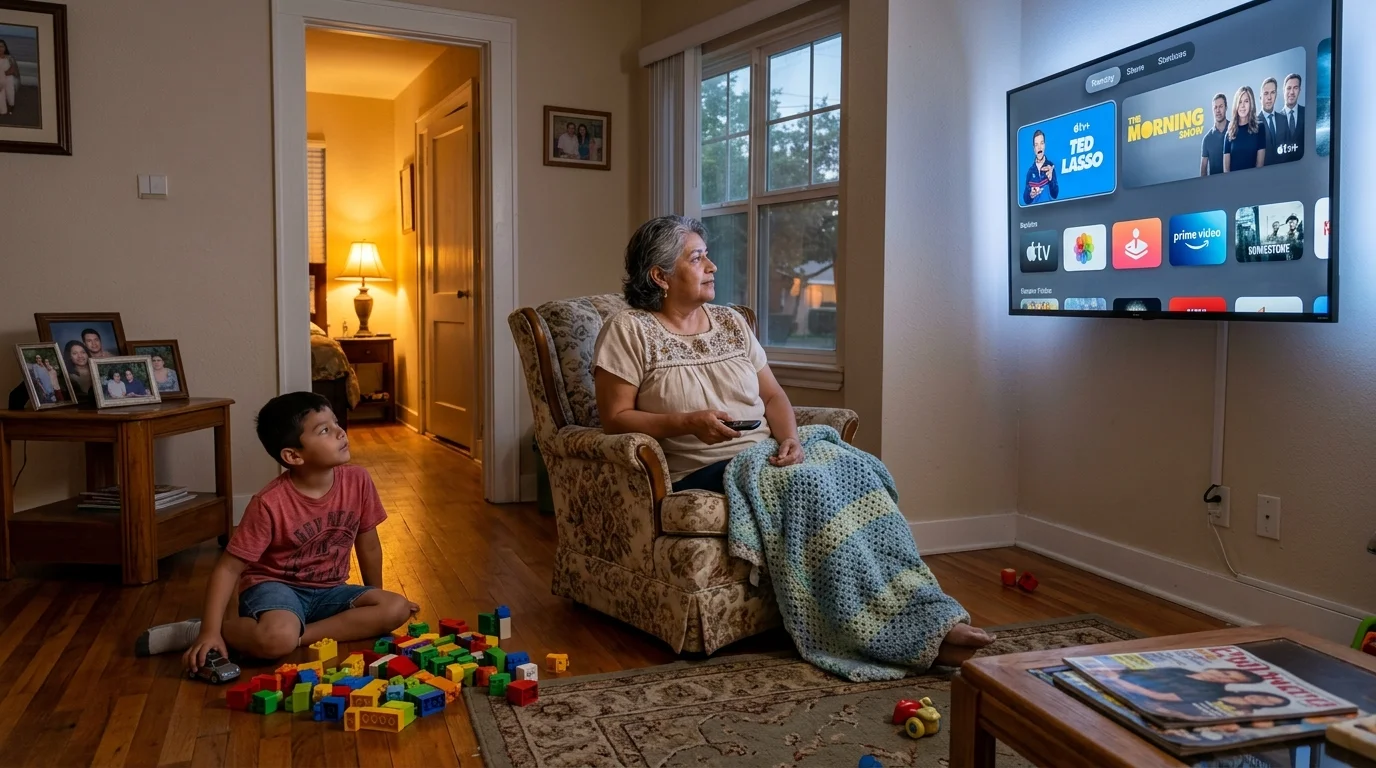
The San Antonio Living Room Dilemma: Shared Hardware, Divergent Languages
Multigenerational living defines thousands of homes across South Texas, bringing unique entertainment habits under one roof. The living room television serves as the central hub for family members with vastly different linguistic preferences.
Older relatives often prefer Spanish dialogue, while school-age children watch almost exclusively in English. This dynamic creates constant friction whenever someone starts a new movie or television series.
This setup relies on streaming—watching video content over the internet instead of cable or satellite. Families adopt cord-cutting, which means canceling traditional cable or satellite TV in favor of streaming services, to lower monthly utility bills.
However, shared hardware complicates this transition. A smart TV is a television with a built-in internet connection and apps, while a streaming device is a small box or stick like Roku or Fire TV that adds streaming to any TV.
When multiple generations share one device, audio settings frequently clash. A grandchild switches a cartoon to English audio, inadvertently stripping Spanish dialogue from the grandmother’s prime-time drama.
Data highlights the scale of this bilingual viewing routine across the country. According to Nielsen’s September 2025 Hispanic viewership report, streaming accounts for 55.8% of total television viewing time among Hispanic households in the United States.
That volume surpasses the non-Hispanic general population benchmark of 46%. Bilingual households spend substantial daily hours navigating multi-app interfaces across shared screens.
Furthermore, Horowitz Research found in their 2024 study that 75% of Latine viewers watch Spanish content regularly. In addition, 66% of bilingual viewers identify Spanish-language availability as a decisive purchasing factor.
The problem is rarely a shortage of Spanish audio tracks. The true challenge lies in preventing individual streaming apps from overriding preferences across household profiles.

Platform Matrix: Comparing ViX Premium, Netflix, and Peacock for Bilingual Households
Streaming services handle multi-language profiles and audio tracks with varying degrees of success. Some platforms isolate profile audio preferences entirely, while others link audio tracks to the physical device.
Understanding these differences helps you avoid spending money on services that frustrate older relatives. It also ensures you choose platforms with appropriate simultaneous stream allowances.
Platforms divide their subscription plans into distinct commercial tiers. You can choose ad-supported plans, which are cheaper plans that show commercials, or ad-free plans that cost more but do not show commercials.
The table below outlines technical specifications, pricing tiers, and language retention capabilities across the three leading bilingual services in the United States market.
| Streaming Service & Tier | Monthly Cost | Annual Cost & Savings | Profile Limit / Concurrent Streams | Bilingual Audio Isolation Capability |
|---|---|---|---|---|
| ViX Premium (Ad-Supported) | $6.99/mo | N/A | 5 profiles / 2 streams | High (native Spanish content requires no audio toggle) |
| ViX Premium (Ad-Free) | $10.99/mo | $84.99/yr ($46.89 savings) | 5 profiles / 4 streams | High (native Spanish content requires no audio toggle) |
| Netflix Standard with Ads | $8.99/mo | N/A | 5 profiles / 2 streams | Excellent (isolated audio and subtitle profiles) |
| Netflix Standard (Ad-Free) | $19.99/mo | $239.88/yr (No annual discount) | 5 profiles / 2 streams | Excellent (isolated audio and subtitle profiles) |
| Netflix Premium (4K Ultra HD) | $26.99/mo | $323.88/yr (No annual discount) | 5 profiles / 4 streams | Excellent (isolated audio and subtitle profiles) |
| Peacock Premium (With Ads) | $7.99/mo | $79.99/yr ($15.89 savings) | 6 profiles / 3 streams | Moderate (requires manual track lock per session) |
| Peacock Premium Plus (Ad-Free) | $13.99/mo | $139.99/yr ($27.89 savings) | 6 profiles / 3 streams | Moderate (requires manual track lock per session) |
Independent testing confirms that platform profile isolation directly dictates daily household convenience. As PCMag’s streaming services analysis demonstrates, profile personalization features vary significantly between general-entertainment giants and regional specialty platforms.
Netflix offers the most robust server-side profile separation on the market. ViX provides the deepest catalog of native Spanish video, while Peacock bridges live broadcast sports with bilingual commentary.

Configuring Netflix: Decoupling Display Menus from Audio Defaults
Netflix separates language settings into two independent layers within its profile database. Failing to recognize this division causes the common audio reset problem on shared living room TVs.
The first layer is the “Display Language,” which controls menu text, category headers, and row descriptions. The second layer is “Shows & Movies Languages,” which controls the audio tracks and subtitles Netflix selects during playback.
If you change only the Display Language to Spanish, Netflix translates the menus. However, it may continue playing audio in English if the background audio preferences remain unconfigured.
To configure bilingual streaming settings properly, you must access your Netflix account through a desktop or mobile web browser. The native TV app hides the advanced audio configuration menu.
- Open a web browser, navigate to Netflix, and sign in to your primary account.
- Click your profile icon in the top right corner and select Manage Profiles.
- Select your Spanish-speaking relative’s profile icon to open profile preferences.
- Under Display Language, choose Español so menus, movie titles, and navigation options appear in Spanish.
- Scroll down to the Shows & Movies Languages section.
- Check the box next to Español, and uncheck languages your relative does not speak.
- Select Save at the bottom of the screen to commit your changes to the cloud database.
This configuration updates your relative’s profile across all devices connected to the account. Netflix now checks the audio preference flag whenever that profile launches a title.
If a movie contains an original Spanish track or a Spanish dub, the platform automatically streams Spanish audio defaults streaming tracks instantly. Your children can use their own profile on the same screen without encountering Spanish audio on their shows.
“Profiles are only as effective as the account-level settings backing them up. Configuring audio defaults in a browser prevents daily remote-control conflicts.” — Streaming Tech Specialist
Netflix also maintains a dynamic playback memory cache for each profile. If a viewer selects a specific subtitle or audio track during a movie, Netflix remembers that preference for future viewing sessions.
By creating separate profiles for English-speaking kids and Spanish-speaking grandparents, the Netflix algorithm maintains distinct playback histories. Neither viewer overrides the other viewer’s preferred language defaults.

Configuring ViX Premium: Managing Native Spanish Libraries on Shared Devices
ViX handles language management differently than English-first streaming platforms. The service focuses almost exclusively on Spanish-language content, offering over 20,000 hours of original productions, news, and sports.
When analyzing vix vs netflix spanish content, the core difference lies in content production origins. Netflix primarily provides Spanish dubs over Hollywood productions alongside select international hits like Money Heist.
Conversely, ViX features native-first Mexican, Colombian, and pan-Latino productions produced by TelevisaUnivision. Most programs on ViX do not require audio switching because they are filmed in Spanish.
ViX features on-demand video, which lets you watch whatever you want, whenever you want. You can watch full telenovela seasons without waiting for weekly broadcast schedules.
The platform supports up to 5 user profiles on a single account. Creating individual profiles inside ViX keeps individual watchlists and continue-watching queues neatly separated.
- Launch the ViX app on your smart TV or streaming media player.
- Navigate to the left-hand navigation sidebar and select the active profile icon.
- Click the Add Profile button represented by the plus symbol.
- Enter the name of your Spanish-speaking family member and assign a distinctive avatar.
- Toggle parental controls if the profile belongs to young children to filter adult dramas.
- Select Save Profile to store the user configuration.
Unlike Netflix, ViX does not maintain a secondary audio language selection menu for most titles. English audio tracks appear exclusively on licensed Hollywood studio movies acquired for the platform.
For those imported films, ViX defaults to the Spanish dubbed audio track automatically. If your English-dominant children watch those titles, they must manually switch the audio track to original English through the on-screen player.
To avoid confusing older relatives, dedicate ViX entirely to Spanish-language family members. Let your English-speaking children watch imported studio titles through services that offer dedicated English profiles.
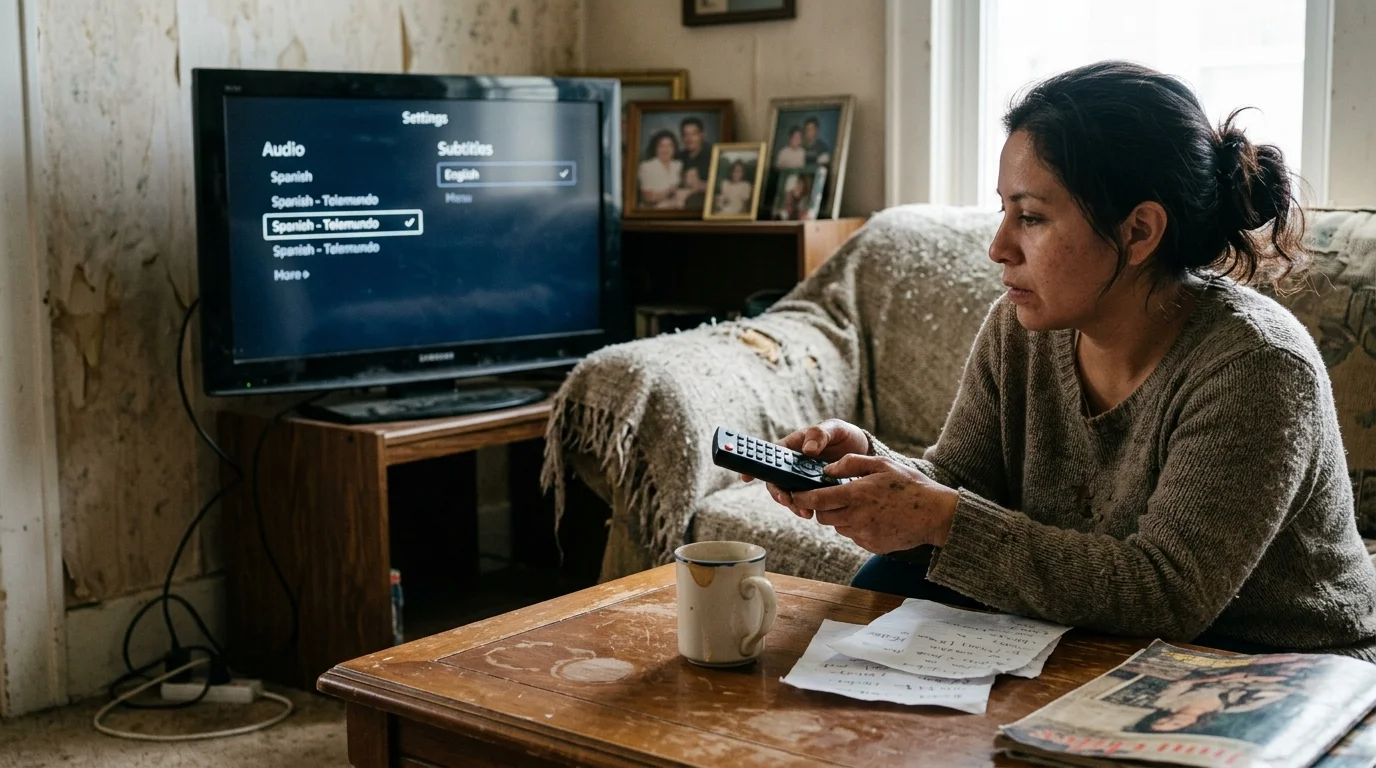
Configuring Peacock: Locking Telemundo Audio and English Subtitles
Peacock serves as the streaming home for NBCUniversal, providing access to extensive English catalogs alongside a dedicated Telemundo hub. It is a critical app for soccer fans seeking Liga MX and Premier League en Español coverage.
However, Peacock uses a playback system that stores audio choices in local device memory. Unlike Netflix, it does not offer a separate browser setting to enforce preferred audio languages on specific profiles.
Peacock profiles store your display language, but audio tracks require an initial manual configuration during playback. Once selected, the player retains that language choice for that specific profile on that device.
- Open Peacock on your smart TV and choose your family member’s profile.
- Navigate to the Telemundo hub from the top menu or side navigation panel.
- Start playback on any on-demand Telemundo drama or soccer broadcast.
- Press the Down arrow or Select button on your remote control to open playback controls.
- Select the Audio & Subtitles dialogue box icon on the lower edge of the screen.
- Under the Audio column, set the track to Spanish (or Spanish SAP for live feeds).
- Under the Subtitles column, choose English if younger family members are watching along.
Peacock also streams live broadcasts from Telemundo stations across the United States. Live streams lack traditional cloud DVR, a digital video recorder that lets you record and watch shows later.
Live streams feature secondary audio programming (SAP) embedded directly inside the video feed. When watching live sports, you must verify that your smart TV audio settings pass through the primary or secondary stream.
According to Tom’s Guide’s streaming platform tests, Peacock provides exceptional value for soccer fans. However, the app requires occasional audio re-verification following system updates.
When Peacock updates its smart TV application, cached player preferences sometimes reset to default settings. If Spanish audio reverts to English after an update, repeat the in-player audio selection to re-establish the preference lock.

Smart TV and Hardware Settings to Prevent Remote Overwrites
Configuring your streaming profiles is only half the battle. Physical streaming hardware often overrides in-app settings through global system accessibility controls.
Roku, Amazon Fire TV, and Apple TV devices feature operating-system-level language settings. If these hardware controls are misconfigured, they force English audio or unintended subtitles over your streaming apps.
For example, pressing the asterisk button on a Roku remote opens the system settings overlay. Family members frequently press this button accidentally, enabling global closed captions that disrupt streaming profiles.
To avoid hardware-level language conflicts on Roku devices, configure system accessibility defaults through the following steps.
- Press the Home button on your Roku remote control.
- Scroll down to select Settings, then choose Accessibility.
- Select Captions mode and change the setting to Off instead of “On always.”
- Navigate to Captions preferred language and select Spanish if abuelos control the TV most often.
- Return to Settings, choose Audio, and set Preferred streaming audio language to Spanish.
Setting the hardware audio language to Spanish tells every installed app to look for a Spanish audio track first. When English-speaking kids launch Netflix, their configured Netflix profile overrides the Roku default with English.
When your Spanish-speaking relative opens any app without deep profile settings, the hardware requests the Spanish track automatically. This system architecture provides a reliable fallback layer for your living room.
Streaming hardware reliability varies significantly across major manufacturers. As Consumer Reports’ streaming device evaluations show, dedicated streaming players provide more consistent accessibility setting retention than entry-level built-in smart TV operating systems.
If you use an Apple TV 4K, open Settings > Accessibility > Subtitles and Captioning. Ensure “Closed Captions and SDH” matches your household’s primary subtitle preference.
On Amazon Fire TV devices, navigate to Settings > Preferences > Language. Setting the system language to Spanish simplifies voice search for older relatives using the Alexa voice remote.
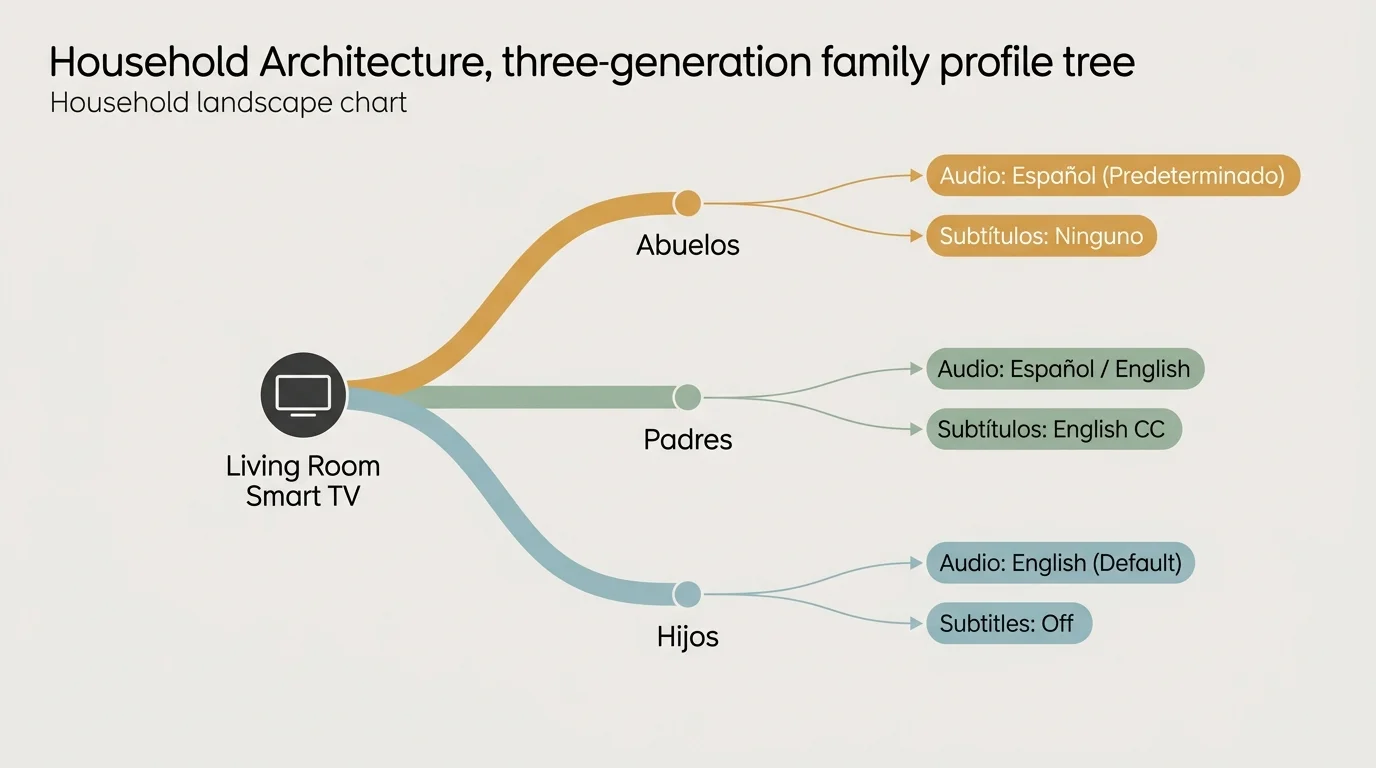
A Worked Household Example: San Antonio Three-Generation Profile Architecture
Consider the Ramirez family living on the West Side of San Antonio. The home includes Carlos and Elena, both 42, their children Mateo (10) and Camila (7), and Carlos’s mother, Sofia (68).
The entire family shares a single 65-inch 4K smart TV in the central living room. Sofia watches telenovelas on ViX and Telemundo daytime programming on Peacock while the children attend school.
When Mateo and Camila return home, they watch animated series on Netflix. Carlos and Elena stream sports on Peacock and bilingual international crime dramas on Netflix in the evening.
Before configuring their profiles properly, the family experienced constant language resets. Sofia struggled to locate Spanish audio tracks on Netflix, and the children complained when cartoons started in Spanish.
The family lost an average of 3 minutes per viewing session searching through playback menus. With 4 distinct daily viewing sessions, the family wasted 12 minutes daily—totaling 73 hours lost per year.
The family implemented a unified profile architecture across three key streaming subscriptions. They chose Netflix Standard with Ads ($8.99/mo), ViX Premium Annual ($84.99/yr or $7.08/mo), and Peacock Premium Annual ($79.99/yr or $6.67/mo).
Their total entertainment expenditure equals $22.74 per month, or $272.86 annually. In contrast, their previous San Antonio cable bundle cost $115 monthly, or $1,380 annually, generating an annual savings of $1,107.14.
They configured the streaming accounts using the following profile structure:
- Profile 1: “Abuela Sofia”
- Netflix Display Language: Español
- Netflix Shows & Movies Audio: Español (exclusive)
- ViX: Primary Profile 1
- Peacock: Telemundo hub shortcut pinned, Spanish audio locked
- Profile 2: “Mateo & Camila”
- Netflix Display Language: English
- Netflix Shows & Movies Audio: English (exclusive)
- Netflix Maturity Rating: TV-Y7 / PG
- ViX: App restricted via profile PIN
- Peacock: Kids profile with English default audio
- Profile 3: “Carlos & Elena”
- Netflix Display Language: English
- Netflix Shows & Movies Audio: Spanish and English selected
- Subtitles: Spanish (to facilitate shared viewing with Sofia)
- Peacock: Sports hub pinned for Premier League and Liga MX
By investing 20 minutes into configuring these backend profile settings, the family eliminated audio resets entirely. Sofia launches her profile and receives immediate Spanish playback without touching player settings.
Mateo and Camila launch their profile and enjoy English audio automatically. The family saves over $1,100 annually while maintaining peace in their living room.

Which Service Combination Delivers the Best Value for Multigenerational Families?
Selecting the right streaming bundle depends on your household’s viewing balance between live broadcasts, sports, and scripted dramas. No single streaming service satisfies every bilingual household requirement.
ViX Premium delivers unmatched value for homes focused on authentic Mexican and Latin American culture. At $84.99 per year for the ad-free plan, it costs far less than traditional Spanish cable add-on packages.
Is ViX Premium worth it? Yes, especially for households with older relatives who watch telenovelas, Liga MX matches, and Univision news programming daily.
Is Netflix worth it for bilingual households? Despite price increases bringing Netflix Standard with Ads to $8.99 per month and ad-free to $19.99, it remains indispensable for children’s entertainment.
Netflix offers the world’s most sophisticated multilingual dubbing infrastructure for family films and animated shows. Its profile isolation ensures children and grandparents share hardware without technical frustration.
Peacock fills the broadcast television and sports gap at an affordable annual rate of $79.99 with ads. It delivers access to live Telemundo broadcasts, World Cup qualifiers, and Premier League matches with Spanish commentary.
For most multigenerational families in South Texas, the optimal pairing is Netflix Standard with Ads combined with ViX Premium Ad-Free. This combination costs approximately $16.07 per month combined.
This pairing provides older relatives with commercial-free Spanish entertainment on ViX while giving children thousands of dual-audio titles on Netflix. It maximizes entertainment variety while keeping monthly costs predictable.
Frequently Asked Questions
Why does Netflix keep switching audio back to English after I select Spanish?
Netflix resets your language preference when you switch tracks inside the video player without updating profile defaults. You must log in via a web browser and check Spanish under “Shows & Movies Languages” in Profile Settings.
Can ViX Premium profiles have completely different parental control PINs?
ViX allows you to set a master account parental control PIN that locks adult content across specific profiles. However, individual secondary profiles do not feature independent access PINs like Netflix profiles do.
Do Spanish audio settings on my living room TV sync to my mobile phone app?
On Netflix, cloud-based audio preferences sync automatically across all smart TVs, tablets, and mobile phones. On Peacock, audio selections often remain cached locally on the specific device until configured on your mobile phone.
Does Peacock allow you to watch live Telemundo soccer matches with English commentary?
Most Telemundo sporting events on Peacock stream exclusively with original Spanish-language broadcast commentary. Select major simulcasts provide an alternate English audio track via the in-player audio selection menu.
Disclaimer: Streaming service prices, content libraries, and features change frequently. Prices shown were accurate at time of writing but may have changed. Always verify current pricing on the official service website before subscribing.