

The landscape of streaming, or watching video content over the internet instead of traditional cable or satellite, constantly evolves. With countless services offering a vast array of content, many viewers feel overwhelmed by options and frustrated by rising costs. Smart strategies for using free trials can significantly reduce your entertainment expenses and ensure you only pay for content you actively watch. This guide delivers practical steps to help you navigate the streaming world and maximize your savings.

How Free Trials Transform Your Streaming Strategy
Free trials represent a golden opportunity to experience a service without commitment. Most major streaming platforms offer them, typically ranging from 7 to 30 days. These trials allow you to sample content, evaluate the user interface, and decide if a service genuinely meets your viewing habits before you spend a single dollar. Using free trials streaming wisely prevents “subscription creep,” which is the gradual accumulation of multiple streaming subscriptions you barely use.
Think of each free trial as a limited-time pass to a content library. By approaching these trials strategically, you can enjoy premium content for free for extended periods throughout the year. For instance, if you want to catch up on a specific series on a service like Max, you can sign up for its typical 7-day trial, binge the show, and cancel before the billing cycle begins. This method ensures your entertainment budget remains focused and efficient.

Mastering the “Trial Marathon”: Your Binge-Watching Blueprint
The “trial marathon” is a powerful trial strategy that allows you to rotate through services, maximizing your access to diverse content without maintaining multiple paid subscriptions simultaneously. This approach is particularly effective for those who enjoy binge-watching specific shows or movies rather than following ongoing weekly series.
Here is how to implement a successful trial marathon:
- Identify Your Must-Watch Content: Before you sign up for any service, make a list of the shows or movies you want to watch and identify which streaming platform hosts them.
- Prioritize by Trial Length and Content Volume: Start with services offering longer trials (e.g., Hulu often provides 30 days) or those with content you can quickly consume.
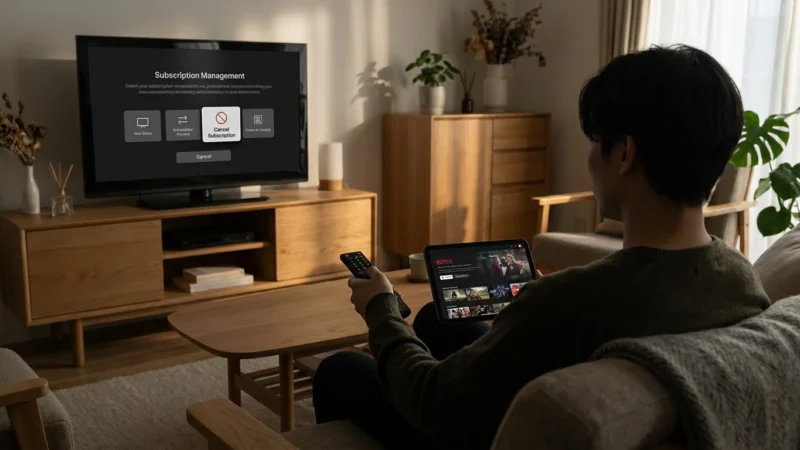
- Calendar Your Trials: Mark the start and end dates of each trial on your calendar. Set a reminder at least 24-48 hours before the trial expires to give you ample time to cancel. This step is crucial for preventing unwanted charges.
- Binge and Cancel: Sign up for a service’s free trial. Immerse yourself in the content you identified. Once you finish or decide the service is not worth the subscription, cancel your trial before the billing date.
- Rotate to the Next Service: After canceling, move to the next service on your list that offers a free trial. This methodical rotation allows you to access a continuous stream of new content for free.
“Approach streaming free trials like a seasonal harvest. Consume the best content available during its limited window, then move on to the next field of entertainment. This prevents overspending and keeps your viewing fresh.”
This best streaming free trial strategy works because most services are eager to attract new subscribers. They offer trials to showcase their value, expecting some users to convert to paid subscriptions. Your goal is to leverage that opportunity to your advantage.

Optimizing Your Trial Period: Maximize Every Moment
Once you activate a free trial, every day counts. Optimize your viewing and evaluation process:
- Clear Your Schedule: If you are starting a 7-day trial for a service like Starz, plan to dedicate specific evenings or a weekend to watch the content you want.
- Explore the Full Library: Go beyond your initial target show. Dive into the service’s full catalog, including movies, documentaries, and original series. Check out different genres to see the breadth of content.
- Test Features: Explore specific features. Can you download content for offline viewing? Does it offer 4K HDR? How user-friendly is the search function? These elements contribute to the overall value.
- Assess Value for Money: During your trial, consider what a paid subscription would cost. Does the content library justify the monthly fee, or do you only care about one or two shows?
- Set Cancellation Reminders: Use your phone’s calendar or a dedicated app to remind you of the trial’s end date. Always aim to cancel a day or two early to avoid any last-minute issues.
Many people sign up for a trial, forget about it, and get charged. By being diligent with your reminders and planning, you maintain control over your spending and truly benefit from free streaming opportunities.

Beyond Trials: Smart Subscription Management and Cost Savings
Even when a free trial ends, you have many options to save money on streaming. The key is to be proactive and informed about various deals and settings.
Consider Annual Plans
Most streaming services offer a discount if you pay annually instead of monthly. For example, a service costing $10 per month totals $120 per year. An annual plan might cost $100, saving you $20 or roughly two months free. This strategy works best for services you use consistently year-round.
Here’s a comparison of typical monthly vs. annual savings:
| Service Example | Monthly Cost (Estimated) | Annual Cost (Estimated) | Annual Savings (Estimated) |
|---|---|---|---|
| Hulu (Ad-Supported) | $7.99 | $79.99 | $15.89 (approx. 20%) |
| Max (Ad-Supported) | $9.99 | $99.99 | $19.89 (approx. 17%) |
| Paramount+ Essential | $5.99 | $59.99 | $11.89 (approx. 16%) |
(Note: Prices are illustrative and subject to change. Always verify current pricing.)
Explore Bundle Deals
Bundles combine multiple services at a reduced price compared to subscribing individually. The Disney Bundle, for instance, typically includes Disney+, Hulu (ad-supported), and ESPN+ for a single monthly fee. This bundle often saves you around 30-40% compared to subscribing to each service separately.
Another popular option is Paramount+ with a Walmart+ subscription. If you already benefit from Walmart+’s shopping perks, adding Paramount+ becomes a nearly free bonus. Always check if a bundle aligns with your existing habits before committing.
Utilize Discounts and Promotions
Many services offer special discounts:
- Student Discounts: Services like Hulu and Spotify (with Hulu and Showtime) provide significant student discounts, often reducing monthly costs by 50% or more. Verify eligibility with your student ID.
- Military and First Responder Discounts: A few services extend discounts to military personnel and first responders. Always inquire or check their help pages.
- Seasonal Promotions: Keep an eye out for Black Friday, Cyber Monday, or holiday deals. Services frequently offer reduced prices for the first few months or even annual subscriptions.
- Carrier Deals: Mobile phone providers (like Verizon or T-Mobile) and internet service providers sometimes bundle streaming services into their plans at no extra cost or a reduced rate. Check your current provider’s offerings.

Unlocking Value from Ad-Supported Tiers
Many services offer cheaper “ad-supported” plans, meaning they show commercials during playback. While some viewers prefer “ad-free” plans, which cost more but do not show commercials, ad-supported tiers can provide excellent value if you manage your expectations. For example, a Hulu ad-supported plan can save you several dollars a month compared to its ad-free counterpart.
Here’s how to make the most of ad-supported streaming:
- Embrace the Breaks: Use commercial breaks to grab a snack, check your phone, or briefly step away without pausing your show.
- Content Still Matters: The content library is identical between ad-supported and ad-free tiers for most services. You still get access to all the same shows and movies.
- Cost-Benefit Analysis: Calculate how much you save monthly or annually by choosing the ad-supported tier. If the savings are substantial, the occasional commercials might be a small price to pay. For example, if an ad-supported plan costs $7.99 and an ad-free plan costs $14.99, you save $7.00 per month, or $84.00 per year, for tolerating ads.

Hidden Features and Settings to Enhance Your Experience
Most streaming services come packed with features you might not know about. Discovering and utilizing these can significantly improve your viewing experience and potentially save you time or data.
- Download for Offline Viewing: Many services, including Netflix, Max, and Disney+, allow you to download content to a mobile device. This is perfect for flights, commutes, or areas with poor internet. You save mobile data and ensure uninterrupted entertainment.
- Customize Subtitles and Audio: You can often change subtitle appearance (font size, color, background) and select different audio tracks (e.g., original language, descriptive audio for the visually impaired). Look for the “settings” or “audio and subtitles” icon during playback.
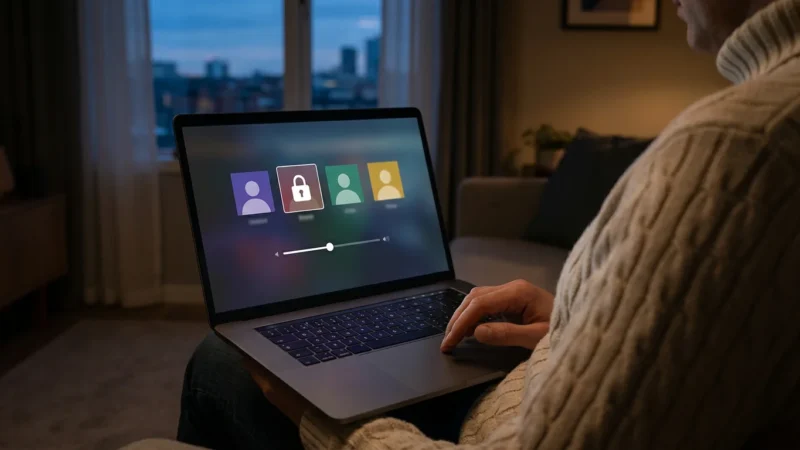
- Create Multiple Profiles: Most services let you create individual profiles. This helps personalize recommendations, track watch history, and keep your queues separate from other household members. This also helps with legal account sharing within your household, as each person has their own space.
- Data Usage Settings: If you have limited data or slow internet, adjust your streaming quality settings to a lower resolution (e.g., standard definition instead of high definition). This reduces buffering and data consumption.
- Watch Party/Co-Watching Features: Some platforms or browser extensions allow you to watch shows simultaneously with friends and family in different locations, often with synchronized playback and chat features.

Maintaining Quality: Internet Speed and Device Optimization
Even with the best streaming service and smart strategies, your viewing experience depends heavily on your internet connection and streaming setup. “Optimizing streaming quality” means ensuring smooth playback, sharp images, and clear audio.
Internet Speed Requirements
Your internet service provider (ISP) provides the “internet speed,” measured in megabits per second (Mbps). Different streaming activities require different speeds:
- Standard Definition (SD): 3-5 Mbps
- High Definition (HD): 5-8 Mbps
- 4K Ultra HD (UHD): 20-25 Mbps
If multiple people stream simultaneously or you use many internet-connected devices, you need more bandwidth. For a household with several users streaming in HD or 4K, an internet plan of at least 100-200 Mbps is advisable. You can easily test your current speed using free online tools.
WiFi Placement and Signal Strength
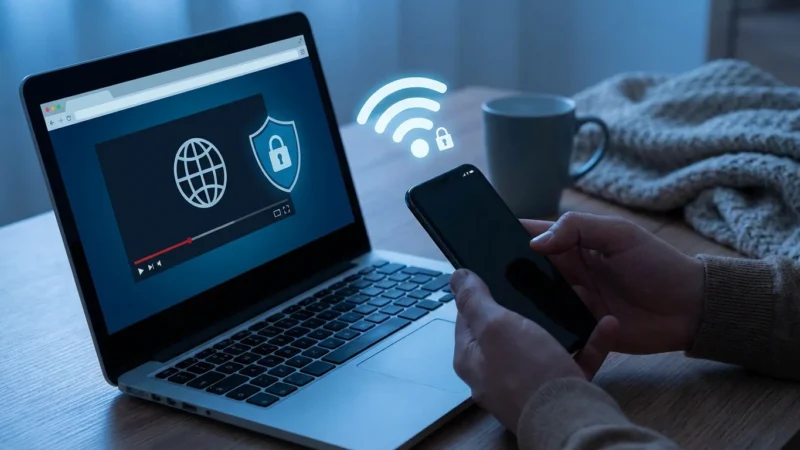
Your WiFi router’s location significantly impacts signal strength and speed. Place your router in a central location in your home, away from obstructions like thick walls, large metal objects, and other electronics that can cause interference. If your streaming device is far from the router, consider a WiFi extender or a mesh WiFi system to boost the signal. A direct Ethernet connection for your primary “streaming device” (a small box or stick like a Roku or Fire TV that adds streaming capabilities to any TV) or “smart TV” (a television with built-in internet connection and apps) will always provide the most stable connection.
Device Settings and Updates
- Update Your Devices: Keep your smart TV or streaming device’s software updated. Manufacturers regularly release updates that improve performance and fix bugs.
- Close Background Apps: On smart TVs and streaming devices, close any unused apps running in the background. They consume resources and bandwidth.
- Adjust Device Settings: Within your streaming device’s settings, you can often select preferred streaming quality. Set it to “auto” for most reliable playback, or manually choose a lower resolution if you experience frequent buffering.
Frequently Asked Questions
Can I keep getting free trials from the same service?
Generally, no. Most streaming services track your email address, payment method, and sometimes even your device IP address to prevent repeated free trial sign-ups. You typically get one free trial per unique account or household. Attempts to bypass this can sometimes lead to account issues.
What is “cord-cutting” and how do free trials help?
“Cord-cutting” refers to canceling traditional cable or satellite TV in favor of streaming services. Free trials are incredibly helpful in this transition because they allow you to test various live TV streaming services (like YouTube TV or Sling TV) or on-demand platforms to see which best replaces your cable experience, all without financial risk. This ensures a smooth transition to a cheaper, more flexible entertainment setup.
How do I make sure I don’t get charged after a free trial?
The most important step is to set a reminder on your calendar or phone at least 24-48 hours before the trial ends. Make a note of the exact date your trial expires when you sign up. When the reminder goes off, log into your account on the streaming service’s website or app and navigate to your subscription settings to cancel. Many services will offer you a final chance to stay, but remain firm if you intend to cancel.
Is it legal to share streaming accounts within my household?
Yes, sharing accounts with members of your immediate household is generally permissible and encouraged by most streaming services. Their terms of service typically define “household” as people living under the same roof. Sharing outside your household, however, often violates the terms of service and can lead to account suspension or limitations, as seen with recent Netflix policies. Always review the specific service’s terms.
What are the signs of a streaming scam?
Be wary of emails or texts that ask you to click suspicious links to “verify” your account or “update payment information,” especially if they threaten account closure. Legitimate streaming services communicate directly through their official websites or apps for critical account changes. Offers that seem too good to be true, like lifetime subscriptions for a low one-time fee, are also strong indicators of a scam. Always navigate directly to the service’s official website if you need to manage your account or payment information. The Better Business Bureau offers resources on how to spot and avoid common online scams.
Disclaimer: Streaming service terms and pricing change frequently. Always review current terms of service before implementing any money-saving strategies. Some tips may not work with all services or in all regions.






Leave a Reply