

Cutting the cord from traditional cable television offers significant savings and more flexible entertainment options, but many viewers worry about losing access to their favorite local channels. Local broadcasters, which deliver crucial local news live, network TV shows, and major sporting events, remain essential for millions of households. Thankfully, various live TV streaming services provide robust solutions for watching these channels without a cable subscription. Understanding how these services deliver local channels, and which ones best suit your needs, helps you make an informed decision and optimize your entertainment setup.
Understanding Local Channels in Streaming
When you hear “local channels,” you typically think of major broadcast networks such as ABC, CBS, Fox, and NBC. These channels are paramount for watching local news live, prime-time network shows, and national events like the Super Bowl or the Olympics. Unlike cable, which delivers these signals directly to your home, live TV streaming services acquire rights to stream these channels over the internet. This process introduces a layer of complexity: local channel availability can vary significantly based on your geographic location, specifically your zip code.
The transition to streaming, which involves watching video content over the internet instead of traditional cable or satellite, necessitates understanding how these digital platforms negotiate with local affiliates. Each network, such as CBS or NBC, operates through local affiliate stations. A streaming service must secure agreements with each individual affiliate to offer that specific channel in your area. For example, if you live in Phoenix, Arizona, a streaming service needs an agreement with the local ABC affiliate in Phoenix to offer ABC to you. This is why a service might carry NBC in one city but not in another.
Cord-cutting, the practice of canceling traditional cable or satellite TV in favor of streaming services, saves money but requires careful consideration of these geographical factors. Your specific address determines which local channels a streaming provider can legally make available to you.
How Live TV Streaming Services Deliver Local Channels
Live TV streaming services deliver local channels primarily through two methods: direct agreements with local affiliates or offering a national feed. Most major services strive for direct affiliate agreements to provide full local programming, including local news and regional sporting events.
To ensure your local broadcasts play smoothly without interruption, you may want to learn how to reduce buffering on your network.
- Direct Affiliate Agreements: This is the most common and desirable method. Services like YouTube TV, Hulu + Live TV, and DirecTV Stream work to secure deals with local ABC, CBS, Fox, and NBC affiliates across the country. When they have an agreement, you receive the full, live broadcast of that specific local station, complete with local news, commercials, and any regional programming. This is crucial for keeping up with local news live and community events.
- National Feeds: In areas where a streaming service has not secured an agreement with a local affiliate, they sometimes offer a national feed of a network. For example, you might get a national NBC feed that shows prime-time programming but lacks any local news or specific local content from your area. This is less common for major networks on premium services but can occur.
- Over-the-Air (OTA) Integration: Some services, like Hulu + Live TV, also offer integration with an OTA antenna. An OTA antenna receives free broadcast signals directly from local towers. If your streaming service integrates with an antenna, you can combine your live TV streaming experience with free local channels picked up by your antenna, often accessible through the same app interface. This offers a robust backup or supplement, ensuring you get nearly all available local channels regardless of streaming service agreements.
These services operate on a variety of devices, from a smart TV (a television with built-in internet connection and apps) to a dedicated streaming device (a small box or stick, like Roku, Fire TV, or Apple TV, that adds streaming capabilities to any television). Regardless of your device, the principle of local channel delivery remains tied to your billing address and the service’s agreements.
Checking Local Channel Availability in Your Area
Verifying local channel availability before subscribing is perhaps the most critical step in choosing a live TV streaming service. Services operate under strict geo-restrictions due to licensing agreements. What you see offered in one zip code can differ dramatically from another. Ignoring this step could lead to frustration and a subscription that does not meet your needs.
Here’s how to effectively check local channel availability:
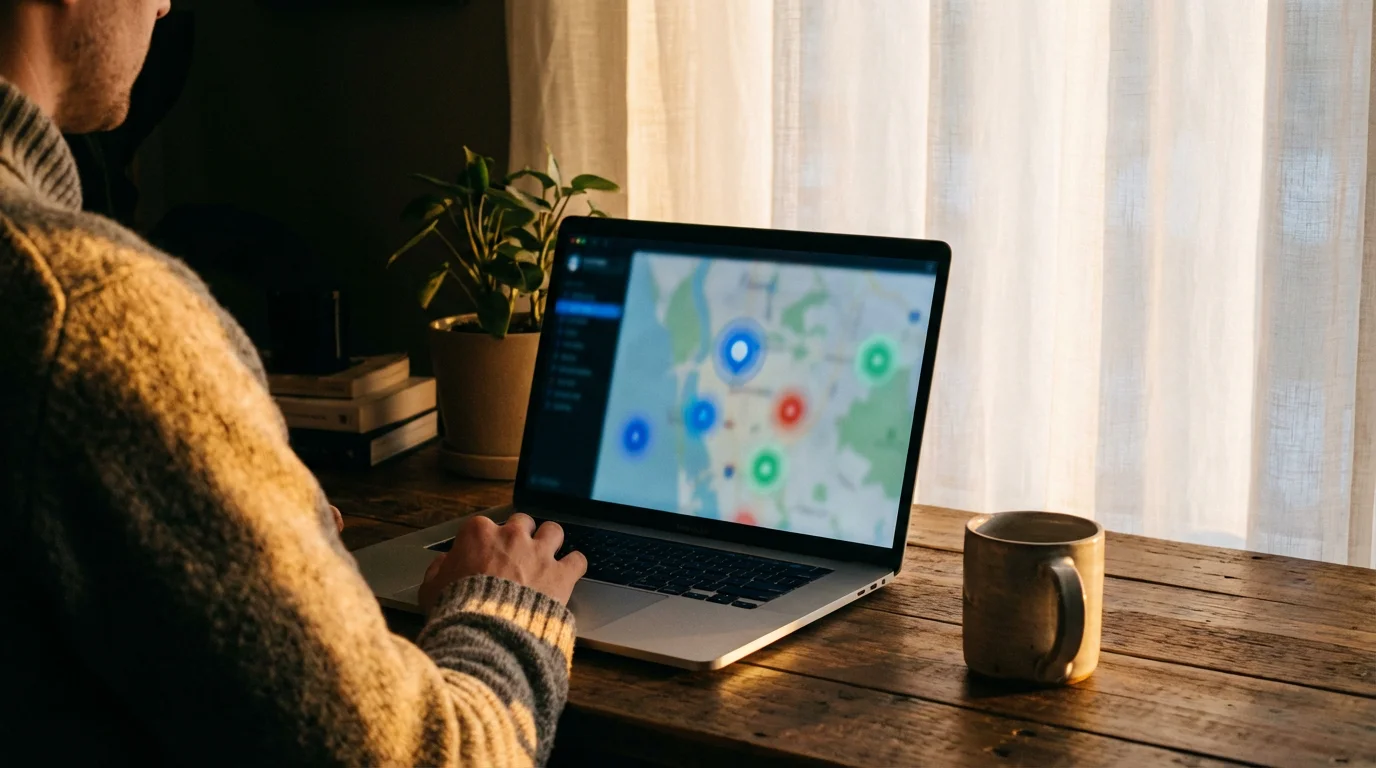
- Use the Service’s Website: Every reputable live TV streaming provider offers a channel lookup tool on its website. You simply enter your zip code, and the tool displays which local channels (ABC, CBS, Fox, NBC, and often PBS, The CW, MyNetworkTV, or Telemundo) are available in your specific area. This is the most accurate way to verify.
- Utilize Free Trials: Most services offer free trials, typically lasting 5 to 7 days. These trials are invaluable. Sign up, enter your zip code, and immediately check for the local channels you need. Watch a few programs to confirm signal quality and reliability.
- Cross-Reference with Other Sources: While the service’s website is primary, you can cross-reference information with trusted third-party sites that compile channel lineups. However, always confirm directly with the service using your zip code, as these external lists might not be perfectly up-to-date or tailored to your precise location.
“Never assume a streaming service carries your local channels just because it’s a major provider. Always use their zip code lookup tool or a free trial to verify specific availability for your address. This is the only way to guarantee you get the local content you need.”
Remember, local channel availability can even change over time as contracts are renegotiated. While rare for established services, it’s another reason to always check current offerings.

Major Live TV Streaming Services and Their Local Offerings
Several prominent live TV streaming services compete for your subscription, each with its own strengths, weaknesses, and channel lineups. Understanding their local channel approach helps determine the best fit for you. Prices mentioned reflect base plans and are subject to change, so always verify current pricing on the provider’s website.
YouTube TV
- Local Channel Coverage: YouTube TV boasts excellent coverage of local ABC, CBS, Fox, and NBC affiliates in most markets. It often includes PBS, The CW, and Telemundo as well. This strong local presence makes it a top choice for comprehensive network access.
- Base Price: Approximately $72.99 per month.
- Key Features: Unlimited cloud DVR storage, holding recordings for nine months. You can record as many shows simultaneously as you like.
Hulu + Live TV
- Local Channel Coverage: Hulu + Live TV also offers robust local channel availability for ABC, CBS, Fox, and NBC in most major and many smaller markets. It often includes other local affiliates. You get the added benefit of the Hulu on-demand library, which offers a vast collection of shows and movies.
- Base Price: Approximately $76.99 per month (with ads for on-demand content). An ad-free on-demand version costs more.
- Key Features: Unlimited cloud DVR, retaining recordings for nine months. This service often integrates Disney+ and ESPN+ in its base package, making it compelling for families and sports fans.
DirecTV Stream
- Local Channel Coverage: DirecTV Stream offers some of the best local channel coverage, often including ABC, CBS, Fox, NBC, PBS, The CW, and more, even in smaller markets. This can be a strong contender if other services miss a key local affiliate in your area.
- Base Price: Starts around $79.99 per month for the Entertainment package.
- Key Features: Unlimited cloud DVR storage for up to nine months. It offers a more traditional cable-like interface, which some users prefer.
fuboTV
- Local Channel Coverage: fuboTV excels in sports, but also includes ABC, CBS, Fox, and NBC in many markets. It sometimes has weaker PBS or The CW coverage compared to other services, so always check your zip code.
- Base Price: Approximately $79.99 per month for the Pro plan.
- Key Features: 1,000 hours of cloud DVR storage, with recordings kept indefinitely. Known for its extensive sports offerings, including many regional sports networks (RSNs).
Sling TV
- Local Channel Coverage: Sling TV has more limited local channel availability. The Sling Blue package typically includes Fox and NBC in select major markets. The Sling Orange package generally does not include any local channels directly, though you might find ABC through an upgrade if available. You often need to pair Sling TV with an OTA antenna to get comprehensive local channel access. They do offer a deal on an antenna for prepaid subscribers.
- Base Price: Starts around $40 per month (Sling Orange or Sling Blue). Combined Sling Orange + Blue costs around $55 per month.
- Key Features: 50 hours of cloud DVR storage included, with an upgrade to 200 hours available. This is often the most budget-friendly option, especially when combined with an antenna.
Philo
- Local Channel Coverage: Philo does NOT offer any local ABC, CBS, Fox, or NBC channels. It focuses on a wide array of entertainment, lifestyle, and news channels at a low price.
- Base Price: Approximately $25 per month.
- Key Features: Unlimited DVR for up to one year. This service is ideal if you primarily watch cable-style entertainment channels and get your local content from an OTA antenna or other sources.
Here is a comparison of major services focusing on local channel inclusion and key features:
| Service | Approx. Base Price | Primary Local Networks (ABC, CBS, Fox, NBC) | DVR Storage | Key Differentiator |
|---|---|---|---|---|
| YouTube TV | $72.99/month | Excellent coverage in most markets | Unlimited (9 months) | Comprehensive locals, unlimited DVR, clean interface |
| Hulu + Live TV | $76.99/month | Excellent coverage in most markets | Unlimited (9 months) | Hulu on-demand, Disney+, ESPN+ bundle |
| DirecTV Stream | $79.99/month | Very strong coverage, even in smaller markets | Unlimited (9 months) | Traditional cable-like experience, good for RSNs |
| fuboTV | $79.99/month | Good coverage in many markets, check specifics | 1,000 hours (indefinite) | Extensive sports, 4K content, RSNs |
| Sling TV | $40-$55/month | Limited (Fox/NBC in select markets, often needs OTA antenna) | 50-200 hours | Budget-friendly, customizable channel packages |
| Philo | $25/month | None | Unlimited (1 year) | Lowest cost for entertainment channels, no locals |
Comparing DVR Features for Local Content
Digital Video Recorder, or DVR, is a crucial feature for many cord-cutters. It allows you to record live shows and watch them later, perfect for busy schedules or when two favorite programs air simultaneously. Most live TV streaming services offer cloud DVR, storing your recordings online rather than on a physical box in your home. This means you can access your recorded content from any compatible device, anywhere you have an internet connection.
Here’s a breakdown of common DVR features:
- Cloud Storage Limits: This specifies how many hours of content you can record.
- Unlimited: YouTube TV, Hulu + Live TV, DirecTV Stream, and Philo all offer unlimited cloud DVR, which means you can record as much content as you want without worrying about hitting a storage cap.
- Limited: fuboTV provides 1,000 hours of cloud DVR, which is substantial for most users. Sling TV starts with 50 hours and allows an upgrade to 200 hours for an extra fee.
- Simultaneous Recordings: This feature determines how many shows you can record at the same time. Most services with unlimited DVR (YouTube TV, Hulu + Live TV) allow you to record an unlimited number of shows concurrently. Services with limited DVR often have concurrent recording limits as well, but generally, these are generous enough for typical household use.
- How Long Recordings Last: This varies significantly.
- YouTube TV, Hulu + Live TV, and DirecTV Stream typically keep recordings for nine months.
- Philo keeps recordings for up to one year.
- fuboTV keeps recordings indefinitely within its 1,000-hour limit.
- Sling TV’s recordings typically last until the storage limit is reached or for about 30-90 days, depending on the content and specific terms.
- Skip Ads: Many services automatically detect and allow you to skip commercials on recorded content. Some services, especially those with ad-supported (free or cheaper plans that show commercials) on-demand libraries like Hulu + Live TV, might require an upgrade to skip ads on recorded content or on-demand shows. Always check the specific terms for ad-skipping.
For watching local news live or catching up on network dramas, a robust DVR is a significant advantage. Unlimited storage and ad-skipping capabilities significantly enhance the viewing experience.

Total Cost Considerations: Base Plans and Add-Ons
While base prices provide a starting point, the total cost of a live TV streaming service can increase with add-on packages and premium channels. Many cost-conscious viewers find themselves adding extras, which quickly adds up. Most services operate on a month-to-month basis, offering flexibility without long-term contracts, a key advantage over traditional cable.
- Base Prices: As seen in the table above, base prices range from Philo’s budget-friendly $25 per month (without local channels) to DirecTV Stream’s $79.99 per month for a comprehensive package. These prices include the core channels and standard DVR features.
- Add-on Packages: Services offer various add-on packages to expand your channel lineup. These might include:
- Sports Extras: Packages with niche sports channels, often including regional sports networks (RSNs) for specific teams. For instance, fuboTV and DirecTV Stream are known for their strong RSN offerings, but these often come at a higher tier or as an add-on.
- Entertainment Bundles: Additional movie channels, family-friendly networks, or international programming.
- News Packages: Specialized news channels beyond the basic lineup.
- Premium Channels: You can typically subscribe to premium networks like HBO, Showtime, Starz, and Cinemax directly through your streaming service. These are usually an additional $10-$15 per month per channel. For example, adding Max (formerly HBO Max) to YouTube TV costs about $15.99 per month.
- Cloud DVR Upgrades: As mentioned with Sling TV, some services charge extra for more DVR storage hours or enhanced features like ad-skipping.
Consider your “must-have” channels beyond the local networks. If you require specific sports channels, premium movie networks, or an extensive list of entertainment channels, factor in the cost of these add-ons when comparing services. A service with a lower base price might become more expensive if you need many add-ons to get your desired content. For instance, according to Tom’s Guide, YouTube TV and Hulu + Live TV often provide the best value when considering comprehensive channel lineups, including locals, at their base price point.
Remember that virtually all live TV streaming services offer month-to-month subscriptions. This means you can try a service, cancel if it does not meet your expectations, and switch to another without penalty. This flexibility is a significant advantage over traditional cable contracts, which often lock you in for a year or more.

Simultaneous Streams and Device Compatibility
For households with multiple viewers or diverse viewing habits, the number of simultaneous streams a service allows is a critical factor. Simultaneous streams refer to how many different devices can watch content from the same account at the same time. This feature ensures your family can enjoy their shows without interruption or arguments over who gets to watch what.
Most services offer:
- Standard Simultaneous Streams: Typically 2-3 streams included in the base package. For example, Hulu + Live TV allows two simultaneous streams.
- Upgrade Options: Many services offer an upgrade for an additional monthly fee to increase the number of simultaneous streams, sometimes up to unlimited streams within your home network. YouTube TV, for instance, offers up to three simultaneous streams outside the home and unlimited within the home network. DirecTV Stream is particularly generous, offering up to 20 simultaneous streams on your home network and three on the go.
Before subscribing, evaluate how many people in your household will watch content concurrently and on how many different devices. If you have a large family or roommates, a service with generous simultaneous stream allowances or an affordable upgrade is essential. For many, this is a significant factor in preventing household viewing conflicts.
Device compatibility is also crucial. Live TV streaming services support a wide range of smart TVs and streaming devices. Common compatible devices include:
- Roku streaming players and TVs
- Amazon Fire TV sticks and TVs
- Apple TV
- Google Chromecast and Google TV devices
- Android and iOS mobile devices
- Web browsers on computers (Chrome, Firefox, Safari, Edge)
- Game consoles (PlayStation, Xbox)
Before committing, confirm that your preferred devices are supported by the service you choose. Most services list compatible devices on their support pages. You generally download the service’s app onto your device to begin streaming.

Best Live TV Streaming Services for Local Channels
Selecting the “best” service always depends on your individual needs, but we can highlight top contenders based on specific priorities:
- Best Overall for Comprehensive Local Channels: YouTube TV and Hulu + Live TV
Both YouTube TV and Hulu + Live TV consistently offer excellent coverage for ABC, CBS, Fox, and NBC across a vast majority of the United States. Their robust DVR features (unlimited storage for nine months) add significant value. Hulu + Live TV also bundles Disney+ and ESPN+, making it a strong contender for families and sports enthusiasts who want a broad range of content beyond just locals. YouTube TV’s unlimited DVR and user-friendly interface are also major draws.
- Best for Local Channels in Smaller Markets: DirecTV Stream
DirecTV Stream often stands out for its ability to deliver local channels, including less common affiliates, in more geographical areas, sometimes reaching smaller markets that other services miss. Its comprehensive channel lineups and a more traditional cable-like user experience appeal to those transitioning from satellite or cable.
- Best Budget Option (with Local Channel Strategy): Sling TV (paired with an OTA antenna)
Sling TV, particularly its Sling Blue package, offers Fox and NBC in select major markets at a lower base price. However, to get comprehensive local channel access (ABC, CBS, and potentially others), you will likely need to pair it with an Over-the-Air (OTA) antenna. Sling TV sometimes offers deals on an antenna when you prepay for service, making this a truly cost-effective strategy for those willing to combine technologies. According to PCMag’s review of live TV streaming services, Sling TV remains a top choice for budget-conscious cord cutters.
- Best for Sports Fans (who also need locals): fuboTV and DirecTV Stream
fuboTV is a powerhouse for sports, offering a wide array of sports channels and many regional sports networks (RSNs), along with good local channel coverage. DirecTV Stream also shines with its sports packages and strong RSN inclusion, making both excellent choices if sports, especially local team coverage, is a top priority alongside your network programming.
- Best for Families: Hulu + Live TV and YouTube TV
Hulu + Live TV, with its bundle of Disney+ and ESPN+, provides content for nearly every family member, from kids’ shows to live sports and adult dramas. YouTube TV’s robust channel lineup and unlimited DVR also make it a strong family choice, ensuring everyone can watch what they want, when they want it.
Ultimately, the specific combination of local channels, other desired networks, DVR features, simultaneous streams, and budget will guide your decision. Always take advantage of free trials to test the service with your specific local channels and viewing habits before committing to a monthly subscription. This ensures you find a streaming solution that truly enhances your entertainment life.
Frequently Asked Questions
Can I watch my local PBS station on live TV streaming services?
Yes, many live TV streaming services now include local PBS affiliates. YouTube TV, Hulu + Live TV, and DirecTV Stream are among the services that commonly carry PBS in most markets. Always use the service’s zip code lookup tool to confirm availability for your specific area.
Do I need an antenna if I have a live TV streaming service?
It depends on the streaming service and your local channel needs. If your chosen service, like YouTube TV or Hulu + Live TV, already provides all the local channels you want based on your zip code, then you likely do not need an antenna. However, if you opt for a budget service like Sling TV (which has limited local coverage) or Philo (which has no local channels), an Over-the-Air (OTA) antenna is an excellent, free way to receive all available local broadcast channels directly.
Are there blackouts for local sports games on streaming services?
Yes, regional sports blackouts can still apply to live TV streaming services, mirroring cable TV rules. If a local sports game is airing on a regional sports network (RSN) that you subscribe to, but your local broadcast channel also has the rights, a blackout might occur on one platform to protect the other’s exclusive broadcast window in your area. Blackouts are determined by sports leagues and content owners, not directly by the streaming service, and are based on your physical location.
How often do live TV streaming prices change?
Live TV streaming prices change periodically, typically once a year, as services renegotiate content deals with broadcasters and networks. While they aim to provide stability, costs can increase to cover rising content acquisition expenses. Services usually provide advance notice of price changes to subscribers.
Can I get regional sports networks (RSNs) through live TV streaming?
Yes, many live TV streaming services offer regional sports networks (RSNs) that carry local professional and college sports. Services like fuboTV and DirecTV Stream are particularly strong in this area, often including RSNs in their higher-tier packages or as add-ons. However, RSN availability is highly dependent on your geographic location and the specific league and team broadcast rights in your area. Always verify RSNs using your zip code on the service’s website.
Disclaimer: Live TV streaming prices and channel lineups change frequently. Local channel availability varies by location. Always use the free trial to verify your local channels are included before committing. Sports blackout rules may affect some live events.


Leave a Reply