
Millions of people are enjoying the benefits of streaming, which means watching video content over the internet instead of traditional cable or satellite. This shift, often called cord-cutting, has brought unparalleled choice and flexibility. However, it also introduces complexities, especially when you want to access content that appears geographically restricted or ensure your privacy. This guide cuts through the confusion, showing you how a Virtual Private Network, or VPN, works with streaming services and what steps you can take to make it effective.
Using a VPN is just one of many streaming hacks that can significantly enhance your viewing experience.
Understanding VPNs and Streaming: Why the Blockade?
A VPN, or Virtual Private Network, creates a secure, encrypted connection over a less secure network, like the internet. Think of it as a private tunnel for your online traffic. When you use a VPN, your internet traffic goes through a server operated by the VPN provider. This changes your IP address, a unique number that identifies your device on a network, making it appear as if you are browsing from the VPN server’s location rather than your actual physical location.
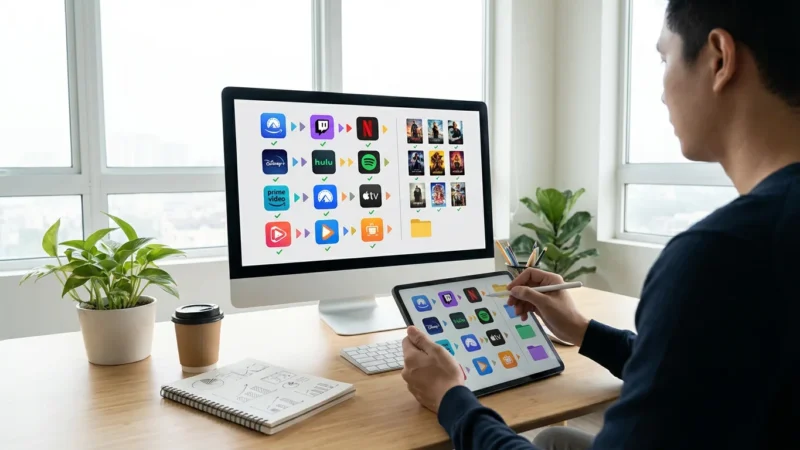
Once you’ve bypassed these blocks, you can use techniques like the art of streaming rotation to save money on the various global services you now have access to.
Many people use a streaming VPN for two primary reasons:
-
Accessing Geo-Restricted Content: Content licensing agreements often dictate which regions can view specific shows or movies. Streaming services like Netflix, Hulu, and Disney+ use your IP address to enforce these geographical restrictions, a practice known as geo-blocking. If a show is only licensed for viewing in the United Kingdom, a viewer in the United States cannot access it without making their connection appear to originate from the UK. A VPN helps you bypass this by connecting to a server in the desired country, effectively changing your virtual location.
-
Enhancing Privacy and Security: Beyond content access, a VPN encrypts your internet connection. This prevents your internet service provider (ISP), government agencies, or potential snoopers from monitoring your online activities. For users on public Wi-Fi networks, a VPN is crucial for protecting personal data from cyber threats.
Despite these benefits, streaming services actively try to detect and block VPN connections. They do this because violating licensing agreements can lead to legal issues and financial penalties for the service providers. This creates an ongoing cat-and-mouse game between VPN providers and streaming platforms.

How Streaming Services Detect and Block VPNs
Streaming platforms employ various sophisticated techniques to identify and block VPN usage. Understanding these methods helps you appreciate why finding a VPN that reliably unblocks content is challenging:
-
IP Address Blacklists: This is the most common method. VPN providers typically use a range of IP addresses for their servers. Streaming services identify these IP ranges and add them to a blacklist. When you connect using an IP address from this list, access is denied. Since thousands of users often share the same VPN server IP, it quickly gets flagged.
-
Deep Packet Inspection (DPI): Some advanced systems can analyze the metadata of your internet traffic. While a VPN encrypts the content of your data, DPI can sometimes detect patterns or protocols commonly associated with VPN connections. This method is more complex and less common than IP blacklisting but represents a significant challenge.
-
DNS Leaks: Your Domain Name System (DNS) resolver translates website names into IP addresses. If your VPN connection suffers a DNS leak, your actual DNS requests might go through your ISP’s servers, revealing your true location even if your IP address appears hidden. Streaming services can detect this inconsistency.
-
WebRTC Leaks: Web Real-Time Communication (WebRTC) is a technology enabling real-time communication directly within web browsers. While convenient, it can sometimes reveal your true IP address, even when a VPN is active, especially in older browsers or misconfigured setups.
-
Geo-IP Databases: Streaming services subscribe to databases that map IP addresses to geographical locations. If an IP address consistently shows traffic from various regions or is associated with known data centers rather than residential users, it raises a flag.
This constant battle means that even a top-tier VPN might not work with Netflix or other services 100% of the time. The key for a reliable VPN Netflix experience is a provider that continuously invests in new IP addresses and employs advanced stealth technologies.

Key Features of a Streaming-Friendly VPN
To successfully bypass geo-blocks and stream smoothly, your VPN needs specific capabilities. Prioritize these features when selecting a service:
-
Large and Diverse Server Network: The more servers a VPN has, and the more countries they cover, the better. A large network means more IP addresses available, making it harder for streaming services to blacklist them all. Diversity in server locations is also critical for accessing content from various regions.
-
Fast Speeds and Unlimited Bandwidth: Streaming demands significant bandwidth. High-definition (HD) content requires at least 5 Mbps, while 4K Ultra HD needs 25 Mbps or more. A VPN inherently adds some overhead, potentially slowing your connection. Look for VPNs that minimize this slowdown with optimized servers and fast protocols like WireGuard or OpenVPN UDP. “Bandwidth” refers to the maximum data transfer rate of a network or internet connection. “Latency” is the delay before a transfer of data begins following an instruction.
-
Obfuscated or Stealth Servers: These specialized servers disguise your VPN traffic as regular HTTPS traffic, making it difficult for streaming services to detect that you are using a VPN, even with Deep Packet Inspection. This feature is crucial for countries with strict internet censorship, but it also helps with streaming geo-blocks.
-
Dedicated IP Addresses: Some VPNs offer a dedicated IP address, which is an IP address assigned exclusively to you. Since fewer users share this IP, it is less likely to be flagged by streaming services than shared IPs. While often an add-on cost, it can significantly improve your chances of consistently unblocking content.
-
Smart DNS Feature: Many VPN providers include a Smart DNS service. This technology changes your DNS settings to route specific traffic through servers in another region without encrypting your entire connection. While it does not offer the same privacy benefits as a full VPN, Smart DNS is often faster and works on devices that do not natively support VPN apps, such as smart TVs or gaming consoles. A streaming device is a small box or stick, like a Roku or Fire TV, that adds streaming capabilities to any television.
-
Strong Encryption and No-Logs Policy: While the focus is streaming, a VPN’s core purpose is security. Ensure the VPN uses AES-256 encryption, the industry standard, and adheres to a strict no-logs policy, meaning it does not record your online activities.
-
Excellent Customer Support: If you encounter issues, responsive and knowledgeable customer support, ideally available 24/7 via live chat, proves invaluable. The streaming landscape changes constantly, so prompt assistance is essential.
Choosing the Right VPN for Your Streaming Needs
Selecting the best VPN requires careful consideration of your specific requirements and budget. You want a service that offers a balance of speed, server availability, security, and reliability for streaming.
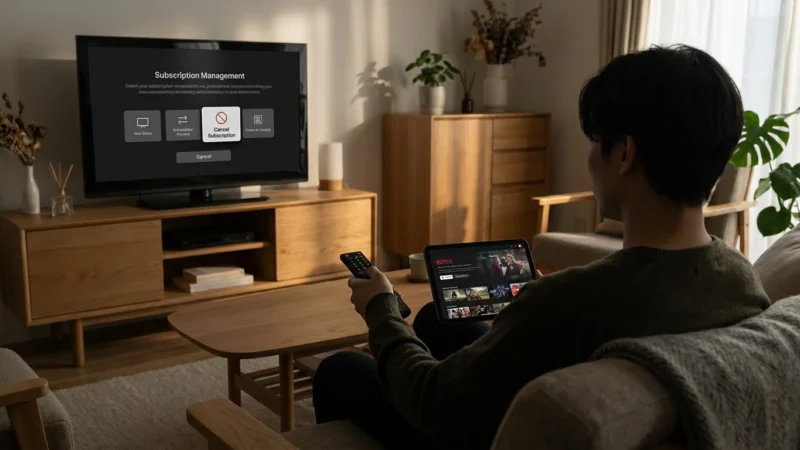
Beyond your VPN choice, learning how to manage multiple streaming subscriptions will help keep your entertainment costs under control.
Here is a comparison of key factors to evaluate:
| Feature | High-Quality Streaming VPN | Basic/Free VPN |
|---|---|---|
| Server Network | Thousands of servers in 60+ countries. Constantly refreshed IPs. | Limited servers, often overcrowded. Easily blacklisted IPs. |
| Speed & Bandwidth | Optimized for speed, minimal throttling, unlimited bandwidth. Essential for HD and 4K streaming. | Noticeable speed drops, bandwidth caps, buffering common. |
| Unblocking Capability | Actively invests in bypassing geo-restrictions for major platforms. | Rarely works with major streaming services due to IP blacklists. |
| Security & Privacy | AES-256 encryption, strict no-logs policy, kill switch, DNS leak protection. | Weaker encryption, potential data logging, security vulnerabilities. |
| Dedicated IP / Smart DNS | Often available as an add-on or included for wider device compatibility. | Typically not offered. |
| Pricing | Subscription-based (monthly, annual plans), 30-day money-back guarantee. | Free or very low cost, often with ads or data limits. |
| Customer Support | 24/7 live chat, comprehensive guides, fast response times. | Limited support, often via email with slow response times. |
When you consider VPN services, prioritize those with a proven track record of unblocking specific streaming platforms you use, like VPN Netflix. Many providers offer a money-back guarantee, allowing you to test their service risk-free for a few weeks. This is the best way to determine if a VPN truly works for your preferred streaming services and devices.
“A VPN is your first line of defense against online surveillance and geo-restrictions, but its effectiveness depends heavily on the provider’s commitment to speed and server upkeep.” — Tom’s Guide
Setting Up Your VPN for Streaming: A Step-by-Step Guide
Using a VPN for streaming is generally straightforward on most devices. Here is a basic guide to get you started:
Even with a VPN, you might occasionally want to download shows for offline viewing to ensure uninterrupted playback during travel.
-
Choose and Subscribe to a Reputable VPN: Based on the features discussed above, select a high-quality VPN provider known for streaming capabilities. Sign up for a subscription.
-
Download and Install the VPN App: Most VPNs offer native applications for Windows, macOS, Android, and iOS. Visit your chosen VPN’s website or your device’s app store to download the appropriate client. Follow the on-screen instructions for installation.
-
Log In to Your VPN Account: Launch the VPN application. Enter your username and password that you created during the subscription process.
-
Select a Server Location: This is the crucial step for unblocking content. If you want to watch a show available only in the US, choose a US server. If it is only in Canada, choose a Canadian server. Look for servers specifically optimized for streaming if your VPN offers them.
-
Connect to the VPN: Click the “Connect” button within the VPN app. The app will indicate once your connection is established and secure.
-
Clear Browser Cache and Cookies (Important): Before navigating to your streaming service, clear your browser’s cache and cookies. Streaming platforms often store location data in these files, which can reveal your true location even with a VPN active. For mobile apps, you may need to clear the app’s data in your device settings.
-
Start Streaming: Open your preferred streaming app or website and enjoy your content. If you encounter issues, try connecting to a different server in the same country.
This process works for personal computers and mobile devices. For smart TVs or streaming devices that do not support VPN apps directly, you will need alternative methods, which we will cover next.
Here is a simplified flowchart of the VPN connection process:
DIAGRAM: VPN Connection Process Flowchart. Starts with “Open VPN App,” branches to “Log In,” then “Select Server Location,” then “Connect to Server.” Next is a decision point “Connection Successful?” leading to “Clear Browser/App Cache & Cookies” and “Start Streaming.” If not successful, it loops back to “Select Server Location” or suggests “Contact Support.”

Advanced VPN Strategies for Optimal Streaming
For those looking to maximize their streaming VPN experience or connect devices without native VPN support, these advanced strategies are helpful:
-
Router-Level VPN Installation: Installing a VPN directly on your Wi-Fi router protects every device connected to your home network, including smart TVs, gaming consoles, and streaming devices like Roku or Apple TV that lack native VPN apps. This ensures consistent protection and geo-unblocking across all your household devices. The setup is more complex and typically requires a VPN-compatible router and technical knowledge. Your chosen VPN provider usually offers detailed guides for this process.
-
Utilizing Smart DNS: As mentioned, Smart DNS services route your DNS requests through servers in a different country without encrypting your connection. This results in faster speeds and broader device compatibility, making it ideal for streaming where privacy is not the primary concern. Many premium VPNs include Smart DNS as part of their subscription. You configure Smart DNS directly in your device’s network settings or router settings.
-
Split Tunneling: This feature allows you to choose which applications or websites use the VPN connection and which access the internet directly. For example, you can route your streaming app through the VPN to access geo-restricted content, while your banking app accesses your local internet connection for security and speed. This prevents unnecessary slowdowns and avoids potential conflicts with services that do not require VPN access.
-
Selecting Specific VPN Protocols: VPN protocols dictate how your data is encrypted and transmitted. While most VPN apps choose the best protocol automatically, understanding them can help. WireGuard offers excellent speed and security, making it ideal for streaming. OpenVPN (UDP) provides a good balance of speed and security. L2TP/IPsec is often slower but can be useful in certain scenarios. Avoid PPTP, as it is outdated and less secure.
-
Regular Server Rotation: If a specific server gets blocked by your streaming service, simply switch to another server location within the same country. Premium VPNs constantly add new IP addresses, so trying different servers improves your chances of success.
Troubleshooting Common VPN Streaming Issues
Even with a premium VPN, you may occasionally encounter issues. Here are practical steps to troubleshoot them:
-
“VPN Detected” or Access Denied: This is the most common problem.
- Switch Servers: Connect to a different server within the same country. Streaming services constantly update their blacklists, and a different IP address may work.
- Clear Cache and Cookies: Always clear your browser’s cache and cookies, or the app data for streaming apps, after connecting to a VPN server. Old location data can interfere.
- Try a Different Protocol: Experiment with different VPN protocols (e.g., switch from Automatic to WireGuard or OpenVPN). Some protocols are more effective at bypassing detection.
- Use Obfuscated Servers: If your VPN offers stealth or obfuscated servers, activate them. These are designed to hide VPN traffic.
- Contact Support: If all else fails, reach out to your VPN provider’s customer support. They can recommend specific servers or advanced settings that are currently working for streaming.
-
Slow Speeds or Buffering:
- Connect to a Closer Server: The further the server, the higher the latency and potential speed drop. Choose a server geographically closer to you within the desired country.
- Restart VPN and Device: A simple restart of your VPN app, streaming app, and even your device can resolve temporary glitches.
- Check Your Base Internet Speed: Ensure your internet connection itself is fast enough for streaming without the VPN. You can use online speed tests.
- Try a Different Protocol: WireGuard is often the fastest. OpenVPN (UDP) is generally faster than OpenVPN (TCP).
- Disconnect Other Devices: If multiple devices are using your home network, they consume bandwidth. Pause downloads or streaming on other devices.
-
DNS or WebRTC Leaks:
- Enable VPN’s Leak Protection: Most reputable VPNs have built-in DNS and WebRTC leak protection. Ensure these features are enabled in your VPN settings.
- Test for Leaks: Use online tools (e.g., dnsleaktest.com, ipleak.net) to verify your IP address and DNS servers are indeed hidden by the VPN.
-
VPN Not Connecting:
- Check Internet Connection: Ensure your device has a stable internet connection without the VPN.
- Disable Firewall/Antivirus Temporarily: Your firewall or antivirus software might be blocking the VPN connection. Temporarily disable them to see if it resolves the issue, then re-enable and configure exceptions for your VPN.
- Reinstall VPN App: A corrupted installation can cause connection problems. Try uninstalling and reinstalling the VPN client.
Patience and persistence are key when troubleshooting. Streaming services are constantly evolving their detection methods, and VPN providers are equally dedicated to bypassing them.

The Realities: Does VPN Work with Netflix, Hulu, and Others?
The short answer is: sometimes, with the right VPN, but it is an ongoing battle. There is no VPN that guarantees 100% success with all streaming services at all times. Here is an honest look at the situation with major platforms:
-
VPN Netflix: Netflix has one of the most robust VPN detection systems in the world. They are aggressive in blacklisting VPN IP addresses. While many premium VPNs claim to unblock Netflix, their success varies daily and by server. You might find a specific server works one day but not the next. The key is a VPN provider that constantly refreshes its IP addresses and maintains dedicated streaming servers. Some users find success accessing Netflix libraries in regions like the US, Canada, or the UK with specific VPN servers.
-
Hulu: Hulu is notoriously strict about VPN usage, largely due to its US-only licensing. It primarily targets US residents. Bypassing Hulu’s geo-restrictions requires a VPN with a strong presence of US servers that are specifically optimized for streaming and frequently updated. Even then, success is not guaranteed.
-
Disney+: Disney+ also has strong VPN detection, but it is often less aggressive than Netflix or Hulu. Many premium VPNs can reliably access Disney+ libraries in various regions, though you may still need to experiment with different servers.
-
Amazon Prime Video: Amazon Prime Video’s VPN detection varies by region and specific content. Some Prime Video content is globally available, while other titles are geo-restricted. Like other services, consistent access requires a VPN that regularly updates its IP addresses.
-
Max (formerly HBO Max): Max is primarily available in the US and a few other territories. Its VPN detection is moderately strong. Premium VPNs often have servers capable of unblocking Max, but similar to other services, success can fluctuate.
-
Peacock, Paramount+, ESPN+: These services also employ geo-blocking. While generally easier to unblock than Netflix or Hulu, they still require a capable VPN. Specific servers might work better than others, so trying various options is part of the process.
The bottom line is that while many VPNs advertise their ability to “unblock streaming,” you must choose a reputable, paid service that actively fights against detection. Free VPNs almost never work with major streaming platforms due to their limited server infrastructure and easily identifiable IP addresses. Even with a paid VPN, consider it a tool that gives you a better chance of accessing content, not a foolproof guarantee.

Beyond Entertainment: Privacy and Security Benefits
While the ability to unblock streaming is a major draw, a VPN offers significant privacy and security advantages that extend beyond just watching content:
-
Protecting Your Online Privacy: A VPN encrypts your internet traffic, meaning your internet service provider (ISP) cannot see what websites you visit or what services you use. This prevents them from throttling your connection based on your activities or selling your browsing data to advertisers. Your online footprint becomes significantly harder to track.
-
Securing Public Wi-Fi: Public Wi-Fi networks in coffee shops, airports, or hotels are often unsecured and vulnerable to cyberattacks. Using a VPN on these networks encrypts your data, protecting your personal information from hackers who might try to intercept your communications. This is crucial for protecting sensitive data like banking details or login credentials.
-
Bypassing Censorship: In countries with strict internet censorship, a VPN can help you access blocked websites, social media, and news sources. Obfuscated servers are particularly effective in these scenarios, as they conceal the fact that you are using a VPN at all.
-
Preventing Price Discrimination: Some online retailers and travel sites adjust prices based on your geographical location. By connecting to a VPN server in a different country, you might find better deals on flights, hotels, or software subscriptions. This is a lesser-known money-saving strategy that a VPN can enable.
-
Enhancing Gaming Experience: For online gamers, a VPN can sometimes reduce latency (ping) by routing your connection through a more optimal path to game servers. It also helps protect against DDoS (Distributed Denial of Service) attacks, which can be a problem in competitive online gaming.
When you invest in a quality VPN for streaming, you are also investing in a robust tool for overall online security and freedom. Its benefits reach far beyond just accessing your favorite shows.
Frequently Asked Questions
Is it legal to use a VPN with streaming services?
Using a VPN is legal in most countries. However, using a VPN to bypass a streaming service’s geo-restrictions often violates their terms of service. While streaming services may detect and block your VPN, they generally do not take legal action against individual users. The risk is typically limited to being unable to access the content.
Do free VPNs work for streaming?
Almost never. Free VPNs typically have limited servers, slow speeds, and easily blacklisted IP addresses. They also often come with privacy risks, such as data logging or intrusive ads. For reliable streaming and security, a reputable paid VPN is essential.
Can a VPN improve my streaming quality?
A VPN can sometimes improve streaming quality if your Internet Service Provider (ISP) is throttling your connection based on your streaming activity. By encrypting your traffic, the ISP cannot identify and throttle it. However, a VPN itself adds overhead and can slow down your connection, so it usually does not improve quality directly unless throttling is occurring.
What should I do if my VPN stops working with Netflix?
First, try switching to a different server location within the desired country in your VPN app. Then, clear your browser’s cache and cookies or clear the streaming app’s data. If the problem persists, try a different VPN protocol or contact your VPN provider’s customer support for specific server recommendations. Streaming services are constantly updating their VPN detection, so persistence and trying different servers are key.
Will using a VPN drain my device’s battery faster?
Yes, running a VPN client, especially on mobile devices, consumes additional processing power and therefore can drain your battery faster than without a VPN. Encryption and routing traffic through a remote server require more resources. The impact varies depending on the VPN app’s efficiency, the protocol used, and your device’s hardware.
Disclaimer: Streaming service terms and pricing change frequently. Always review current terms of service before implementing any money-saving strategies. Some tips may not work with all services or in all regions.



Leave a Reply