
Watching Major League Baseball (MLB) without an expensive cable subscription is entirely possible. Many cost-conscious viewers are embracing cord-cutting, the act of canceling traditional cable or satellite TV in favor of streaming services. Streaming involves watching video content over the internet, offering more flexibility and often significant savings.
This comprehensive guide helps you navigate the options, understand the nuances of MLB coverage, and select the best streaming solution for your needs. You can catch every home run, diving catch, and thrilling ninth inning without paying for channels you never watch.
Table of Contents
- Why Cut the Cord for MLB? Saving Money While Catching Games
- Understanding MLB Streaming Essentials: RSNs, Blackouts, and MLB.TV
- Top Live TV Streaming Services for MLB Fans
- YouTube TV for Baseball Fans
- Hulu + Live TV: MLB Coverage and Bundle Value
- fuboTV: The Sports-Focused Choice for MLB
- DirecTV Stream for Comprehensive RSN Access
- Sling TV: The Budget-Friendly MLB Option
- How to Check Local MLB Channel Availability
- MLB.TV vs. Live TV Streaming Services: Which Is Right for You?
- Optimizing Your MLB Streaming Setup: Devices and Internet
- Frequently Asked Questions

Why Cut the Cord for MLB? Saving Money While Catching Games
Cable television bills have steadily climbed for years, often exceeding $100 or even $200 per month for extensive packages. Many viewers find they pay for hundreds of channels they never watch, simply to access a few key networks, including those broadcasting MLB games. Cord-cutting offers a compelling alternative, providing access to live sports and entertainment at a fraction of the cost.
By choosing a live TV streaming service, you gain flexibility. Most services operate on a month-to-month basis, allowing you to subscribe during baseball season and pause or cancel during the offseason, saving you money. You also avoid installation fees, equipment rental costs, and long-term contracts typical of traditional cable providers.

Understanding MLB Streaming Essentials: RSNs, Blackouts, and MLB.TV
Before diving into specific services, grasp these critical concepts for successful baseball streaming without cable:
- Regional Sports Networks (RSNs): These channels, such as Bally Sports, NESN, MASN, AT&T SportsNet, and Marquee Sports Network, carry the majority of regular season games for your local MLB team. Their availability varies significantly by streaming service and your geographic location. If watching your local team is a priority, you must ensure your chosen service carries its specific RSN.
- Blackout Rules: MLB’s blackout rules prevent you from watching live, in-market games for your local team, or sometimes teams in nearby markets, on services like MLB.TV. These rules protect the broadcasting rights of local RSNs. For example, if you live in Boston, you cannot watch the Red Sox live on MLB.TV because NESN holds the local rights. These games are only available on the RSN itself, typically via a live TV streaming service that carries that RSN.
- MLB.TV: This is MLB’s official streaming service. It offers every out-of-market game live and on-demand. If you are a fan of a team that is not local to your area, MLB.TV is an excellent option for MLB streaming. However, due to blackout rules, you cannot watch your local team’s games live on MLB.TV. You can, however, watch them on demand usually 90 minutes after the game concludes.
- National Broadcasts: Certain games, including high-profile regular season matchups, playoff games, and the World Series, air on national channels like FOX, FS1, ESPN, and TBS. These channels are widely available across most live TV streaming services. MLB Network also offers a selection of games throughout the season.

Top Live TV Streaming Services for MLB Fans
When you want to watch MLB games live, especially your local team, a live TV streaming service is often the best way to stream MLB games. These services simulate the cable experience, offering live channels over the internet. You access them through a streaming device (like Roku, Amazon Fire TV, Apple TV) or a smart TV (a television with built-in internet and apps).
Here is a comparison of the leading services, focusing on their offerings for baseball fans:
| Service | Base Price (approx.) | Key National MLB Channels | RSN Availability | DVR Features | Simultaneous Streams (Base) |
|---|---|---|---|---|---|
| YouTube TV | $73/month | FOX, FS1, ESPN, TBS, MLB Network | Good (varies by market, check ZIP) | Unlimited cloud DVR, 9 months storage | 3 |
| Hulu + Live TV | $77/month | FOX, FS1, ESPN, TBS | Good (varies by market, check ZIP) | Unlimited cloud DVR, 9 months storage | 2 (unlimited at home) |
| fuboTV | $80/month | FOX, FS1, ESPN, MLB Network | Excellent (many RSNs, check ZIP) | 1000 hours cloud DVR, no expiration | 10 |
| DirecTV Stream | $70/month (Entertainment pkg) | FOX, FS1, ESPN, TBS, MLB Network (Choice pkg+) | Best (often carries most RSNs) | Unlimited cloud DVR, 9 months storage | Unlimited at home, 3 out of home |
| Sling TV | $40-$55/month | Orange: ESPN, TBS; Blue: FOX, FS1. (Combine for all) | Limited (some NBC Sports RSNs) | 50 hours cloud DVR (upgradeable) | Orange: 1; Blue: 3 (combined 4) |
Prices and channel lineups are subject to change. Always verify availability with your ZIP code on the service’s website.
YouTube TV for Baseball Fans
YouTube TV offers a single, comprehensive package that includes a strong lineup for MLB streaming. At approximately $73 per month, it provides FOX, FS1, ESPN, TBS, and MLB Network. This means you get most nationally televised games and a good selection of other matchups. Its strength also lies in its inclusion of many Regional Sports Networks, although you must verify specific RSNs by entering your ZIP code on their website. For example, in many markets, you find NBC Sports RSNs, Bally Sports RSNs, and local FOX affiliates for postseason coverage.
YouTube TV excels with its DVR features. It offers unlimited cloud storage, allowing you to record as many games as you want and keep them for up to nine months. This is invaluable if you miss live games or want to rewatch key moments. You can also fast-forward through commercials on recorded content, unless it is an ad-supported channel that has limitations. The service permits three simultaneous streams, which works well for families. According to PCMag’s review of live TV services, YouTube TV consistently ranks high for its user experience and channel breadth.
Hulu + Live TV: MLB Coverage and Bundle Value
Hulu + Live TV is another strong contender for baseball streaming, priced around $77 per month. It includes FOX, FS1, ESPN, and TBS, covering the core national MLB channels. While it generally lacks MLB Network in its base package, it offers a solid selection of RSNs depending on your location. Hulu + Live TV also stands out by bundling access to the extensive on-demand libraries of Hulu, Disney+, and ESPN+, providing tremendous value beyond live television.
The service offers unlimited cloud DVR storage, allowing you to save recordings for nine months. This feature helps you catch up on games you missed. You get two simultaneous streams out of the box, with an option to upgrade to unlimited streams within your home network. The included ESPN+ subscription can also provide additional baseball content, like minor league games or documentaries, though not live MLB regular season games.
fuboTV: The Sports-Focused Choice for MLB
fuboTV positions itself as a sports-centric live TV streaming service, starting around $80 per month. It offers a robust channel lineup for MLB streaming, including FOX, FS1, ESPN, and MLB Network. fuboTV distinguishes itself with extensive RSN coverage, often carrying a wider selection of regional sports channels than its competitors. This makes it an excellent choice if your local team’s games are spread across multiple RSNs, though you must verify availability for your specific ZIP code.
One notable exclusion in fuboTV’s base packages is TBS, which carries a significant portion of the MLB postseason. You might need an add-on or another service for full postseason coverage. fuboTV includes 1000 hours of cloud DVR storage, with recordings lasting indefinitely. It also supports up to 10 simultaneous streams, making it ideal for large households or multiple baseball fans. According to Tom’s Guide, fuboTV consistently performs well in tests for sports streaming, making it a reliable choice for avid fans.
INFOGRAPHIC: A detailed comparison grid displaying key MLB channels (FOX, FS1, ESPN, TBS, MLB Network) across YouTube TV, Hulu + Live TV, fuboTV, DirecTV Stream, and Sling TV. Each channel would have a checkmark if included in the base package or a note if it is an add-on or missing. The infographic would also highlight RSN coverage tiers (e.g., “Good,” “Excellent,” “Limited”) for each service.

DirecTV Stream for Comprehensive RSN Access
DirecTV Stream often represents the closest alternative to a traditional cable package, particularly when it comes to Regional Sports Networks. Its “Choice” package, starting around $90 per month, includes FOX, FS1, ESPN, TBS, and MLB Network, along with many RSNs that other services sometimes miss. If your primary goal is to access virtually every local MLB game in your market, DirecTV Stream may be your best way to stream MLB games, despite its higher price point.
The service provides unlimited cloud DVR storage, with recordings available for nine months. It also offers a generous number of simultaneous streams, including unlimited at home and three out-of-home, which suits families with diverse viewing habits. While pricier, the comprehensive RSN coverage often justifies the cost for dedicated local team fans.
“When choosing a live TV streaming service for MLB, prioritize checking for the Regional Sports Network that carries your local team’s games. Without it, you will miss out on crucial in-market action.”
Sling TV: The Budget-Friendly MLB Option
Sling TV is your best budget option for MLB streaming, offering two base packages: Sling Orange (focused on ESPN and TBS) at $40 per month and Sling Blue (focused on FOX and FS1) at $40 per month. For comprehensive MLB coverage, you often need the Sling Orange & Blue combined package, which costs around $55 per month. Even at this combined price, it is generally more affordable than other live TV streaming services.
Sling Blue includes local FOX channels in select markets, which are crucial for weekend games and the World Series. Sling TV’s RSN coverage is limited, primarily to some NBC Sports channels in specific regions. You can add MLB Network with the “Sports Extra” add-on for an additional cost. The base package includes 50 hours of cloud DVR, which you can upgrade to 200 hours. Sling Orange allows one simultaneous stream, while Sling Blue allows three. The combined package provides four simultaneous streams.

How to Check Local MLB Channel Availability
Confirming local channel and Regional Sports Network availability is the most critical step before subscribing to any service. Here is how you do it:
- Visit Service Websites: Go directly to the websites of YouTube TV, Hulu + Live TV, fuboTV, DirecTV Stream, and Sling TV.
- Enter Your ZIP Code: Each service provides a tool to enter your specific ZIP code. This action generates a personalized list of available channels in your area, including local broadcast affiliates (FOX, CBS, ABC, NBC) and, most importantly, any RSNs relevant to your location.
- Check Team Websites: Many MLB team websites list their broadcast partners, including specific RSNs. Cross-reference this information with the channels available on the streaming services.
- Utilize Free Trials: All reputable live TV streaming services offer free trials, typically for 5 to 7 days. Use these trials to sign up, log in, and actively check if you can stream the specific RSNs or local FOX channel you need to watch your team. This is the most reliable method to confirm availability and test the service’s performance.
MLB.TV vs. Live TV Streaming Services: Which Is Right for You?
Deciding between MLB.TV and a live TV streaming service depends on your viewing habits and location:
- Choose MLB.TV if:
- You are a fan of an out-of-market team and want to watch all their games live.
- You do not mind waiting 90 minutes to watch your local team’s games on-demand if they are blacked out live.
- You want to follow multiple teams from different regions.
- You prioritize affordability for out-of-market games, as it is often cheaper than a full live TV package.
- Choose a Live TV Streaming Service (like YouTube TV, Hulu + Live TV, fuboTV, DirecTV Stream, or Sling TV) if:
- You primarily want to watch your local team’s games live and in-market.
- You need access to national broadcasts on channels like FOX, FS1, ESPN, and TBS for playoffs and prime-time games.
- You want a complete television experience beyond baseball, including news, entertainment, and other sports.
- You prefer unlimited DVR to record games and other shows.
Many hardcore fans combine both. They subscribe to a live TV streaming service for local and national games and use MLB.TV for out-of-market games they cannot otherwise access. As Cord Cutters News often highlights, a hybrid approach sometimes offers the most comprehensive sports coverage.
Optimizing Your MLB Streaming Setup: Devices and Internet
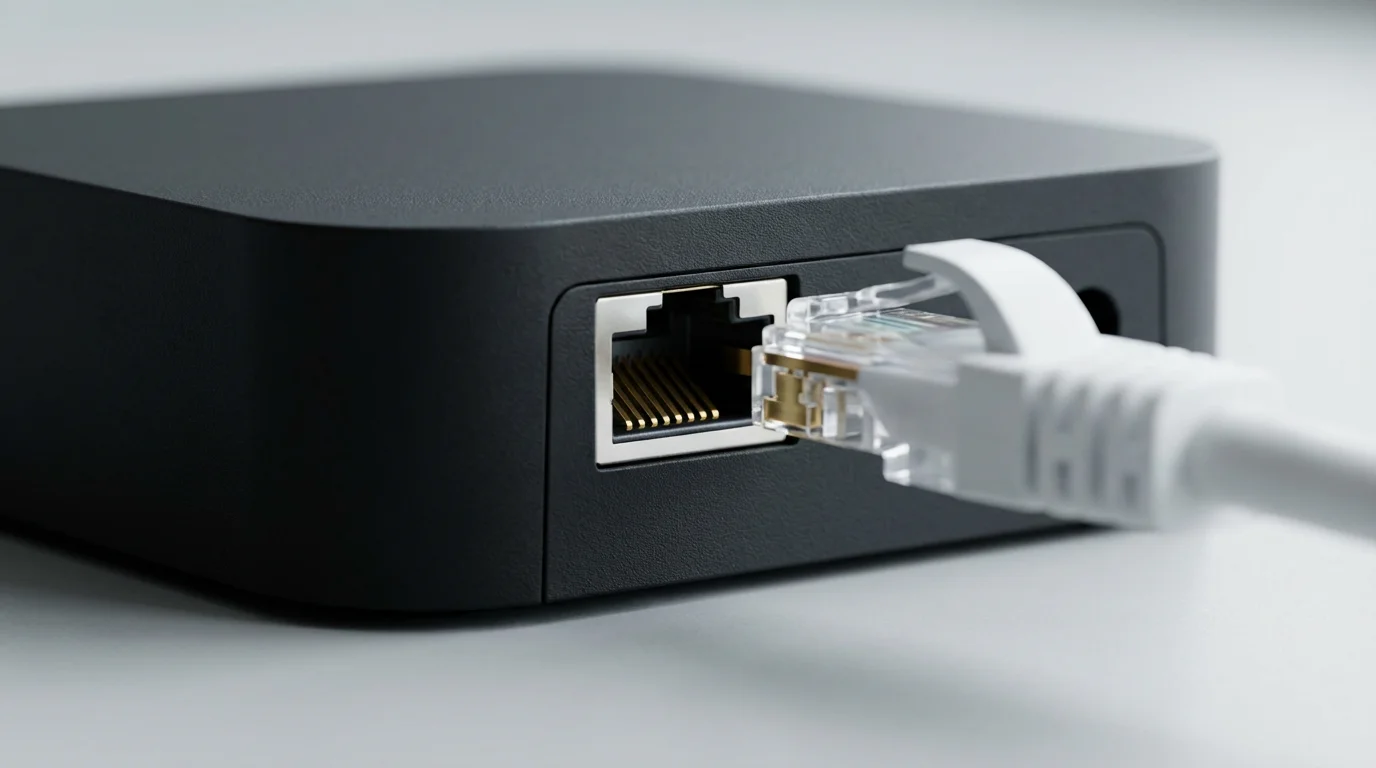
A smooth baseball streaming experience relies on two key components: a reliable internet connection and a compatible streaming device.
If you experience technical issues during the ninth inning, learn how to reduce buffering on live TV streaming services for a smoother viewing experience.
- Internet Speed: For high-definition streaming, a minimum internet speed of 25 Mbps is generally recommended for a single household. If multiple people stream simultaneously or you have many connected devices, aim for 50-100 Mbps or higher. Check your internet service provider’s speed offerings and consider upgrading if your current plan is insufficient.
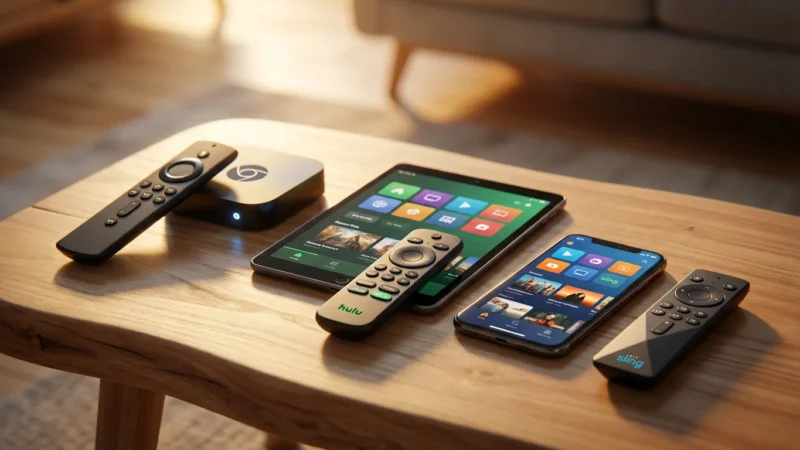
- Streaming Devices: While you can often watch on a computer or mobile device, a dedicated streaming device or smart TV offers the best big-screen experience. Popular streaming devices include:
- Roku devices (Roku Express, Streaming Stick, Ultra)
- Amazon Fire TV devices (Fire TV Stick, Fire TV Cube)
- Apple TV
- Google Chromecast with Google TV
- Gaming consoles (PlayStation, Xbox)
Ensure your chosen device is compatible with the streaming service you select. Most major services support all popular streaming devices.
Frequently Asked Questions
Can I watch MLB Postseason games without cable?
Yes, absolutely. MLB Postseason games air on national channels like FOX, FS1, and TBS. All the major live TV streaming services, including YouTube TV, Hulu + Live TV, fuboTV, DirecTV Stream, and Sling TV (often requiring the Orange & Blue combined package for full coverage), carry these channels. You can subscribe for the postseason and then cancel your service once the World Series concludes.
What are MLB blackouts and how do they affect me?
MLB blackouts are regional restrictions that prevent you from watching live games for your local team, or sometimes nearby teams, on services like MLB.TV. These rules exist because local Regional Sports Networks (RSNs) hold exclusive rights to broadcast those games in your area. To watch blacked-out games live, you need a live TV streaming service that carries the specific RSN for your local team. MLB.TV provides blacked-out games on demand after about 90 minutes.
Is MLB.TV worth it if I only want to watch my local team?
No, MLB.TV is generally not worth it if you only want to watch your local team. Due to blackout rules, you cannot watch your local team’s games live on MLB.TV. Its primary value is for fans who want to follow an out-of-market team. For local team coverage, a live TV streaming service that carries your specific Regional Sports Network is the best way to stream MLB games.
Disclaimer: Live TV streaming prices and channel lineups change frequently. Local channel availability varies by location. Always use the free trial to verify your local channels are included before committing. Sports blackout rules may affect some live events.


Leave a Reply