
Disclaimer: Cable and streaming prices vary by location and change frequently. The cost comparisons in this article are estimates based on typical pricing. Your actual savings will depend on your current cable package, internet costs, and which streaming services you choose.
For many, the idea of cutting the cord from cable TV sounds appealing until you consider losing access to your favorite premium channels. Shows on HBO, movies on Showtime, and exclusive series on Starz often feel like essential viewing. The good news is you absolutely can keep your beloved premium content without paying for an expensive cable subscription. This guide delivers practical, actionable insights on how to transition seamlessly to a streaming setup that includes all your must-have premium channels, helping you save money while maintaining your entertainment choices.
Understanding Premium Channels in the Streaming Era
Premium channels once exclusively belonged to the cable and satellite TV world. You paid a hefty monthly fee for a bundle that included HBO, Showtime, Starz, and others. Today, the landscape has completely transformed. Most premium networks offer their content directly to consumers through standalone streaming services or as add-ons to existing streaming platforms. This shift directly supports “cord-cutting,” which refers to canceling traditional cable or satellite TV in favor of watching content exclusively through internet-based “streaming” services. Streaming means you watch video content over the internet instead of through a cable or satellite connection.
This new model offers unprecedented flexibility. You no longer commit to long contracts or pay for dozens of channels you never watch. Instead, you subscribe only to the premium content you want, often on a month-to-month basis. This flexibility often translates to significant cost savings, making it a compelling option for budget-conscious viewers.

Identifying Your Must-Have Premium Content
Before you make any changes, pinpoint the premium channels you genuinely watch. Do you only tune in for HBO’s latest series? Does your family enjoy Showtime’s movie library? Are there specific films on Starz you cannot live without? Take inventory of your viewing habits. This helps you avoid paying for unnecessary subscriptions and streamline your entertainment budget.
- Review your current cable bill: Identify which premium channels you currently subscribe to.
- Track your viewing for a week: Make a note of which premium channels you access and the specific shows or movies you watch on them.
- Consider household preferences: Discuss with everyone in your home what content they value. You want to ensure the transition works for everyone.
Once you know exactly what you need, you can strategically select the streaming options that best replace your current cable premium channels.

How to Get HBO Without Cable
HBO stands as a cornerstone of premium television, renowned for its critically acclaimed series and blockbuster movies. Fortunately, accessing HBO without a cable subscription is straightforward thanks to its dedicated streaming service. Max, formerly known as HBO Max, provides the most direct way to enjoy all HBO content, alongside a vast library from Warner Bros., DC, Cartoon Network, and Discovery+. It offers both an ad-supported and an ad-free tier.
Max (Standalone Service):
- Cost: Typically ranges from $9.99 to $19.99 per month, depending on the plan (ad-supported, ad-free, or ultimate ad-free with 4K).
- Content: All HBO series and movies, Max Originals, content from Warner Bros., DC, the Wizarding World of Harry Potter, Cartoon Network, Adult Swim, Looney Tunes, and Discovery content.
- Availability: Accessible via smart TVs (a television with built-in internet connection and apps), streaming devices (a small box or stick like Roku or Fire TV that adds streaming to any TV), web browsers, and mobile apps.
Max as an Add-On to Live TV Streaming Services:
You can also subscribe to Max as an add-on to several live TV streaming services. This consolidates your billing and access points. Services like Hulu + Live TV and YouTube TV offer Max as an optional monthly add-on, typically at a similar price point to the standalone Max subscription. This option might suit you if you also want a bundle of live broadcast and cable channels.
Consider the table below for a quick comparison of HBO access methods:
| Method | Description | Typical Monthly Cost (Estimate) | Pros | Cons |
|---|---|---|---|---|
| Max (Standalone) | Direct subscription to the Max streaming service. | $9.99 (ad-supported) – $19.99 (ad-free 4K) | Most direct, wide content library, no cable needed. | Additional streaming service to manage. |
| Hulu + Live TV Add-on | Subscribe to Max through your Hulu + Live TV account. | Base Hulu + Live TV (~$76) + Max (~$16) | Convenient billing, integrated viewing experience. | Requires a base live TV subscription. |
| YouTube TV Add-on | Subscribe to Max through your YouTube TV account. | Base YouTube TV (~$73) + Max (~$16) | Integrated access, easy management. | Requires a base live TV subscription. |

How to Get Showtime Without Cable
Showtime delivers a strong lineup of original series, championship boxing, and popular movies. Like HBO, you no longer need a cable package to enjoy Showtime. The primary method involves Paramount+ with the Showtime bundle, which combines Showtime’s entire library with Paramount+’s content, offering a comprehensive entertainment package.
If you also want to keep up with current events, there are several ways to watch cable news without cable like CNN and Fox News.
Paramount+ with Showtime Bundle:
- Cost: Generally costs around $11.99 per month (ad-free). A cheaper ad-supported Paramount+ plan exists, but it does not include Showtime content.
- Content: All Showtime original series, movies, and documentaries, plus Paramount+ originals, movies, and live sports (NFL on CBS, UEFA Champions League).
- Availability: Stream via the Paramount+ app on smart TVs, streaming devices, web browsers, and mobile devices.
Showtime as an Add-On:
Similar to HBO, you can add Showtime to various other streaming platforms. This flexibility allows you to centralize your subscriptions if you already use one of these services:
- Hulu Add-on: If you subscribe to Hulu (either the on-demand or Live TV plan), you can add Showtime directly through Hulu for approximately $10.99 per month.
- Amazon Prime Video Channels: Prime members can subscribe to Showtime as a Prime Video Channel for around $10.99 per month, accessible within the Prime Video app.
- YouTube TV Add-on: YouTube TV also offers Showtime as an add-on, typically priced similarly.
- Apple TV Channels: Apple device users can subscribe to Showtime via Apple TV Channels, which integrates the content directly into the Apple TV app.
Choosing the Paramount+ with Showtime bundle often makes the most sense if Showtime is your priority, as it gives you the full ad-free Showtime experience along with the Paramount+ library at a competitive price.
Replacing Other Premium Channels Without a Cable Subscription
HBO and Showtime are just two of the premium channels that have made the leap to direct-to-consumer streaming. Other popular premium networks also offer flexible, cable-free access.
Strategic selection is key when learning how to create the perfect streaming bundle that covers all your needs.
- Starz: This channel offers popular original series, hit movies, and a large film library. You can subscribe to Starz as a standalone streaming service for approximately $9.99 per month. It’s also available as an add-on to Hulu, Amazon Prime Video Channels, and Apple TV Channels.
- MGM+ (formerly Epix): MGM+ provides original series, movies, and documentaries. Its standalone service costs about $6.99 per month. Like Starz, you can find it as an add-on to Amazon Prime Video Channels, Hulu, and Apple TV Channels.
- Cinemax: While Cinemax does not currently offer a standalone streaming service, its content is often bundled with HBO or available through select streaming providers. Check if your chosen Max subscription includes some Cinemax titles, or if a service like Hulu or Amazon Prime Video offers it as an add-on.
The key here is selective subscription. Instead of paying for a cable package that includes all these channels, you subscribe only to the services featuring the specific content you want. This targeted approach directly helps you save money by eliminating waste.

Calculating Your Potential Savings
The core motivation for cord-cutting is often financial savings. Your cable bill likely includes a basic package, premium channels, equipment rental fees, and various taxes and surcharges. When you transition to streaming, you pay for an internet connection and your chosen streaming subscriptions.
To calculate your potential savings, follow these steps:
- Find your current total cable TV cost: Look at your most recent cable bill. Add up all charges related to TV service, including channel packages, premium add-ons, DVR fees (digital video recorder, lets you record and watch shows later), and equipment rentals. Exclude internet costs for now, as you will still need internet. Let’s assume a typical cable TV bill is around $120-$180 per month for a package with premium channels.
- Estimate your streaming costs:
- Base internet plan: You need reliable internet. If you already have it, factor in its existing cost. If you need to upgrade, consider that cost. Assume $60-$80 per month for a sufficient plan.
- Required premium streaming services:
- Max: ~$16/month (ad-free)
- Paramount+ with Showtime: ~$12/month (ad-free)
- Starz: ~$10/month
- Optional live TV streaming (if desired): If you want to replace local channels and basic cable, consider a live TV streaming service like Sling TV (starts ~$40/month), Hulu + Live TV (~$76/month), or YouTube TV (~$73/month). If you don’t need live TV beyond what an antenna can provide, skip this.
- Other on-demand services: Don’t forget any other services you might want, such as Netflix ($15-$23/month), Disney+ ($8-$14/month), or Hulu ($8-$18/month). These are on-demand services, meaning you watch whatever you want, whenever you want.
- Compare the totals: Subtract your estimated total streaming costs from your current cable TV costs.
Let’s use an example:
| Category | Cable TV (Typical) | Streaming (Example Bundle) |
|---|---|---|
| Monthly Cable TV Bill (excluding internet) | $150.00 | $0.00 |
| High-Speed Internet | $0.00 (already included in separate bill) | $75.00 |
| Max (ad-free) | $0.00 (included in cable bundle) | $15.99 |
| Paramount+ with Showtime (ad-free) | $0.00 (included in cable bundle) | $11.99 |
| Netflix (Standard Ad-Free) | $0.00 | $15.49 |
| Hulu (Ad-Supported) | $0.00 | $7.99 |
| Total Monthly Cost | $150.00 (TV only) | $126.46 (Internet + Streaming) |
| Potential Monthly Savings | N/A | $23.54 (relative to TV cost, more if cable internet bundle was higher) |
This example demonstrates that even with internet and several premium streaming services, you can often save money. If you already have internet, and simply add a couple of premium streaming services, your savings become even more substantial. According to Cord Cutters News, many households save between $50 and $100 per month by cutting the cord, even when keeping premium channels.
INFOGRAPHIC placeholder: “Cable vs. Streaming Cost Breakdown” – A visually appealing chart showing a typical cable bill (broken down by basic channels, premium add-ons, equipment fees) compared to a typical streaming setup (broken down by internet, Max, Paramount+ with Showtime, and one other common streaming service like Netflix). Highlight the total savings.
Essential Equipment for Premium Streaming
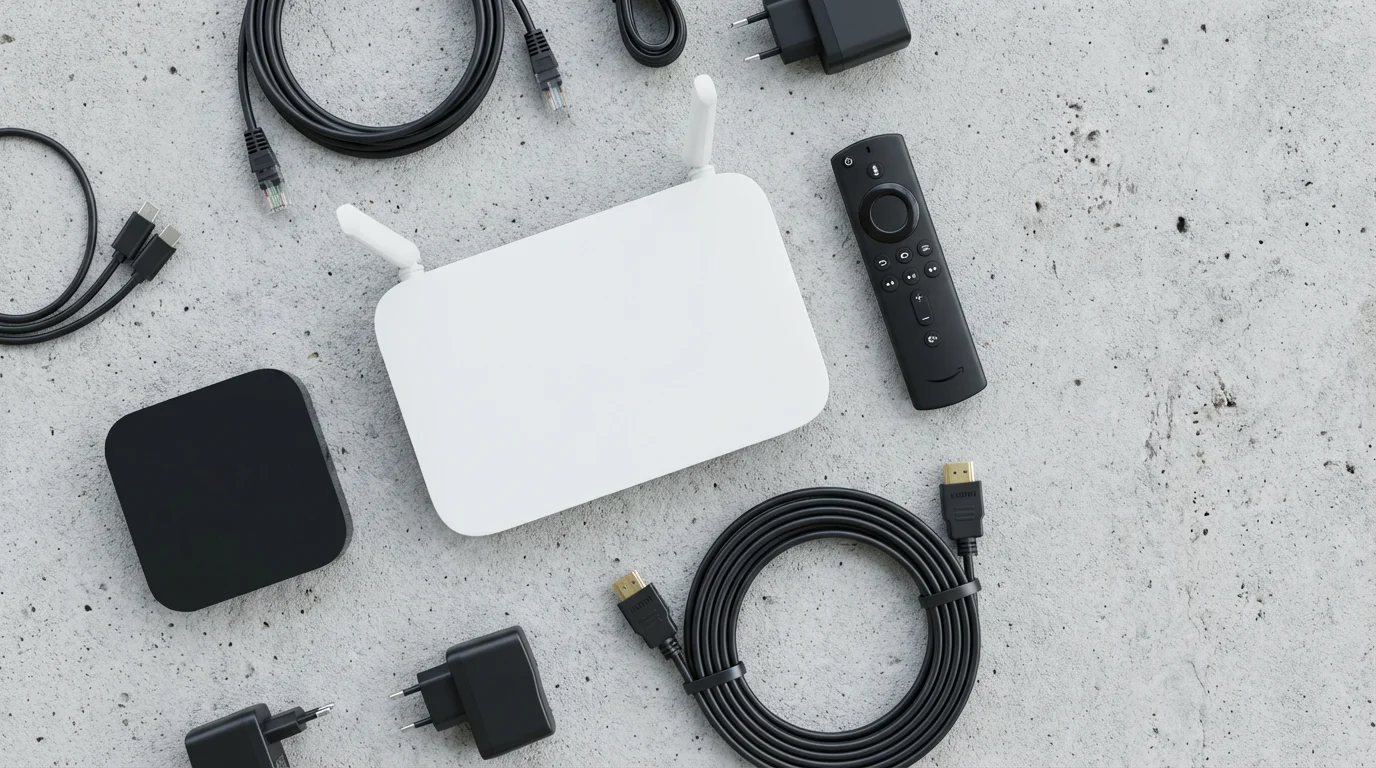
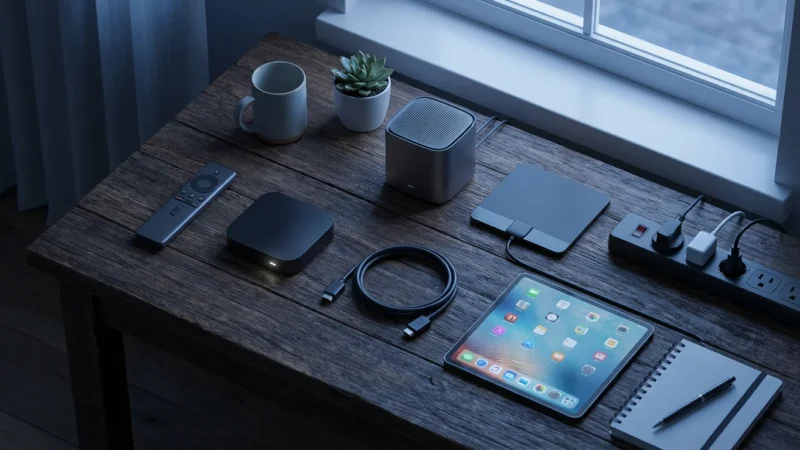
To enjoy a smooth, high-quality streaming experience, you need a few key pieces of equipment. Most items are one-time purchases, representing an investment that quickly pays for itself compared to ongoing cable rental fees.
- Reliable Internet Connection: This is the absolute foundation of your streaming setup. You need sufficient bandwidth to stream HD and 4K content without buffering. We discuss specific speed requirements in the next section.
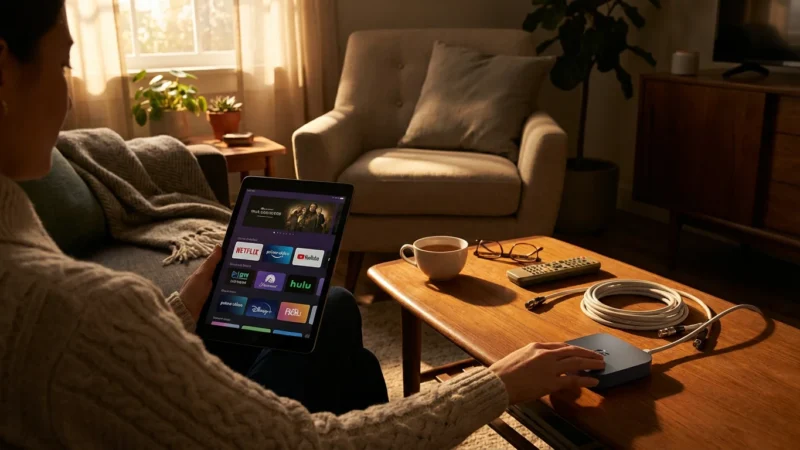
- Streaming Device: If you do not own a smart TV, a dedicated streaming device is crucial. These small boxes or sticks plug into your TV’s HDMI port and provide access to all major streaming apps. Popular options include:
- Roku devices: User-friendly interface, wide app selection, various price points.
- Amazon Fire TV devices: Integrated with Alexa, strong ecosystem if you use other Amazon products.
- Apple TV: Premium device, best for Apple ecosystem users, typically higher price point.
- Google Chromecast with Google TV: Integrates with Google services, good for Android users.
A good streaming device costs between $30 and $150, depending on features like 4K support and processing power.
- Smart TV: Many modern televisions come with built-in streaming capabilities. If you have a relatively new “smart TV,” it likely already has pre-installed apps for Max, Paramount+, and other services. Ensure your TV’s software is updated for optimal performance.
- (Optional) HDTV Antenna: While not for premium channels, an antenna provides free access to local broadcast networks like ABC, CBS, Fox, and NBC in HD. This helps fill the gap for live news and sports that you might otherwise miss. Indoor antennas can cost $20-$50, while outdoor ones range from $50-$150. According to FCC Consumer Guide, understanding your antenna options can provide significant value when cutting the cord.
“Investing in a quality streaming device or ensuring your smart TV is up-to-date is just as important as your internet speed. A smooth interface and reliable performance make your daily streaming experience far more enjoyable and reduce frustration.” — Streaming Expert
Internet Speed Requirements for Seamless Premium Streaming
Your internet connection determines the quality and reliability of your streaming experience. Sluggish internet leads to buffering and low-resolution playback, undermining the benefits of high-definition premium content. Understanding your needs helps you choose an appropriate internet plan.
Most streaming services recommend the following minimum speeds:
- Standard Definition (SD): 3-5 Mbps (megabits per second)
- High Definition (HD) (1080p): 5-10 Mbps
- Ultra High Definition (4K UHD): 15-25 Mbps
However, these are per-stream recommendations. If multiple people in your household stream simultaneously, each stream requires its own bandwidth. You also need to account for other internet activities like web browsing, gaming, and video calls. For a household with multiple users streaming 4K content, CNET recommends a minimum of 100-200 Mbps download speed to ensure a smooth experience. Therefore, aim for an internet plan with at least 100-200 Mbps download speed, especially if you plan to enjoy 4K content or have a busy internet household. Most internet service providers offer plans within this range for $50-$80 per month. Always check the actual speeds you receive, not just the advertised speeds.
Common Mistakes to Avoid When Cutting the Cord for Premium Content
While cord-cutting offers significant advantages, certain pitfalls can lead to frustration or unexpected costs. Avoid these common mistakes to ensure a smooth transition:
- Not checking for early termination fees (ETFs): Many cable contracts include early termination clauses that result in a substantial fee if you cancel before your contract expires. Always review your current contract carefully. If an ETF applies, calculate if the immediate savings from streaming outweigh the fee. Sometimes, waiting a few months until your contract ends saves you hundreds of dollars.
- Underestimating internet speed needs: Skimping on internet speed often leads to buffering and poor picture quality, especially with 4K premium content. Review your household’s usage and invest in a plan that comfortably supports multiple simultaneous streams and other online activities.
- Forgetting equipment returns: Your cable company typically rents out equipment like set-top boxes, DVRs, and modems. Failing to return these items promptly and correctly can result in hefty unreturned equipment fees. Document your returns by getting a receipt or taking photos.
- Subscribing to too many services: The “streaming paradox” involves replacing one large cable bill with many small streaming bills that add up. Carefully select only the services that offer content you truly watch. Take advantage of free trials to test services before committing. Periodically review your subscriptions and cancel any you no longer use.
- Not considering local channels: While premium channels are the focus here, many people forget about their local broadcast networks (ABC, CBS, FOX, NBC). An HDTV antenna provides these channels for free. If you rely on them for news or sports, plan to incorporate an antenna into your setup.
Your Step-by-Step Cord-Cutting Checklist
Making the switch from cable to streaming, especially when keeping premium channels, requires a methodical approach. Follow this checklist to ensure a smooth, confident transition:
- Assess Your Viewing Habits and Internet:
- Identify all “must-have” premium channels and specific shows/movies.
- Evaluate your current internet speed. Ensure it meets or exceeds recommendations for your household’s streaming needs. Upgrade if necessary.
- Research Streaming Alternatives and Costs:
- Determine the best way to get your premium channels (standalone apps, add-ons to other services).
- Compare prices for your chosen streaming bundle (internet + premium services + any other desired services like Netflix).
- Calculate your potential monthly savings compared to your current cable bill.
- Acquire Essential Equipment:
- Purchase any necessary streaming devices (Roku, Fire TV, Apple TV) if you do not have a smart TV or preferred device.
- Consider an HDTV antenna for local channels if desired.
- Set up your new streaming devices or smart TV, download apps for Max, Paramount+, etc., and test their functionality.
- Sign Up for Streaming Services (Strategically):
- Sign up for your chosen premium streaming services.
- Utilize free trials for any other services you are considering to ensure they meet your needs.
- Keep track of your subscription start dates and billing cycles.
- Review Your Cable Contract:
- Locate your current cable contract.
- Check for early termination fees (ETFs). Determine the best time to cancel (e.g., waiting until the contract expires).
- Note your current contract end date.
- Contact Your Cable Provider to Cancel:
- Call your cable provider’s customer service. Be firm but polite. They may offer retention deals. Stick to your decision if it saves you money.
- Confirm your exact cancellation date.
- Ask for clear instructions on how to return all rented equipment (set-top boxes, modems, remotes).
- Get a confirmation number for your cancellation.
- Return All Rented Equipment:
- Return all cable equipment as instructed by the provider.
- Obtain a receipt or proof of return. Take photos or videos of the equipment before dropping it off for your records. This prevents potential disputes over unreturned equipment fees.
- Monitor Your First Streaming Bill:
- Review your first few streaming service bills to ensure accurate charges.
- Check your bank or credit card statements to confirm your cable provider has stopped billing you.
Frequently Asked Questions
What is “cord-cutting”?
Cord-cutting refers to canceling traditional cable or satellite television services in favor of watching content exclusively through internet-based streaming services. It allows you to choose specific services you want rather than paying for a large bundle of channels.
Can I really save money by cutting the cord if I keep premium channels?
Yes, in most cases, you can save money. Even with an internet bill and subscriptions to Max, Paramount+ with Showtime, and another streaming service, your total monthly cost often comes in lower than a comparable cable package with premium channels, which also includes equipment rental fees and various surcharges. Your savings depend on your current cable bill and your chosen streaming combination.
What equipment do I need to stream premium channels?
You need a reliable internet connection, a smart TV, or a streaming device like a Roku, Amazon Fire TV, or Apple TV. An HDTV antenna is optional for receiving local broadcast channels, but it is not necessary for premium streaming services.
Do I need a “smart TV” to stream premium channels?
No, you do not. While a “smart TV” with built-in internet and apps is convenient, any television with an HDMI port can become a smart TV by plugging in an external “streaming device” like a Roku Stick or Amazon Fire TV Stick. These devices provide access to all the streaming apps you need.
Will I miss live sports or local news if I cut the cord?
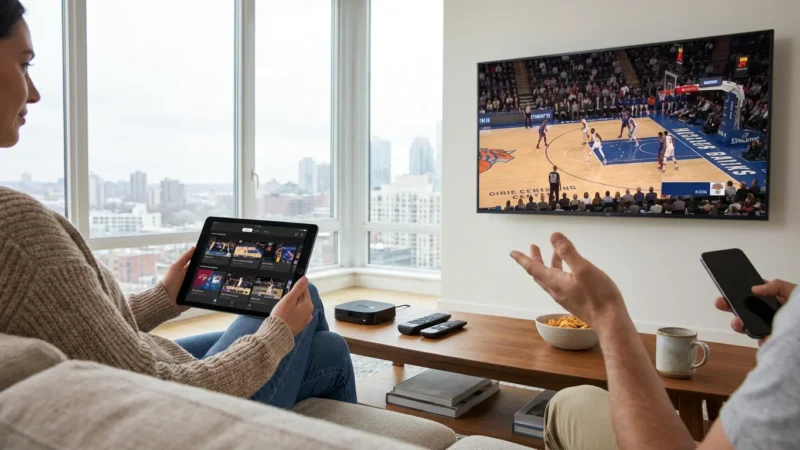
You can still access live sports and local news. Many live TV streaming services like Hulu + Live TV or YouTube TV offer local channels and sports networks. Alternatively, a simple HDTV antenna can provide free over-the-air access to local broadcast channels (ABC, CBS, Fox, NBC) for news and major sporting events.





Leave a Reply